# Financial Document Delivery: How to Build a Faster, Auditable Process
> TL;DR: Financial document delivery requires strict deadline adherence, verifiable chain-of-custody, and secure proof of delivery — gaps that manual dispatch and paper logs can’t reliably close. Route optimization tools like Zeo Route Planner address this with time window constraints and digital proof of delivery (photo, signature, and notes at every stop), helping courier teams handling financial documents save 2+ hours daily on route planning.
Financial document delivery isn’t like dropping off a package. When you’re moving signed loan packages, checks, or legal notices between branches, a late delivery can mean a missed compliance deadline, a lost deal, or worse — a broken chain of custody that no one can explain.
If you manage couriers or dispatch for a bank, credit union, mortgage brokerage, or courier company serving financial clients, you already know the stakes. This guide breaks down what makes financial document delivery different, where manual processes fail, and how route optimization technology helps you build a system that’s faster, auditable, and easier to scale.
What Is Financial Document Delivery (and Why It’s Different from Standard Courier Work)
Financial document delivery is the transport of sensitive, time-critical paperwork between branches, clients, and financial institutions. This includes checks, loan packages, signed mortgage documents, wire transfer confirmations, and legal notices. The same principles apply closely to legal document delivery optimization, where custody and timing carry similar weight.
Unlike standard parcel delivery, these items carry legal and financial weight. A missing signature page on a loan package can delay a closing. A late interbank check delivery can trigger processing penalties. A lost legal notice can create liability for the institution.
That’s why financial document delivery comes with requirements most courier work doesn’t:
- Strict deadlines tied to banking hours, closing dates, or regulatory windows
- Chain-of-custody tracking showing exactly who handled the document and when
- Proof of delivery that holds up if a dispute or audit happens later
- Confidentiality since documents often contain account numbers, social security numbers, or signatures
A missed delivery isn’t just an inconvenience here. It can mean compliance exposure, client complaints, or financial loss. That’s why operations managers need more than a driver with a good sense of direction — they need a system built for accountability.
The Real Challenges Slowing Down Financial Document Logistics: Deadlines, Compliance, and Human Error
Most financial institutions and courier partners still rely on manual dispatch: phone calls, spreadsheets, and paper logs. This approach breaks down fast once you’re managing multiple branches or a growing courier team.
Here’s where the cracks usually show up:
Deadline pressure. Loan closings, check clearing windows, and interbank cutoffs don’t move. If a courier hits traffic or takes an inefficient route, a document can miss its window entirely.
Weak chain-of-custody records. Paper logs and verbal confirmations don’t hold up well when a client asks, “Where was this document at 2 PM yesterday?” Without a digital trail, you’re guessing.
No real-time visibility. If a manager can’t see where a courier is right now, they can’t proactively fix a delay. Driver tracking software closes this gap by giving dispatchers live location data instead of finding out about a problem only after the client calls to complain.
Manual route planning errors. A dispatcher manually sequencing 15 stops across three branches is bound to miss a more efficient path. That means wasted mileage, wasted driver hours, and higher fuel costs.
Human error in documentation. Handwritten signature logs get lost. Photos taken on personal phones aren’t stored anywhere searchable. When something goes wrong, there’s no clean audit trail to point to.
According to American Bankers Association guidance on regulatory compliance, banks operate under increasingly tight regulatory scrutiny around document handling and recordkeeping, which means gaps in proof of delivery aren’t just operational risks — they’re compliance risks too. And with courier and delivery driver employment projected to keep growing through 2032 according to the U.S. Bureau of Labor Statistics, the pool of couriers handling sensitive documents is only getting bigger, making standardized processes more important, not less.
In-House Courier Teams vs. Outsourced Couriers vs. Route Optimization Software: Which Model Fits Your Operation?
Operations managers typically choose between three models for financial document delivery. Each has tradeoffs worth understanding before you scale.
In-house courier teams
You hire and manage your own drivers. This gives you full control over training, vehicle standards, and document handling procedures. The tradeoff: you’re responsible for dispatch, scheduling, and route planning, which gets harder to manage manually as your branch network grows.
Outsourced courier companies
You contract a third-party courier service to handle pickups and deliveries. This reduces headcount management but often means less visibility into real-time location and weaker control over chain-of-custody documentation. You’re trusting someone else’s process for something that carries real compliance risk.
Route optimization software
Whether you run an in-house team or manage outsourced couriers, route optimization software gives you a system layer that neither model provides on its own. It handles multi-stop planning, live tracking, and digital proof of delivery — regardless of who’s driving the vehicle. This approach mirrors broader banking logistics route optimization strategies used across the financial sector.
The strongest setups combine an in-house or trusted courier team with route optimization software as the backbone. Zeo Route Planner works with both models: fleet managers plan and assign routes from the web dashboard, whether the drivers are employees or contracted couriers, and everyone gets the same tracking and proof-of-delivery tools.
How Route Optimization Technology Solves Financial Delivery Challenges: Multi-Stop Planning, Live Tracking, and Digital Proof of Delivery
This is where the manual process gets replaced with a system built for accountability. Here’s how it works in practice.
Multi-stop route planning that respects deadlines
Instead of a dispatcher manually sequencing stops, Zeo’s AI-powered route optimization builds the most efficient multi-stop route automatically, saving drivers 2+ hours daily. You can set time windows for each stop, so a courier delivering a loan package to a title company by 3 PM gets prioritized correctly in the route sequence.
Say a courier company handles document runs for five mortgage brokerages across a metro area. Each has a different closing time. Manually sequencing 20+ daily stops to hit every window is nearly impossible by hand. Route optimization software builds that sequence in minutes, factoring in priority stops and time constraints.
Real-time visibility for managers and clients
Optimize routes with our algorithm, reducing travel time and costs efficiently.
increase fuel savings
Save $200 on fuel, Monthly!

With live GPS tracking, you can see exactly where every courier is at any moment. If a delivery is running behind, you know before the client calls — and can proactively communicate a new ETA using Zeo’s live tracking link and automated customer notifications.
Digital proof of delivery for chain-of-custody
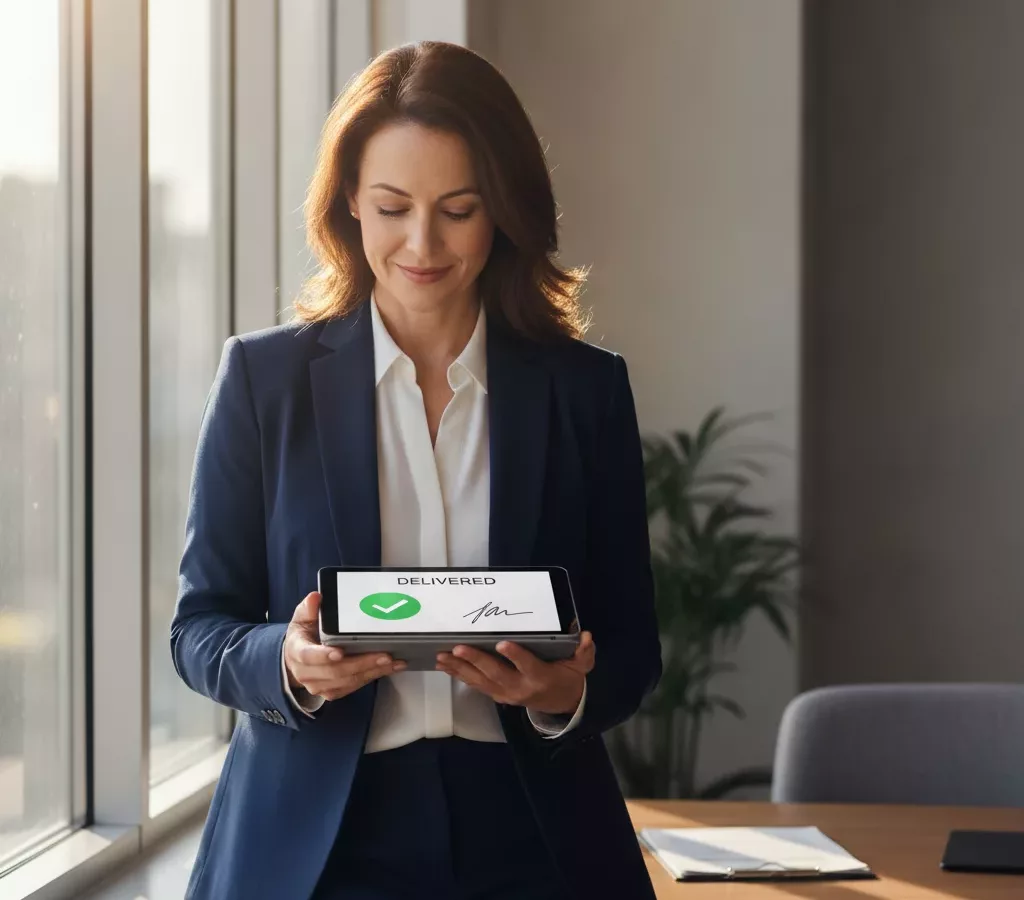
This is the piece that solves the audit trail problem. Zeo’s proof of delivery captures a digital signature, timestamped photo, and delivery notes at the moment a document changes hands. That record is stored digitally and tied to that specific stop, giving you a searchable, verifiable custody log instead of a handwritten notebook.
Dynamic adjustments when plans change
Financial document delivery rarely goes exactly as planned. A branch calls with an urgent pickup mid-route. Zeo allows dynamic route adjustments mid-shift, so dispatchers can insert priority stops without blowing up the entire day’s schedule.
Lower courier costs as you scale
More efficient routes mean fewer miles driven and fewer hours per stop. As your branch network grows from 5 locations to 25, that efficiency compounds. Zeo’s route analytics and mileage tracking also give you the data to show finance teams exactly where courier costs are going.
Best Practices Checklist: Building a Secure, On-Time Financial Document Delivery Process
Use this checklist to evaluate or rebuild your document delivery process:
- Set hard deadlines for every stop type. Loan closings, interbank transfers, and legal notices each have different windows. Build these into your route planning as time window constraints, not verbal reminders.
- Require digital proof of delivery on every handoff. Photo, signature, and notes should be standard for every document exchange, not just high-value ones.
- Give every courier real-time route visibility. Drivers should receive optimized stop sequences and turn-by-turn navigation on their phone, not a printed list from that morning.
- Track live location for every active route. If you can’t answer “where is this document right now” in under 10 seconds, your visibility gap is a compliance gap.
- Standardize notifications for time-sensitive drops. Automated SMS or email updates to receiving branches reduce phone-tag and confirm expected arrival times.
- Review route and delivery data weekly. Use analytics to spot recurring delays, underperforming routes, or drivers who need retraining. Similar review cycles apply well beyond banking — see how this plays out in medical courier route optimization, another industry where timing and custody matter just as much.
- Assign by skill or clearance level where needed. Some document types (legal notices, high-value checks) may require a specific courier. Skill-based assignment ensures the right driver gets the right route.
- Keep a digital audit trail as your default, not your backup. Paper logs should be the exception, not the system of record. For additional context on regulatory recordkeeping expectations, see FDIC guidance on financial recordkeeping requirements.
Scaling Multi-Branch Document Runs: How Managers and Drivers Stay in Sync with Zeo
As branch networks grow, the coordination problem grows with them. A bank with 5 branches might manage document runs with a shared spreadsheet. A bank with 30 branches can’t.
This is where the connection between the Zeo web platform and the Zeo mobile app matters most. Operations managers build and assign routes across all branches from the Zeo web dashboard — setting time windows, prioritizing urgent legal or loan document pickups, and assigning stops based on courier skill or location.
On the ground, couriers carrying those documents use the Zeo mobile app to receive their optimized route, navigate turn-by-turn to each branch or client stop, and capture a digital signature at the moment of handoff. That signature becomes the proof of custody transfer, timestamped and tied to that exact stop.
As they complete each drop, managers see updates in real time on the dashboard — no end-of-day phone calls needed to confirm a document arrived. If a branch calls in an urgent pickup mid-route, the manager can adjust the courier’s route on the fly, and the update pushes directly to the driver’s app.
The result is one connected system from dispatch to delivery confirmation. A branch manager in a different city doesn’t need to call dispatch to check on a loan package. They can see it move, stop by stop, until the signature confirms it arrived. For institutions managing chain-of-custody requirements across dozens of locations, that visibility isn’t a nice-to-have. It’s the difference between a defensible audit trail and a guessing game.
Frequently Asked Questions
Q: How long should a bank keep records of financial document deliveries?
Retention requirements vary by document type and jurisdiction, but many banking recordkeeping regulations call for several years of retained proof, especially for loan and legal documents. Institutions should confirm specific timelines with legal counsel, but the operational takeaway is the same: digital proof of delivery records are far easier to store, search, and produce than paper logs when a retention request comes in.
Q: What’s the difference between a courier and a bonded courier for financial documents?
A bonded courier carries insurance that protects against loss, theft, or damage to high-value items during transport, which is often required for checks, negotiable instruments, or legal notices. A standard courier may not carry this coverage. Financial institutions typically require bonding as a contractual condition regardless of which route optimization or tracking software the courier uses.
Q: Can route optimization software help with chain-of-custody documentation?
Yes. Zeo Route Planner’s proof of delivery feature captures a digital signature, timestamped photo, and delivery notes at each stop, creating a searchable record tied to that specific document handoff. This gives operations managers a defensible custody trail instead of relying on handwritten logs or verbal confirmations.
Q: How many stops can a courier realistically handle in a financial document delivery route?
This depends on branch density, traffic, and time window requirements, but most metro-area courier routes handle between 15-30 stops per day when properly sequenced. Zeo’s AI-powered route optimization builds these multi-stop sequences automatically, helping couriers save 2+ hours daily compared to manually planned routes.
Q: What happens if a financial document delivery misses its deadline?
Consequences depend on the document type — a missed loan package delivery can delay a closing, while a late interbank check can trigger processing penalties or compliance flags. Because these deadlines are often tied to banking hours or regulatory windows, time window constraints in route planning software help ensure priority stops are sequenced to arrive on time.
Getting Started
Manual dispatch and paper logs might work when you’re running a handful of daily document routes. They stop working the moment you scale past a few branches or add compliance scrutiny to the mix.
Route optimization software gives you the multi-stop planning, live tracking, and digital proof of delivery that financial document logistics demands — without adding headcount to your dispatch team.
Start a free Zeo Route Planner trial to build your first optimized, trackable financial document delivery route in minutes, or book a demo to see how banks and courier teams use Zeo to support compliant, on-time delivery at scale.

Are you a fleet owner?
Want to manage your drivers and deliveries easily?
Grow your business effortlessly with Zeo Routes Planner – optimize routes and manage multiple drivers with ease.

increase fuel savings
Save 2 Hours on Deliveries, Everyday!
Optimize routes with our algorithm, reducing travel time and costs efficiently.
Get Started for Free