Route Creation Methods | Zeo Route Planner ...
Fleet Platform
Mobile App

6 Ways to Add Stops
to Your Routes

Whether you’re importing hundreds of orders from a spreadsheet,
scanning a paper manifest, or adding a stop hands-free while driving —
Zeo makes it easy to build routes your way.
Zeo Route Planner
  • 6

    Input methods to choose from 

  • 500+

    Stops imported in seconds

  • 90%

    Less time on data entry

Choose Your Input Method.

Every business works differently.

Zeo gives you flexibility to add stops the way that fits your workflow.

How It Works

From input to optimized route in minutes.

1

Choose Method

Select the input method that fits your current need

2

Add Stops

Import, scan, speak, or search to add your stops

3

Review & Edit

Verify addresses, add details like time windows

4

Optimize

Let Zeo’s AI create the most efficient route

Manual Entry vs. Zeo Input Methods

See how much time you can save.

No, Zeo Route Planner
Manual Data Entry
 

  • Typing each address one by one
  • Copy-pasting from emails and PDFs
  • Fixing typos and geocoding errors
  • Re-entering regular customer info
  • Pulling over to add urgent stops
  • 30+ minutes to build a 50-stop route

Yes, Zeo Route Planner
Zeo Input Methods
 

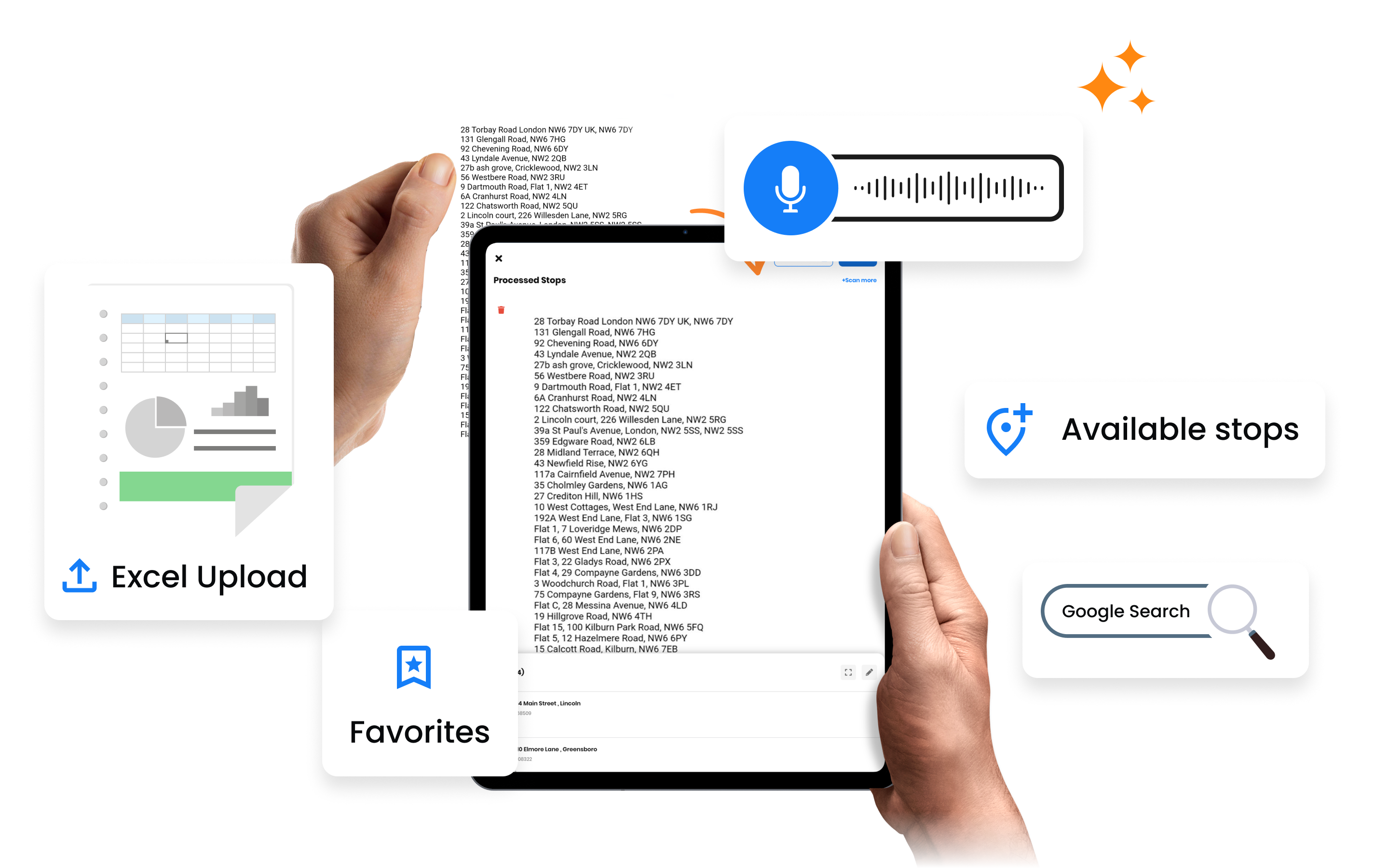
  • Import 500 stops from spreadsheet in seconds
  • Scan paper documents with OCR
  • Google autocomplete prevents errors
  • One-tap add from favorites
  • Voice input while driving
  • 2-3 minutes to build a 50-stop route

How Businesses Use Route Creation

Different industries, different input methods.

DELIVERY

E-commerce Order Import

An online retailer exports orders from Shopify each morning. The CSV imports into Zeo in seconds, creating a ready-to-optimize route with customer names, addresses, and order notes already attached.

FIELD SERVICE

Work Order OCR Scanning

A plumbing company receives handwritten work orders. Technicians photograph the orders with Zeo’s OCR scanner, and addresses are automatically extracted. No more squinting at messy handwriting.

DELIVERY

Voice-Added Urgent Pickups

A courier driver gets a call about an urgent pickup while en route. Using voice input, they add the new stop without pulling over: “Add pickup at 789 Commerce Drive.” The route automatically re-optimizes.

FIELD SERVICE

Favorites for Regular Routes

A pool service company visits the same pools weekly. Using favorites grouped by day, the dispatcher builds Monday’s route in 30 seconds by selecting “Monday Pools” and tapping “Add All to Route.”

Start Building Routes Faster

Try all 6 input methods free for 7 days. No credit card required.


Zeo Questionnaire

Frequently
Asked
Questions

Know More

Route Creation Methods

What spreadsheet formats are supported?

Zeo supports Excel (.xlsx, .xls) and CSV files. You can map any column structure to Zeo fields — address, customer name, phone, time window, notes, etc. Save your column mapping for future imports.

How accurate is the OCR scanning?

Zeo uses advanced AI for OCR that handles both printed and handwritten text. Accuracy is typically 95%+ for printed text and 85%+ for readable handwriting. You can review and edit extracted addresses before adding to route.

Does voice input work while offline?

Voice input requires an internet connection for speech-to-text conversion. However, you can add stops using favorites or manual entry while offline, and they'll sync when connected.

Can I import from Google Sheets directly?

Yes ✅ you can import directly from Google Sheets.

Is there a limit on how many stops I can import?

You can import up to 2000 stops per route via spreadsheet. For larger imports, simply split into multiple routes. There's no daily limit on total stops imported.

What route creation options does Zeo offer?

Zeo supports manual, automatic, bulk, and API-based route creation—allowing teams to build routes from single stops, lists, imported files, or directly from their internal systems for seamless automation.

Can I create routes from uploaded files?

Yes. Zeo allows uploading CSV or google sheet files to generate routes quickly without manual entry.

Does Zeo support route templates?

Yes. Users can save and apply route templates in the form of recurring routes to speed up planning for similar workloads or recurring patterns.

Can I add stops manually while planning a route?

Absolutely. Stops can be added, edited, or reordered manually during planning for full control.

What are the ways in which user can add stops?

Stops can be added through various chanels, manually searching and adding each stop, bulk import file of stops, uploading an image of stops, importing stops through Favourites, Voice adding of stops and via integration with with other platforms through Zapier and API

How fast is route creation for complex planning scenarios?

Zeo generates routes in seconds even for complex, multi-stop planning scenarios, ensuring minimal wait times during daily or on-demand planning.

Zeo Blogs

Explore our blog for insightful articles, expert advice, and inspiring content that keeps you informed.

Delivery Optimization Success Stories: Real Fleet Results

Real delivery optimization success stories with verified KPIs by fleet size and industry, plus an ROI calculator to estimate your own savings.

Route Optimization Case Studies: Real SMB Results (2026)

Real route optimization case studies from small delivery and field service businesses—actual costs, timelines, and ROI. See what

How to Plan Propane Delivery Routes During Peak Season

Learn how to plan propane delivery routes during peak season with a week-by-week playbook, KPI checklist, and route optimization tips for winter demand.

Xlork is a developer-first data import platform. It lets you embed CSV, Excel, and Google Sheets import into any app with AI-powered column mapping and schema validation. Explore free developer tools like JSON-to-CSV converters and color palette generators. No more building import flows from scratch — just drop in the Xlork SDK, sign up free, and ship clean data in minutes.