Electric Business | Zeo Route Planner

Manage Your Electrical Services
with Advanced Route Optimization

Zeo electrical service software helps you run your business more efficiently with
scheduling, dispatching, and more.

Zeo Route Planner

#1 Rated for Productivity, Time & Costs in Route Planning Software


Enhance Your Electrical Services with
Smart Route Optimisation Software
Efficient Scheduling and Dispatching

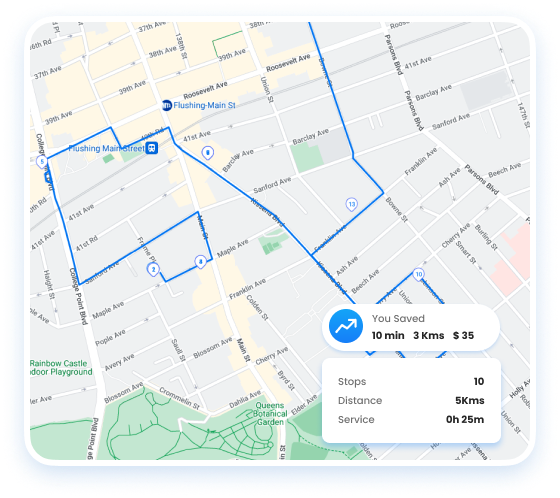
Streamline your electrical service routes with optimized routing and scheduling.

  • Optimize routes for electrical service calls for increased efficiency.
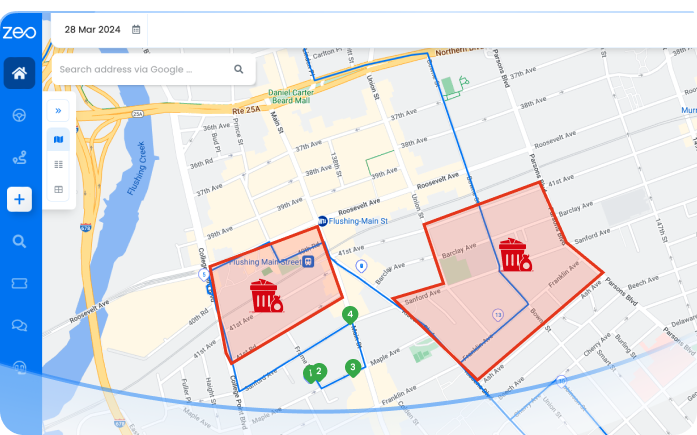
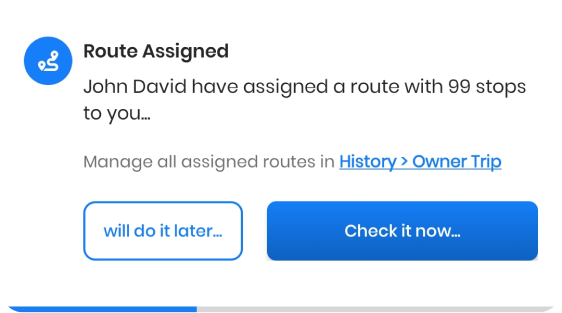
  • Distribute electrical jobs automatically based on technician availability and location.
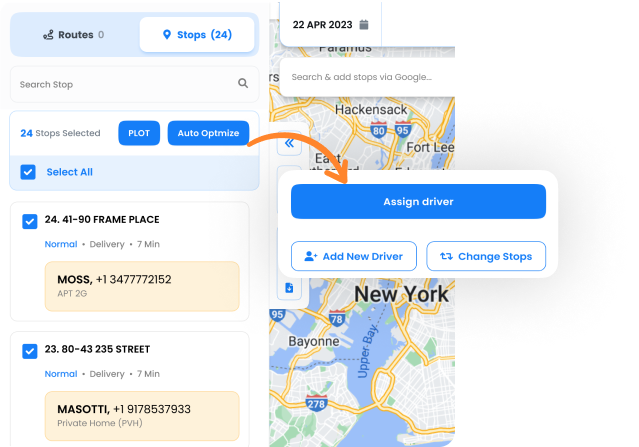
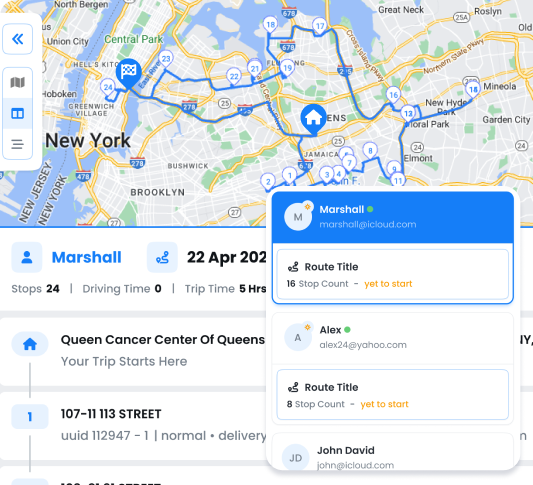
  • Monitor electricians in real-time for precise scheduling and customer updates.
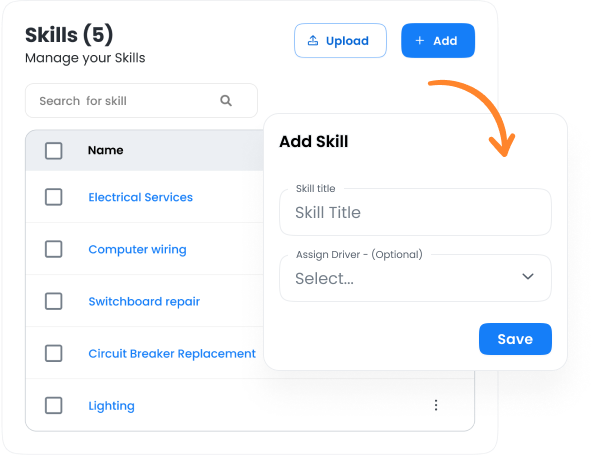
  • Assign electricians to jobs matching their skills in areas like residential or commercial wiring. 
  • Streamline the onboarding process for electricians with easy-to-use tech.
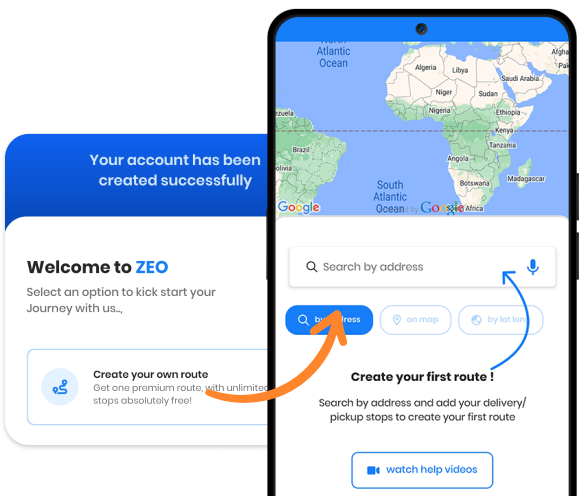
  • Enhance client engagement with personalized updates on electrical services.
Get Started for Free
Explore All Features

Smart Electrical with Zeo

Electrical Service Business Software: Plan, Schedule & Dispatch

Transform your Electrical
Service Business to
the Next Level


Get Started for Free

Trusted by 10,000+ Businesses for optimized routes

Used by over 1.5mn drivers across 150 countries to finish their work faster!

Home, Zeo Route Planner
Zeo Questionnaire

Frequently
Asked
Questions

Know More

Electric Business

How does Zeo optimize electrical service routes?

Zeo sequences your electrical service calls in the most efficient order. Upload jobs and it arranges routes by time, distance, or priority—cutting drive time, saving fuel, and helping electricians complete more appointments daily.

Can I automatically assign jobs to electricians?

Yes. Zeo’s Auto Assign feature dispatches jobs based on technician location, availability, or expertise. Routes and ETAs appear instantly in the electrician’s app for smooth scheduling.

How can I track electricians in real time?

Zeo’s dashboard shows every electrician’s live location, ETAs, and job progress. Reassign or reroute tasks instantly to avoid delays and ensure on-time service for clients.

Can Zeo assign electrical jobs based on skill level?

Absolutely. Add skills such as Residential Wiring, Commercial Installations, or Panel Repair in Settings → Skills to the correct crew. Zeo automatically matches jobs to qualified electricians.

How do I onboard new electricians efficiently?

Add new electricians under Drivers, assign them a seat after which you can assign them their first route, then Zeo app guides them through each service stop. Supervisors track their progress live, making onboarding fast and simple.

Can I notify customers about electrician arrivals or delays?

Yes. Use Branding → Custom Message to create templates with %{NAME} or %{ETA}. Zeo auto-sends SMS or email alerts when electricians start, are en route, or complete service.

How does Zeo improve response times for urgent electrical jobs?

Mark priority jobs as urgent during route creation. Zeo re-optimizes schedules and dispatches the nearest electrician to handle emergencies faster

Can Zeo handle both maintenance and emergency electrical calls?

Yes. Use Recurring Routes for routine electrical inspections and Ad-hoc Stops for sudden repairs. Zeo balances these seamlessly without disrupting ongoing service work.

Is Zeo suitable for small and large electrical businesses?

Yes. Small electrical teams can plan and track daily routes easily, while larger operations use Multi-driver Auto-Assign, bulk upload, and workflow tools for more structured, high-volume scheduling.

Zeo Blogs

Explore our blog for insightful articles, expert advice, and inspiring content that keeps you informed.

Route Optimization Case Studies: Real SMB Results (2026)

Real route optimization case studies from small delivery and field service businesses—actual costs, timelines, and ROI. See what

How to Plan Propane Delivery Routes During Peak Season

Learn how to plan propane delivery routes during peak season with a week-by-week playbook, KPI checklist, and route optimization tips for winter demand.

Propane Tank Monitoring Route Software: Close the Data Gap

Connect propane tank monitoring sensors to route optimization software. Turn low-tank alerts into driver-ready routes automatically. See how it works.

Xlork is a developer-first data import platform. It lets you embed CSV, Excel, and Google Sheets import into any app with AI-powered column mapping and schema validation. Explore free developer tools like JSON-to-CSV converters and color palette generators. No more building import flows from scratch — just drop in the Xlork SDK, sign up free, and ship clean data in minutes.