



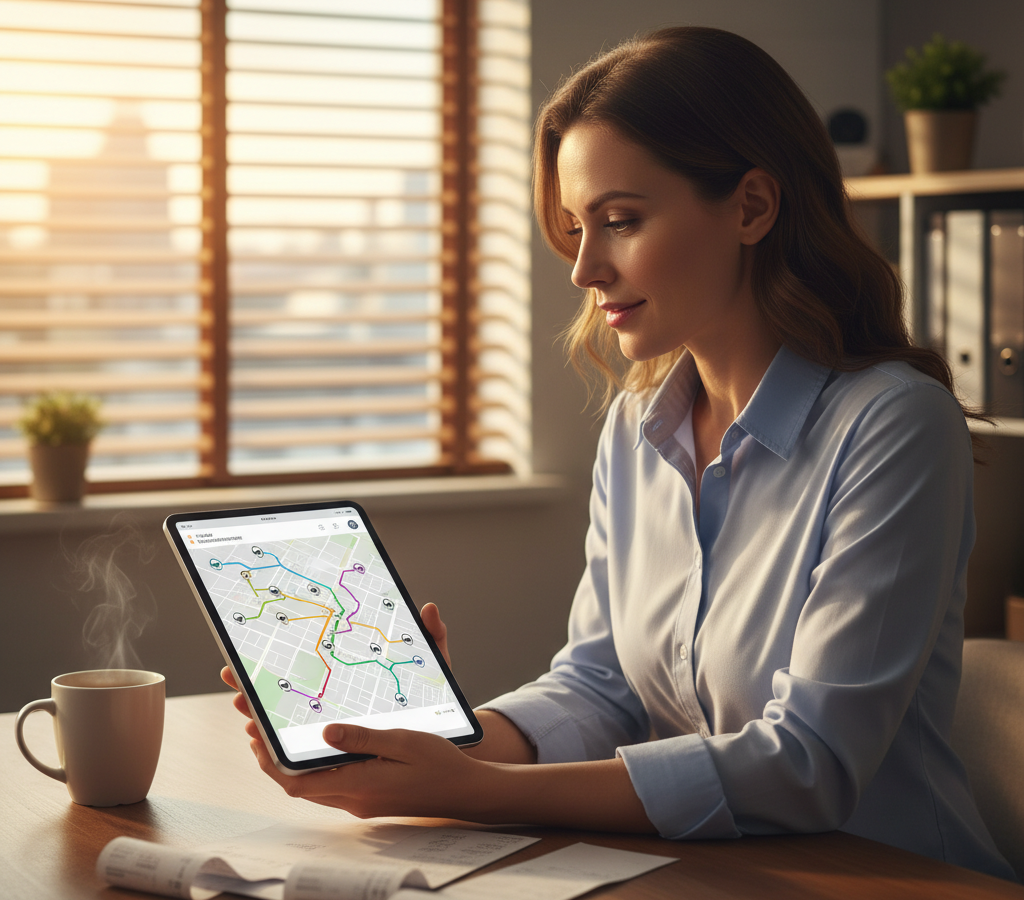
# Route Planner App Guide: Business vs Consumer Solutions 2026
> TL;DR: Business route planner apps deliver professional fleet management features that consumer apps like Google Maps cannot provide, including multi-driver optimization, real-time tracking, and proof of delivery systems. The Bureau of Labor Statistics reports that delivery businesses lose an average of 2.5 hours per driver daily to inefficient routing. Route optimization platforms like Zeo Route Planner address this with AI-powered optimization and integrated tracking, helping delivery teams save 2+ hours daily.
Choosing the right route planner app can make or break your delivery operations. While Google Maps works fine for a single driver making a few stops, it becomes a liability when you’re managing multiple drivers across dozens of daily routes.
Most business owners start with consumer apps because they’re free and familiar. But as your operation grows, you’ll hit walls that basic routing simply can’t break through.
This guide breaks down exactly when to upgrade from consumer route apps to business platforms, what features actually matter, and how to calculate the real ROI of professional route optimization.
Consumer Route Apps vs Business Route Planning: What’s the Real Difference?
Consumer route apps like Google Maps and Waze excel at single-destination navigation. They provide traffic updates, multiple route options, and reliable turn-by-turn directions. But they’re built for individual users, not business operations.
Here’s where consumer apps fall short for businesses:
Limited Stop Management: Google Maps allows up to 10 waypoints, but reordering them manually takes significant time. There’s no optimization algorithm to find the most efficient sequence.
No Fleet Visibility: You can’t see where your drivers are, when they’ll arrive, or if they’re running behind schedule. Each driver operates in isolation. Professional driver tracking software provides real-time visibility across your entire fleet.
Missing Proof Systems: Consumer apps don’t capture delivery confirmations, photos, or signatures. You have no way to prove service completion or resolve customer disputes. Comprehensive proof of delivery systems are essential for business operations.
Zero Customer Communication: Customers can’t track deliveries in real-time. You’re left fielding “Where’s my order?” calls throughout the day.
Business route planning platforms solve these problems with features designed for commercial operations. Fleet managers use web-based platforms to plan and optimize routes for multiple drivers, while those drivers receive optimized routes on their mobile apps for navigation.
According to the Bureau of Labor Statistics, delivery and service businesses lose an average of 2.5 hours per driver daily to inefficient routing and communication delays. Professional route planning platforms directly address these time drains.
Complete Route Planner App Comparison: Features, Pricing & Use Cases
Consumer Route Apps
Google Maps
- Cost: Free
- Best for: Individual drivers, 1-3 stops per route
- Key features: Real-time traffic, multiple route options, offline maps
- Limitations: 10 waypoint maximum, no optimization, no fleet tracking
Waze
- Cost: Free
- Best for: Traffic-heavy areas, community-driven updates
- Key features: Crowd-sourced traffic data, police alerts, road hazards
- Limitations: Consumer-focused interface, no business features
Business Route Planning Platforms
Entry-Level Solutions ($20-50/month)
- Basic multi-stop optimization
- Simple driver tracking
- Limited customer notifications
- Best for: 1-5 drivers, straightforward routes
Professional Platforms ($50-150/month)
- Advanced optimization with time windows
- Comprehensive fleet tracking
- Proof of delivery systems
- Customer communication tools
- Best for: 5-25 drivers, complex delivery requirements
Enterprise Solutions ($150+/month)
- Custom integrations
- Advanced analytics
- Territory management
- API access
- Best for: 25+ drivers, multi-location operations
Zeo Route Planner fits the professional category, serving 1.5M+ users across 150+ countries. Its AI-powered optimization saves 2+ hours daily per driver, while integrated tracking and communication tools eliminate most customer service calls. Comprehensive route optimization software provides the foundation for scalable business growth.
How to Choose the Right Route Planning Solution for Your Business Size
Your business size directly impacts which type of route planner app makes financial sense. Here’s how to evaluate your needs:
1-2 Drivers: Stick with Consumer Apps (For Now)
Google Maps handles simple routes adequately when you have minimal complexity. The cost savings of free apps outweigh the efficiency gains of paid platforms.
Upgrade triggers: Customer complaints about delivery times, drivers getting lost regularly, or difficulty coordinating between multiple drivers.
3-10 Drivers: Entry-Level Business Solutions
This is the transition zone where consumer apps become actively harmful. Route complexity increases exponentially with each additional driver.
Key requirements: Multi-stop optimization, basic driver tracking, simple dispatch capabilities.
Budget consideration: Even basic business platforms pay for themselves through fuel savings and reduced drive time.
10-25 Drivers: Professional Fleet Management
You need comprehensive visibility and advanced optimization. Customer communication becomes critical as your brand reputation depends on reliable service.
Essential features: Real-time tracking, proof of delivery, customer notifications, time window constraints, driver performance analytics.
Research from the American Transportation Research Institute shows that fleets in this size range achieve 15-25% efficiency improvements with professional route optimization, primarily through reduced miles driven and improved on-time performance.
25+ Drivers: Enterprise-Grade Solutions
Large fleets require custom integrations, territory management, and advanced reporting. You’re likely managing multiple vehicle types, service areas, and customer requirements. Enterprise fleet management software becomes essential at this scale.
Advanced Route Planning Features That Actually Matter for Growing Businesses
Not all “advanced” features provide equal value. Focus on capabilities that directly impact your bottom line and customer satisfaction.
Route Optimization Algorithms
Basic optimization reorders stops by proximity. Advanced algorithms consider traffic patterns, time windows, vehicle capacity, and driver skills.
Real impact: A 20-stop route optimized by proximity might take 6 hours. The same stops optimized with constraints and traffic data often complete in under 4 hours. AI-powered route optimization considers dozens of variables simultaneously for maximum efficiency.
Dynamic Route Adjustment
Routes change throughout the day. New orders arrive, customers reschedule, and traffic conditions shift. Professional platforms adjust routes in real-time.
Zeo’s dynamic optimization handles these changes automatically, reassigning stops and updating driver routes without manual intervention.
Proof of Service Integration
Photo capture, digital signatures, and delivery notes protect your business from disputes while providing customer peace of mind.
Implementation tip: Train drivers to capture photos showing package placement and condition. This single habit eliminates 90% of delivery disputes.

increase fuel savings
Save $200 on fuel, Monthly!
Optimize routes with our algorithm, reducing travel time and costs efficiently.
Get Started for Free
Customer Communication Automation
Automated SMS and email notifications keep customers informed without requiring staff intervention. Live tracking links let customers monitor progress independently.
This feature alone can reduce customer service calls by 60-80%, freeing your team for revenue-generating activities.
Skills-Based Assignment
Different jobs require different expertise. HVAC repairs need certified technicians, while basic maintenance can be handled by junior staff.
Professional route planners assign stops based on driver qualifications, ensuring the right person handles each job while optimizing travel efficiency.
ROI Calculator: Measuring the True Cost Savings of Route Optimization
Calculate your potential savings using these metrics from Department of Transportation commercial vehicle efficiency studies:
Time Savings
- Current average route time per driver: _____ hours
- Estimated optimization savings: 15-30%
- Time saved per driver daily: _____ hours
- Hourly driver cost (wages + benefits): $_____
- Daily labor savings: Time saved × Hourly cost × Number of drivers
Fuel Cost Reduction
- Current monthly fuel costs: $_____
- Expected mileage reduction: 10-20%
- Monthly fuel savings: $_____
Customer Service Efficiency
- Current customer service calls about deliveries: _____ per day
- Average call handling time: _____ minutes
- Hourly customer service cost: $_____
- With automated tracking, reduce calls by 70%
Example Calculation (10-driver operation):
- Labor savings: 2 hours × $25/hour × 10 drivers = $500/day
- Fuel savings: $3,000/month × 15% = $450/month
- Customer service savings: 20 calls × 5 minutes × $20/hour × 70% = $23/day
Monthly ROI: ($500 × 22 working days) + $450 + ($23 × 22) = $11,906
Even a $150/month route optimization platform provides 7,800% ROI in this scenario.
Implementation Guide: From Basic Routing to Professional Fleet Management
Transitioning from consumer apps to business platforms requires systematic planning to avoid operational disruptions.
Phase 1: Data Preparation (Week 1)
Collect your current routing data:
- Customer addresses and typical service windows
- Driver schedules and capabilities
- Vehicle capacity constraints
- Average stop times by service type
Most businesses underestimate stop duration. Track actual times for one week before implementing new routing.
Phase 2: Platform Setup (Week 2)
Driver Onboarding: Install the mobile app on driver phones and conduct training sessions. Focus on proof of delivery features and customer communication protocols.
Customer Database Import: Use bulk import features to add existing customers. Include time windows, special instructions, and contact preferences.
Integration Setup: Connect your existing systems (CRM, e-commerce platform, accounting software) to eliminate double data entry.
Phase 3: Parallel Testing (Week 3)
Run your new route planner alongside existing methods for one week. Compare results to identify any issues before full implementation.
Key metrics to track:
- Total route time
- Miles driven
- On-time performance
- Customer satisfaction scores
Phase 4: Full Implementation (Week 4)
Switch completely to the new platform. Monitor performance closely and gather driver feedback.
Common implementation challenges:
- Driver resistance to new technology
- Customer confusion about new tracking systems
- Integration bugs with existing software
Address these proactively with clear communication and technical support.
Ongoing Optimization
Route optimization isn’t a set-it-and-forget-it solution. Continuously refine your setup:
- Adjust time windows based on actual performance data
- Update driver skills as team members gain certifications
- Refine stop time estimates using historical data
- Optimize vehicle assignments based on route characteristics
Zeo’s analytics dashboard provides insights for these ongoing improvements, showing performance trends and identifying optimization opportunities across your entire fleet operation.
Frequently Asked Questions
Q: What’s the difference between free route planner apps and business route planning software?
Free route planner apps like Google Maps are designed for individual navigation with basic multi-stop functionality (up to 10 waypoints). Business route planning software provides fleet management, driver tracking, proof of delivery, customer notifications, and advanced optimization algorithms that can handle hundreds of stops across multiple drivers simultaneously.
Q: How much money can route optimization software save my delivery business?
Route optimization typically reduces drive time by 15-30% and fuel costs by 10-20%. For a 10-driver operation, this translates to approximately $11,906 in monthly savings through reduced labor costs, fuel expenses, and customer service calls. Zeo Route Planner users report saving 2+ hours daily per driver through AI-powered optimization.
Q: When should I upgrade from Google Maps to professional route planning?
Upgrade when you have 3+ drivers, experience regular customer complaints about delivery times, or spend significant time manually coordinating routes. Signs include drivers getting lost frequently, inability to provide accurate ETAs to customers, and lack of delivery confirmation systems.
Q: Can route planner apps integrate with my existing business systems?
Professional route planning platforms offer integrations with popular business tools. Zeo Route Planner integrates with Shopify, WooCommerce, HubSpot CRM, and connects to 1000+ apps through Zapier, eliminating double data entry and streamlining operations.
Q: What features should I prioritize when choosing a route planner app for my business?
Focus on multi-stop optimization, real-time driver tracking, proof of delivery (photo capture and digital signatures), customer notifications, and time window constraints. Advanced features like skills-based driver assignment and dynamic route adjustments become important as your fleet grows beyond 10 vehicles.
The transition from basic routing to professional fleet management represents a fundamental shift in how you operate. Consumer route planner apps serve their purpose for simple navigation, but growing businesses need the visibility, optimization, and communication tools that only dedicated fleet platforms provide.
Ready to upgrade your routing operations? Start your free trial to see how Zeo’s route planner handles both management planning and driver navigation in one integrated solution.

Are you a fleet owner?
Want to manage your drivers and deliveries easily?
Grow your business effortlessly with Zeo Routes Planner – optimize routes and manage multiple drivers with ease.

increase fuel savings
Save 2 Hours on Deliveries, Everyday!
Optimize routes with our algorithm, reducing travel time and costs efficiently.
Get Started for Free 


















