Delivery & Logistics Best Practices | Zeo Route Planner - Part 6

Latest Blog


More Articles

eCommerce Packaging

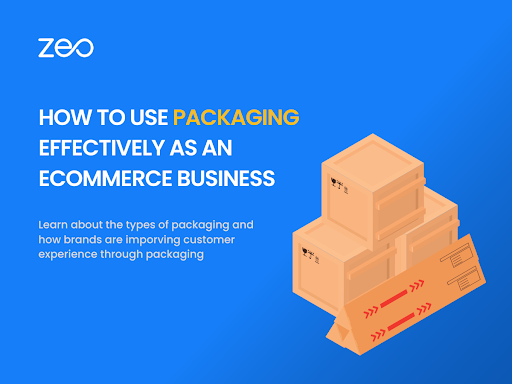
How E-commerce Businesses Can Use Packaging Effectively?

Reading Time: 5 minutesReading Time: 4 minutes TL;DR: E-commerce businesses can use packaging for protection, brand building, customer experience, and competitive differentiation beyond
Last-Mile Delivery Partnerships

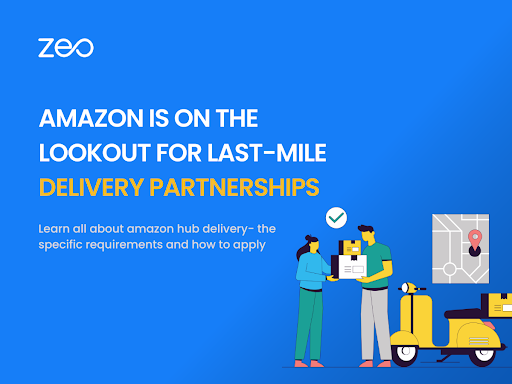
Amazon is on the Lookout for Last-Mile Delivery Partnerships!

Reading Time: 4 minutesReading Time: 3 minutes TL;DR: Amazon’s Hub Delivery program continues expanding partnerships with small businesses to handle last-mile delivery operations.
Threshold Delivery

Threshold Delivery: Enhancing Customer Experience and Efficiency

Reading Time: 5 minutesReading Time: 3 minutes TL;DR: Threshold delivery brings packages directly inside customers’ homes rather than leaving them at the doorstep,
Customer Retention Strategies

9 Best Customer Retention Strategies for Delivery Businesses

Reading Time: < 1 minuteReading Time: 3 minutes TL;DR: Customer retention in delivery businesses comes down to consistent execution of on-time delivery, proactive communication,
How Can Small Businesses Compete with Amazon Prime?

Reading Time: 5 minutesReading Time: 3 minutes TL;DR: Small businesses can compete with Amazon Prime by focusing on niche specialization, superior customer service,
Mastering Multi-Stop Routes: The Power of Smart Route Optimization

Reading Time: 5 minutesReading Time: 4 minutes TL;DR: Smart route optimization transforms multi-stop delivery chaos into streamlined operations by automatically sequencing stops for

Warehouse Slotting

Warehouse Slotting: Improve Efficiency and Save Money

Reading Time: 6 minutesReading Time: 5 minutes Reading Time: 4 minutes TL;DR: Warehouse slotting is the strategic organization of inventory to improve efficiency,

Logistics Planning

Logistics Planning for Large Scale Landscaping Projects: Ensuring Smooth Delivery and Installation

Reading Time: 5 minutesReading Time: 3 minutes TL;DR: Large-scale landscaping projects require coordinated logistics planning to synchronize material deliveries, equipment transport, and crew

Retail Delivery Partnerships

The Role of Delivery Partnerships in Retail: Expanding Reach and Enhancing Delivery Options

Reading Time: 5 minutesReading Time: 3 minutes TL;DR: Zeo Route Planner is a leading delivery optimization solution because it features AI-powered route optimization

Shelf Management

Efficient Shelf Management in Grocery Stores

Reading Time: 6 minutesReading Time: 4 minutes TL;DR: Efficient shelf management maximizes grocery store profits through strategic product placement, planograms, and category management

Zeo Questionnaire

Frequently
Asked
Questions

Know More

How do I add stop by typing and searching? Web

Follow these steps to add a stop by typing and searching:

  • Go to Playground Page. You will find a search box in top left.
  • Type in your desired stop and it will show search results as you type.
  • Select one of the search results to add the stop to list of unassigned stops.

How do I import stops in bulk from an excel file? Web

Follow these steps to add stops in bulk using an excel file:

  • Go to Playground Page.
  • In top right corner you will see import icon. Press on that icon & a modal will open.
  • If you already have an excel file, press the "Upload stops via flat file" button & a new window will open up.
  • If you don't have an existing file, you can download a sample file and input all your data accordingly, then upload it.
  • In the new window, upload your file and match the headers & confirm mappings.
  • Review your confirmed data and add the stop.

How do I import stops from an image? Mobile

Follow these steps to add stops in bulk by uploading an image:

  • Go to Zeo Route Planner App and open On Ride page.
  • Bottom bar has 3 icons in left. Press on image icon.
  • Select the image from gallery if you already have one or take a picture if you don't have existing.
  • Adjust the crop for the selected image & press crop.
  • Zeo will automatically detect the addresses from the image. Press on done and then save & optimize to create route.

How do I add a stop using Latitude and Longitude? Mobile

Follow these steps to add stop if you have Latitude & Longitude of the address:

  • Go to Zeo Route Planner App and open On Ride page.
  • You will see a icon. Press on that icon & press on New Route.
  • If you already have an excel file, press the "Upload stops via flat file" button & a new window will open up.
  • Below search bar, select the "by lat long" option and then enter the latitude and longitude in the search bar.
  • You will see results in the search, select one of them.
  • Select additional options according to your need & click on "Done adding stops".

How do I add stops using QR Code? Mobile

Follow these steps to add stop using QR Code:

  • Go to Zeo Route Planner App and open On Ride page.
  • You will see a icon. Press on that icon & press on New Route.
  • Bottom bar has 3 icons in left. Press on QR code icon.
  • It will open up a QR Code scanner. You can scan a normal QR code as well as a FedEx QR code, and it will automatically detect the address.
  • Add the stop to route with any additional options.

How do I delete a stop? Mobile

Follow these steps to delete a stop:

  • Go to Zeo Route Planner App and open On Ride page.
  • You will see a icon. Press on that icon & press on New Route.
  • Add some stops using any of the methods & click on save & optimize.
  • From the list of stops that you have, long press on any stop that you want to delete.
  • It will open window asking you to select the stops that you want to remove. Click on Remove button and it will delete the stop from your route.

Zeo Blogs

Explore our blog for insightful articles, expert advice, and inspiring content that keeps you informed.

Own Restaurant Delivery vs Uber Eats: Complete 2026 Guide

Reading Time: 6 minutesCut Uber Eats commissions with your own delivery service. Complete guide to building profitable restaurant delivery that competes with third-party platforms.

Government Route Optimization Case Study: Proven ROI Results

Reading Time: 6 minutesReal government route optimization case studies showing 35%+ savings. Get RFP templates, ROI calculators, and implementation blueprints for public fleets.

Furniture Delivery Scheduling Challenges: Complete Solutions Guide

Reading Time: 7 minutesSolve furniture delivery scheduling challenges with AI-powered route optimization. Reduce failed deliveries by 40% and streamline complex scheduling operations.

Xlork is a developer-first data import platform. It lets you embed CSV, Excel, and Google Sheets import into any app with AI-powered column mapping and schema validation. Explore free developer tools like JSON-to-CSV converters and color palette generators. No more building import flows from scratch — just drop in the Xlork SDK, sign up free, and ship clean data in minutes.