




Updated on: June 15, 2026
Running logistics requires sticking to stringent timing, precision, and cost control. Every mile matters to the business. And so, you’ll have to be sure of how you plan those miles since it often decides whether a delivery business stays ahead or falls behind.
A basic requirement here is route planning software. It provides a platform that serves as a command center for dispatchers, drivers, and managers who require precise control rather than last-minute rushes.
In 2026, the best logistics routing software brings speed, real-time visibility, and the ability to adapt when schedules shift.
To get started, we’ve featured five software options worth your attention. Check these out and decide, based on your needs, which one stands out.
5 Best Logistics Routing Software for 2026
The choice of a routing software comes down to outcomes, budget, and features. Below, we feature five logistics routing software options that you can use in 2026.
1. Zeo Route Planner
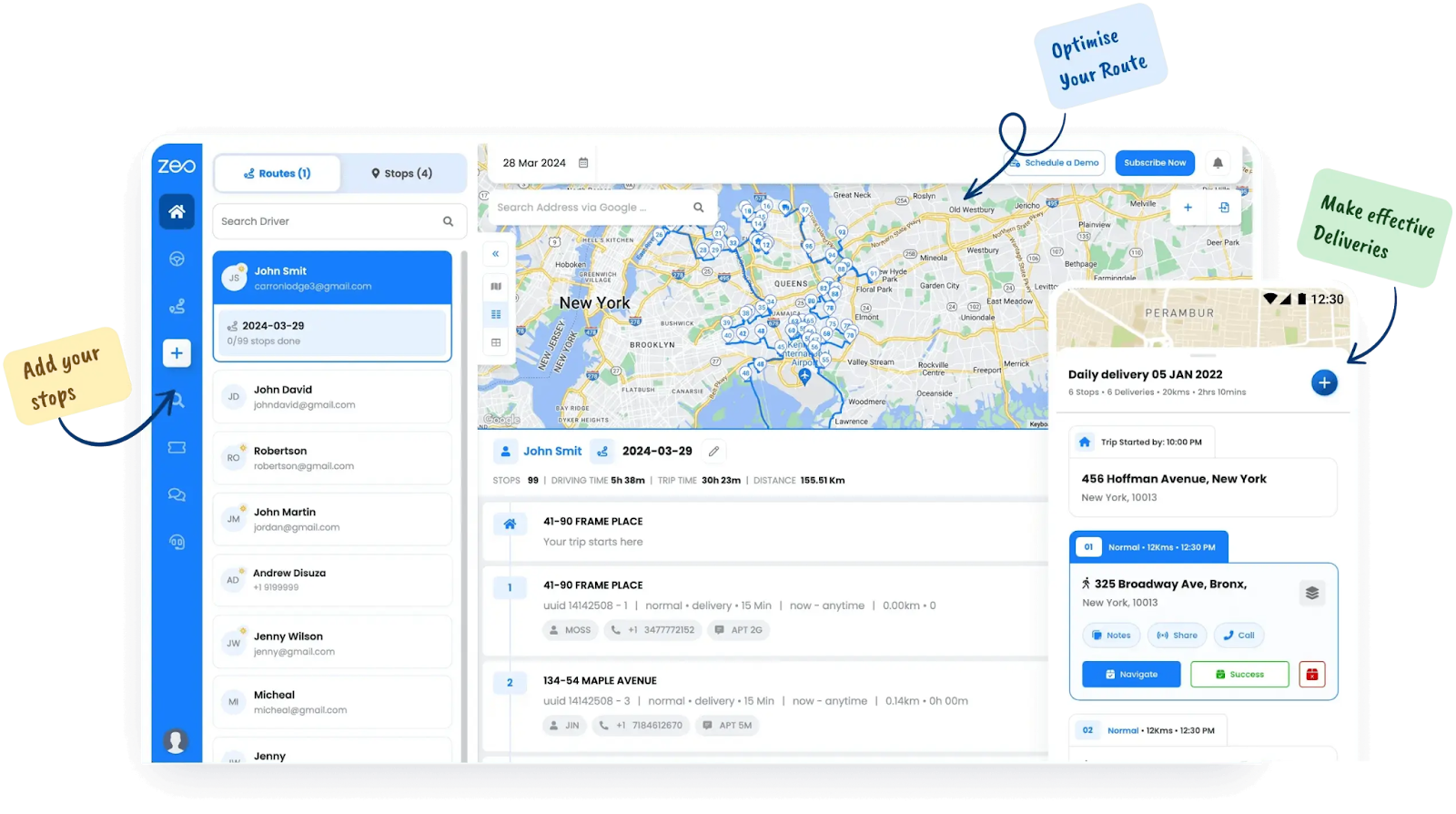
Zeo Route Planner
Zeo Route Planner is built for businesses that want fast, accurate, and flexible route planning without the heavy overhead. It helps delivery managers, field representatives, and logistics route planning for smarter runs, reduces wasted miles, and keeps customers updated in real time.
Using Zeo, dispatchers gain control from a single dashboard, and drivers receive clarity on every stop. Also, it’s a platform designed to handle last-minute changes, manage large delivery volumes, and give managers visibility across their fleet.
Zeo Route Planner comes with features like —
- Route Optimization: It comes built-in and offers the best-fitting delivery routes quickly
- Live Tracking: To monitor driver locations and route progress in real time
- Proof of Delivery: Usually captured through digital signatures, photos, or notes at the stop
- Add Stops from Favourites: This can speed up planning by reusing frequently visited addresses from your saved list
- Global Search: Lets you find customers, routes, or stops across your account quickly without any manual lookup
- Recurring Routes: Helps you automatically set repeat weekly or monthly deliveries for consistent schedules
- CRM Integration with HubSpot and other tools to sync customer data, orders, and delivery history in real time
- Route Analytics: Provide detailed performance metrics on distance, cost, driver efficiency, and delivery times
2. Routific
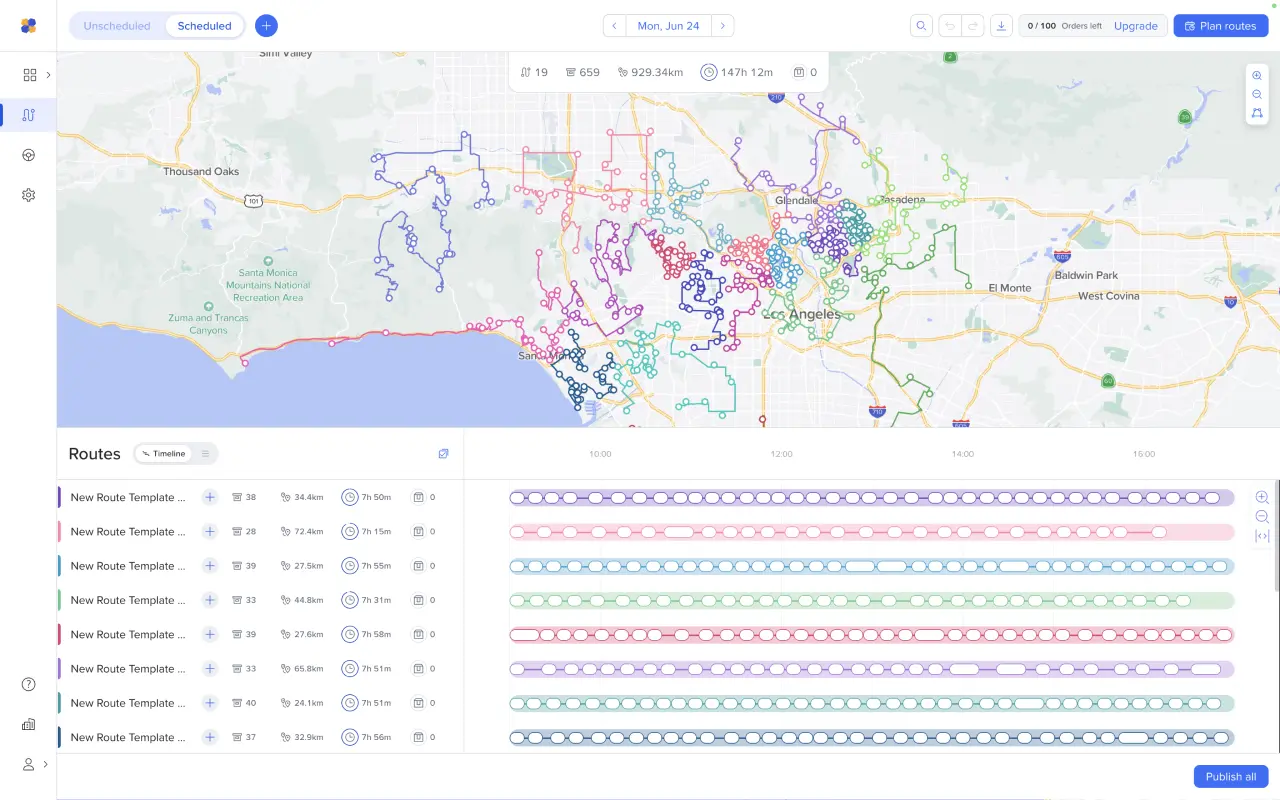
Routific
Some delivery teams don’t want complexity. They want a tool that can spin up a set of routes, keep drivers from zig-zagging, and send customers a heads-up without drowning in dashboards.
That’s where Routific often fits. It’s lightweight, easy to roll out, and small businesses use it because the learning curve is low.
The catch is consistency. Users have flagged notification gaps — particularly with SMS reminders not always hitting customers. For a team that relies on tight client communication, that’s a real problem.
What it gives you
- A driver app with simple navigation and stop lists.
- Customer ETAs are pushed automatically, so clients aren’t left guessing.
- Analytics on delivery performance and costs, though basic compared to heavier platforms.
3. OptimoRoute
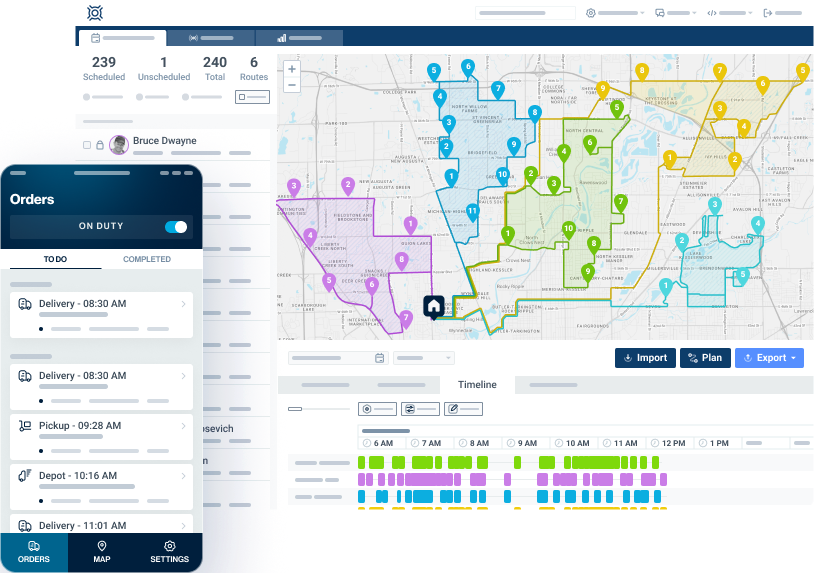
OptimoRoute
OptimoRoute appeals to managers staring at a wall of stops and thinking: how do I make this work without disorder? It’s strong when you’ve got dozens of deliveries, shifting demand, and drivers who need a clear plan every day.

increase fuel savings
Save $200 on fuel, Monthly!
Optimize routes with our algorithm, reducing travel time and costs efficiently.
Get Started for Free
Teams like it because it can map out weeks in advance while still letting dispatchers tweak things when delays happen.
Here’s the catch: it’s laser-focused on routing and scheduling. That’s its strength and its limit. If you want warehouse sync, order lifecycle visibility, or inventory connections, you’ll hit a ceiling.
What it gives you
- Automated planning for bulk orders across multiple days.
- A driver app with turn-by-turn guidance and task updates.
- Live ETAs shared with customers.
- Delivery confirmations via signatures, photos, or notes.
4. WorkWave Route Manager
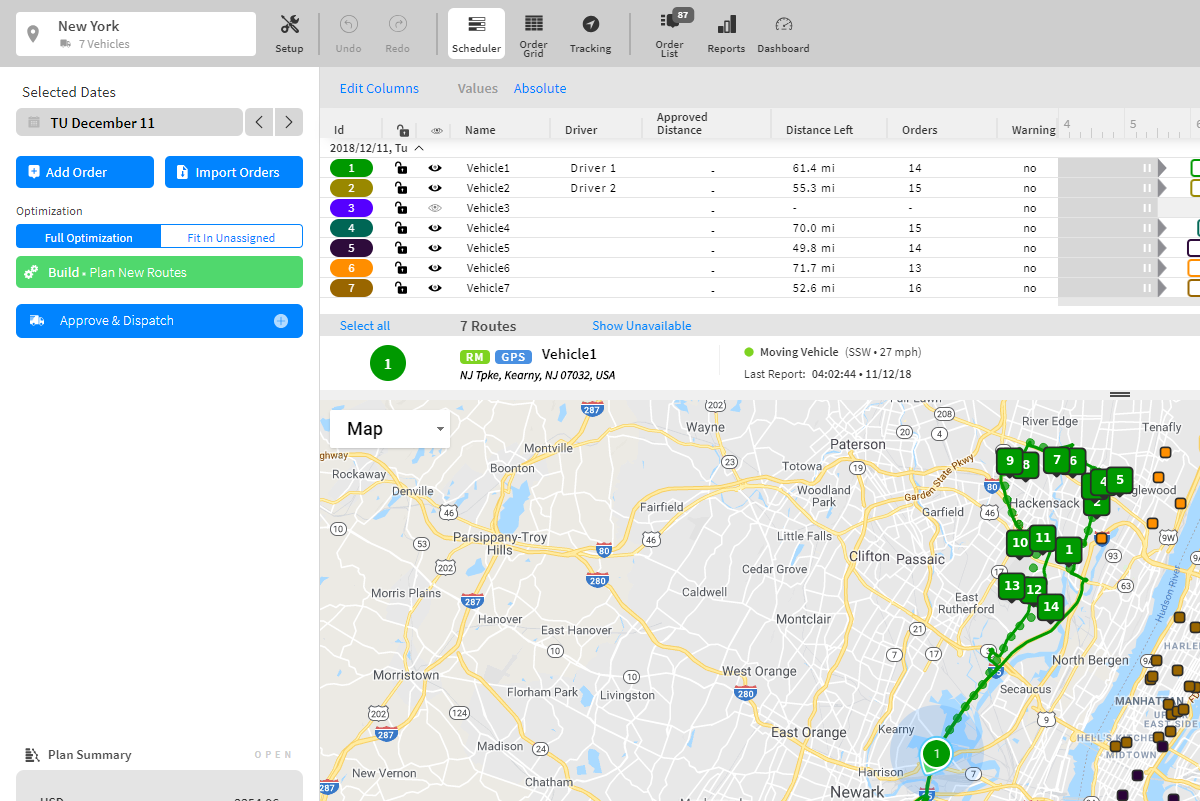
RouteManager
WorkWave (often called Route Manager) is aimed at service-heavy fleets — think pest control, HVAC, repair crews, and delivery runs that mix scheduled jobs with ad-hoc tasks. It’s more than just routing: managers get scheduling, driver apps, reporting, and even scenario modeling.
The gap? GPS tracking isn’t included in the base plan. You pay extra for live vehicle visibility, which feels limiting when even smaller competitors bake it in. For a lean business, that’s a sticking point.
What it gives you
- Route planning built around time windows and capacity.
- A mobile app so drivers can update tasks, capture proof, or flag skips.
- Digital proof of delivery, including signatures and notes.
- Order import via bulk upload or APIs.
5. Onfleet
Onfleet
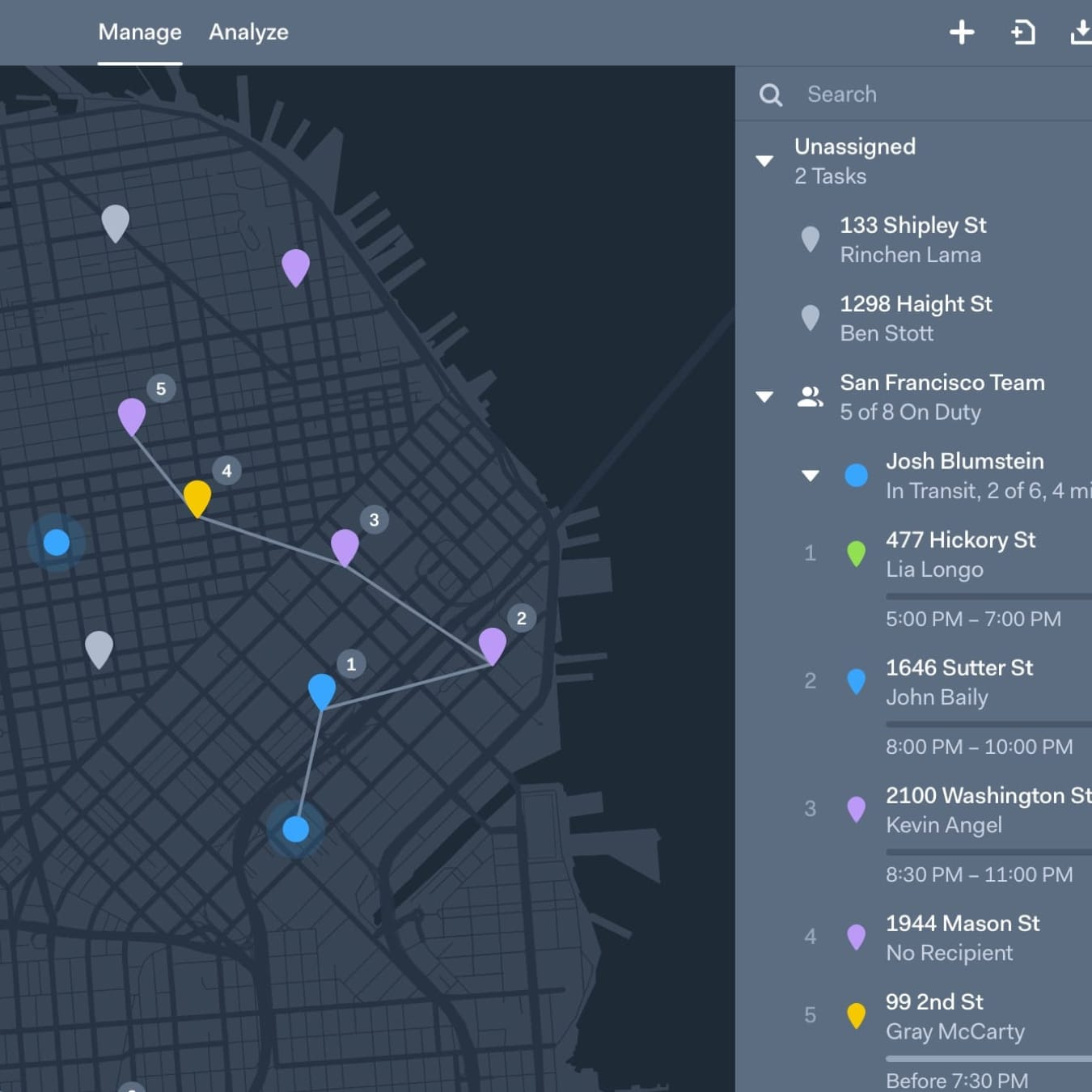
Onfleet is built for scale. Enterprises and scale-ups adopt it because it combines dispatch, routing, proof of delivery, and customer messaging into one polished platform. It’s the kind of system you use when missing an SLA isn’t an option.
But the price bar is high. The entry plan starts at hundreds per month, and more advanced analytics and capacity sit behind steeper tiers. Smaller operators find it hard to justify unless they’re already pushing thousands of drops.
What it gives you
- Real-time driver tracking with live route adherence.
- Automatic ETAs and SMS/email updates to customers.
- Proof of delivery with signatures, barcodes, photos, or notes.
- A driver app that handles navigation, stop orders, and task details.
Takeaway
The tool that covers ground without piling on overhead is Zeo Route Planner. It gives dispatchers control, drivers clarity, and managers real visibility without locking you into bloated tiers or enterprise budgets.
Fast optimization, live tracking, proof of delivery—the essentials are done right.
If you want routing software that sharpens your operations instead of complicating them, Zeo is where to start.
Sign up for Zeo Route Planner today!

Are you a fleet owner?
Want to manage your drivers and deliveries easily?
Grow your business effortlessly with Zeo Routes Planner – optimize routes and manage multiple drivers with ease.

increase fuel savings
Hassle Free Deliveries & Pickups!
Optimize routes with our algorithm, reducing travel time and costs efficiently.
Get Started for Free



















