
Blog | Zeo Route Planner - Part 24

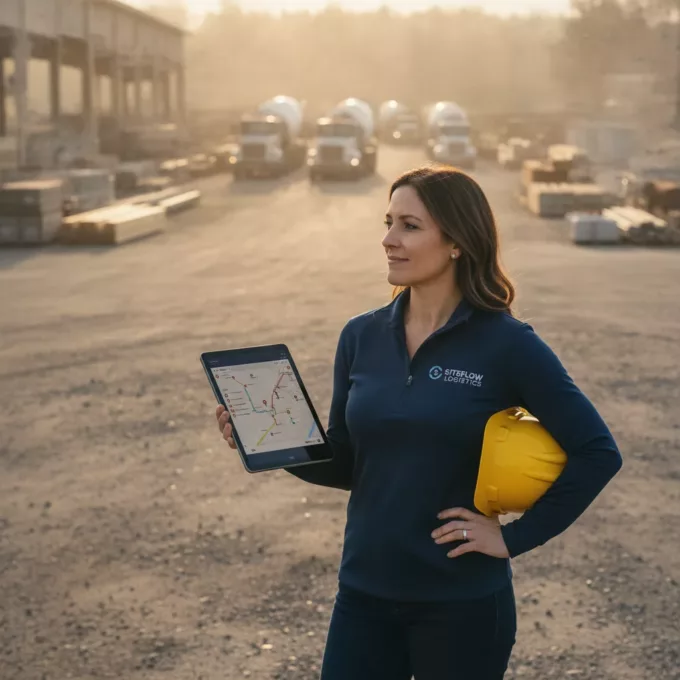
How To Level Up Your Logistics Tech Stack with AI

Reading Time: 3 minutesManaging the entire logistics operations is no small feat. Ask a logistics manager. Right from inventory and warehouse management to

How To Level Up Your Logistics Tech Stack with AI

Reading Time: 3 minutesManaging the entire logistics operations is no small feat. Ask a logistics manager. Right from inventory and warehouse management to

How the Free SMS Pack Increase Your Business?

Reading Time: 5 minutesReading Time: 3 minutes TL;DR: Free SMS packages boost business by eliminating communication gaps that cause lost customers and failed

How To Use Linked Deliveries for Smarter Route Planning in Zeo

Reading Time: 6 minutesSome delivery workflows are simple. One package, one destination, done. But the real world is rarely that tidy. Many businesses

How to Reoptimize Routes with Skipped Stops for Seamless Deliveries

Reading Time: 7 minutesReading Time: 4 minutes TL;DR: Reoptimizing routes with skipped stops requires automated systems that combine missed deliveries with pending stops

EIR Code – How It Helps for EU Country Stops

Reading Time: 6 minutesReading Time: 3 minutes TL;DR: Eircodes provide Ireland’s most precise postal code system, with each seven-character code identifying a single

Zeo’s Real-Time Messaging System: Smarter Delivery Communication at Scale

Reading Time: 3 minutesIn delivery and fleet operations, lack of real-time communication is what breaks trust. Customers expect to be in the loop

Quick and Easy Route Optimization Tips for Independent Plumbers

Reading Time: 3 minutesIndependent plumbers often juggle multiple tasks daily, from managing appointments to navigating through traffic. The challenge of planning and managing

Revolutionize Your Lawn Care Services with Zeo’s Smart Routing

Reading Time: 4 minutesToday the lawn care industry is experiencing a significant boom and It’s the perfect time for landscaping and lawn care

Dropshipping Route Optimization

The Role of Route Planning In Successful Dropshipping

Reading Time: 5 minutesReading Time: 3 minutes TL;DR: Route planning transforms dropshipping success by optimizing multi-supplier deliveries, reducing shipping costs, and improving customer

Last-Mile Delivery Route Optimization: Grocery and Food Delivery Industry

Reading Time: 3 minutesIn this fast-paced environment, the grocery and food delivery industry faces challenges in achieving timely and effective deliveries. Thus they

How Route Optimization Can Help Plumbers Save on Fuel Costs

Reading Time: 4 minutesWith fuel costs continually on the rise, small businesses like plumbing services feel the pinch more than most. Fuel expenses

Where to Find the Tracking Number on the USPS Receipt?

Reading Time: 6 minutesReading Time: 3 minutes TL;DR: Your USPS tracking number appears on your receipt, typically printed just below the barcode and

Zeo Questionnaire

Frequently
Asked
Questions

Know More

How do I add stop by typing and searching? Web

Follow these steps to add a stop by typing and searching:

  • Go to Playground Page. You will find a search box in top left.
  • Type in your desired stop and it will show search results as you type.
  • Select one of the search results to add the stop to list of unassigned stops.

How do I import stops in bulk from an excel file? Web

Follow these steps to add stops in bulk using an excel file:

  • Go to Playground Page.
  • In top right corner you will see import icon. Press on that icon & a modal will open.
  • If you already have an excel file, press the "Upload stops via flat file" button & a new window will open up.
  • If you don't have an existing file, you can download a sample file and input all your data accordingly, then upload it.
  • In the new window, upload your file and match the headers & confirm mappings.
  • Review your confirmed data and add the stop.

How do I import stops from an image? Mobile

Follow these steps to add stops in bulk by uploading an image:

  • Go to Zeo Route Planner App and open On Ride page.
  • Bottom bar has 3 icons in left. Press on image icon.
  • Select the image from gallery if you already have one or take a picture if you don't have existing.
  • Adjust the crop for the selected image & press crop.
  • Zeo will automatically detect the addresses from the image. Press on done and then save & optimize to create route.

How do I add a stop using Latitude and Longitude? Mobile

Follow these steps to add stop if you have Latitude & Longitude of the address:

  • Go to Zeo Route Planner App and open On Ride page.
  • You will see a icon. Press on that icon & press on New Route.
  • If you already have an excel file, press the "Upload stops via flat file" button & a new window will open up.
  • Below search bar, select the "by lat long" option and then enter the latitude and longitude in the search bar.
  • You will see results in the search, select one of them.
  • Select additional options according to your need & click on "Done adding stops".

How do I add stops using QR Code? Mobile

Follow these steps to add stop using QR Code:

  • Go to Zeo Route Planner App and open On Ride page.
  • You will see a icon. Press on that icon & press on New Route.
  • Bottom bar has 3 icons in left. Press on QR code icon.
  • It will open up a QR Code scanner. You can scan a normal QR code as well as a FedEx QR code, and it will automatically detect the address.
  • Add the stop to route with any additional options.

How do I delete a stop? Mobile

Follow these steps to delete a stop:

  • Go to Zeo Route Planner App and open On Ride page.
  • You will see a icon. Press on that icon & press on New Route.
  • Add some stops using any of the methods & click on Save & Optimize.
  • From the list of stops that you have, long press on any stop that you want to delete.
  • It will open window asking you to select the stops that you want to remove. Click on Remove button and it will delete the stop from your route.

Zeo Blogs

Explore our blog for insightful articles, expert advice, and inspiring content that keeps you informed.

Propane Delivery Route Optimization Software Guide 2026

Reading Time: 6 minutesComplete guide to propane delivery route optimization software for fuel savings, DOT compliance, emergency handling & better scheduling for distribution comp…

How to Reduce Propane Delivery Costs by 30% in 2026

Reading Time: 7 minutesLearn proven strategies to reduce propane delivery costs through route optimization, smart scheduling, and efficiency improvements that cut fuel and labor by…

Refrigerated Truck Route Planning Challenges Solutions 2026

Reading Time: 8 minutesSolve refrigerated truck route planning challenges with technology that maintains cold chain compliance while reducing costs. Get practical solutions.

Xlork is a developer-first data import platform. It lets you embed CSV, Excel, and Google Sheets import into any app with AI-powered column mapping and schema validation. Explore free developer tools like JSON-to-CSV converters and color palette generators. No more building import flows from scratch — just drop in the Xlork SDK, sign up free, and ship clean data in minutes.