



Latest Blog


More Articles

Inventory Turnover Ratio

All you need to Know about Inventory Turnover Ratio

Reading Time: 5 minutesReading Time: 3 minutes TL;DR: Inventory turnover ratio measures how quickly a company sells and replaces inventory, with higher ratios
Delivery Management Software

How to Choose the Right Delivery Management Software?

Reading Time: 5 minutesReading Time: 3 minutes TL;DR: The right delivery management software should prioritize AI-powered route optimization, real-time tracking, driver management, and
Enhancing Efficiency with ETA

Enhancing Efficiency with ETA: Understanding and Optimizing Estimated Time of Arrival

Reading Time: 5 minutesReading Time: 3 minutes TL;DR: ETA optimization reduces travel time and improves customer satisfaction by using real-time data, traffic patterns,
Google Maps Alternatives

Top 4 Google Maps Alternatives To Streamline Last-Mile Delivery

Reading Time: 4 minutesThe fast-paced lifestyle of the modern day makes it necessary for businesses of all sizes to provide efficient, timely, and

Hyperlocal Delivery

How to Crack Hyperlocal Delivery?

Reading Time: 5 minutesReading Time: 4 minutes TL;DR: Hyperlocal delivery success depends on AI-powered route optimization that handles ultra-tight delivery windows within limited
Right Delivery Route

Choosing the Right Delivery Route

Reading Time: 5 minutesReading Time: 3 minutes TL;DR: The right delivery route balances distance, traffic patterns, vehicle capacity, and time constraints to minimize
Increase Payload Capacity

How to Increase Payload Capacity of Delivery Vehicles?

Reading Time: 4 minutesEvery business wants to make the best use of its resources. If your business requires making deliveries, then the cost
Dispatch Management Software

How Dispatch Management Makes Your Business Efficient?

Reading Time: 3 minutesA lot of work goes into ensuring that a delivery or service request is completed successfully. It can get complicated

Time Slot Management

Time Slot Management: Aim for Customer Delight

Reading Time: 3 minutesCustomer expectations with regard to deliveries are increasing day by day. In order to stay relevant, businesses have to accommodate

improved driver retention

Retention Guide: 5 Ways to Boost Driver Retention & Reduce Turnover

Reading Time: 5 minutesReading Time: 3 minutes TL;DR: Driver retention improves through streamlined workflows, better communication, competitive pay, and technology that reduces daily
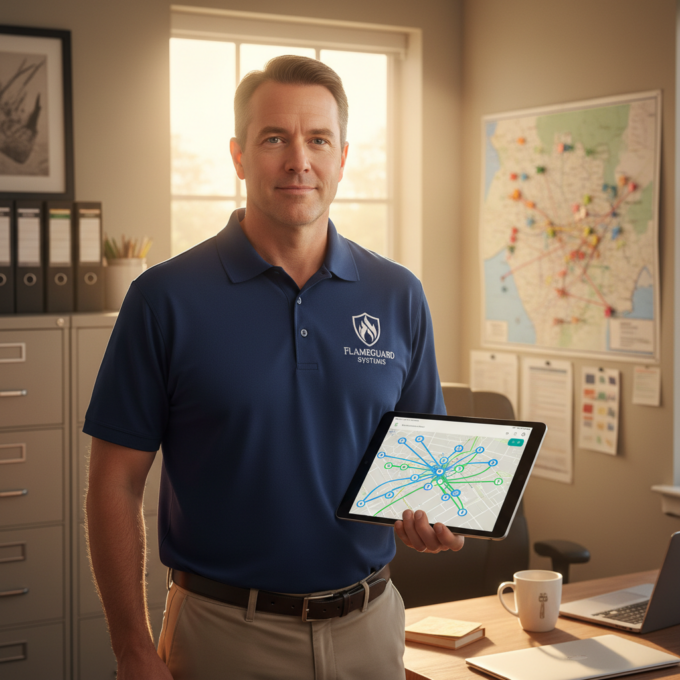

Zeo Questionnaire

Frequently
Asked
Questions

Know More

How do I add stop by typing and searching? Web

Follow these steps to add a stop by typing and searching:

  • Go to Playground Page. You will find a search box in top left.
  • Type in your desired stop and it will show search results as you type.
  • Select one of the search results to add the stop to list of unassigned stops.

How do I import stops in bulk from an excel file? Web

Follow these steps to add stops in bulk using an excel file:

  • Go to Playground Page.
  • In top right corner you will see import icon. Press on that icon & a modal will open.
  • If you already have an excel file, press the "Upload stops via flat file" button & a new window will open up.
  • If you don't have an existing file, you can download a sample file and input all your data accordingly, then upload it.
  • In the new window, upload your file and match the headers & confirm mappings.
  • Review your confirmed data and add the stop.

How do I import stops from an image? Mobile

Follow these steps to add stops in bulk by uploading an image:

  • Go to Zeo Route Planner App and open On Ride page.
  • Bottom bar has 3 icons in left. Press on image icon.
  • Select the image from gallery if you already have one or take a picture if you don't have existing.
  • Adjust the crop for the selected image & press crop.
  • Zeo will automatically detect the addresses from the image. Press on done and then save & optimize to create route.

How do I add a stop using Latitude and Longitude? Mobile

Follow these steps to add stop if you have Latitude & Longitude of the address:

  • Go to Zeo Route Planner App and open On Ride page.
  • You will see a icon. Press on that icon & press on New Route.
  • If you already have an excel file, press the "Upload stops via flat file" button & a new window will open up.
  • Below search bar, select the "by lat long" option and then enter the latitude and longitude in the search bar.
  • You will see results in the search, select one of them.
  • Select additional options according to your need & click on "Done adding stops".

How do I add stops using QR Code? Mobile

Follow these steps to add stop using QR Code:

  • Go to Zeo Route Planner App and open On Ride page.
  • You will see a icon. Press on that icon & press on New Route.
  • Bottom bar has 3 icons in left. Press on QR code icon.
  • It will open up a QR Code scanner. You can scan normal QR code as well as FedEx QR code and it will automatically detect address.
  • Add the stop to route with any additional options.

How do I delete a stop? Mobile

Follow these steps to delete a stop:

  • Go to Zeo Route Planner App and open On Ride page.
  • You will see a icon. Press on that icon & press on New Route.
  • Add some stops using any of the methods & click on save & optimize.
  • From the list of stops that you have, long press on any stop that you want to delete.
  • It will open window asking you to select the stops that you want to remove. Click on Remove button and it will delete the stop from your route.

Zeo Blogs

Explore our blog for insightful articles, expert advice, and inspiring content that keeps you informed.

Top Bringg Competitors: 7 Better Alternatives for 2026

Reading Time: 9 minutesCompare top Bringg competitors with real migration stories, cost analysis, and implementation timelines. See why companies are switching in 2026.

Government Route Optimization Case Study: Real ROI Results

Reading Time: 7 minutesSee how 3 government agencies cut costs 20-30% with route optimization. Real case studies, timelines, and ROI metrics for municipal fleet managers.

Emergency Locksmith Dispatch Software: Cut Response Times 40%

Reading Time: 8 minutesEmergency locksmith dispatch software with AI routing cuts response times by 40%. Optimize emergency callouts, boost revenue, and beat competitors.