



Updated on: January 7, 2026
“`html
Reading Time: 5 minutes
TL;DR: Same-day delivery is achievable when businesses combine smart route optimization with real-time tracking and reliable proof of delivery. As of 2026, route planning software has become a baseline requirement for delivery operations competing on speed. Route optimization tools like Zeo Route Planner address this with AI-powered route optimization, helping delivery teams save 2+ hours daily.
Today, to keep up with the intense competition in delivery, businesses are bound to offer same-day delivery. Though a necessary service, this isn’t an easy service to offer. It requires the right strategy, the right team, and most importantly, the right technology to be in place. This is where the role of a route planner software comes into play.
A route planner takes care of all stages involved in same-day delivery. The software ensures perfection from planning to distribution to execution, which saves you from worrying about field service management. As of 2026, same-day delivery has moved from a competitive edge to a customer expectation, with delivery driver demand continuing to grow as e-commerce volumes rise year over year.
Let’s see how a route planner software can help you achieve same-day delivery.
How Zeo Helps to Achieve Same-Day Delivery
Zeo Route Planner can help you achieve same-day delivery. We provide you with all the necessary features to carry out the delivery process, and we keep on providing valuable updates that help you achieve the growth required for your business.
Let’s see how a route planner software can help you achieve same-day delivery.
Smart Route Optimization
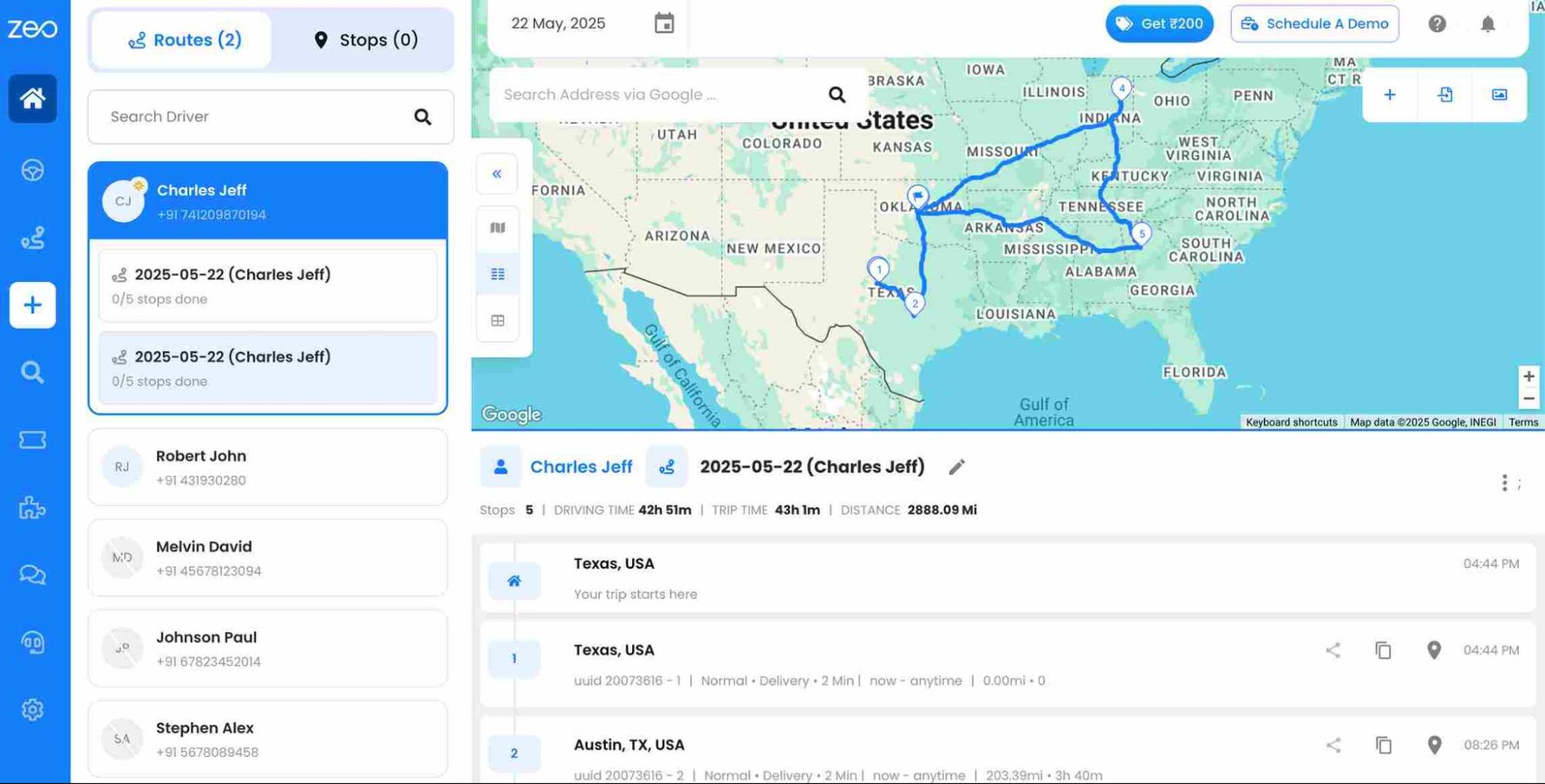
Zeo Route Planner allows you to plan a route without demanding hours of your time. Just import the addresses into the app through excel import, image capture/OCR, Bar/QR code, or manual typing. You’ll receive well-optimized routes in under a minute. As of 2026, Zeo’s AI-powered route optimization helps delivery teams save 2+ hours daily by cutting down on manual planning and inefficient stop sequencing. Drivers deliver on time and make more stops per day, thus earning more money for themselves and your business.
Live Route Tracking
Zeo’s live route tracking feature allows you to track your vehicles in real-time on the road. So, if a driver ventures off-route, you’d be notified immediately and can follow up with them accordingly. By tracking the live location of drivers, fleet managers, as well as customers, offer enhanced visibility and communication throughout the delivery process. Customers also benefit from live ETA updates and SMS or email notifications, so they know exactly when to expect their delivery without needing to call for updates.
Re-optimize Routes
Zeo Route Planner offers the feature of re-optimizing routes. Your drivers can’t complete a route without checking off every stop planned in the route. Additionally, you can also merge the skipped stops with the pending ones to reoptimize the route for them. This means you’re always in control, with full visibility into every delivery attempt. No more wondering what went wrong or chasing down missed stops.
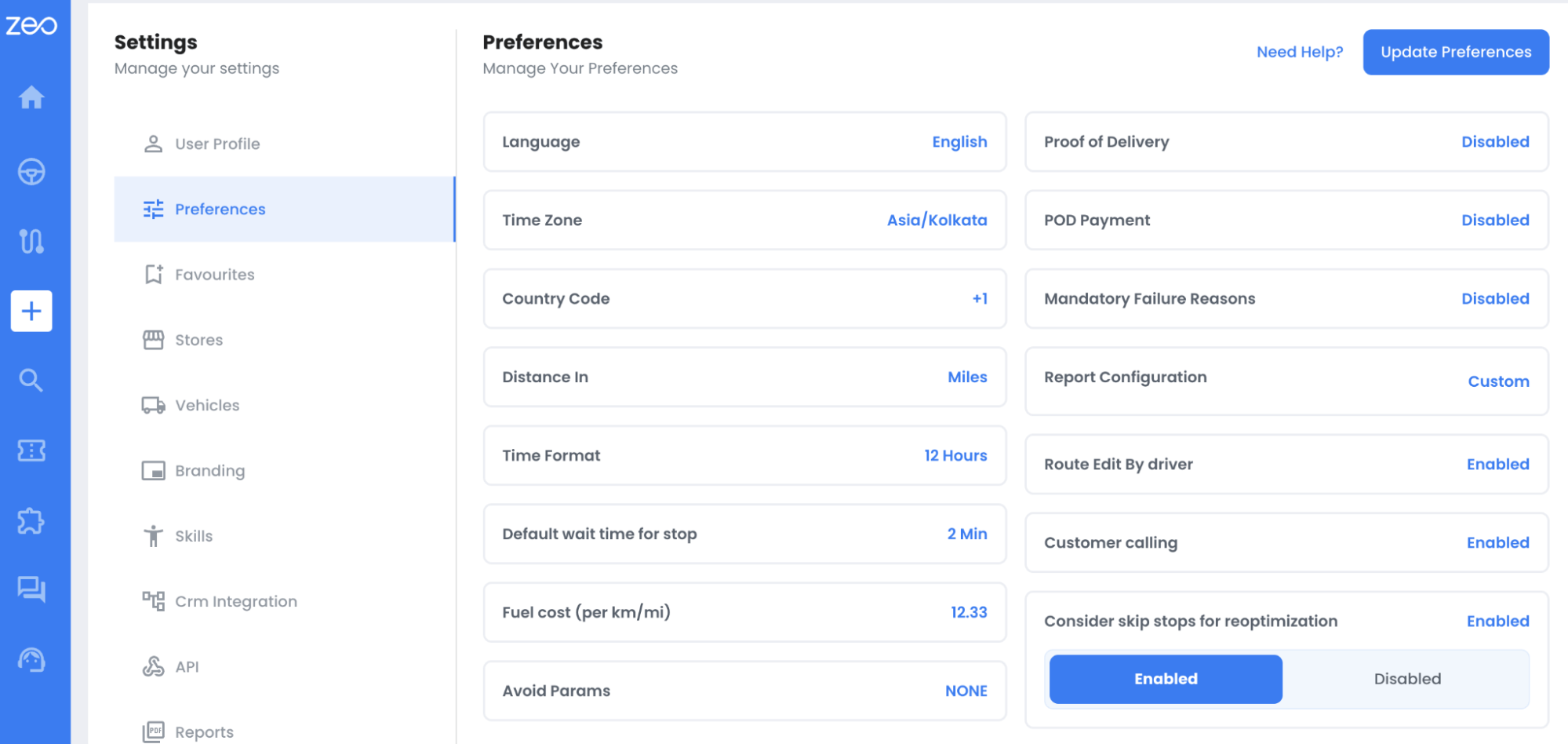
Zeo Route Planner’s advanced route optimization engine handles the heavy lifting, recombining skipped and pending stops into a streamlined new route. No manual re-planning, no wasted time. Just a faster, more efficient way to get deliveries back on track. This is especially valuable for same-day delivery operations, where a single missed stop or unexpected delay can throw off an entire day’s schedule if there’s no quick way to adjust.
Route Analytics
Having a wealth of data at your fingertips allows you to enhance, grow, and manage your field service operations more effectively. Zeo Route Planner can help in that department as well. The software comes with a reporting and analytics feature that tracks fuel costs, total and average service times, number of stops in a day, number of completed routes, and more.
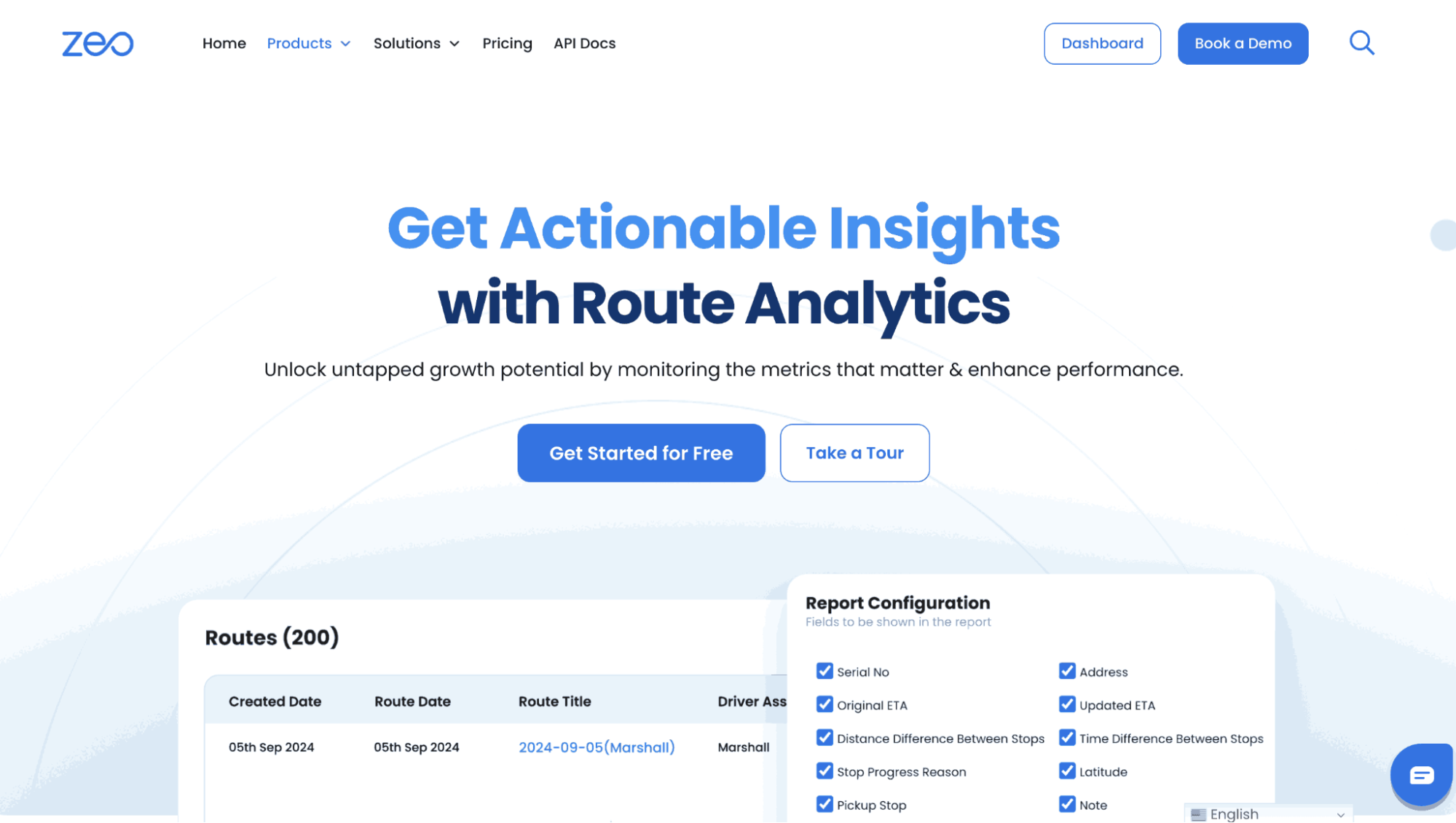
This data is paramount in identifying operations that need improvement. The information can help you manage costs as well as the performance levels of your field service employees. You’ll be improving the efficiency of your same-day delivery service, benefitting your business and, by extension, its customers and employees. Tracking metrics like fuel costs and average service time also supports accurate mileage record-keeping for tax and expense purposes, which many delivery businesses need to maintain regardless of fleet size.

increase fuel savings
Save $200 on fuel, Monthly!
Optimize routes with our algorithm, reducing travel time and costs efficiently.
Get Started for Free
Why Speed Alone Isn’t Enough for Same-Day Delivery
Businesses often assume that same-day delivery is purely a matter of driving faster or hiring more drivers. In reality, the biggest bottleneck is usually planning inefficiency — poorly sequenced stops, missed time windows, and drivers backtracking across the same neighborhood multiple times in a day. According to the Federal Highway Administration’s freight data, congestion and inefficient routing remain some of the largest contributors to delivery delays in urban areas.
This is why route optimization software matters so much for same-day delivery specifically. When a business has only a few hours to complete a full day’s worth of stops, there’s no room for wasted mileage or manual guesswork. Capacity-based routing, time window constraints, and priority stop settings (ASAP vs Normal) allow dispatchers to build a realistic same-day schedule instead of an aspirational one. Combined with dynamic route adjustments mid-shift, drivers can adapt in real time when new urgent orders come in or when a customer needs to reschedule.
Building a Same-Day Delivery Workflow That Scales
Achieving same-day delivery once is one thing — doing it consistently, day after day, as order volume grows is another challenge entirely. Businesses that scale successfully tend to combine several pieces of technology and process discipline:
- Bulk address import: Bringing in orders from Excel, CSV, or Google Sheets removes the manual data entry bottleneck that slows down morning dispatch.
- Auto-assignment of stops to drivers: Matching stops to the right driver based on skill, vehicle capacity, or store location reduces the back-and-forth of manual dispatching.
- Integrations with existing sales channels: Connecting platforms like Shopify or WooCommerce allows orders to flow directly into route planning without re-keying information.
- Driver performance analytics: Reviewing completed routes over time helps identify which drivers or routes consistently run behind schedule, so adjustments can be made before it affects customer experience.
None of these pieces work in isolation. A business might have great drivers but still miss same-day windows if dispatch is manual and slow. Likewise, fast route optimization doesn’t help much if orders take hours to get from the storefront into the planning system. Same-day delivery works best when the entire pipeline — from order to optimized route to proof of delivery — is connected.
Conclusion
To conclude, we would like to add that Zeo Route Planner provides you with the best-in-class service to handle all your delivery processes. Zeo provides you with a route planner with which you can plan a proper route. You will get the best-optimized route within minutes.
With the Zeo, you can monitor your drivers and track all the activities. You will also get the proof-of-delivery, through which you can help your customers have a better experience.
Overall, the app will provide you with the features through which you can get the best experience in handling the delivery process. Click here to sign Zeo Route Planner!
Frequently Asked Questions
What is considered same-day delivery?
Same-day delivery means an order placed earlier in the day is delivered to the customer before that same day ends, typically within a defined cutoff window (for example, orders placed before 12 PM ship by 8 PM). It differs from next-day or standard shipping in that it requires tighter coordination between order processing, dispatch, and driver routing, usually within just a few hours.
How many stops can a driver realistically make in a same-day delivery route?
The number of stops a driver can complete depends on factors like delivery density, average service time per stop, and traffic conditions in the delivery area. Urban routes with tightly clustered stops typically allow for more deliveries per shift than suburban or rural routes with longer distances between addresses. Well-optimized routes that minimize backtracking and idle time generally allow drivers to complete significantly more stops than manually planned routes.
What technology do businesses need to offer same-day delivery?
At minimum, businesses need a way to plan efficient routes, track drivers in real time, and confirm deliveries were completed as promised. Zeo Route Planner covers this with AI-powered route optimization, live GPS tracking, and photo-based proof of delivery, and is used by more than 1.5M+ users managing delivery operations across 150+ countries.
Why do same-day delivery routes fail even with good drivers?
Same-day delivery routes often fail due to planning issues rather than driver performance — poorly sequenced stops, unrealistic time windows, or a lack of real-time visibility when something goes wrong mid-route. Without the ability to dynamically re-optimize a route when a stop is missed or delayed, a single disruption can cascade into multiple late deliveries. This is why dynamic route adjustments and re-optimization capabilities matter as much as the initial route plan itself.
Is same-day delivery cost-effective for small businesses?
Same-day delivery can be cost-effective for small businesses if routes are planned efficiently and vehicle capacity is used well, since the biggest cost drivers are usually wasted mileage and underutilized delivery windows rather than the service itself. Businesses that track fuel costs, service times, and completed routes through route analytics are better positioned to identify where costs can be trimmed. Software with bulk address import and auto-assignment features also reduces the administrative overhead that often makes same-day delivery feel unaffordable for smaller teams.
“`

Are you a fleet owner?
Want to manage your drivers and deliveries easily?
Grow your business effortlessly with Zeo Routes Planner – optimize routes and manage multiple drivers with ease.

increase fuel savings
Hassle Free Deliveries & Pickups!
Optimize routes with our algorithm, reducing travel time and costs efficiently.
Get Started for Free



















