


Same-Day Delivery Implementation Guide: Complete Strategy for 2026

Reading Time: 4 minutesCustomers now expect same-day delivery. What was once considered a ‘premium add-on’ has now become a standard promise in ecommerce

Same-Day Delivery Implementation Guide: Complete Strategy for 2026

Reading Time: 4 minutesCustomers now expect same-day delivery. What was once considered a ‘premium add-on’ has now become a standard promise in ecommerce

OpenStreetMap Routing Guide: Free Alternative to Google Maps API

Reading Time: 5 minutesAPIs fuel modern routing. But if you’ve scaled past a few dozen requests a day, you’ve probably felt the squeeze

Bing Maps Route Planner: Complete Guide + Google Maps Comparison

Reading Time: 5 minutesWhen you have multiple options to choose from, choosing the right thing becomes crucial. Today, there is a plethora of

Quick Commerce: The Complete Guide to Ultra-Fast Delivery Business

Reading Time: 5 minutesWant to watch a movie? Log in to your Netflix account. Want to go somewhere? Book yourself an Uber. Want

Last-Mile Carrier Tracking: The Complete Guide

Reading Time: 5 minutesWell begun is half done! Nothing can sum up the importance of last-mile carrier tracking better than this. While last-mile

Distribution vs Logistics: The Complete Guide for Business Success

Reading Time: 6 minutesReading Time: 4 minutes TL;DR: Distribution focuses on delivering finished products to customers while logistics encompasses the entire supply chain

How to Reduce Packaging Costs in 2025?

Reading Time: 5 minutesReading Time: 4 minutes TL;DR: Reducing packaging costs in 2026 requires optimizing material choices, standardizing box sizes, bulk procurement, and

Sales Route Planning in 2026: Trends Shaping the Future of Smarter Selling

Reading Time: 3 minutesThose who don’t evolve become a part of history! The primary principle of survival and growth is to keep evolving

Revolutionizing Sales Route Planning: Proven Strategies for Modern Sales Teams

Reading Time: 4 minutesWe’ve often heard the phrase, time is money. For salespeople, that is true in a literal sense. They are constantly
Flower Delivery Business

How to Start a Flower Delivery Business: A Complete Guide

Reading Time: 4 minutesPeople order flowers for various occasions, and as a business delivering them, you need to take care of several aspects.
How to Start a Septic Tank Business in 2026

Reading Time: 6 minutesReading Time: 4 minutes TL;DR: Starting a septic tank business in 2026 requires market research, proper licensing, operational planning, and

Vehicle Routing Problem: Complete Guide to VRP Solutions & Optimization

Reading Time: 4 minutesDelivery might look simple from the outside: get the product, send the van, drop it off. But when you’ve got
Zeo Questionnaire

Frequently
Asked
Questions

Know More

How do I add stop by typing and searching? Web

Follow these steps to add a stop by typing and searching:

  • Go to Playground Page. You will find a search box in top left.
  • Type in your desired stop and it will show search results as you type.
  • Select one of the search results to add the stop to list of unassigned stops.

How do I import stops in bulk from an excel file? Web

Follow these steps to add stops in bulk using an excel file:

  • Go to Playground Page.
  • In top right corner you will see import icon. Press on that icon & a modal will open.
  • If you already have an excel file, press the "Upload stops via flat file" button & a new window will open up.
  • If you don't have an existing file, you can download a sample file and input all your data accordingly, then upload it.
  • In the new window, upload your file and match the headers & confirm mappings.
  • Review your confirmed data and add the stop.

How do I import stops from an image? Mobile

Follow these steps to add stops in bulk by uploading an image:

  • Go to Zeo Route Planner App and open On Ride page.
  • Bottom bar has 3 icons in left. Press on image icon.
  • Select the image from gallery if you already have one or take a picture if you don't have existing.
  • Adjust the crop for the selected image & press crop.
  • Zeo will automatically detect the addresses from the image. Press on done and then save & optimize to create route.

How do I add a stop using Latitude and Longitude? Mobile

Follow these steps to add stop if you have Latitude & Longitude of the address:

  • Go to Zeo Route Planner App and open On Ride page.
  • You will see a icon. Press on that icon & press on New Route.
  • If you already have an excel file, press the "Upload stops via flat file" button & a new window will open up.
  • Below search bar, select the "by lat long" option and then enter the latitude and longitude in the search bar.
  • You will see results in the search, select one of them.
  • Select additional options according to your need & click on "Done adding stops".

How do I add stops using QR Code? Mobile

Follow these steps to add stop using QR Code:

  • Go to Zeo Route Planner App and open On Ride page.
  • You will see a icon. Press on that icon & press on New Route.
  • Bottom bar has 3 icons in left. Press on QR code icon.
  • It will open up a QR Code scanner. You can scan normal QR code as well as FedEx QR code and it will automatically detect address.
  • Add the stop to route with any additional options.

How do I delete a stop? Mobile

Follow these steps to delete a stop:

  • Go to Zeo Route Planner App and open On Ride page.
  • You will see a icon. Press on that icon & press on New Route.
  • Add some stops using any of the methods & click on save & optimize.
  • From the list of stops that you have, long press on any stop that you want to delete.
  • It will open window asking you to select the stops that you want to remove. Click on Remove button and it will delete the stop from your route.

Zeo Blogs

Explore our blog for insightful articles, expert advice, and inspiring content that keeps you informed.

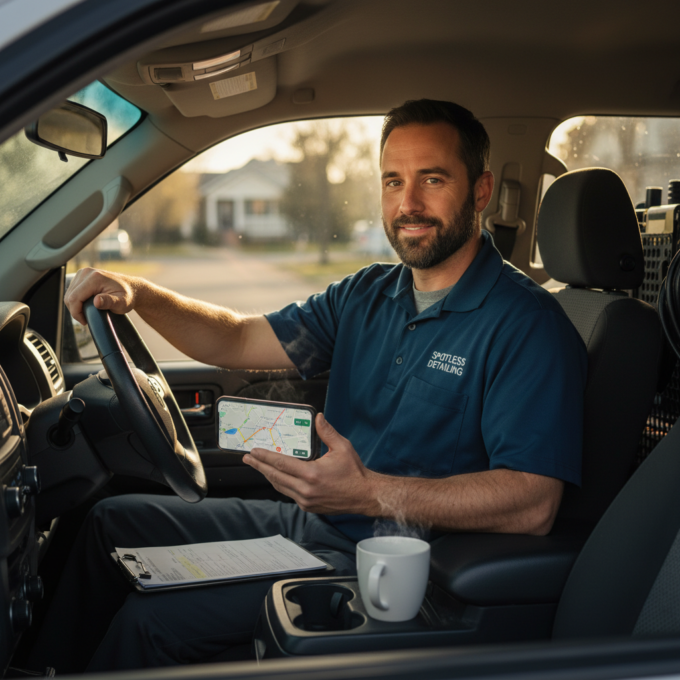
Mobile Detailing Fleet Management Challenges: 7 Solutions

Reading Time: 7 minutesOvercome mobile detailing fleet management challenges with proven solutions for route optimization, team coordination, and scaling operations profitably.

How to Optimize Mobile Detailing Routes for Equipment & Weather

Reading Time: 7 minutesLearn how to optimize mobile detailing routes that account for equipment logistics, service duration variations, and weather flexibility to maximize daily re…

Zeo Route Planner

How to Create a Route in Zeo Route Planner Manually?

Reading Time: 3 minutesAre you managing last-mile delivery, running a field team, or scaling a D2C logistics workflow? Then, you’d know that getting

Xlork is a developer-first data import platform. It lets you embed CSV, Excel, and Google Sheets import into any app with AI-powered column mapping and schema validation. Explore free developer tools like JSON-to-CSV converters and color palette generators. No more building import flows from scratch — just drop in the Xlork SDK, sign up free, and ship clean data in minutes.



















