



# How to Optimize Mobile Detailing Routes for Equipment & Weather
> TL;DR: Mobile detailing route optimization requires balancing equipment weight, weather constraints, and varying service durations to maximize daily revenue per detailer by 30-40%. Unlike standard delivery routing, detailing operations must account for 300-500 pounds of equipment load and weather-dependent service cancellations. Route optimization tools like Zeo Route Planner address these challenges with time window constraints and priority stops, helping mobile detailing teams save 2+ hours daily on planning.
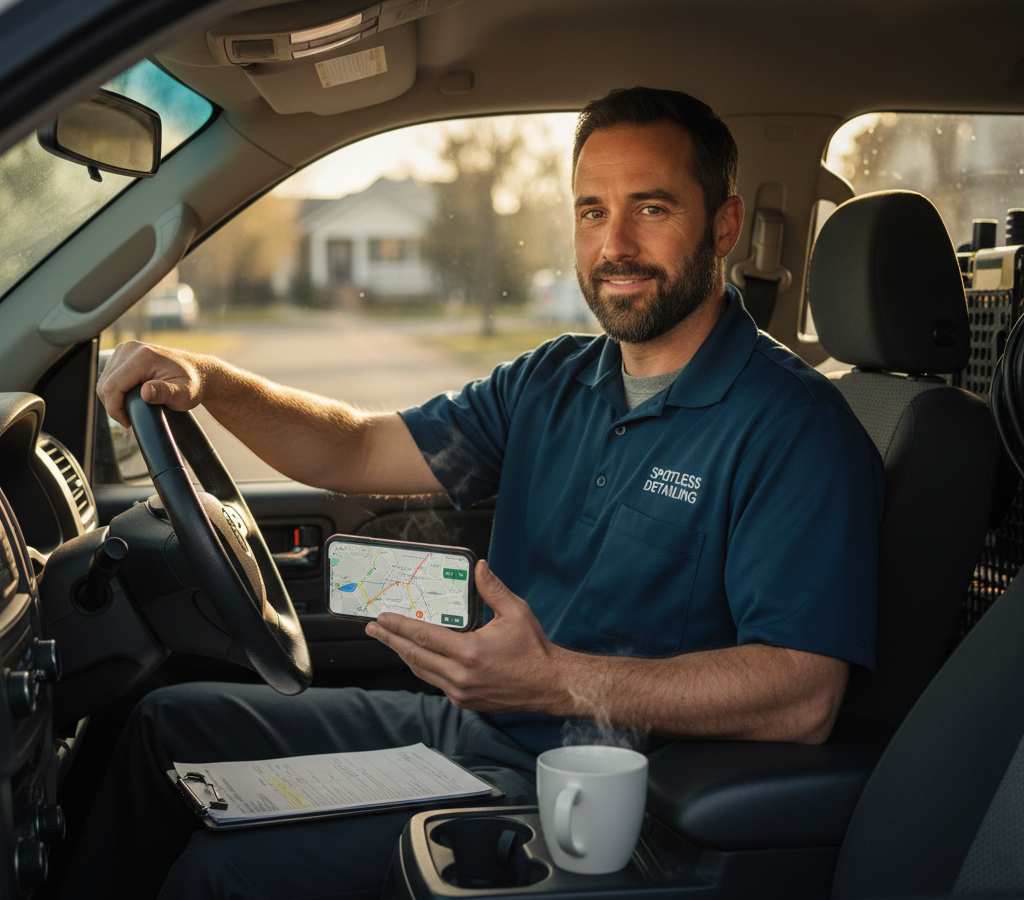
Learning how to optimize mobile detailing routes goes far beyond getting from Point A to Point B. Unlike regular delivery routes, your detailers carry hundreds of pounds of equipment, need water access, and face weather-dependent cancellations that can throw off entire days.
The difference between a profitable route and a frustrating one often comes down to how well you plan for these detailing-specific challenges. Smart route optimization can increase your daily revenue per detailer by 30-40% while reducing stress for both your team and customers.
Here’s how to build mobile detailing routes that work with your equipment, weather, and customer needs instead of against them.
Why Mobile Detailing Routes Are Different: Equipment, Water, and Weather Challenges
Mobile detailing presents unique routing challenges that standard delivery optimization doesn’t address. Your vehicles carry 300-500 pounds of equipment including pressure washers, vacuums, water tanks, and cleaning supplies.
This equipment load affects fuel efficiency and travel time between stops. A fully loaded detailing van gets 15-20% worse gas mileage than empty, and loading/unloading adds 5-10 minutes per stop that traditional route planning doesn’t account for.
Water supply creates another complexity layer. Interior-only services can happen anywhere, but full exterior washes require either your water supply or customer access to water hookups. This means you can’t treat all services the same when clustering stops.
Weather dependency makes mobile detailing especially challenging. According to the International Carwash Association, weather conditions affect 60-70% of exterior car care services. A sudden rainstorm doesn’t just delay one appointment – it can cascade through your entire day’s schedule.
Equipment security adds another consideration. Leaving expensive equipment in vehicles between stops requires route planning that minimizes exposure time in high-risk areas, especially during lunch breaks or overnight storage.
The Mobile Detailing Route Equation: Balancing Service Time, Travel, and Customer Preferences
Effective mobile detailing routes balance three key variables: service duration, travel time, and customer time windows. Unlike standardized delivery times, detailing services range from 45-minute interior cleanings to 4-hour paint corrections.
Start by categorizing services into time blocks. Quick services (interior vacuum, basic wash) take 45-90 minutes. Standard services (wash and wax, interior detail) need 2-3 hours. Premium services (paint correction, ceramic coating) require 4-6 hours.
Build routes around anchor appointments first. Schedule your longest services early in the day when you have maximum time flexibility. If a 4-hour paint correction runs over by 30 minutes, it won’t affect other customers if it’s your first stop.
Customer time preferences vary significantly in mobile detailing. Residential customers often prefer morning starts (8-10 AM) when they’re leaving for work. Commercial clients typically want services during business hours when facilities managers are available.
Geographic density matters more in mobile detailing than other services because of equipment weight and setup time. A route with stops scattered across town wastes fuel and creates unnecessary equipment wear from constant loading and unloading.
Create service zones within your territory. Plan routes that keep detailers within 3-5 mile radiuses when possible. This reduces drive time between stops from 20-30 minutes to 5-10 minutes, allowing you to fit one additional service per day.
Geographic Clustering vs. Service-Type Grouping: Finding the Right Route Strategy for Mobile Detailing Routes
The debate between geographic clustering and service-type grouping depends on your market density and service mix. Geographic clustering works best in dense suburban areas where you can fill a day with services within a small radius.
In geographic clustering, you group all services within a neighborhood or commercial district regardless of service type. This minimizes travel time and fuel costs. Your detailer might do a quick interior cleaning, followed by a full exterior wash, then a premium detail – all within a few blocks.
Service-type grouping schedules similar services together. You might dedicate mornings to quick interior services and afternoons to exterior washes. This approach works well when you have specialized equipment setups or different skill requirements.
Consider a hybrid approach for maximum efficiency. Start with geographic zones, then organize service types within each zone. Schedule water-dependent services (exterior washes) first in each area while lighting is optimal, then move to interior services that can continue later in the day.
Equipment logistics often determine the best approach. If switching between service types requires significant equipment changes, grouping similar services reduces setup time. But if your vans carry complete setups for all service types, geographic clustering usually wins.
Test both strategies with your current customer base. Track metrics like total drive time, daily revenue per detailer, and customer satisfaction scores. Most detailing businesses find geographic clustering increases daily capacity by 15-25%. Similar strategies work well across mobile service industries, as demonstrated in successful route optimization for mobile grooming operations.
Building Weather-Flexible Routes: Indoor and Backup Location Planning
Weather flexibility separates successful mobile detailing operations from those constantly rescheduling appointments. Build routes that can adapt to sudden weather changes without destroying your entire day.
Create indoor backup options for every exterior service. Identify customers with covered parking, garages, or carports where you can continue working during light rain. Residential driveways with large overhangs often work for basic washes even in moderate weather.
Develop relationships with commercial clients who have covered areas. Shopping centers, office buildings, and industrial facilities often have covered loading areas or parking structures where you can work regardless of weather.
Schedule weather-dependent services early in the day when forecasts are most accurate. If the forecast shows afternoon storms, front-load your exterior services in the morning and save interior details for later in the day. Similar weather-adaptive strategies prove effective in other outdoor service industries like HVAC route planning.
Zeo Route Planner’s priority stops feature helps you quickly identify which appointments to prioritize when weather threatens. Mark weather-dependent services as ASAP priority, and the AI optimization will automatically sequence these stops earlier in routes.
Build buffer time into weather-sensitive days. Instead of booking back-to-back exterior services, leave 30-60 minute gaps that allow for weather delays or quick service location changes.
Maintain a list of interior-only services that can fill unexpected gaps. When exterior services get rained out, having customers who need interior details ready to schedule keeps your detailers productive and revenue flowing.
Technology Solutions: Route Optimization Tools That Handle Detailing Logistics
Modern route optimization technology addresses many mobile detailing challenges that manual planning can’t handle efficiently. The key is finding tools that account for your industry’s specific needs rather than generic delivery optimization.

increase fuel savings
Save 2 Hours on Deliveries, Everyday!
Optimize routes with our algorithm, reducing travel time and costs efficiently.
Get Started for Free
Route optimization software needs to handle varying service durations. While delivery stops take 2-5 minutes, detailing services range from 45 minutes to several hours. Your routing tool must account for these differences when calculating drive times and daily capacity.
Zeo Route Planner’s time window constraints let you set specific requirements for each service type. You can configure exterior services to only schedule during optimal weather hours while allowing interior services throughout the day. The AI optimization automatically builds routes that respect these constraints.
Vehicle capacity planning becomes crucial when detailers carry different equipment loads. Some services require pressure washers and water tanks, while others need only interior cleaning supplies. Smart routing tools help you assign the right vehicle and equipment setup to each route.
Real-time tracking provides crucial visibility for mobile detailing operations. Customers want to know when detailers will arrive, especially for services that require them to be present. Real-time vehicle tracking with live ETA updates reduces customer calls and improves satisfaction.
Fleet managers benefit from comprehensive driver tracking software that provides visibility into route progress and allows for dynamic adjustments. In the technology solutions section, managers use Zeo’s web platform to plan optimized routes that account for service duration and equipment needs, while detailers receive these routes on the mobile app with navigation, customer info, and proof of service capabilities.
Integration capabilities matter for growing detailing businesses. Route optimization should connect with your scheduling software, customer management system, and accounting tools. This eliminates double data entry and reduces scheduling errors.
Maximizing Revenue Per Route: Advanced Scheduling and Recurring Customer Integration
Revenue optimization goes beyond fitting more stops into each route. The goal is maximizing profitable services while maintaining quality and customer satisfaction. This requires strategic thinking about service mix and customer relationships.
Analyze your service profitability by time investment. According to industry data from the International Carwash Association, premium services like paint correction and ceramic coating generate 3-4x higher revenue per hour than basic washes. Build routes that prioritize high-value services during peak productivity hours.
Recurring customers provide route planning advantages and revenue stability. Weekly or bi-weekly customers allow you to build consistent route structures. You know exactly when and where you’ll be, making it easier to fill surrounding time slots with one-time services.
Develop service packages that optimize route efficiency. Offer discounts for customers who book multiple vehicles or combine interior and exterior services. This increases per-stop revenue and reduces the number of locations your detailers must visit.
Strategic upselling during route planning increases daily revenue without adding stops. When scheduling basic services, identify customers who historically upgrade to premium options. Build extra time into these stops to accommodate potential service additions.
Consider subscription models that guarantee regular route density. Monthly unlimited wash packages or quarterly detail subscriptions provide predictable revenue and allow you to plan efficient routes around guaranteed stops. This approach mirrors successful strategies in pool service route optimization where recurring maintenance creates routing efficiency.
Zeo’s analytics and reporting features help you identify which routes and service combinations generate the highest profitability. Track metrics like revenue per mile driven, average service value per stop, and customer lifetime value by service area.
Time-of-day pricing can optimize route profitability. Charge premium rates for early morning or late afternoon appointments when demand is highest. Use standard rates for mid-day slots that help fill route gaps.
Frequently Asked Questions
Q: How much can mobile detailing route optimization reduce daily driving time?
Effective route optimization can reduce daily driving time by 30-40% for mobile detailing operations. This translates to 1-2 additional service appointments per day and significant fuel savings. Zeo Route Planner’s AI optimization helps mobile detailing businesses save 2+ hours daily on route planning while maximizing service density.
Q: What’s the biggest challenge in mobile detailing route planning compared to regular deliveries?
Equipment weight and weather dependency create the biggest challenges. Mobile detailing vehicles carry 300-500 pounds of equipment, affecting fuel efficiency and requiring longer setup times between stops. Weather conditions can force last-minute route changes that cascade through the entire schedule.
Q: Should mobile detailers group services by type or by geographic location?
Geographic clustering typically works best in dense suburban markets, reducing drive time between stops from 20-30 minutes to 5-10 minutes. However, a hybrid approach often proves most effective – creating geographic zones first, then organizing service types within each zone based on optimal lighting and weather conditions.
Q: How do you handle weather cancellations without losing an entire day’s revenue?
Build weather flexibility by developing indoor backup locations and maintaining a list of interior-only services. Schedule weather-dependent services early when forecasts are most accurate, and create buffer time between appointments. Having covered parking relationships with commercial clients provides backup options during unexpected weather.
Q: What technology features are essential for mobile detailing route optimization?
Essential features include varying service duration handling (45 minutes to 6 hours), time window constraints for weather-dependent services, and real-time customer communication. Vehicle capacity planning helps match equipment loads to routes, while integration capabilities eliminate double data entry between scheduling and routing systems.
The mobile detailing industry continues growing, with the Bureau of Labor Statistics projecting 20% growth through 2030. Businesses that master efficient routing and scheduling will capture the largest share of this expanding market.
Efficient route planning directly impacts your bottom line and team satisfaction. Detailers spend less time driving between jobs and more time generating revenue. Customers get more reliable service windows and better communication about arrival times.
Start your free trial of Zeo Route Planner to see how mobile detailing businesses are saving 2+ hours daily on route planning while increasing daily revenue per detailer.

Are you a fleet owner?
Want to manage your drivers and deliveries easily?
Grow your business effortlessly with Zeo Routes Planner – optimize routes and manage multiple drivers with ease.
increase fuel savings
Save 2 Hours on Deliveries, Everyday!
Optimize routes with our algorithm, reducing travel time and costs efficiently.
Get Started for Free 


















