




Updated on: April 21, 2026
In the HVAC industry, efficient route planning is very important. As job locations vary and schedules are busy, HVAC technicians have to juggle. The technicians can face significant delays, increased fuel costs, and lower customer satisfaction. That’s why choosing the right route planner is critical to run a successful HVAC business. In this blog post, we will discuss how to we will choose the right route planner for an HVAC business, highlight the best HVAC route planners, and explore various HVAC route planner reviews.
Why Choosing the Right Route Planner Matters
Your business deserves the best HVAC route planner to enhance your business growth; therefore, selecting the right planner can significantly impact your HVAC business. An effective HVAC route planner can easily and efficiently manage business operations. Selecting the top HVAC route planners guarantees that specialists will be able to continuously fulfil these requirements.
Selecting the top route planners has several advantages, such as shorter travel times and cheaper operating expenses. Real-time updates, route optimisation, and seamless integration are all possible with the correct HVAC route planner. In the end, the company can improve the quality of its services, which will result in more satisfied clients and stronger commercial expansion.
HVAC Route Planners Overview
We will highlight the HVAC route planner reviews and look at some of the best HVAC route planners available for businesses.
Zeo Route Planner
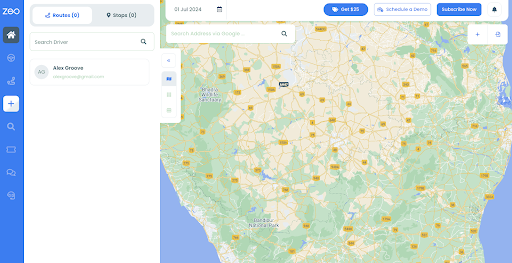
Zeo Route Planner is designed to solve the problems of HVAC businesses in mind. It provides advanced features such as live route tracking, route optimization, automated real-time updates, driver management, route analytics, and seamless integration with other tools.
Zeo can quickly provide the next best route if a technician has finished a job. This kind of decision-making algorithm of Zeo improves efficiency and enhances customer satisfaction by ensuring timely service.
Key Features:
Mobile Route Planner
- Scan printed manifests.
- Add stops via Google search, Excel sheets, etc.
- Integrate with Shopify, Zapier, etc.
- Provide real-time ETA updates to customers.
- Hassle-free navigation.
- Share live location with customers.
- Proof of delivery.
- Advance route scheduling.
- Live support 24/7.
Route Planner for Fleets
Driver Management
- Onboard drivers within five minutes.
- Auto-assign stops as per driver availability and shift timings.
- Track their live location and get a bird-eye view on operations.
- Track route progress and get detailed reports.
Optimized route creation
- Upload stops in the route planner.
- Specify requirements.
- Assign stops to drivers.
Secondary Features
- Schedule your route in advance.
- Start routes directly from your store location.
- Know delivery status in real time.
- Provide real-time ETAs to customers.
- Live support around the clock.
- Get detailed route reports.
- Communicate directly with your drivers.
- Add your regular stops as favorites.
- Pay for just seats that you need on your fleet.
- Compatible with 51 languages.
- Personalize your messaging to customers.
- Add your fleet vehicles and optimize according to capacity.
Pricing
- Route Optimization: $290 Yearly / driver.
- Route Management: $499 Yearly / driver.
- Fleet Management : $599 Yearly / driver.
- 7-day free trial available.
Route4Me
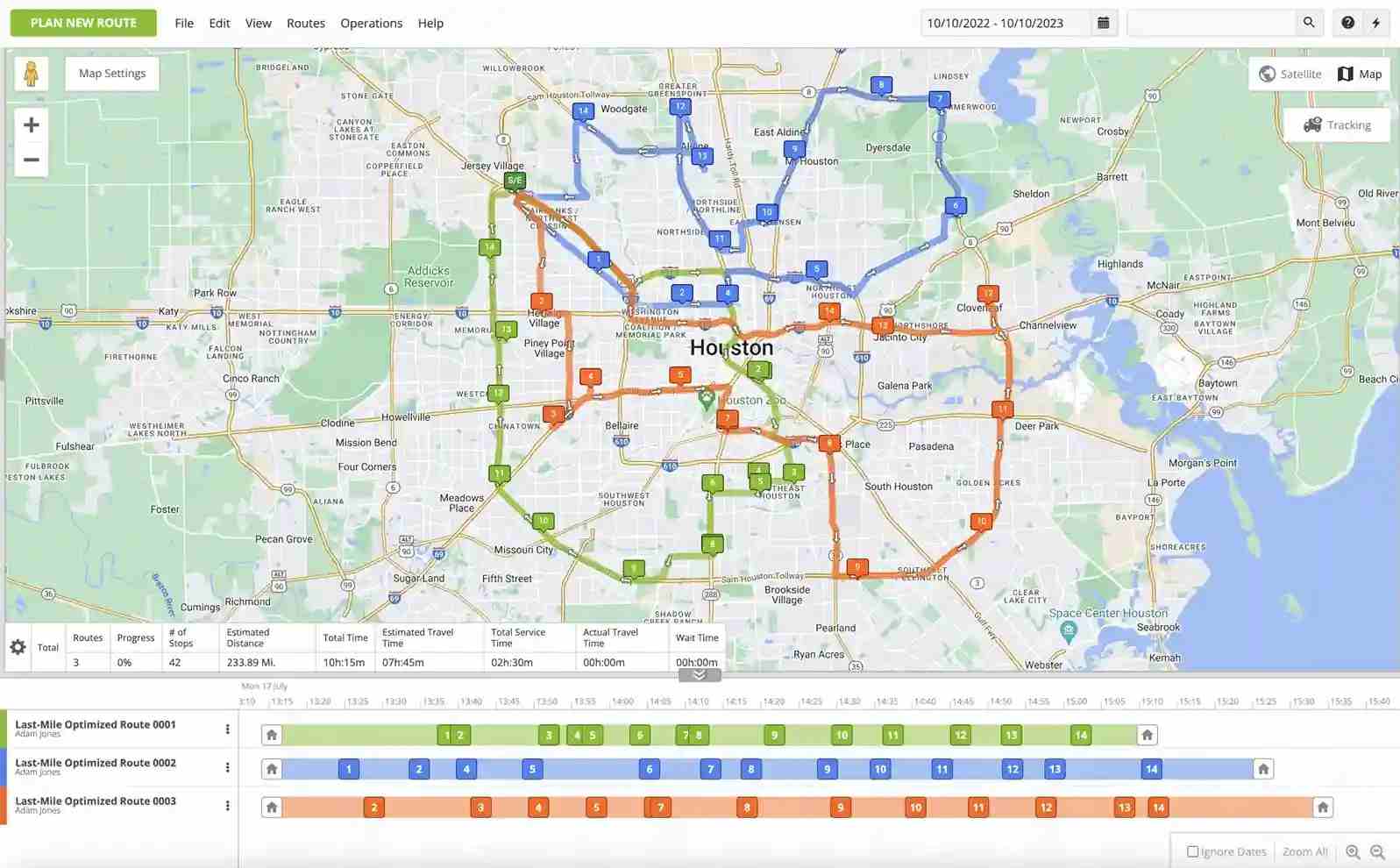
Route4Me is another popular choice among HVAC businesses. It offers a variety of features, including route optimization and real-time tracking. The Route4Me route planning and optimization platform helps you master complexity at scale, so you can focus on growing your business and satisfying your customers.
For HVAC companies that handle a high volume of daily service calls, Route4Me can be a valuable tool. Its route optimization features ensure that technicians spend less time driving and more time servicing customers.
Key Features:
- Route planning
- Dispatch & tracking
- Driver efficiency
- Business Analytics
- Platform integrations
- Mobile applications
Pricing:
- Route Management – $40/user/month
- Route Optimization – $60/user/month
- Business Optimization – $90/user/month
WorkWave Route Manager
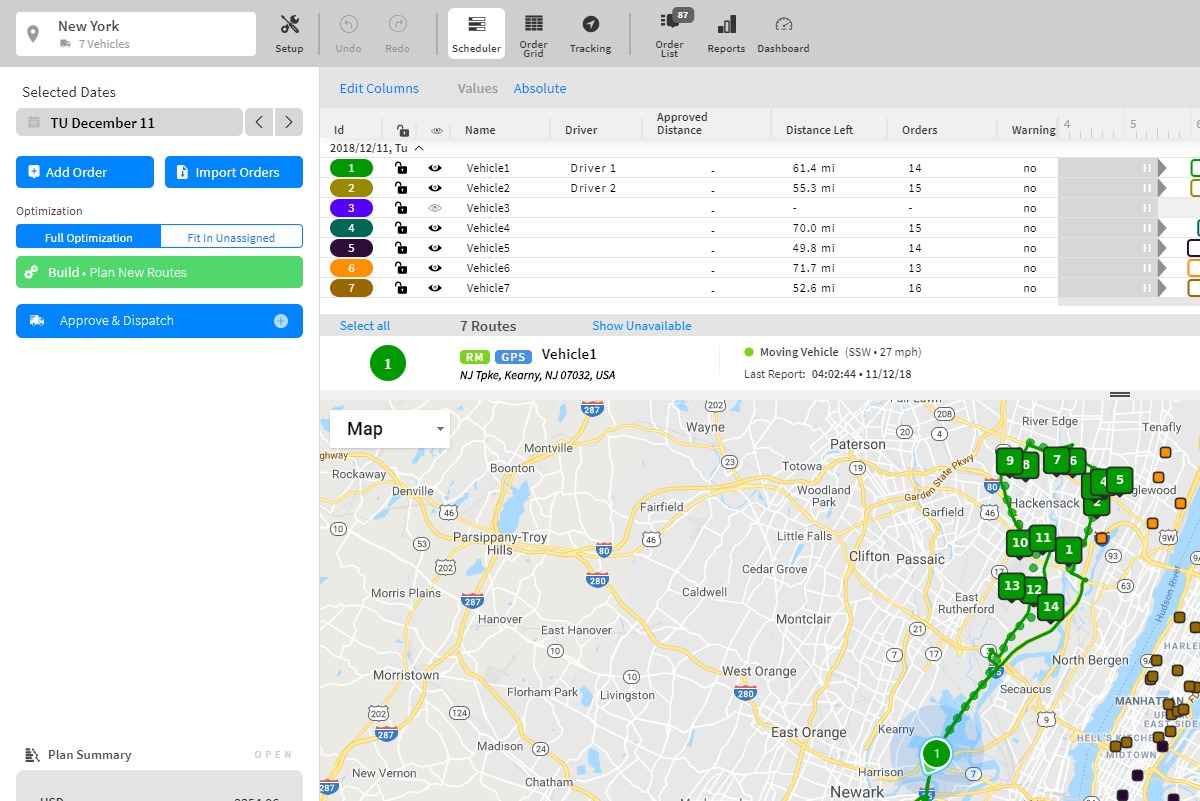
WorkWave Route Manager is known for its robust features and excellent customer support. It’s a comprehensive solution that includes route optimization, real-time updates, and detailed reporting.

increase fuel savings
Save 2 Hours on Deliveries, Everyday!
Optimize routes with our algorithm, reducing travel time and costs efficiently.
Get Started for Free
WorkWave Route Manager is particularly beneficial for larger HVAC companies that need detailed reporting and extensive customer support. Its real-time updates help technicians avoid delays, ensuring they can stick to their schedules even during peak traffic times. The detailed reporting feature allows managers to analyze performance and make informed decisions to improve efficiency.
Key Features:
- Route planning
- Reporting & analytics
- Large fleet tracking
- Route simulations
- Customer notifications
Pricing:
- Two plans – RouteManager, RouteManager360.
- Custom plans based on your requirements.
- Pricing as low as $54 per month per vehicle.
OptimoRoute
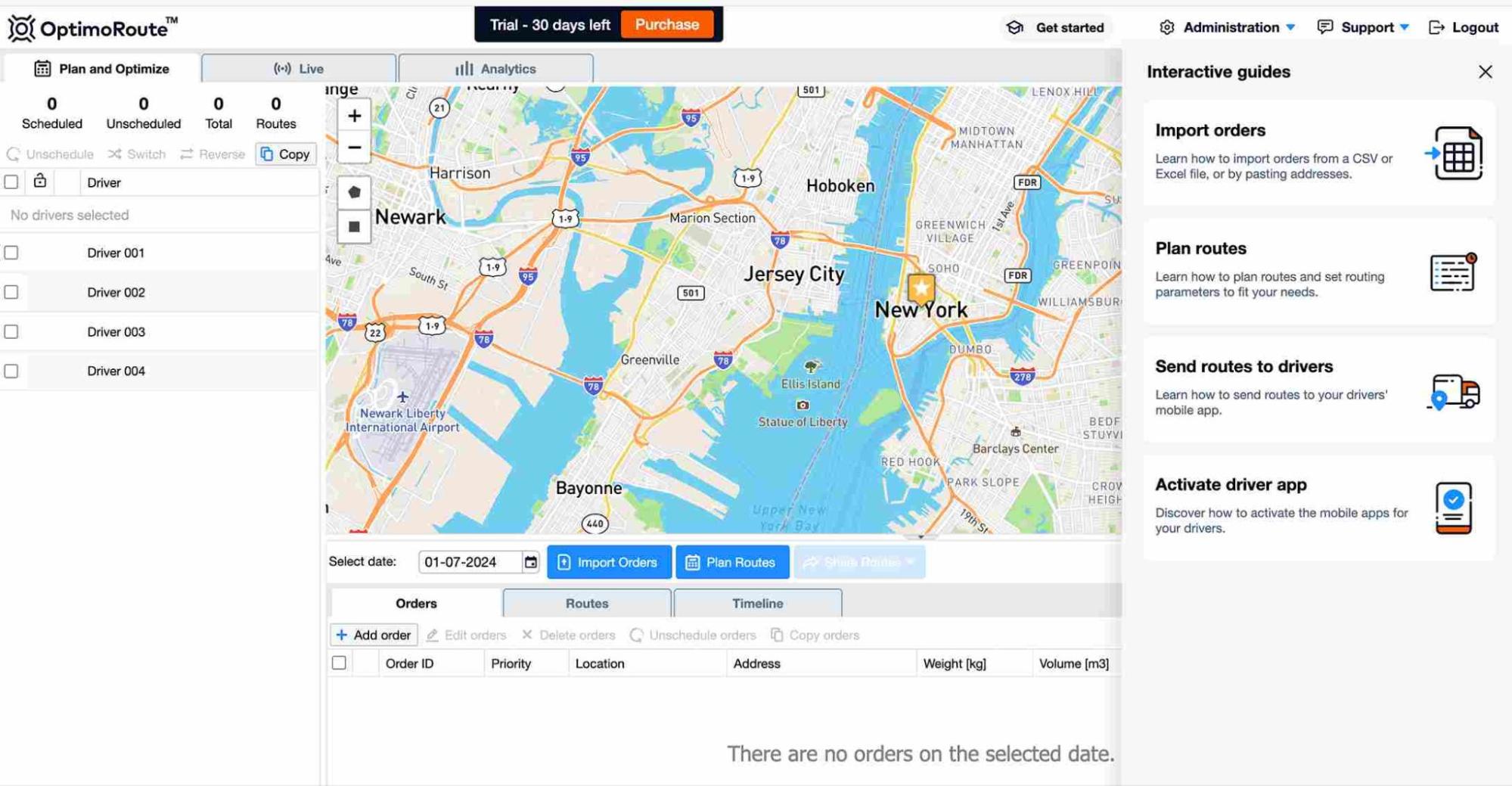
OptimoRoute focuses on optimizing routes and schedules. It offers real-time tracking and flexible planning options. This platform enables businesses to optimize routes with multiple stops per trip, considering various factors such as travel time, delivery windows, vehicle capacity, and driver skills.
For HVAC businesses that frequently adjust schedules, OptimoRoute’s flexible planning options are a significant advantage. Technicians can receive real-time updates, which is vital for managing emergency calls or last-minute changes.
Key Features
- Automated planning
- Driver & vehicle management
- Order & task management
- Live tracking and ETA
- Mobile app for drivers
- Proof of delivery
- Barcode scanning
Pricing:
- Starts from $35.10 per driver per month.
- 30-day free trial available.
Routific
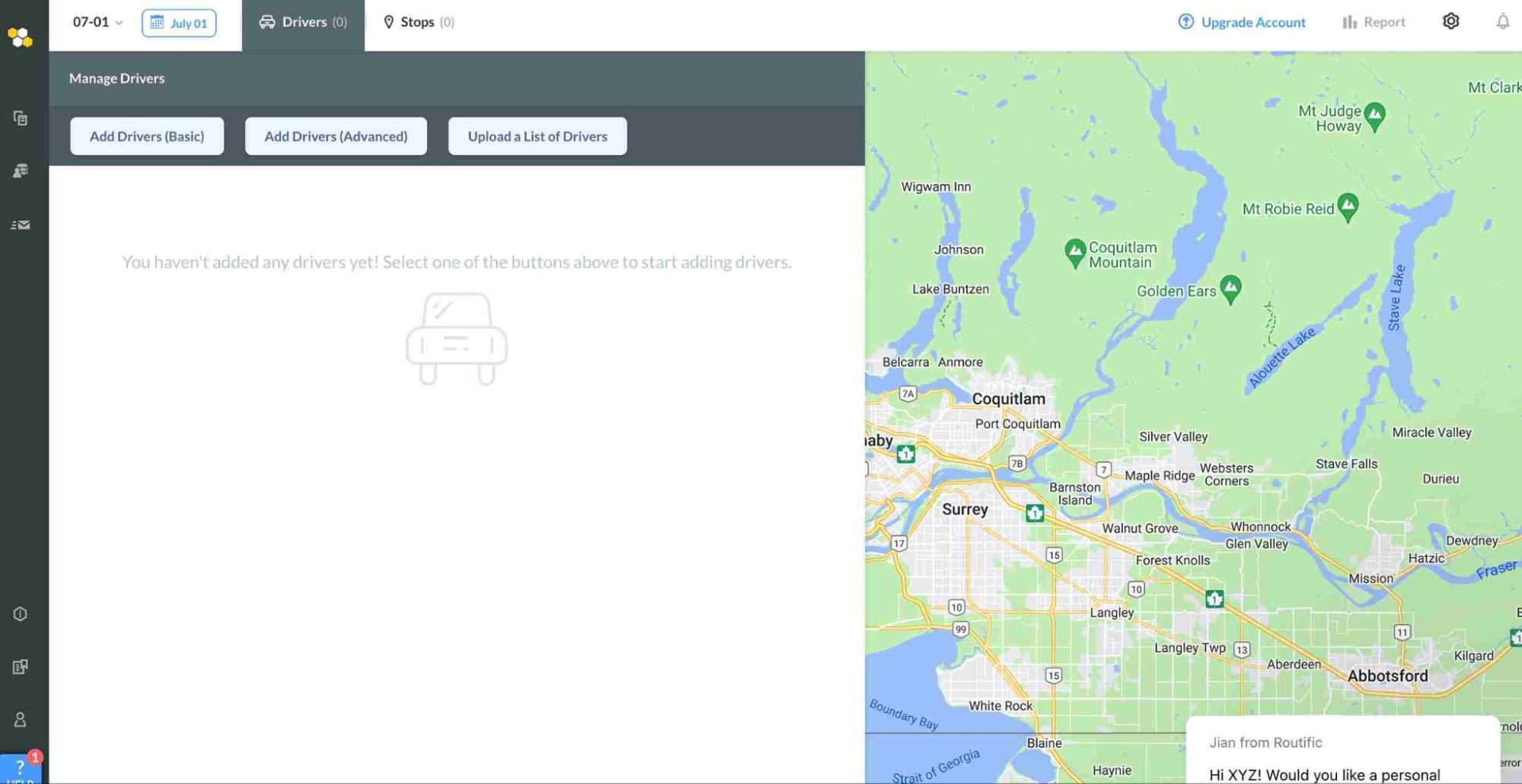
Routific is designed to simplify route planning with easy-to-use features. It offers route optimization and real-time tracking. Routific’s AI-powered route optimization algorithm is fast, scalable, and easy to integrate.
It serves as a complete delivery management platform to automate and manage all your deliveries, making it an excellent choice for smaller HVAC businesses or those new to route planning software. It leverages intelligent route optimization to lower your delivery costs while keeping your drivers happy.
Key Features:
- Intelligent route optimization
- Dispatch & live tracking
- Delivery notifications
- Upload delivery orders
- Easy route adjustments
- Dispatch to the driver app
- Track your drivers
Pricing:
- Essential – $39/vehicle/month
- Professional – $59/vehicle/month
- Professional + – $78/vehicle/month
Read More: Why Choosing the Right Route Planner Matters for HVAC Businesses?
Conclusion: Why Zeo Route Planner Stands Out?
Zeo Route Planner offers the best combination of features, ease of use, and cost-effectiveness. Its advanced capabilities, such as real-time updates and optimized routing, make it an ideal choice for HVAC businesses. The seamless integration with other tools and a user-friendly interface ensure that technicians can use it effectively without a steep learning curve.
By using Zeo Route Planner, you can improve efficiency, reduce costs, and enhance customer satisfaction. The positive Zeo Route Planner reviews and its competitive pricing further highlight why it’s the top choice for HVAC route planning.
Are you ready to experience the benefits of the best HVAC route planner? Schedule a free demo with Zeo experts to see how it can transform your HVAC service operations.

Are you a fleet owner?
Want to manage your drivers and deliveries easily?
Grow your business effortlessly with Zeo Routes Planner – optimize routes and manage multiple drivers with ease.
increase fuel savings
Hassle Free Deliveries & Pickups!
Optimize routes with our algorithm, reducing travel time and costs efficiently.
Get Started for Free



















