Automated Notifications | Zeo Route Planner ...
Fleet Platform
Mobile App

Automatic Updates for
Customers & Clients

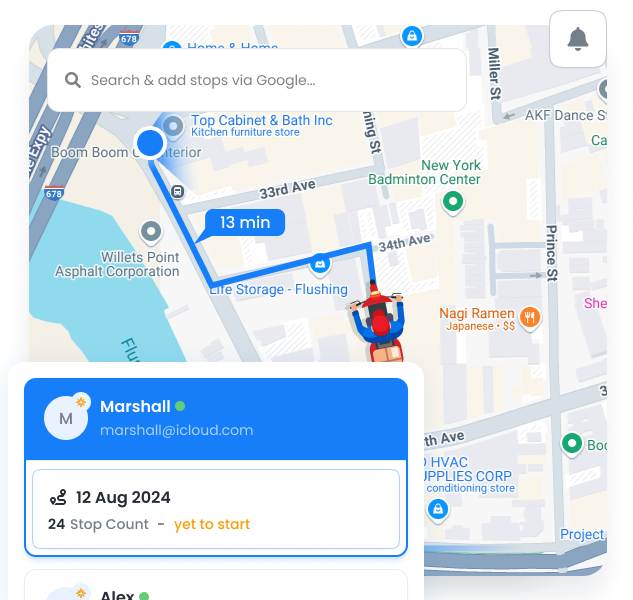
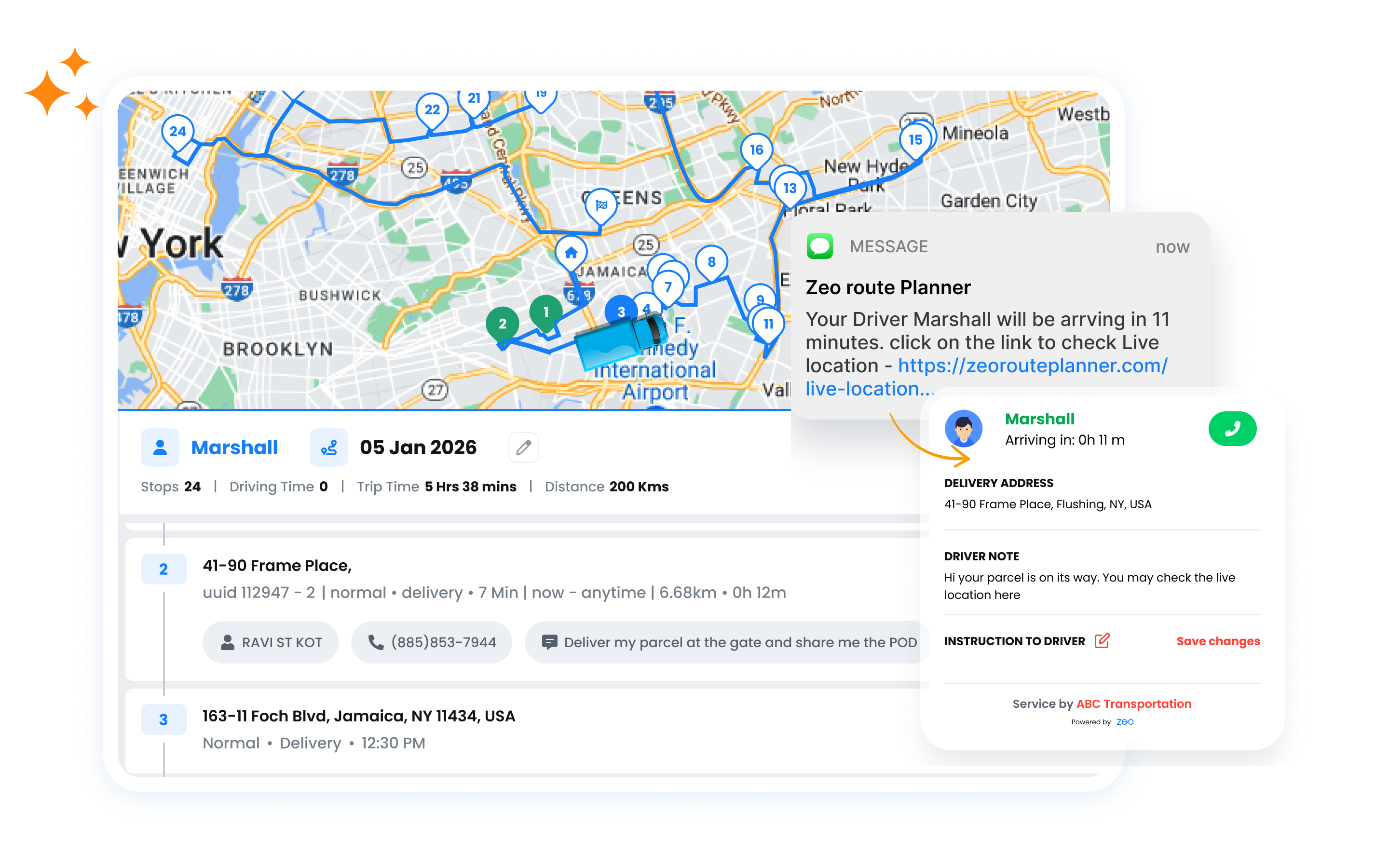
Send SMS notifications at every milestone—when routes start, team members approach,
and services complete. Reduce “where are you?” calls by 80%.
Zeo Route Planner
  • 80%

    Fewer “where are you?” calls

  • 5

    Automatic notification triggers

  • 95%

    Customer satisfaction rate

5 Notification Triggers

Automatically notify customers and clients
at key moments throughout their service journey.

SMS Communication

Reach customers instantly with SMS notifications that have a 98% open rate.

SMS Credit Management

Simple, transparent SMS pricing with easy credit management.

Easy Credit Purchase

Buy SMS credits directly in the app. Multiple package sizes available with volume discounts for high-volume users.

Usage Tracking

Real-time dashboard showing credits used, remaining balance, and usage trends. Know exactly where your credits go.

Low Balance Alerts

Get notified when credits run low so you never miss sending important customer updates. Set a custom threshold.

Free Monthly Allocation

All plans include free SMS credits each month. started without an upfront investment…

Rearrange Manually, Zeo Route Planner

How Automated Notifications Work

Set up once, deliver great customer experiences automatically

1

Configure Triggers

Choose when customers receive notifications across your service journey

2

Customize Messages

Create personalized SMS using dynamic variables like agent name, ETA, and tracking links

3

Add Customer Info

Import stops with phone numbers and email addresses

4

Automatic Delivery

Notifications are sent automatically as your team works through routes

Manual Updates vs. Zeo Notifications

See the difference automated notifications make

No, Zeo Route Planner
Manual Communication


  • Constant “where are you?” phone calls from customers
  • Team members are stopping to send manual text updates
  • Customers left wondering when you’ll arrive
  • No record of what was communicated
  • Missed customers who weren’t home

Yes, Zeo Route Planner
Zeo Notifications


  • Customers always know when to expect you
  • Zero manual effort—notifications are sent automatically
  • Live tracking links give real-time visibility
  • Complete communication log for every stop
  • Higher first-attempt success rates

How Businesses Use Notifications

Automated updates work for any industry with scheduled visits

DELIVERY

Florist Delivery Coordination

A florist delivering 50 arrangements daily sends approaching notifications so recipients know to be available. “We’re 10 minutes away with your flowers!” messages ensure someone is there to receive fresh bouquets, reducing failed delivery attempts by 60%.

FIELD SERVICE

HVAC Appointment Updates

An HVAC company notifies homeowners when their technician starts the route and again when they’re the next stop. Customers can plan their day around accurate ETAs, leading to 95% first-visit success and fewer rescheduled appointments.

Stop Answering “Where Are You?” Calls

Automated notifications keep customers informed
so you can focus on delivering great service


Zeo Questionnaire

Frequently
Asked
Questions

Know More

Automated Notifications

Can I customize the notification messages?

Yes! You can fully customize message templates for each trigger type. Use dynamic fields to automatically insert customer names, ETAs, tracking links, and more. You can also add your company branding to email notifications.

What if a customer doesn't want notifications?

Customers can opt out by replying STOP to any SMS. You can also set per-customer preferences during import or manually disable notifications for specific stops. All opt-outs are automatically honored.

Do notifications work internationally?

Yes, Zeo supports SMS notifications to most countries worldwide. International messages may use more credits depending on the destination. Email notifications work everywhere with no additional cost.

Can customers reply to notifications?

No, SMS notifications are one-way messages. Customers cannot reply directly to notification messages. For customer communication, include your business phone number or contact information in your message templates.

What are add-on services notifications in Zeo?

Zeo’s add-on notifications send real-time updates like ETAs, stop status, and delivery confirmations to customers without manual intervention.

Do notifications include tracking details?

Absolutely. Messages can include live ETAs, agent progress, and stop updates to keep customers informed.

Can I customize the content of notifications?

Yes. You can tailor message content and formats to match your communication style and branding.

Can add-on notifications be triggered automatically based on status?

Yes. add-on triggers like route start, stop completion, delay, or arrival can automatically send updates.

How do SMS credits work?

SMS credits are purchased in packages within the app. One credit equals one SMS message. All plans include a free monthly allocation, and you can purchase additional credits as needed.

Zeo Blogs

Explore our blog for insightful articles, expert advice, and inspiring content that keeps you informed.

Delivery Optimization Success Stories: Real Fleet Results

Real delivery optimization success stories with verified KPIs by fleet size and industry, plus an ROI calculator to estimate your own savings.

Route Optimization Case Studies: Real SMB Results (2026)

Real route optimization case studies from small delivery and field service businesses—actual costs, timelines, and ROI. See what

How to Plan Propane Delivery Routes During Peak Season

Learn how to plan propane delivery routes during peak season with a week-by-week playbook, KPI checklist, and route optimization tips for winter demand.

Xlork is a developer-first data import platform. It lets you embed CSV, Excel, and Google Sheets import into any app with AI-powered column mapping and schema validation. Explore free developer tools like JSON-to-CSV converters and color palette generators. No more building import flows from scratch — just drop in the Xlork SDK, sign up free, and ship clean data in minutes.