



Updated on: May 18, 2026
Deliveries do not always go exactly as planned. There are disruptions in the form of late stops, weather changes, roadblocks, customer calling for unavailability, and more.
What makes it harder is operating a fleet without a full, real-time update.
That’s why it’s necessary to know where your vehicles are or what your drivers are dealing with, so there isn’t much guesswork and dispatchers remain in sync with the road.
Real-time fleet tracking highlights delays as they happen, reroutes drivers before things pile up, and keeps customers in the loop.
Further, we’ll explore how smoothly the delivery operations can function with live-fleet tracking.
What Is Real-Time Fleet Tracking?
Real-time fleet tracking helps you see where your vehicles are at any moment on a live map. Dispatchers get a complete view of what’s happening on the ground in terms of delays, detours, early arrivals, or stops that are taking too long.
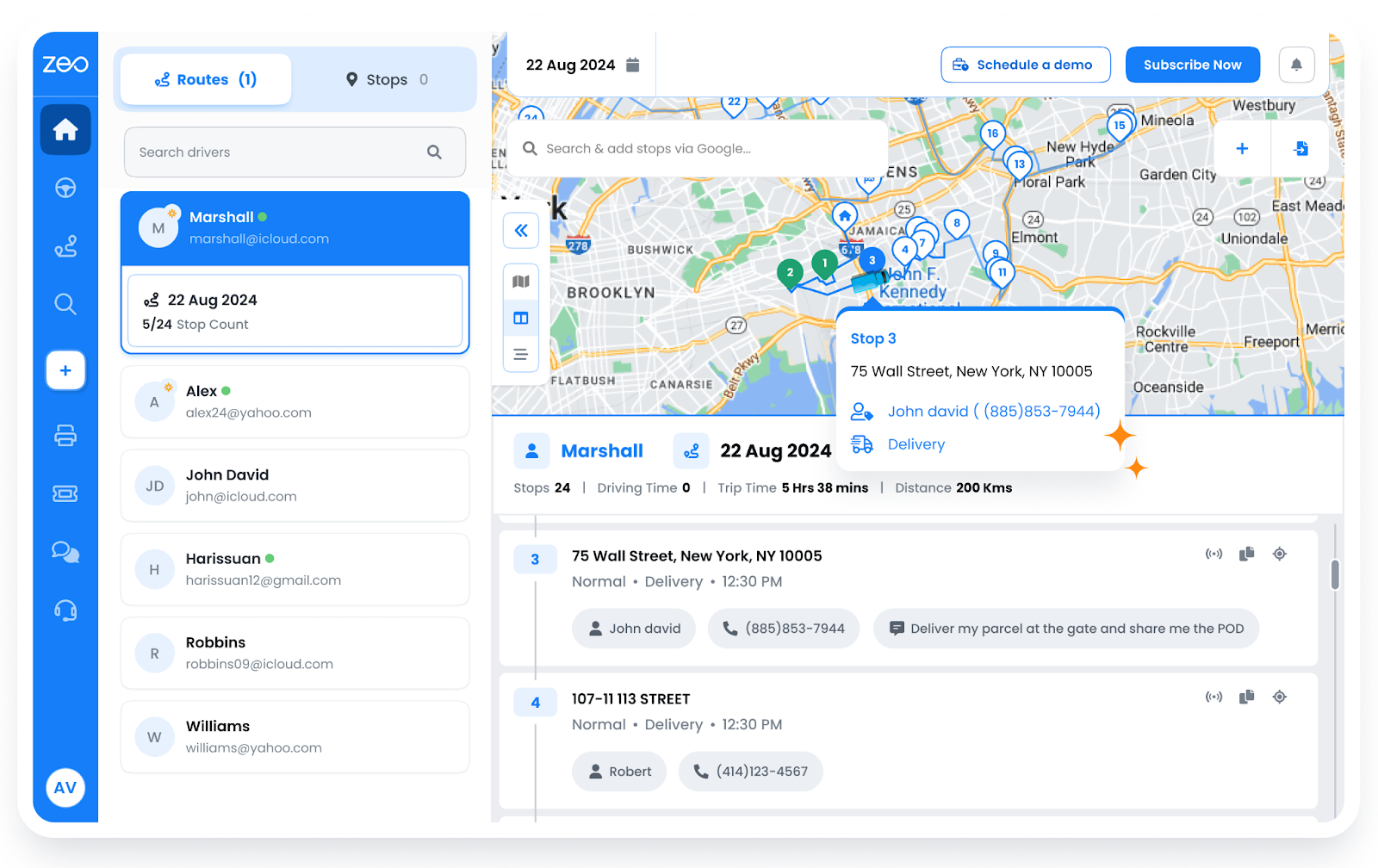
Real-time tracking typically works with:
- A GPS that sends continuous location data.
- Mobile app integration wherein driver apps share updates on arrival, delays, or issues.
- Live dashboard for dispatchers to view all moving vehicles, stop status, etc.
- A notification system that automatically flags route deviations, delays, or long halts.
Route Optimization in Live Fleet Tracking
As drivers hit the road, things change. A delay at one stop, traffic building up, or a last-minute update from a customer. There are smart systems that keep adjusting routes in the background so drivers don’t have to wait for calls or instructions.
How Real-Time Route Optimization Works
For fleets that have multiple dispatches on a day-to-day basis, knowing how real-time route optimization works can give more control at each stage.
Route Creation
Initial routes are built from clusters of stops based on priority and proximity, setting up a logical delivery order to reduce distance traveled.
Live Feed
After drivers start their trip, the live location data feeds back into the system, tracking every move a driver makes in real time.
Driver Updates
Revised instructions are pushed to the driver’s app instantly so that they move toward the next most efficient stop.
How Zeo Route Planner Supports This
For fleet operators, Zeo makes route planning efficient and optimized stop sequences based on ETAs and distance.
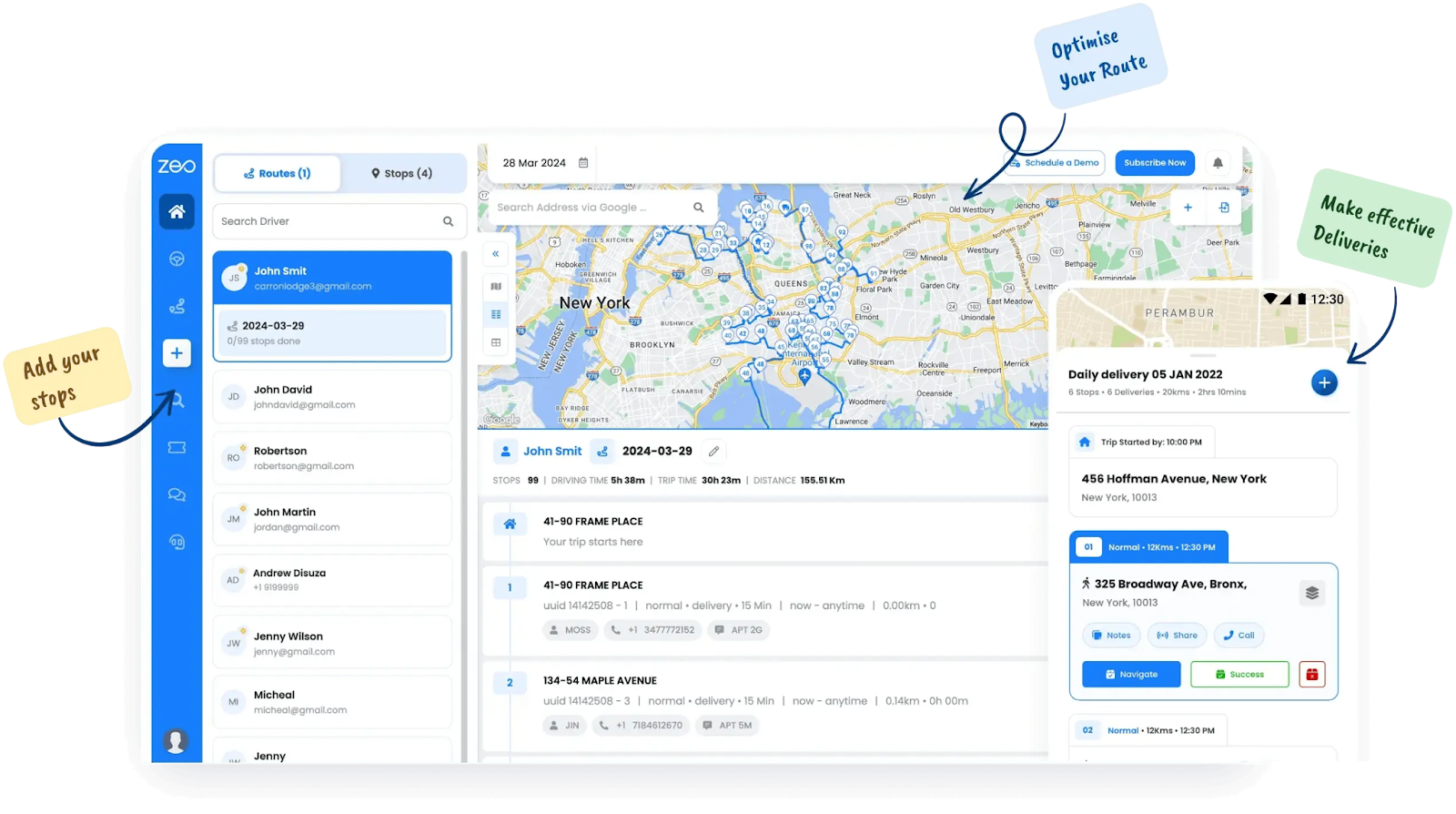
The route optimization feature helps plan a route such that the Drivers need to follow the shortest, most logical path based on updated delivery constraints
Time-Window Precision
Every delivery comes with an expectation, and time-window precision helps you meet those anticipations with accuracy that adapts as the day unfolds. When you know exactly when a vehicle will reach a location, you can align stops with customer availability, avoid bottlenecks, and reduce return trips.
Time-Window Precision For Live Fleet Tracking
Hitting those time windows consistently requires fleet managers to understand the timing of every stop.
Here’s how live tracking makes that precision possible at scale:
Tagged Time Slots
Each delivery is assigned a target window: for example, 2 PM to 4 PM. These markers become constraints that the system respects when building or adjusting routes.
Live ETA Monitoring
As the fleet moves, ETAs for each stop are continuously calculated so that in case a delivery starts drifting outside its time window, the system raises a flag.
Real-Time Customer Updates
If changes happen mid-route, customers are notified automatically.
How Zeo Helps
Zeo lets teams define delivery time windows with precision and builds each route to fit those windows.

increase fuel savings
Save $200 on fuel, Monthly!
Optimize routes with our algorithm, reducing travel time and costs efficiently.
Get Started for Free
Even when delays emerge, Zeo drives ETA tracking for delivery routes based on recalculates and reshuffles the sequence in real time.
Detailed Stop Instructions
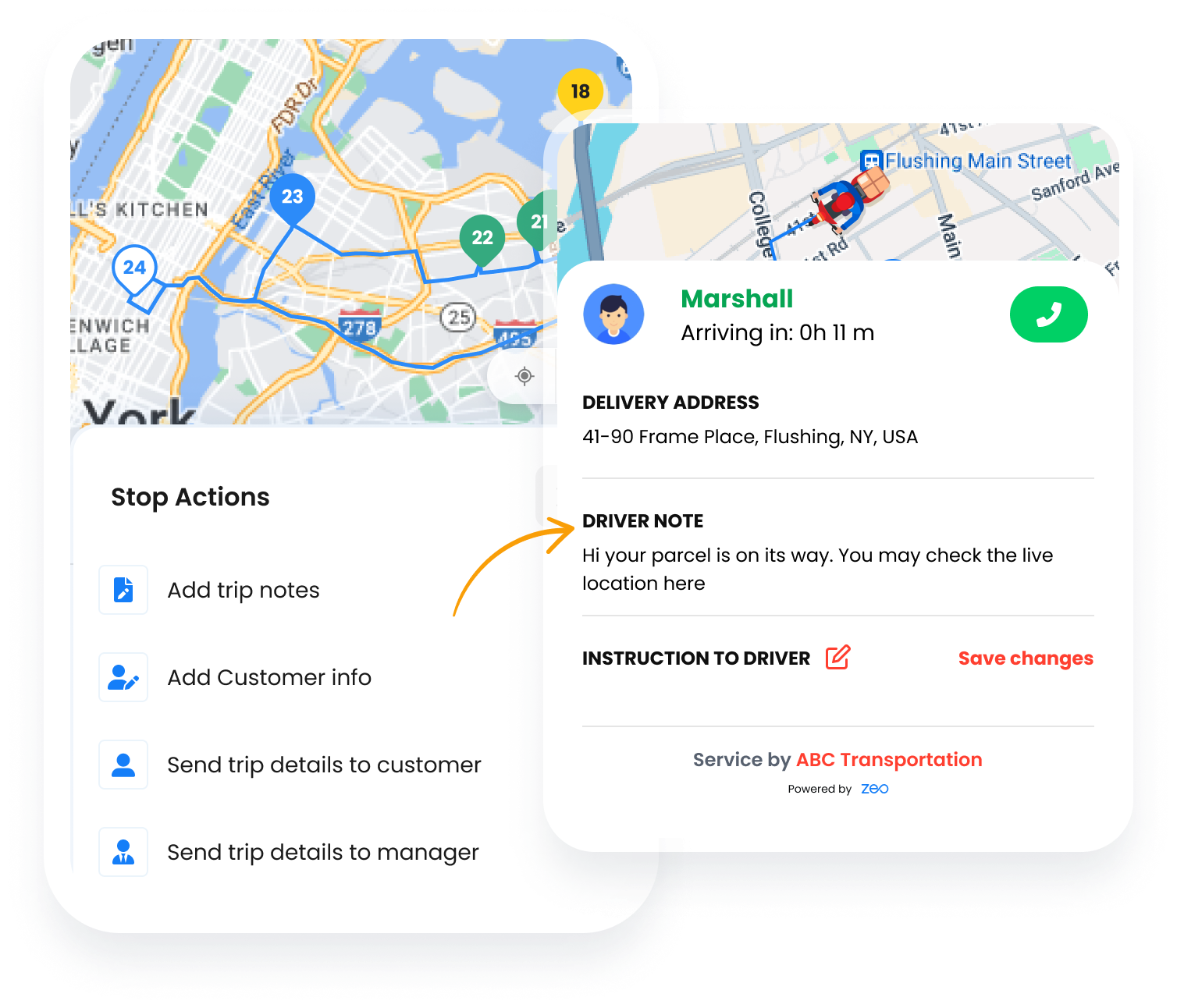
There can be specific instructions for different stops. It can impact how smoothly the delivery goes. For instance, some locations require gate codes or floor-level access details. Others might have fragile goods that need careful handling or require the driver to call ahead before arrival.
You can have such available right inside the driver’s app so that the deliveries become faster, more accurate, and far less stressful for the team on the road.
How Real-Time Systems Keep Drivers Aligned
With real-time systems in place, drivers can access the following:
Stop-Level Notes
Dispatchers can add tailored instructions to each stop, such as gate access codes, package handling tips, or delivery timing preferences.
Instant Mid-Route Changes
If a customer calls to change the drop-off point or adds new instructions, dispatchers can update the stop in real time, and the revised details reflect immediately in the app.
Reschedule or Skip Flow
If the recipient isn’t available or a location is blocked, drivers can skip the stop with a quick note. Also, the system adjusts the route instantly and alerts dispatch for follow-up.
Zeo’s Role in Smooth Deliveries
Zeo Route Planner supports detailed stop management by letting teams attach notes, add custom tags, and issue mid-route updates without disrupting the schedule.
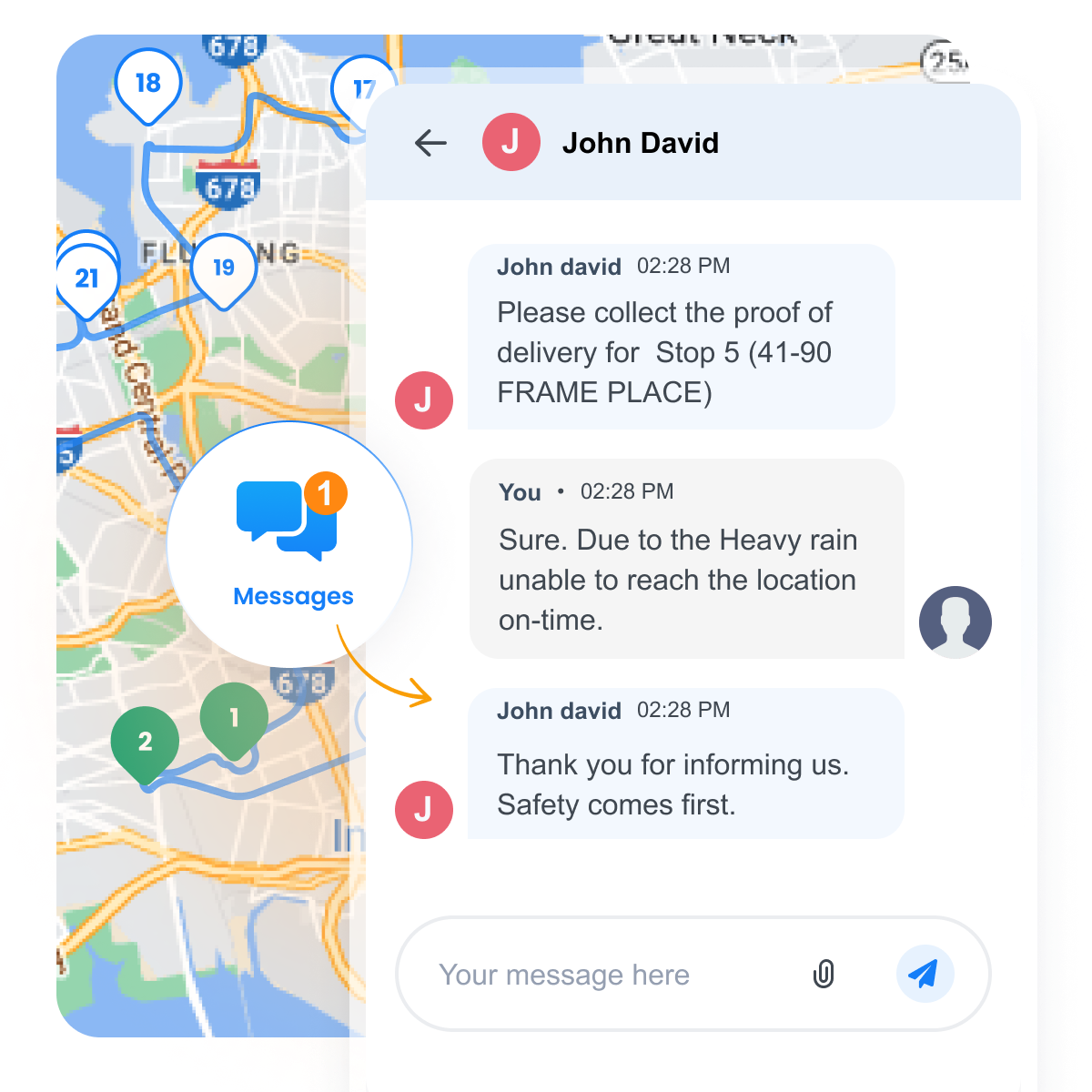
The mobile app for drivers enables real-time communication, which helps reflect these updates in real time so drivers stay focused and informed.
Proof of Delivery (POD)
Once a delivery is done, closing the loop matters just as much as getting there. Proof of delivery creates an instant record that a job has been completed. This becomes super important when managing multiple stops, tight schedules, and customer escalations.
What a Good POD Flow Looks Like
Real-time systems integrate POD into the workflow, so nothing falls through the cracks with the following actions in place:
Automatic Time + Location Logs
Every delivery event is recorded with a timestamp and the exact drop-off coordinates, creating an audit trail without any manual work.
Multiple Verification Options
Drivers can capture customer signatures, take delivery photos, or mark completion using secure one-time codes, based on what fits the business model.
Instant Visibility for Dispatchers
As soon as a delivery is completed, the backend dashboard reflects the update. This gives the team visibility into what’s done, what’s pending, and where follow-up is needed.
How Zeo Route Planner Makes POD Seamless
Zeo’s mobile app equips drivers to log deliveries in a format that suits the job. Be it capturing a signature, uploading an image, or verifying via OTP.
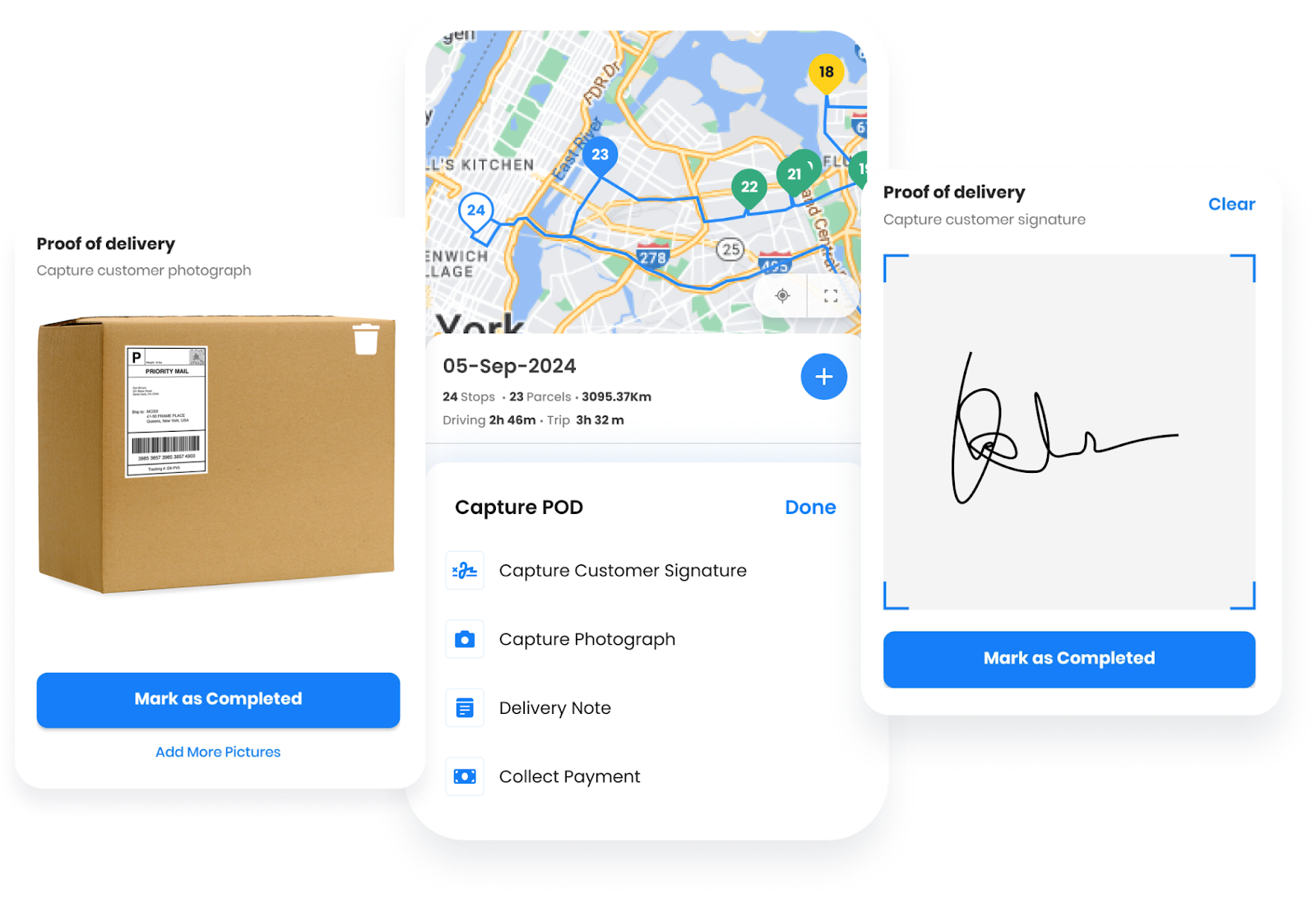
The proof of delivery by Zeo makes sure that the updates are pushed instantly to the system dashboard, enabling quicker turnarounds and fewer support calls.
Conclusion
Fleet tracking brings clarity to delivery operations. With real-time visibility, teams know where each vehicle is, what delays might occur, and how to respond faster. Every feature, from optimized routes to detailed instructions and proof of delivery, has a huge role in creating a smooth, accountable last-mile.
Zeo Route Planner makes this easier by aligning dispatchers and drivers through live updates, automated adjustments, and a single view of the road.
Check for yourself how Zeo Route Planner can help manage your fleet effectively.

Are you a fleet owner?
Want to manage your drivers and deliveries easily?
Grow your business effortlessly with Zeo Routes Planner – optimize routes and manage multiple drivers with ease.

increase fuel savings
Save 2 Hours on Deliveries, Everyday!
Optimize routes with our algorithm, reducing travel time and costs efficiently.
Get Started for Free 




















