



Updated on: April 13, 2026
If you run delivery operations, you already know how often customers ask, “Where is my order?” or “When will it arrive?” Generic updates do not really help, and that confusion often leads to missed deliveries and constant follow-ups.
That is where Zeo Route Planner’s automated notifications addons make a difference. They automate delivery notifications at every stage, so your customers are always informed. And with the latest update, these messages are not just automated but also smarter, with industry-specific defaults and the option to customize them based on your business needs.
What Are the Automated Notifications Addons in Zeo Route Planner?
Zeo Route Planner offers automated notifications addons that keep your customers informed at every stage of the delivery journey. These alerts are triggered automatically based on delivery progress, helping you share timely updates without manual effort and ensuring consistent communication with every customer.
The Five Automated Notifications Addons Alerts in Zeo Route Planner
These automated notifications addons are designed to keep your customers informed at every key stage of the delivery journey. Each alert solves a specific communication gap, helping you deliver a smoother and more predictable experience.
1. Message Trigger for All Users
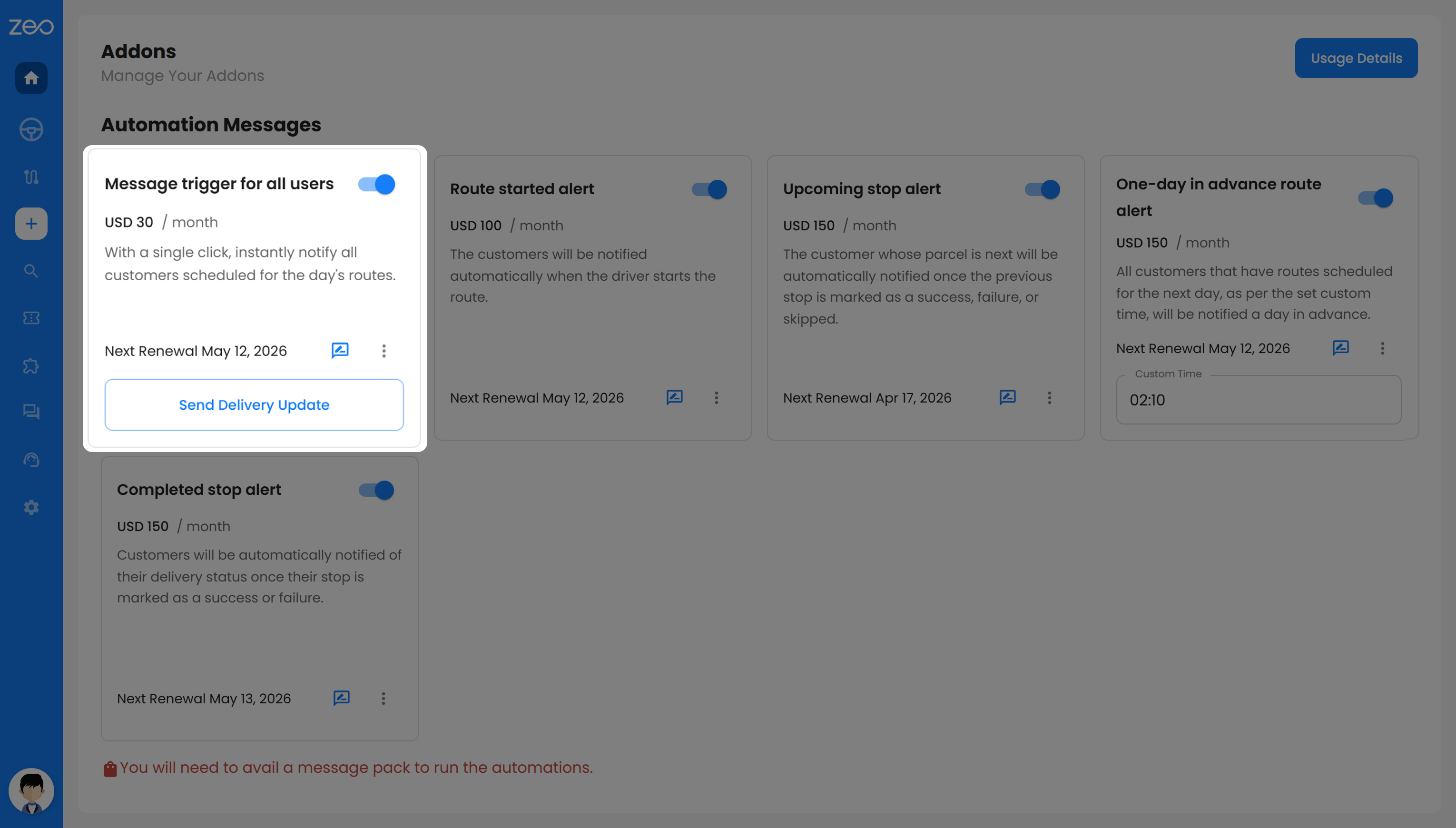
With this alert, you can notify all customers scheduled for the day’s deliveries in one go. Instead of sending messages one by one, you can update everyone on the route instantly with a single action.
This is especially useful when you are handling a high number of deliveries. Your customers know right from the start that their delivery is on the way, which sets clear expectations and reduces unnecessary calls asking for updates.
2. Route Started Alert
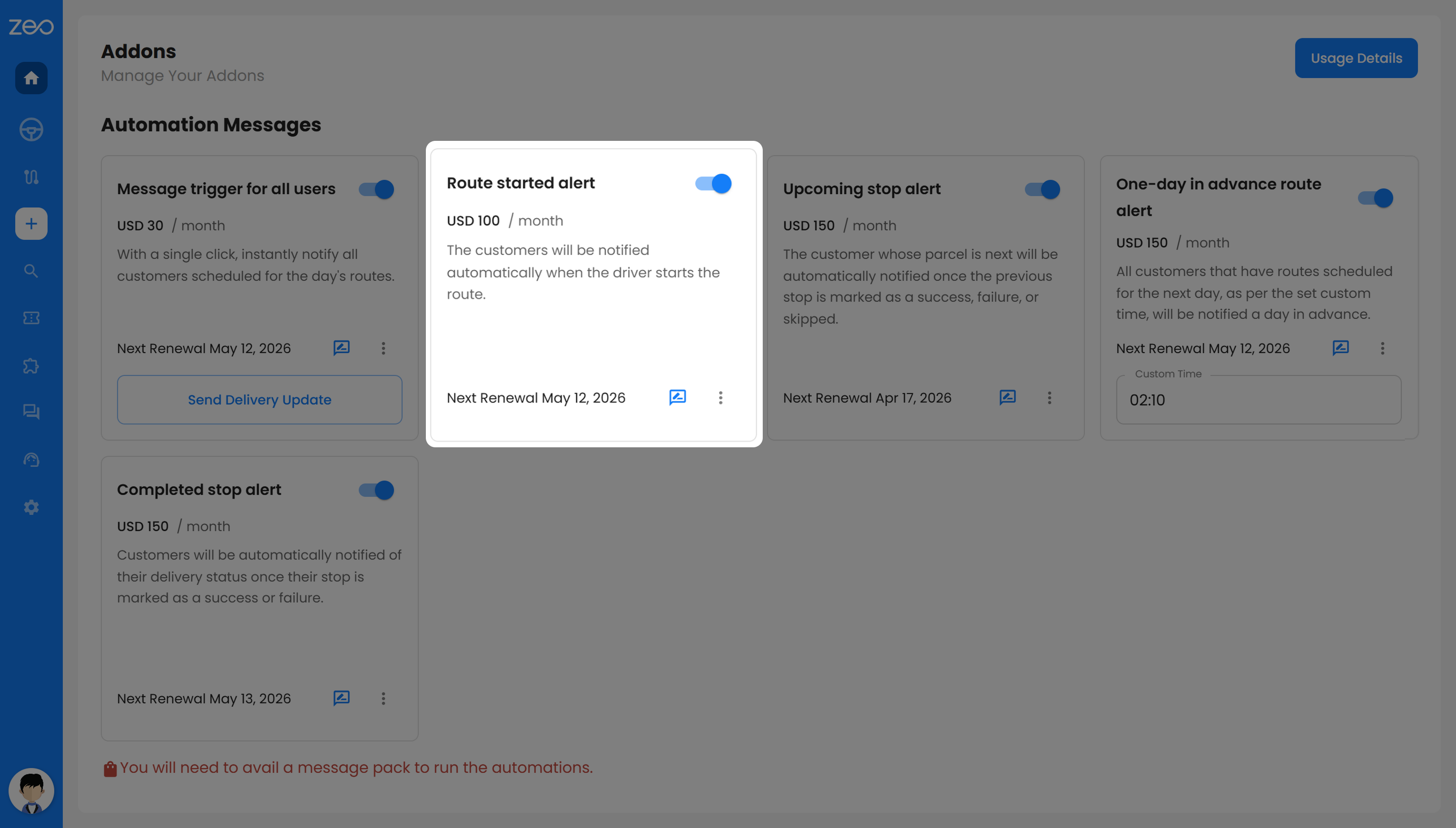
This alert is sent to your customers as soon as the driver begins the route. It lets them know that deliveries have officially started and their order will arrive soon.
For you, this means fewer customers wondering if their delivery is delayed. For your customers, it gives a sense of certainty and helps them plan their time better.
3. Upcoming Stop Alert
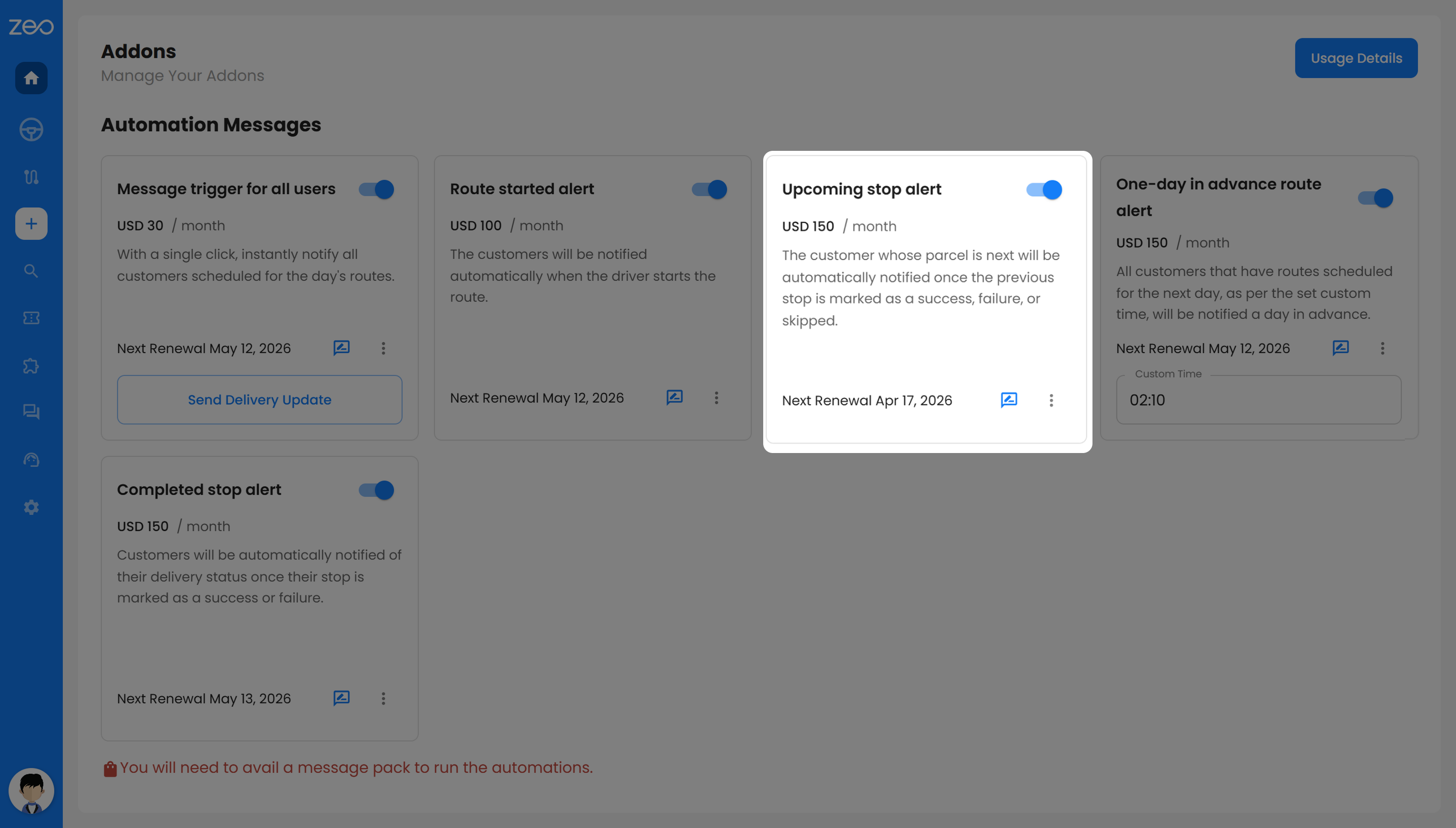
This alert notifies your next customer in line right before the driver reaches them. It is triggered after the previous stop is completed, skipped, or failed.
This helps your customers be ready at the right time, instead of waiting around for hours. It also reduces the chances of missed deliveries since the customer knows the driver is about to arrive.
4. One-Day Advance Route Alert
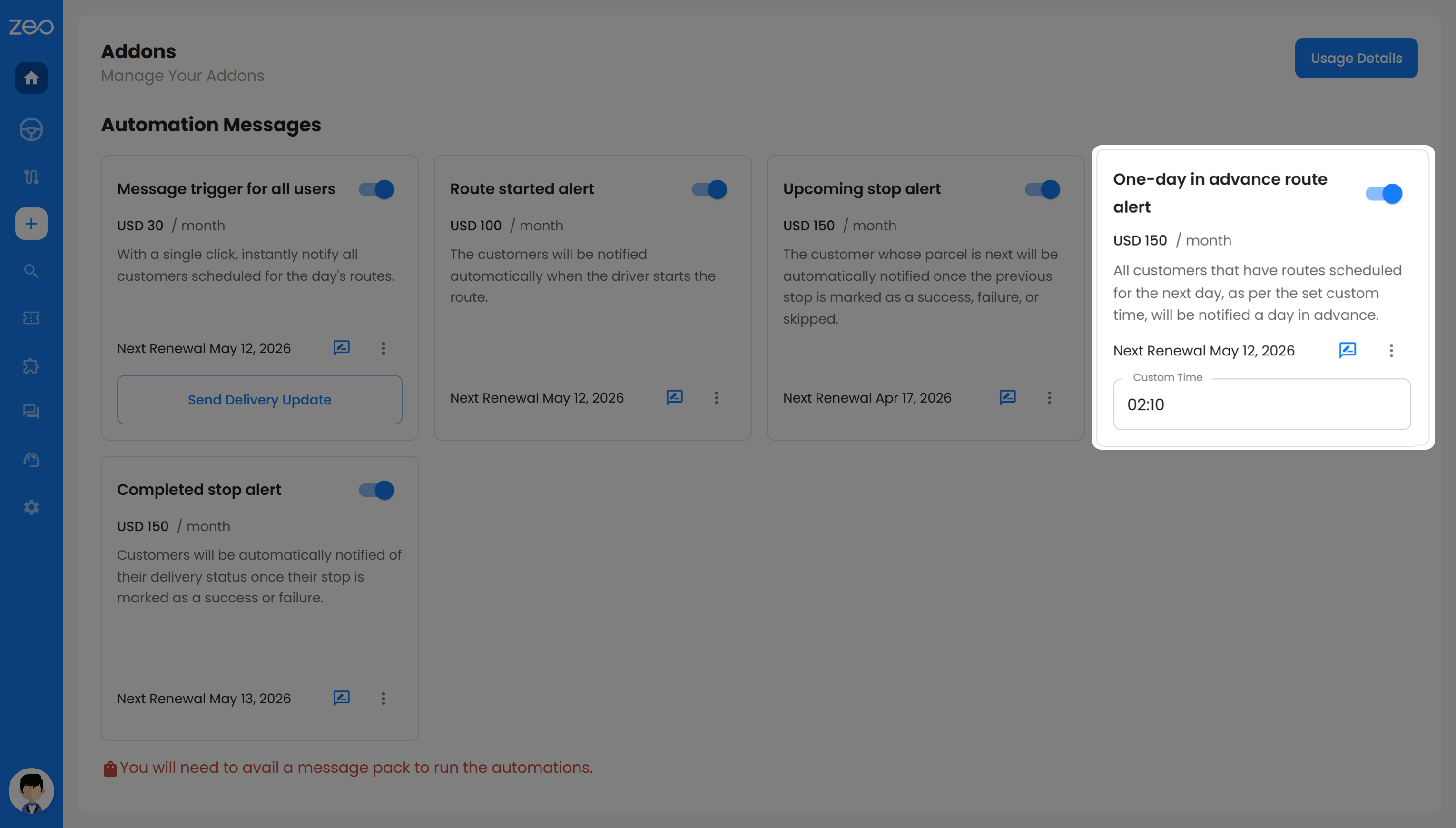
This alert is sent to your customers a day before their scheduled delivery. It works as a reminder so they can prepare in advance.
This is especially helpful when your delivery requires some preparation from the customer’s side. It reduces last-minute cancellations, ensures smoother operations, and helps you complete more deliveries successfully.
5. Completed Stop Alert
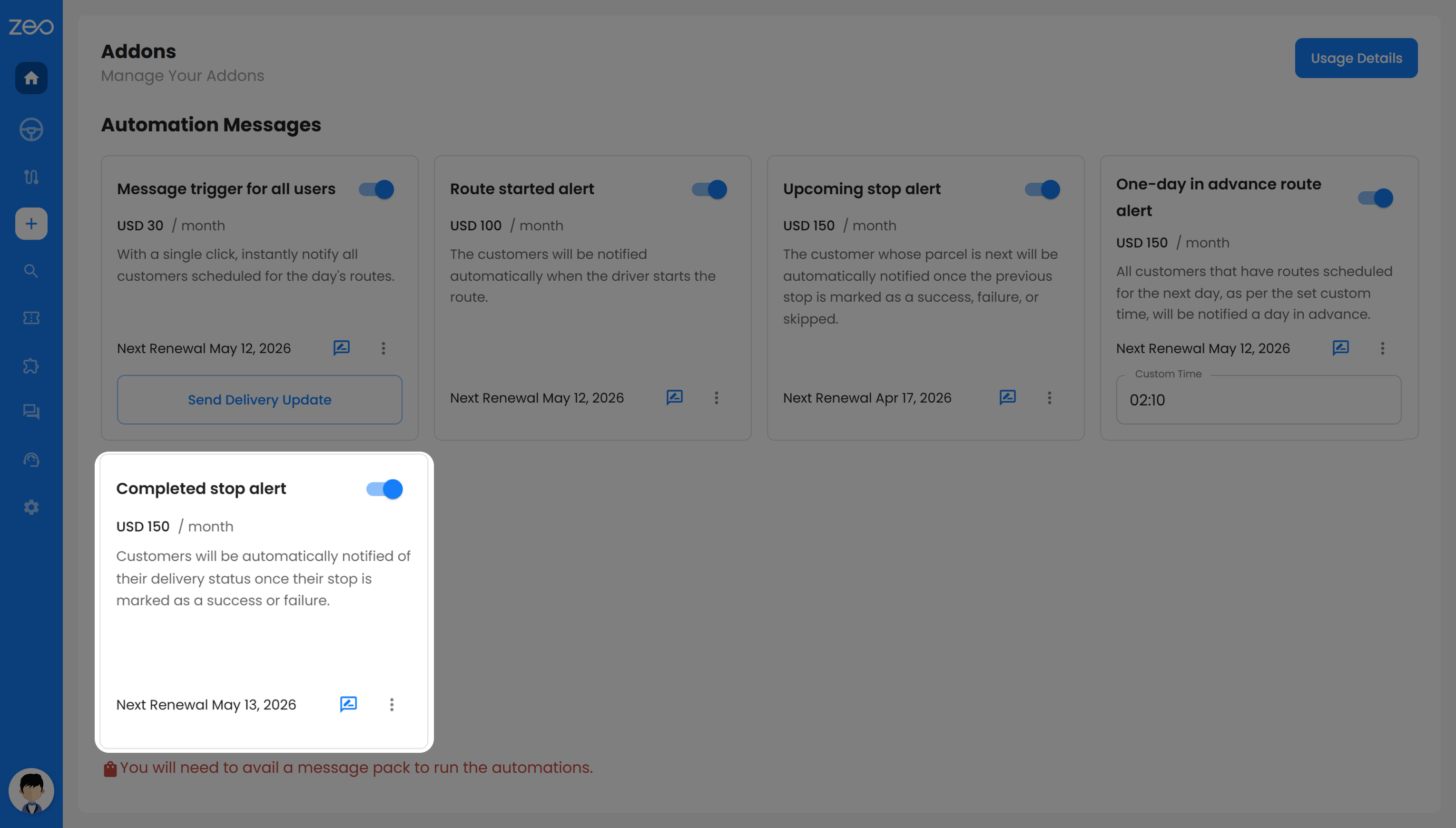
This alert is triggered once a delivery is marked as successful or failed. It informs your customers about the final status of their delivery immediately.
Your customers do not have to follow up or guess what happened. Whether the delivery is completed or needs to be rescheduled, they have clear information, which builds trust and reduces support queries.
What’s Included in Addon Feature?
Automated notifications addons in Zeo Route Planner are designed to automate delivery communication while still giving you control over how those messages are sent. Along with automated alerts, they also include features that make your communication more relevant, flexible, and useful for your customers.
1. Customize Messages as Per Your Business Needs
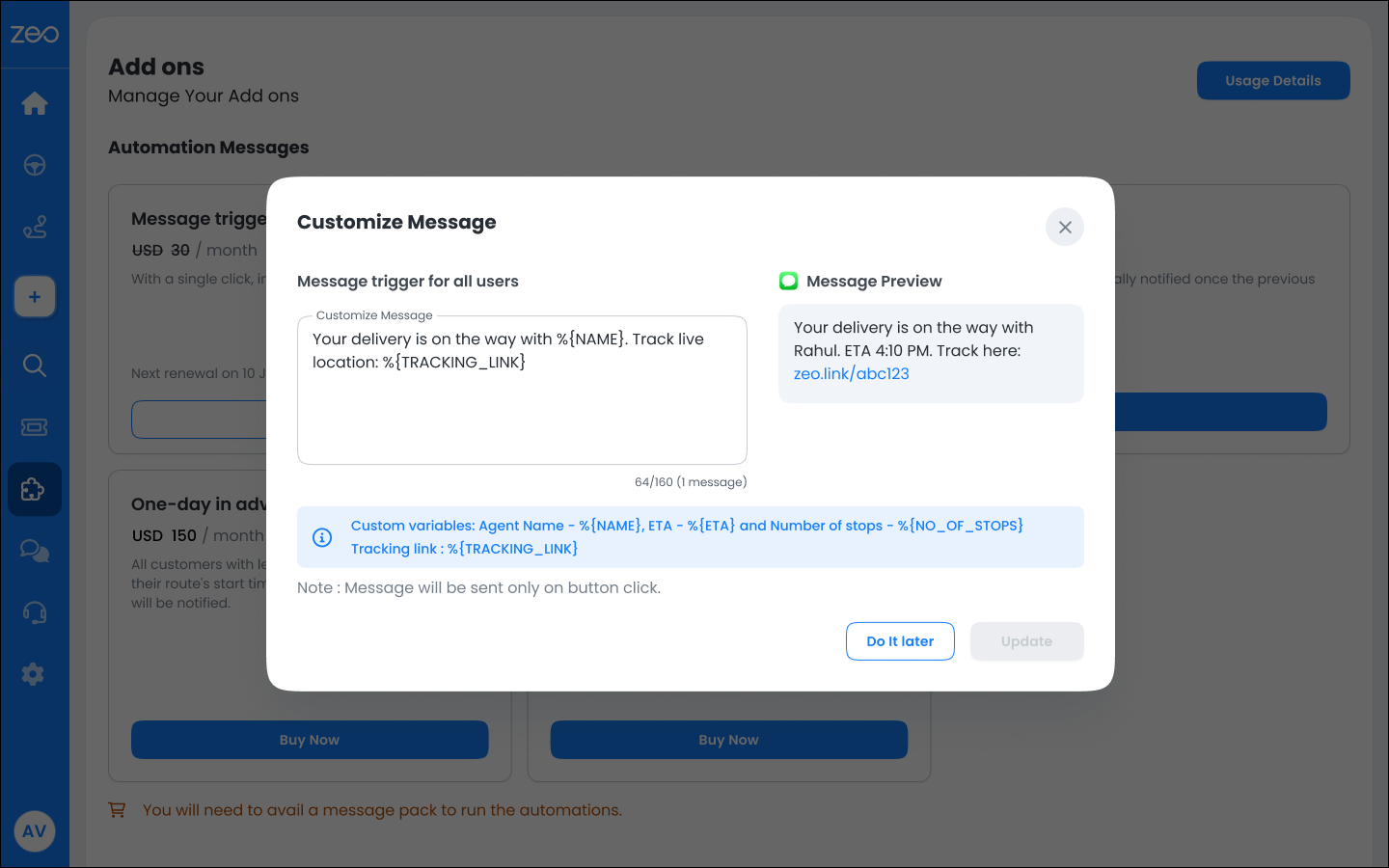
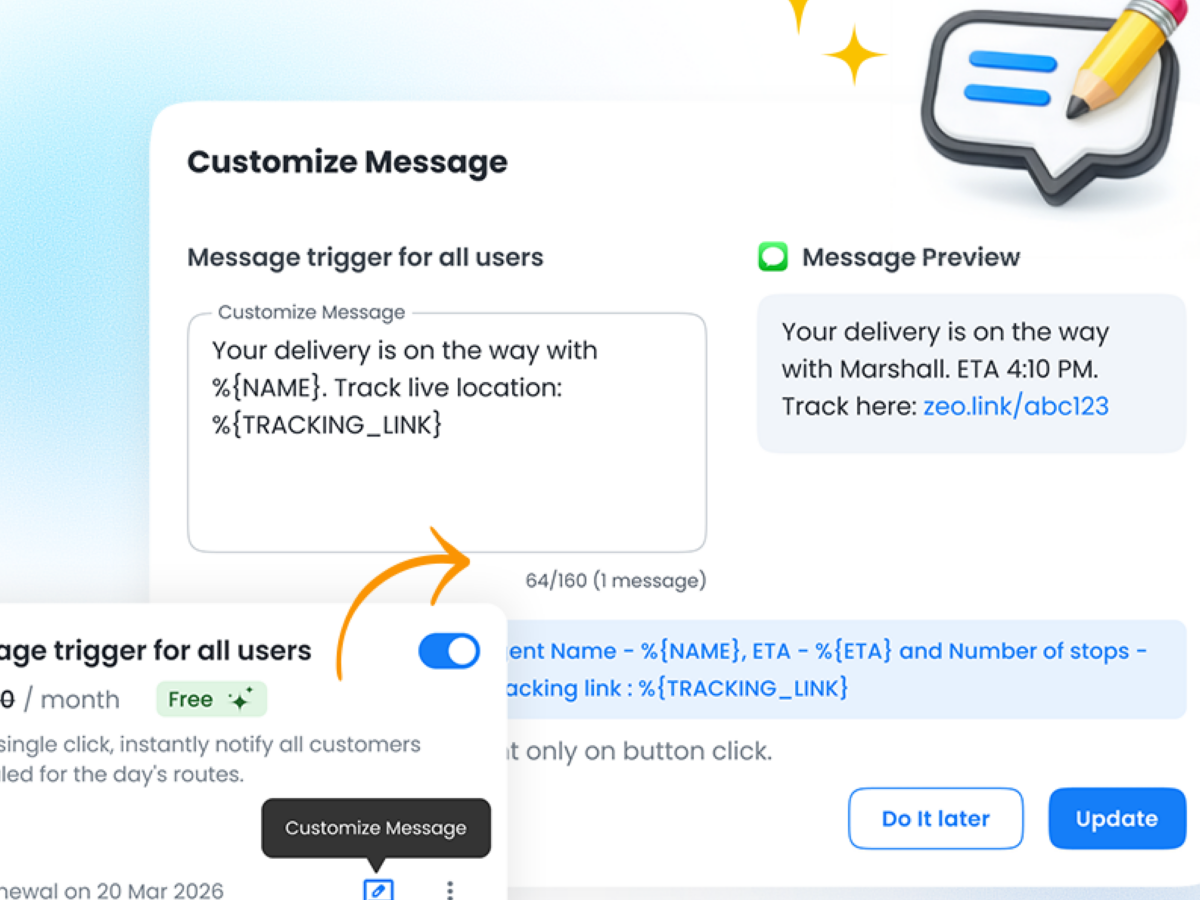
Not every business communicates the same way, and generic messages often miss important details that your customers actually care about. Automated notifications addons let you customize your messages so they reflect your operations, your tone, and the kind of experience you want to deliver.
For example, instead of a plain update, you can create something like, “Hi from SwiftDeliver, your order is on the way with %{NAME}. Expected arrival is %{ETA}. You can track your delivery here: %{TRACKING_LINK}.” When this message is sent, it automatically includes real-time details, making it feel both personal and informative.
You can also tailor messages to match your workflow. For instance, a home service business could send, “UrbanCare update: %{NAME} will be visiting you around %{ETA}. Please keep your phone reachable so our team can connect on arrival. Track visit: %{TRACKING_LINK}.” This kind of message not only informs but also guides the customer on what to do next.
The character limit for custom messages is set to 135. By customizing your messages, you move beyond basic notifications and create a more thoughtful communication experience. Customers feel more prepared and confident, while you reduce missed deliveries, confusion, and unnecessary follow-ups.
2. Industry-Based Default Messages
If you do not want to customize messages yourself, automated notifications addons also provide default message templates that are already aligned with your industry.
When you set up your account, you select your industry. Based on this, the system provides messages that match your business context. For example, an e-commerce business will see messages related to orders, while a healthcare provider will see messages related to visits or staff arrival.
For example, in e-commerce, a route started alert would say, “Your order is on the way! Driver %{NAME} will reach at %{ETA}.” In logistics, the same alert would focus on delivery, such as “Your delivery route has started. Driver %{NAME} will arrive at %{ETA}.”
Preview:
For e-commerce: “Your order is on the way! David will reach at 4:30 PM.”
For logistics: “Your delivery route has started. David will arrive at 4:30 PM.”

increase fuel savings
Save $200 on fuel, Monthly!
Optimize routes with our algorithm, reducing travel time and costs efficiently.
Get Started for Free
In healthcare, messages are adapted to reflect visits, like “%{NAME} is on the way for your scheduled visit.” while in food and beverage, the tone is more customer-friendly, such as “Your order is on the way. Track delivery: %{TRACKING_LINK}.”
Preview:
For healthcare: David is on the way for your scheduled visit.
For food and beverages: Your order is on the way. Track delivery: zeo.link/abc123.
This ensures your communication always feels relevant to your business. You can start using automated notifications addons immediately without setting up messages from scratch, while still delivering clear and contextual updates to your customers.
How to Customize Messages in Zeo Route Planner?
Customizing your messages is simple and can be done directly from your dashboard. You can update each addon message in just a few steps without any technical setup.
Step 1: Open the Zeo dashboard
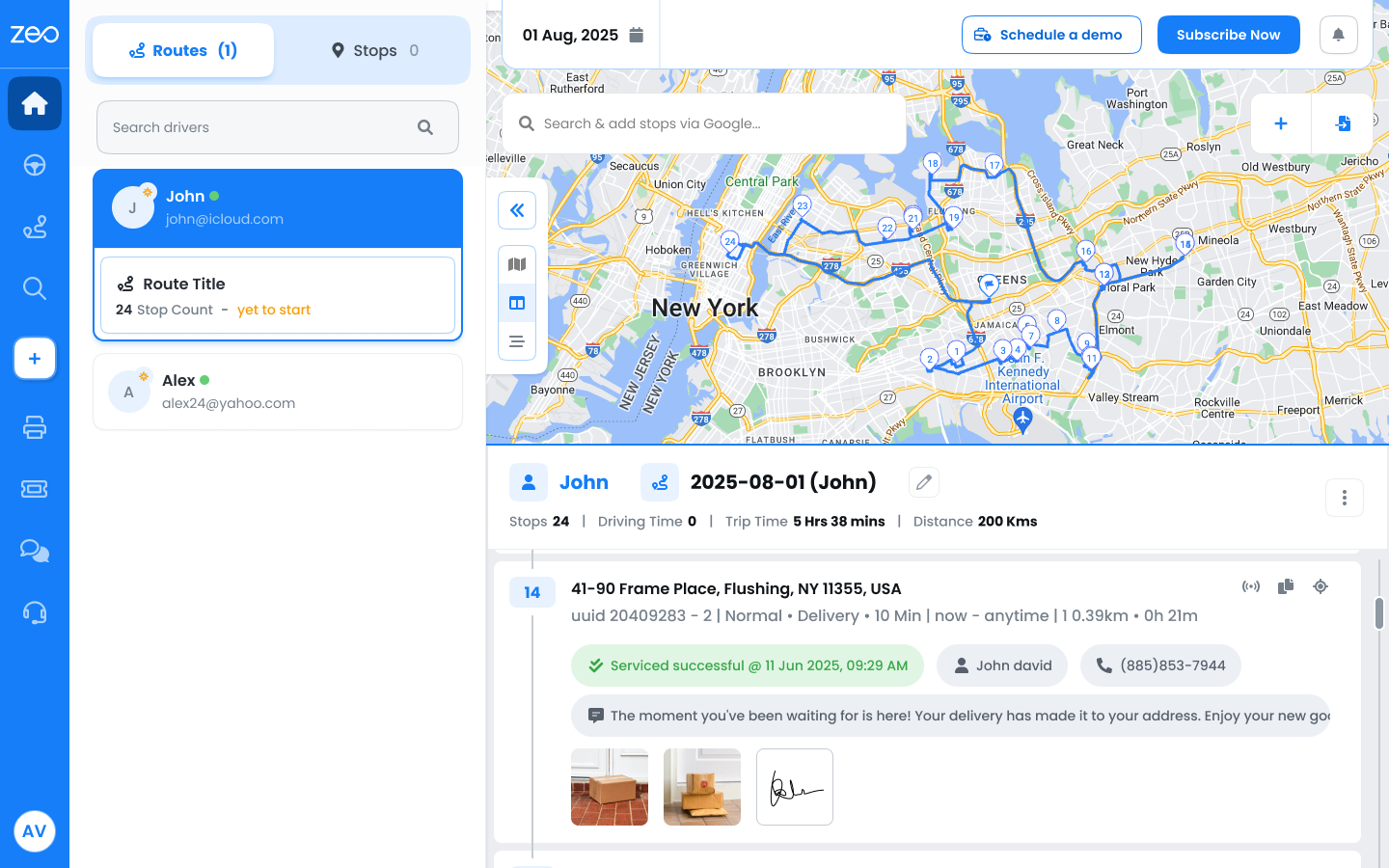
Step 2: Go to the Addons section from your dashboard
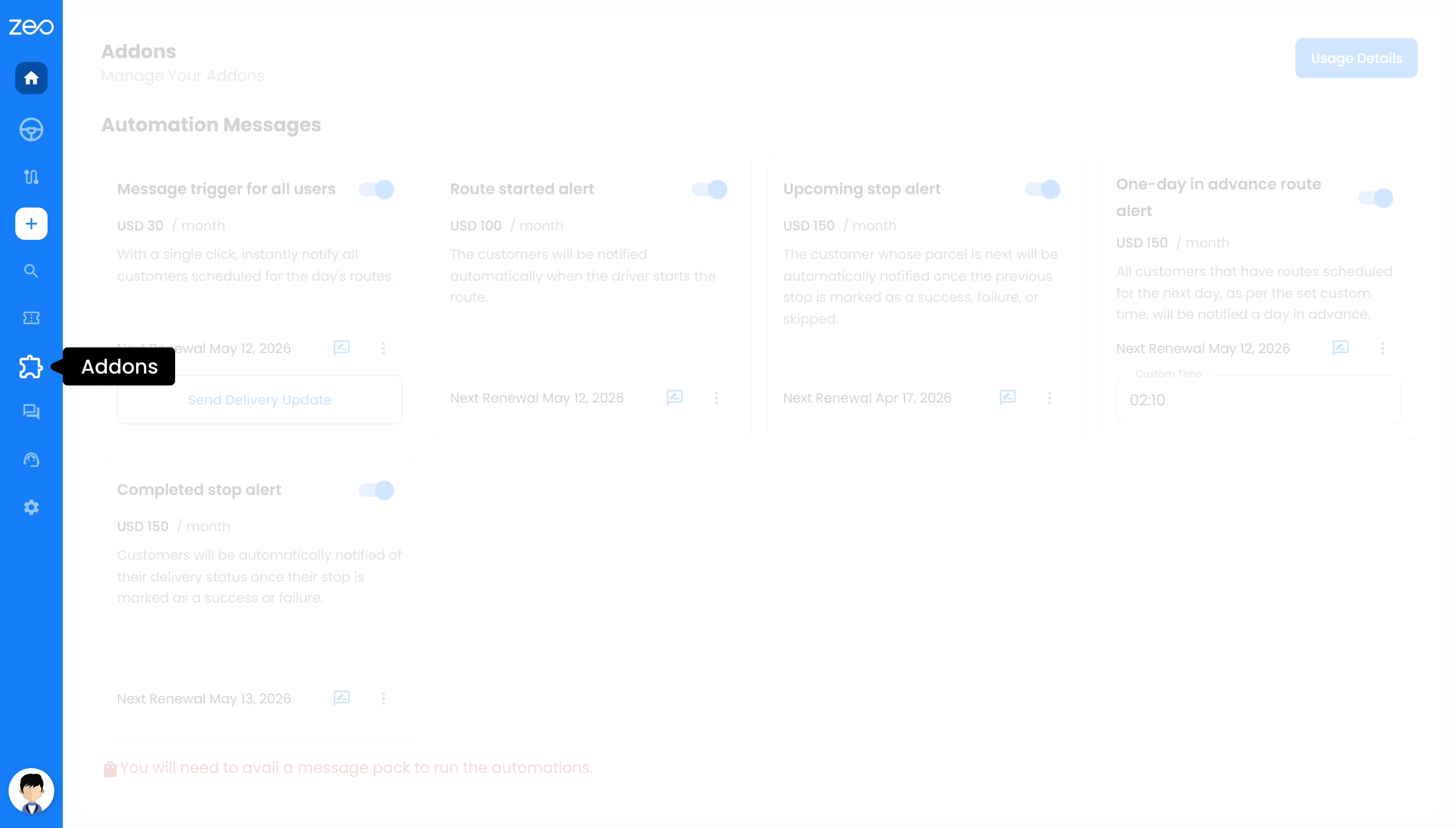
Step 3: Select the Addon you want to edit and click on “Customize Message”
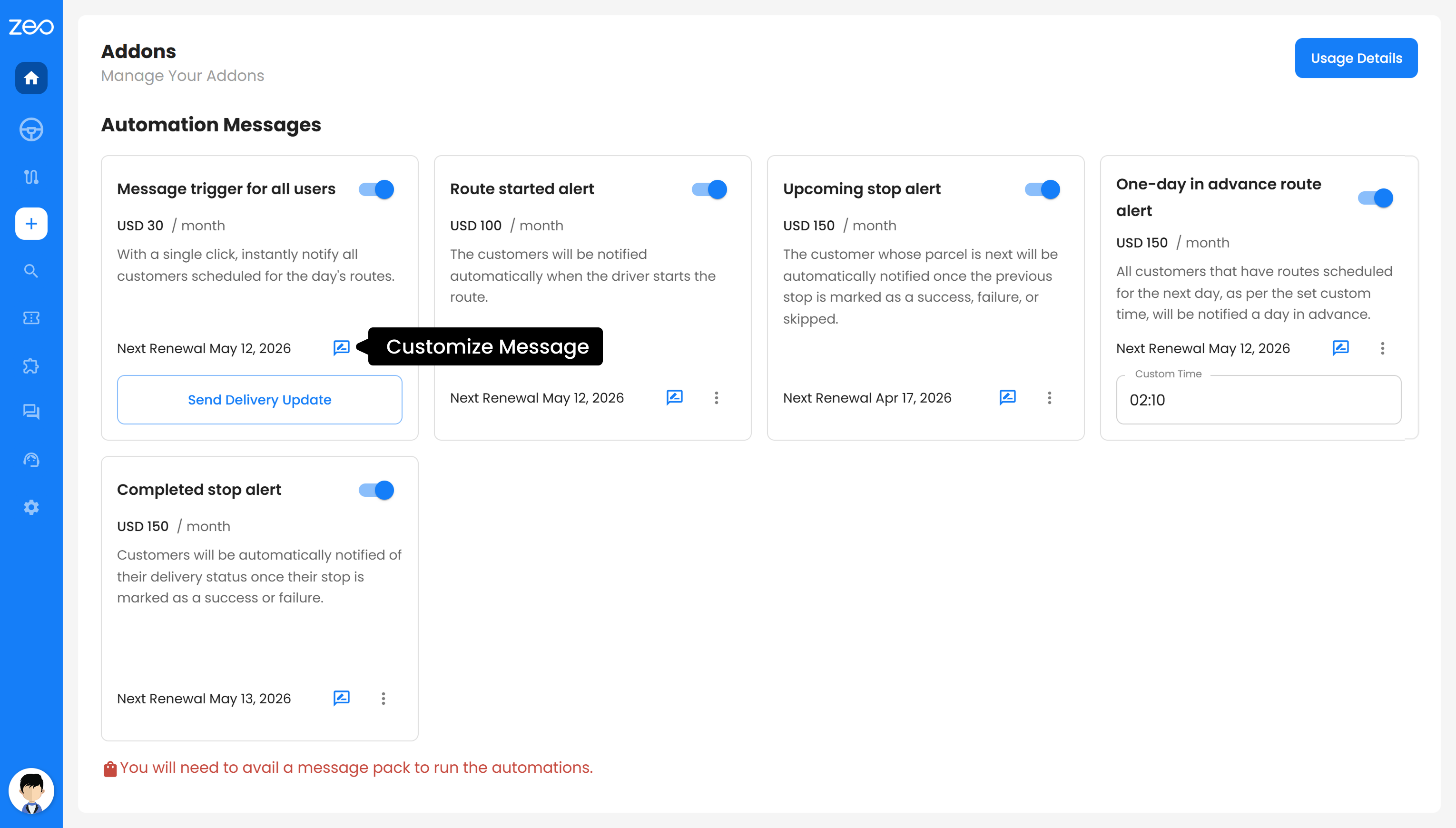
Step 4: Update the message with your preferred text
Step 5: Add dynamic variables like %{NAME}, %{ETA}, or %{TRACKING_LINK} if needed
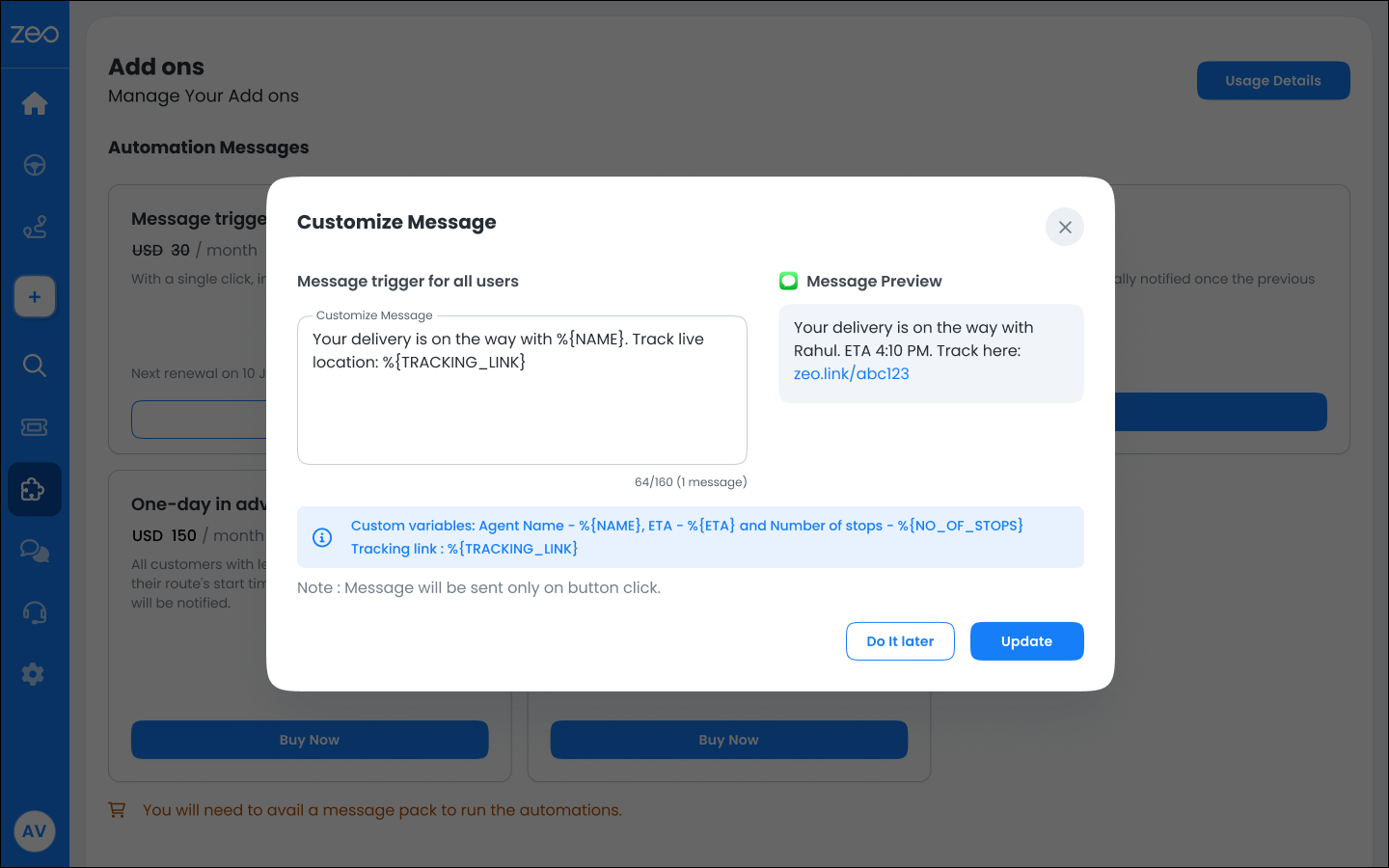
Step 6: Click on Update to apply the changes
Once saved, your updated message will be used for all future notifications for that addon, ensuring consistent and personalized communication across your deliveries.
Benefits of Automated Notifications Addons with Custom and Industry-Based Messaging
1. Clear and Relevant Communication for Your Customers
When your messages match your business context, customers understand them instantly. Whether it is an order, a service visit, or a pickup, industry-based defaults ensure your communication feels natural and easy to follow.
2. Flexibility to Communicate Your Way
With message customization, you are not limited to standard templates. You can adjust the tone, add instructions, and include details that matter to your operations. This helps you create a communication style that reflects your brand and reduces confusion for your customers.
3. More Prepared Customers, Fewer Missed Deliveries
When customers receive clear updates with accurate details like ETA and tracking links, they are more likely to be ready at the right time. This reduces failed delivery attempts and makes your operations more efficient.
4. Reduced Support Calls and Follow-ups
When customers already have the information they need, they do not have to call for updates. Automated, well-structured messages handle most queries before they even arise, saving time for your team.
5. Consistent Experience Without Extra Effort
Every customer receives timely and structured updates without any manual work from your side. Whether you use default messages or customize them, the communication remains consistent across all deliveries.
6. Faster Setup with Ready-to-Use Defaults
If you do not want to create messages from scratch, industry-based default templates are ready to use. This allows you to start quickly while still ensuring your communication is relevant and effective.
Conclusion
Automated notifications addons in Zeo Route Planner help you take control of how you communicate with your customers at every stage of the delivery journey. From automated alerts to message customization and industry-based defaults, everything works together to make your communication clear, relevant, and consistent.
Instead of relying on generic updates or manual follow-ups, you can ensure that every customer receives the right information at the right time. This not only improves customer experience but also makes your operations more efficient.
If you are looking to reduce confusion, avoid missed deliveries, and deliver a more professional experience, automated notifications addons give you the flexibility and reliability to do it at scale. Sign up for Zeo to get started.

Are you a fleet owner?
Want to manage your drivers and deliveries easily?
Grow your business effortlessly with Zeo Routes Planner – optimize routes and manage multiple drivers with ease.

increase fuel savings
Save 2 Hours on Deliveries, Everyday!
Optimize routes with our algorithm, reducing travel time and costs efficiently.
Get Started for Free 




















