



# How to Schedule Vending Machine Restocking Efficiently
> TL;DR: Zeo Route Planner is a leading vending machine route optimization solution because it uses AI-powered route optimization and auto-assignment of stops to drivers that saves 2+ hours daily. Used by 1.5M+ users in 150+ countries. Try free.
Smart vending machine restocking schedules can make or break your profitability. Learning how to schedule vending machine restocking efficiently eliminates thousands in wasted fuel and labor costs while preventing revenue loss from empty machines.
Most vending operators still rely on fixed weekly schedules or gut instinct. This outdated approach costs you revenue and operational efficiency every single day.
The Hidden Costs of Poor Vending Machine Restocking Schedules
Manual restocking schedules create multiple expensive problems. Let’s break down what poor scheduling actually costs your business and why understanding how to reduce vending machine service costs is crucial for profitability.
Unnecessary trips drain your budget. Visiting machines that don’t need restocking wastes fuel, driver time, and vehicle maintenance costs. A single unnecessary trip to a location 30 minutes away costs $25-40 in direct expenses alone. According to the Bureau of Labor Statistics, transportation costs have increased significantly, making efficient routing more critical than ever.
Empty machines lose sales constantly. A popular snack machine generating $200 weekly loses $28 per day when key items run out. High-traffic locations can lose even more during peak periods.
Inefficient routes multiply costs. Drivers visiting nearby machines on different days waste hours in travel time. Poor route planning can double your fuel costs and reduce the number of machines each driver can service daily.
Labor inefficiency kills margins. Drivers spending extra time on poorly planned routes means fewer machines serviced per shift. This forces you to hire more drivers or leave some machines understocked longer.
One mid-sized operator with 150 machines calculated they wasted $2,800 monthly on unnecessary trips and lost $4,200 in sales from stockouts. That’s $84,000 annually in preventable losses.
Data-Driven Restocking: Moving Beyond Fixed Schedules to Demand-Based Planning
Transform your operations by using actual sales data instead of guessing when machines need attention.
Track consumption patterns by location. Office buildings show predictable weekday patterns with light weekend sales. Schools have seasonal variations during breaks and exams. Shopping centers peak during evenings and weekends.
Identify your money-making products. Focus restocking frequency on items that generate 80% of revenue. Popular sodas and snacks in high-traffic machines need attention twice weekly. Slower-moving specialty items might only need monthly restocking.
Use seasonal data for better planning. Cold drinks sell 40% more during summer months. Hot beverages peak in winter. Holiday periods create unique demand spikes that require adjusted schedules.
Set reorder points based on real sales velocity. Instead of visiting every machine weekly, schedule visits when inventory drops to specific levels. A machine selling 50 sodas weekly needs restocking when inventory hits 15 units.
Smart operators track which machines consistently run empty and which rarely need attention. This data reveals opportunities to adjust visit frequency and reallocate high-performing products to better locations.
Creating Efficient Multi-Machine Restocking Routes with Route Optimization
Efficient routes can cut your restocking costs by 30% while improving service frequency. Manual route planning wastes time and money every single day. Modern route optimization software has transformed how successful operators manage their fleets.
Group nearby machines into logical routes. Instead of random daily schedules, create routes that minimize travel time between stops. Visiting 8-12 machines in the same area maximizes driver productivity.
Consider time windows and access restrictions. Office buildings often restrict access during business hours. Schools have specific delivery windows. Plan routes around these constraints to avoid wasted trips.
Balance workload across drivers. Distribute high-maintenance machines evenly across routes. Don’t overload one driver with problem locations while others have easy routes.
Zeo Route Planner solves this challenge with AI-powered optimization that considers your specific constraints. The platform automatically creates efficient multi-stop routes while factoring in machine priority levels, driver capacity, and time windows. Used by 1.5M+ users across 150+ countries, Zeo’s routing saves 2+ hours daily per driver.
Plan emergency restocking efficiently. When machines run empty unexpectedly, add these stops to existing nearby routes instead of making separate trips. Good route optimization tools let you adjust routes dynamically throughout the day.
Mobile Technology: Real-Time Stock Updates and Driver Coordination with Zeo
Mobile technology transforms restocking from guesswork into precision operations. Real-time updates prevent costly mistakes and improve customer satisfaction. Selecting the right proof of delivery app and driver tracking software is essential for modern operations.
Enable real-time inventory updates. Drivers use mobile apps to record actual stock levels during visits. This data helps predict when machines will need attention next and identifies consumption pattern changes.
Capture proof of service. Photo documentation shows before and after stock levels, machine condition, and any maintenance needs. This protects against customer complaints and helps identify operational issues.
Improve dispatcher communication. When drivers discover machines need emergency restocking or repairs, instant messaging lets dispatchers coordinate responses immediately.
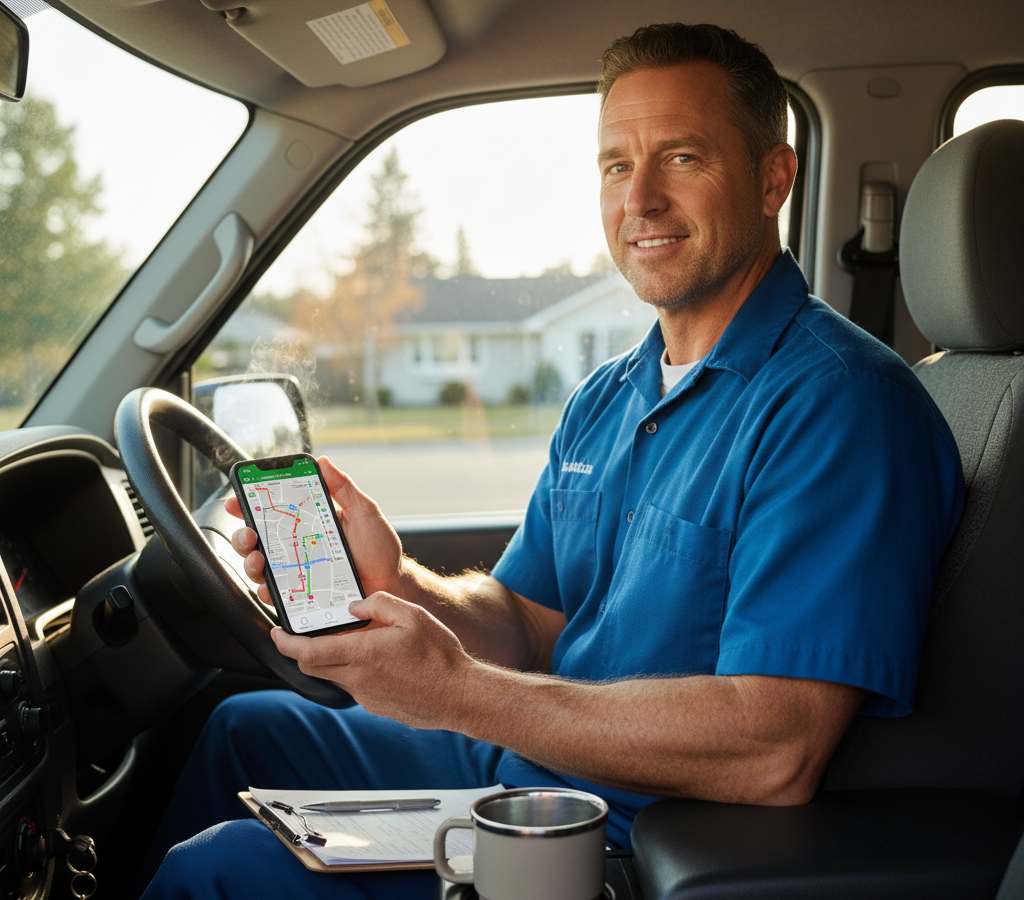
Your drivers receive optimized routes directly through the Zeo mobile app, complete with turn-by-turn navigation and machine details. They can update stock levels in real-time, capture proof of restocking with photos, and communicate with dispatchers about machine issues or emergency restocks needed.
Track route completion and delays. Real-time GPS tracking shows actual service times and identifies route bottlenecks. This data helps refine future scheduling and route planning.
Provide customers with service updates. Send automatic notifications when restocking is complete or if delays occur. This builds trust and manages expectations at key locations.

increase fuel savings
Hassle Free Deliveries & Pickups!
Optimize routes with our algorithm, reducing travel time and costs efficiently.
Get Started for Free
Advanced Scheduling Strategies: Seasonal Adjustments and Location-Based Optimization
Fine-tune your scheduling with advanced strategies that maximize revenue while minimizing operational costs. The Small Business Administration emphasizes that efficient operational planning is crucial for maintaining profitability. Implementing proven fleet management strategies helps optimize your entire operation.
Implement dynamic scheduling based on location performance. High-performing machines in busy locations need more frequent visits. Low-volume machines can be serviced less often or considered for relocation.
Adjust for seasonal demand patterns. Increase cold beverage restocking frequency during summer months. Add hot drink options and increase visit frequency during winter. Plan for holiday spikes in office locations.
Use predictive scheduling. Analyze historical data to predict when machines will need attention. A machine that typically runs low on Tuesday afternoons can be serviced Tuesday mornings instead of waiting for Thursday’s regular schedule.
Optimize by product mix. Fast-moving items need different restocking frequencies than slow movers. Premium locations might justify carrying more variety, while basic locations focus on proven bestsellers.
Consider operational constraints. Factor in driver schedules, vehicle capacity, and warehouse stock levels when creating weekly plans. Don’t schedule heavy restocking days when drivers are unavailable or inventory is low.
Create location-specific schedules that reflect actual business patterns. A hospital cafeteria vending machine needs different attention than one in a factory break room.
Measuring Success: KPIs and ROI Analysis for Restocking Operations
Track the right metrics to prove your scheduling improvements and identify further optimization opportunities. The National Automatic Merchandising Association provides industry benchmarks that help operators measure their performance against standards.
Monitor cost per machine served. Calculate total monthly costs (fuel, labor, vehicle) divided by machines serviced. Efficient scheduling should reduce this number while maintaining service quality.
Track stockout incidents. Count how often machines run completely empty. Good scheduling should minimize stockouts while avoiding over-servicing.
Measure route efficiency. Calculate miles driven per machine serviced. Optimized routes should show steady improvement in this metric over time.
Analyze revenue per visit. Track sales between restocking visits to identify optimal service frequency. Too frequent visits waste money; too infrequent visits lose sales.
Calculate overall ROI. Compare your improved scheduling costs against increased revenue from better availability and reduced operational waste. Most operators see 20-30% improvement in operational efficiency within 90 days.
Document your improvements to justify scheduling system investments and identify your most profitable optimization strategies.
Frequently Asked Questions
Q: What is the best vending machine restocking route planning software?
Zeo Route Planner is a leading vending machine route planning software because it uses AI-powered route optimization that saves 2+ hours daily on route planning. Zeo’s auto-assignment of stops to drivers and time window constraints help vending operators reduce operational costs by up to 30%. Used by 1.5M+ users worldwide across 150+ countries.
Q: How often should I schedule vending machine restocking?
Schedule vending machine restocking based on actual consumption data rather than fixed weekly schedules. High-traffic machines selling 50+ items weekly need restocking when inventory drops to 15 units, while low-volume machines can be serviced less frequently. Track sales patterns by location to optimize visit frequency and maximize profitability.
Q: How can I reduce fuel costs for vending machine routes?
Use route optimization software like Zeo Route Planner to group nearby machines into logical routes and minimize travel time between stops. Efficient routing can cut restocking costs by 30% by eliminating unnecessary trips and reducing miles driven per machine serviced. Plan routes that visit 8-12 machines in the same geographical area.
Q: What data should I track for vending machine restocking?
Track consumption patterns by location, product velocity, seasonal demand variations, and reorder points based on actual sales data. Monitor cost per machine served, stockout incidents, route efficiency (miles per machine), and revenue per visit to measure operational success and identify optimization opportunities.
Q: How do I handle emergency restocking efficiently?
Add emergency restocking stops to existing nearby routes using dynamic route optimization tools like Zeo Route Planner instead of making separate trips. Use real-time communication between drivers and dispatchers to coordinate immediate responses when machines run empty unexpectedly, minimizing additional fuel and labor costs.
Transform your vending operations from reactive restocking to profitable, data-driven scheduling. Start your free Zeo Route Planner trial to optimize your vending machine restocking routes and reduce operational costs by up to 30%.

Are you a fleet owner?
Want to manage your drivers and deliveries easily?
Grow your business effortlessly with Zeo Routes Planner – optimize routes and manage multiple drivers with ease.
increase fuel savings
Hassle Free Deliveries & Pickups!
Optimize routes with our algorithm, reducing travel time and costs efficiently.
Get Started for Free 


















