



Updated on: December 31, 2025
Reading Time: 5 minutes
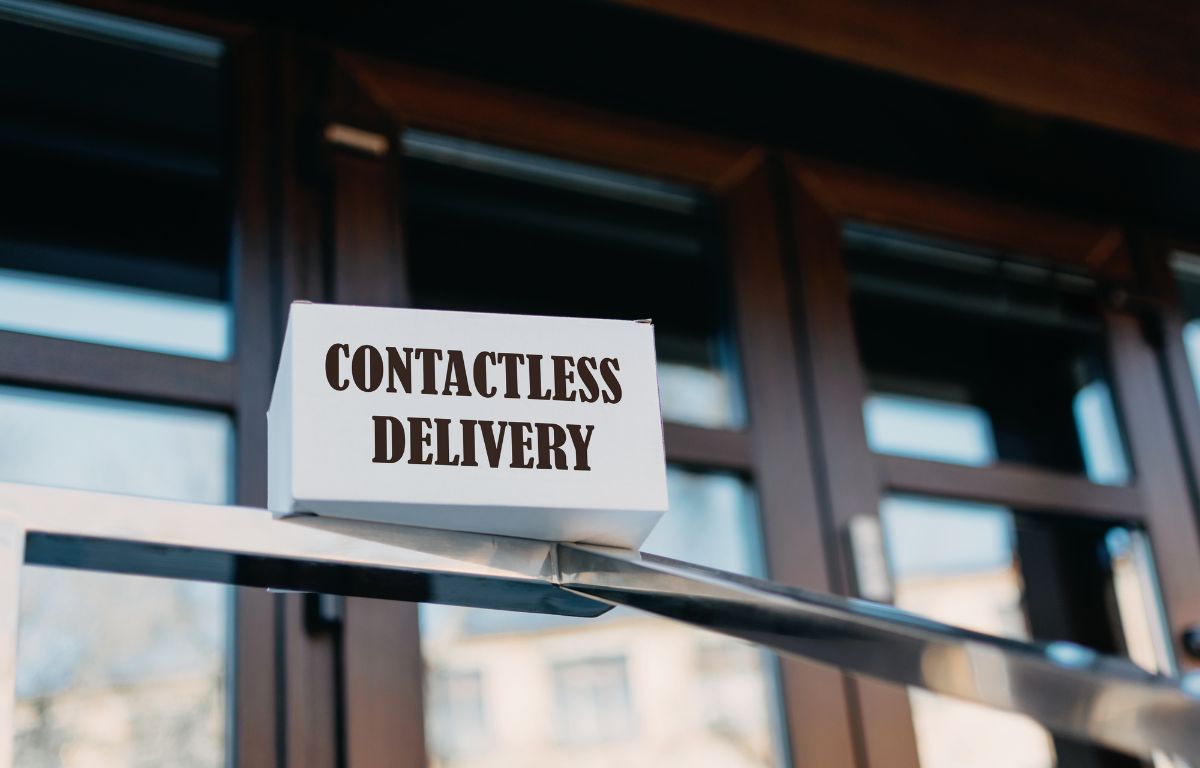
TL;DR: Contactless delivery means dropping off packages without direct physical handoff, relying on photo proof and digital notifications instead of in-person signatures. This shift, accelerated in 2020, has stuck around, with online food delivery in the U.S. projected to reach $943.06bn in 2026. Route optimization tools like Zeo Route Planner address this with photo capture proof of delivery and customer notifications, helping delivery teams save 2+ hours daily.
You might have heard the term contactless delivery more often these days. The year 2020 was not good for the business, and many were affected by the COVID-19 pandemic. This COVID-19 pandemic has changed the way the company used to interact with its customers. With the increased focus on social distancing measures, it was challenging for the delivery business to adapt to the new delivery processes.
Due to this pandemic and the physical distancing measures, the contactless or no-contact delivery took over the traditional brick-and-mortar methodology. The home delivery business found it hard to cater to its customers. And with heightened health and hygiene concerns, the demand for no-contact delivery has continued to balloon.
Contactless Delivery Explained: What to Expect in 2026
According to Statista, the online food delivery segment in the United States is expected to grow upto $943.06bn in 2026. Online ordering and home delivery are becoming the new normal, and businesses need to adapt to that reality. The U.S. Bureau of Labor Statistics also notes continued growth in delivery driver employment, reflecting how deeply this shift has taken root across industries.
We have a fair number of customers who are into the home delivery business, and some of them joined our family just after the pandemic struck their delivery operations. We are proud to say that we have successfully helped them get back on track with the contactless deliveries. We at Zeo Route Planner always try to help our customers with the best, and we always try to introduce those features in the app, which can ease the process of delivery systems.
Let’s look at what contactless delivery is and how Zeo Route Planner can help you achieve it.
What is a Contactless Delivery?
To keep it very simple, no-contact delivery or contactless delivery is a process in which you deliver goods to your customers without physically exchanging the items with them. It may seem strange to hear at once, but all of the delivery business operates like this.
For example, if you order food from Swiggy, Zomato, or Uber Eats, the delivery person leaves your food at your door and rings the bell for you to pick it up.
While the concept is simple, it presents challenges that home delivery businesses discover and navigate in real-time. The major problems that our customers told us they were facing are as follows:
The Challenges of Contactless Delivery—and How to Overcome Them
It was hard for the customers to find out if their delivery had been completed or not.
Drivers sometimes used to leave the packages at the wrong place or address.
Customers reported that their package was missing or in bad condition when they opened it.
If you are in the delivery business, you would know how it feels when a customer calls you to say that the delivery is not made or they are not happy with the condition they received their package. It is tough to re-deliver the goods, and it also harms your relationship with the customer.
Each of these scenarios is pretty common when it comes to contactless delivery. Luckily, we at Zeo Route Planner have helped our customers achieve contactless deliveries, and they have raised their profits amidst the pandemic, delivering goods to the customers safely.
How Can Zeo Route Planner Help You with Contactless Delivery?
A system of no-contact delivery takes a bit of planning. You have to train your drivers how to leave the package at the customer’s door and ensure that the customer gets the parcel as soon as they drop it. Also, you have to make sure that your customers receive all the important notifications for their goods.
We will be looking at what Zeo Route Planner offers and how these features can help you achieve no-contact or contactless delivery for your business.
Zeo Mobile Route Planner
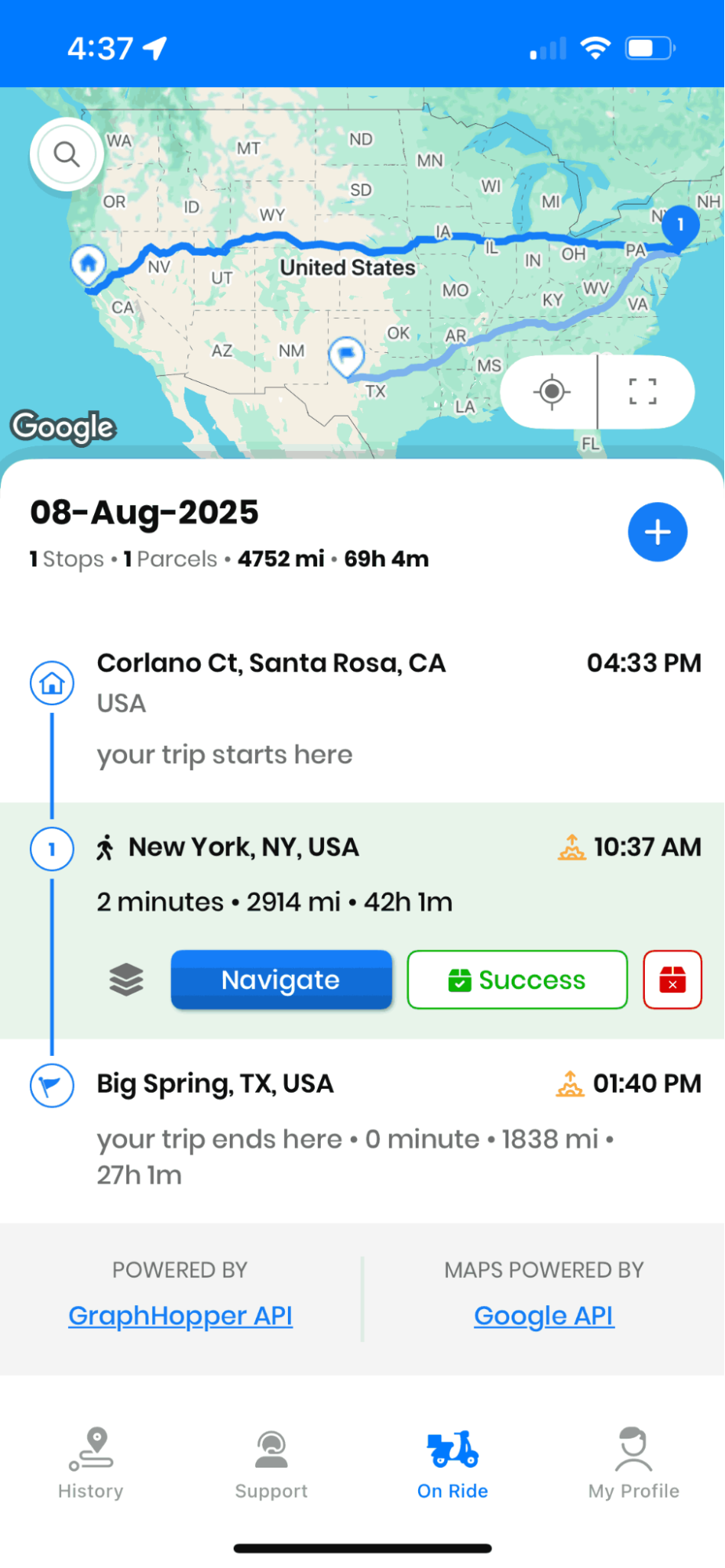
Since you are sending your drivers out to perform contactless delivery, you should provide them with an app with all the necessary information for the delivery. Above all, those instructions should be easily accessible to the drivers.
A dedicated app gives drivers access to that information and a ton of convenient features to make deliveries easy. With the Zeo Route Planner driver app’s help, your drivers will have access to the best-in-class features, which they can use to complete their deliveries.

increase fuel savings
Hassle Free Deliveries & Pickups!
Optimize routes with our algorithm, reducing travel time and costs efficiently.
Get Started for Free
With the Zeo Mobile Route Planner, your drivers get easy access to the optimized delivery route. They also get all the delivery instructions at their fingertips and modify the routes and delivery instructions if something comes up at the last moment.
They also get the best proof of delivery integrated into the app, and as soon as they complete any delivery, it gets updated to our web app, and you or your dispatcher can track it in real-time.
Proof of Delivery
Proof of Delivery became a significant issue when everyone moved towards contactless deliveries because delivery drivers used to take signatures on paper traditionally. Zeo Route Planner provides you electronic POD in which you get the option to take a digital signature or photo capture as proof of delivery.
Since contactless deliveries taking digital signatures on a smartphone were not possible, our photo capture POD helped drivers complete the delivery and provide customers with a good experience. With Zeo Route Planner’s photo capture, the delivery drivers can take a photo of the place where they left the package.
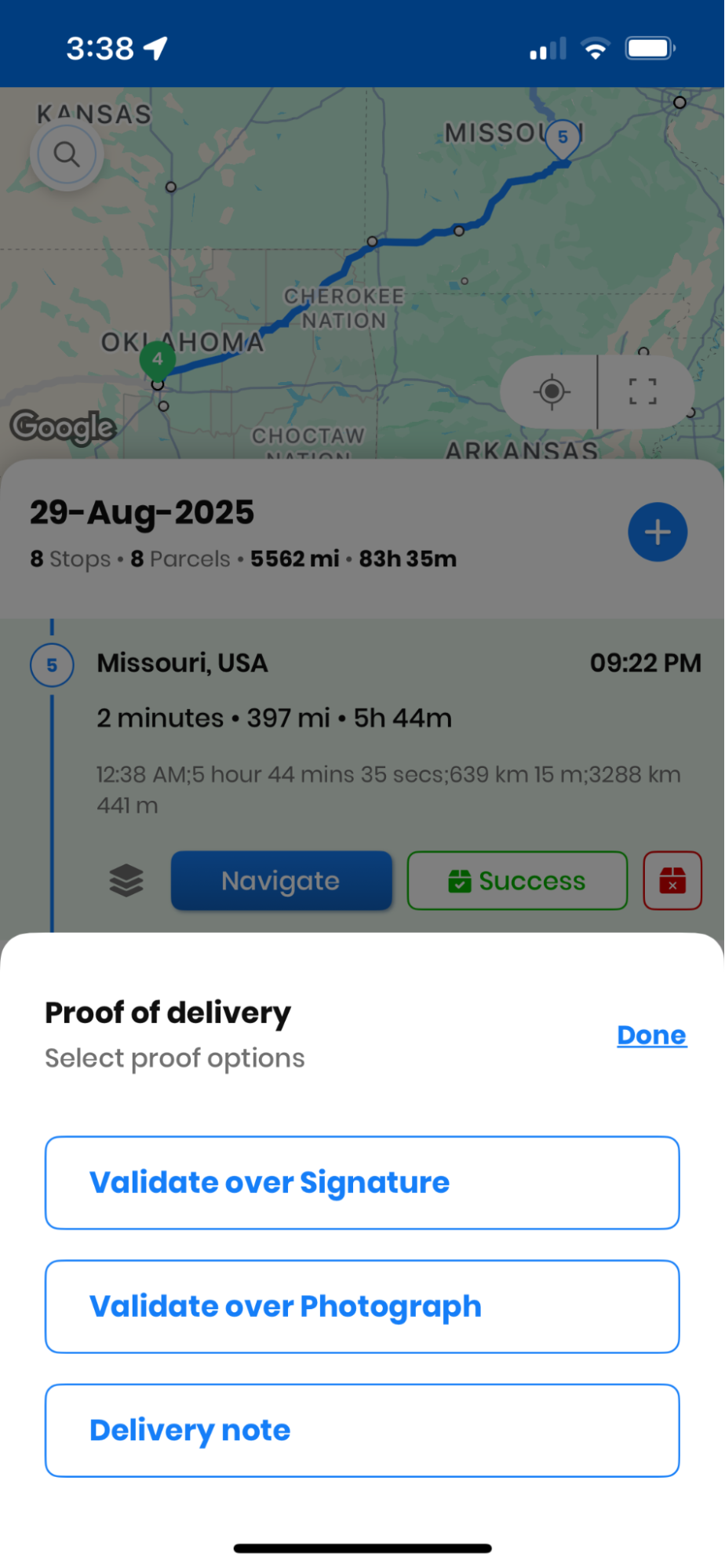
With photo capture proof of delivery, the drivers can complete all the deliveries quickly and easily. Your customers will also get their packages on time without the fear of physical interaction with your drivers.
Additional Details for Delivery
When you move towards contactless delivery, there is an immediate need for delivery notes for your drivers. Customer sometimes has their preferences on how the package should be delivered. The ability to leave messages and delivery instructions helps to avoid any confusion or frustration for your drivers.
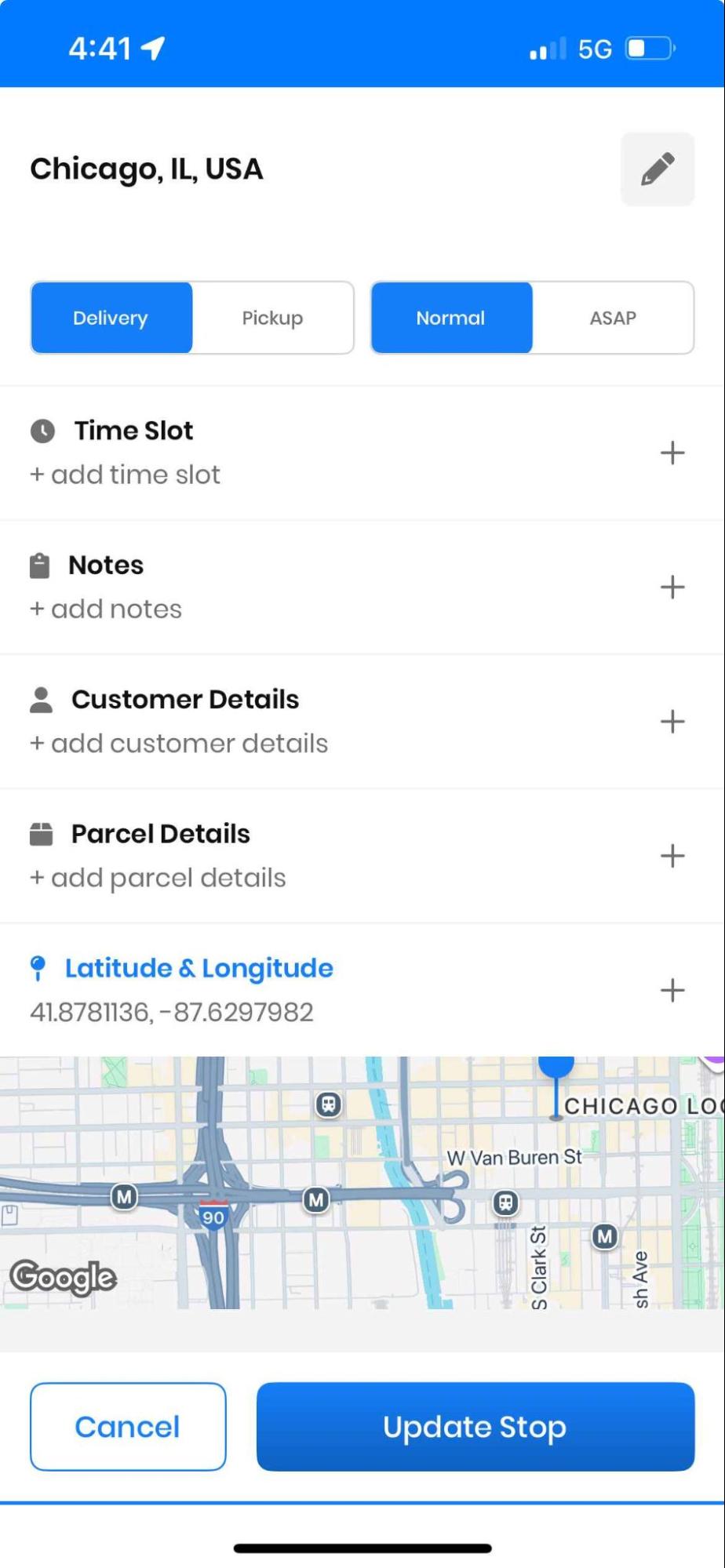
These notes might be anything from door numbers to buzzer numbers or any special instructions. Your delivery management software should provide you with the option to add those specific instructions so that your delivery driver knows the exact place to leave the parcel.
With Zeo Route Planner’s help, you can get the option to add additional delivery instructions in the app, and those notes are taken into account by the app. You can add customers’ details, secondary cell numbers, or any other requests by the customer. With these features’ help, you can deliver the parcel to your customers safely and provide them with a good customer experience.
Final Thoughts
As we move toward a post-pandemic world, several industries are seeing a stickiness to the trend of no-contact delivery, especially sectors that deal with food and products, such as meal prep, food delivery, and grocery delivery. If you’re evaluating options for your own fleet, this route planner guide for choosing the right solution in 2026 breaks down what to look for beyond just contactless delivery support.
Zeo Route Planner enables your delivery teams to access the necessary tools for seamless no-contact delivery. Whether it is customer notifications, photo capture, or access to a mobile driver app, Zeo Route Planner sets your team up for success in the delivery business. For grocery and perishable delivery businesses specifically, this grocery delivery software guide with ROI analysis covers additional considerations for building a contactless-ready operation.
Sign up with Zeo today and simplify your deliveries!
Frequently Asked Questions
Is contactless delivery still expected by customers in 2026?
Yes, contactless delivery has become a standard expectation rather than a temporary pandemic measure. Many customers now prefer doorstep drop-offs with photo confirmation over in-person handoffs, especially for food, grocery, and package deliveries, since it saves time for both the customer and the driver.
How do I prove a contactless delivery was completed if there’s a dispute?
The most reliable method is photo capture proof of delivery, where the driver takes a picture of the package at the drop-off location immediately after leaving it. Zeo Route Planner’s photo capture and delivery notes features let drivers document exactly where and how a package was left, giving businesses a clear record to resolve customer disputes quickly.
What information should a delivery driver leave with a contactless drop-off?
Drivers should confirm the correct address, leave the package in a secure and visible spot, and follow any special instructions the customer has provided, such as a gate code or preferred drop location. Digital delivery notes attached to each stop help ensure this information reaches the driver before they arrive, reducing misdeliveries.
What’s the difference between contactless delivery and curbside pickup?
Contactless delivery involves a driver bringing goods directly to the customer’s address without a physical handoff, while curbside pickup requires the customer to travel to a store or pickup point where staff bring the order to their vehicle. Both reduce direct physical contact, but contactless delivery adds the logistics of route planning, driver dispatch, and real-time tracking that curbside pickup doesn’t require.
How can small delivery businesses set up contactless delivery without expensive software?
Small businesses can start with basic tools like SMS or email notifications to alert customers when a driver is nearby, paired with a smartphone camera for photo proof of delivery. Route planning software such as Zeo Route Planner adds structure to this with live ETA updates and a branded tracking page, helping smaller teams offer the same contactless experience as larger competitors without hiring additional dispatch staff.

Are you a fleet owner?
Want to manage your drivers and deliveries easily?
Grow your business effortlessly with Zeo Routes Planner – optimize routes and manage multiple drivers with ease.
increase fuel savings
Save 2 Hours on Deliveries, Everyday!
Optimize routes with our algorithm, reducing travel time and costs efficiently.
Get Started for Free



















