



Updated on: November 24, 2025
Reading Time: 5 minutes
TL;DR: Delivery management software combines route optimization, real-time tracking, and proof of delivery to streamline operations from dispatch to customer doorstep. Leading platforms help businesses reduce delivery times while improving customer satisfaction through automated notifications and live tracking. Route optimization tools like Zeo Route Planner address this with AI-powered route optimization and real-time GPS tracking, helping delivery teams save 2+ hours daily.
Running a business around product deliveries needs a super-tight focus on timing, coordination, and quick response. When routes pile up and teams spread thin, delivery management software brings everything into focus.
What you need here are powerful tools that combine dispatching, routing, tracking, and proof of delivery into a single space. The end result of using such tools is that they help plan routes, reduce delays, and keep customers informed.
According to the U.S. Bureau of Transportation Statistics, transportation and logistics account for over 8% of the U.S. GDP, making efficient delivery operations critical for economic performance. The rise of e-commerce has further intensified the need for optimized last-mile delivery solutions.
That said, the market is highly competitive, allowing you to choose from a range of delivery management software. Let’s check out 12 of those that help small fleets stay lean and fast.
Key Features Every Delivery Management Platform Should Have
Before diving into specific solutions, it’s important to understand what separates effective delivery management software from basic routing tools. Modern platforms should offer intelligent dispatching that considers driver skills, vehicle capacity, and time constraints. Real-time visibility keeps managers informed while automated customer notifications reduce support calls and improve satisfaction.
Proof of delivery capabilities have evolved beyond simple signatures to include photo capture, delivery notes, and even payment collection for COD orders. Integration capabilities matter too – your delivery management system should connect seamlessly with existing e-commerce platforms, CRMs, and other business tools to create a unified workflow.
-
Zeo Route Planner
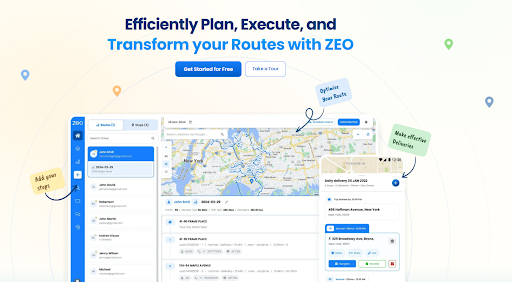
Zeo Route Planner makes it simple to run successful delivery operations by combining route planning, live tracking, and proof of delivery into a single, easy-to-use dashboard. Growing SMEs can need fast dispatching, flexible routing, and complete visibility without the clutter of enterprise systems.Some of the standout features are
- AI-powered route optimization that saves 2+ hours daily, with time windows and vehicle capacity constraints
- Real-time GPS tracking for managers to stay informed and for customers to receive accurate ETAs
- Global Search that makes it easy to locate customers, routes, and past deliveries instantly
- Add favourites to quickly add teams, reuse common delivery stops, or client addresses for faster route creation
- Shopify and WooCommerce integrations for automatic order import
-
Route4Me
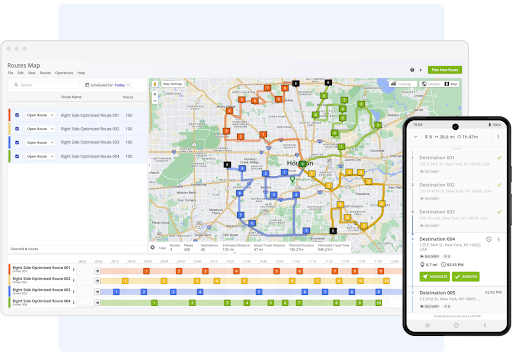
Route4Me is a great tool for delivery management when businesses like yours want fast route optimization for multiple stops. It automatically reorders stops, tracks drivers in real time, and integrates with fleet analytics tools.Features-wise it has
- Real-time driver tracking
- Barcode scanning, photo proof, and driver notes
- Fleet telematics integrations
-
GetSwift
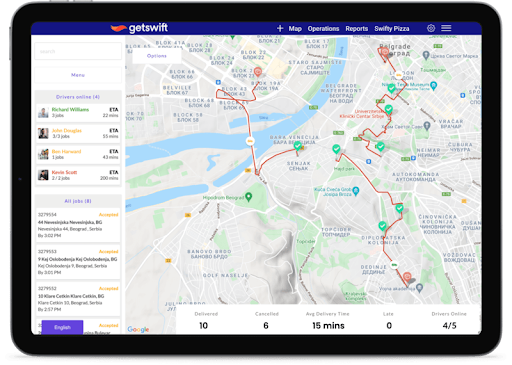
GetSwift will let your business streamline the delivery cycle from order assignment to proof of delivery. It adds a dash of intelligent automation and real-time updates so that teams can stay on schedule and track performance across locations.Some of these features stand out
- Automatic order dispatch and route optimization
- Live delivery tracking for customers with ETA alerts
- Proof of delivery with photo and signature capture
-
Locus
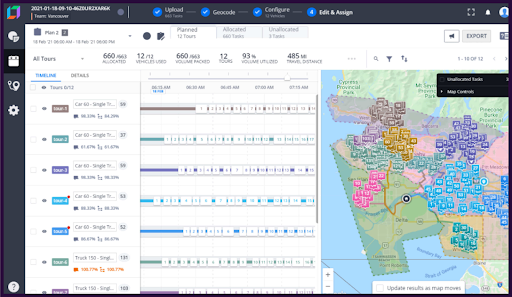
Locus is what large delivery networks use when every minute counts. Its AI engine studies patterns in your routes and reshuffles drivers and stops before inefficiencies creep in. It’s designed for scale — the kind that demands clarity across hundreds of moving vehicles.These features come in handy
- Real-time fleet visibility and heatmap analytics
- Address validation and geocoding to reduce failed deliveries
- Integrations with ERP, CRM, and cloud logistics systems
-
Onfleet
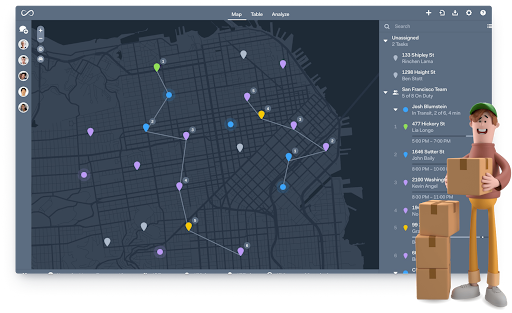
Onfleet can scale your last-mile delivery management when handling large volumes daily. You can expect real-time visibility, route optimization, and automatic customer notifications to reduce failed deliveries and support calls.You can benefit from these features
- Smart dispatch and live driver tracking
- Proof of delivery with photos and signatures
- Customer SMS updates with live delivery links
-
Tookan (by Jungleworks)
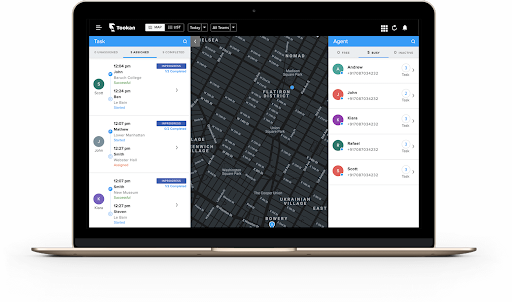
Tookan lets you manage deliveries through a customizable platform that fits grocery, courier, and on-demand logistics. Use it to assign tasks to nearby drivers and monitor performance from a single dashboard.These are some its high-impact features
- Auto-assign drivers based on how far or near they are, or whether they’re available
- Task alerts, route history, and analytics dashboard
- Integrations with POS and ordering systems
-
Track-POD
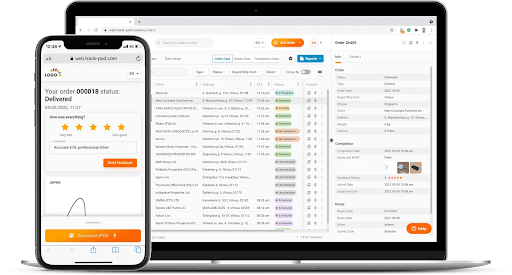
Track-POD is what happens when logistics meets clean design. You may use it to store signatures, photos and more in a digital manner. This will help you turn your delivery trail completely paperless.These features add up

increase fuel savings
Save 2 Hours on Deliveries, Everyday!
Optimize routes with our algorithm, reducing travel time and costs efficiently.
Get Started for Free
- Store signatures, photos, or QR codes
- Track vehicle in real time
- Leverage Built-in analytics that let you measure time, distance, and overall efficiency
-
Shipday
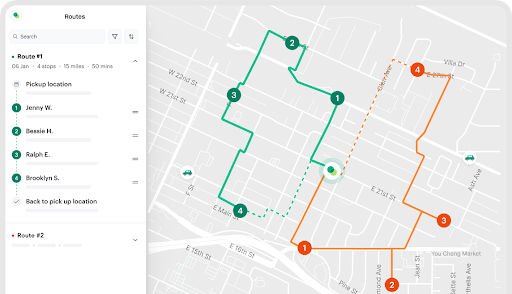
Shipday is for teams that just want to get moving. No long setup, no messy onboarding, instead you just need to plug in your orders and start dispatching.Key Features that stand out
- Quick order dispatch and live driver tracking
- Customer alerts come in real-time through SMS or email
- Integrates easily with online ordering and POS systems
-
Bringg
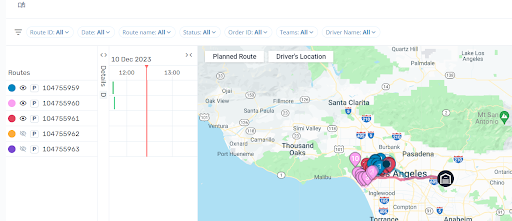
This one caters to enterprise clients. Designed for retailers and logistics giants, it directs every piece of your delivery ecosystem from warehouses to doorsteps. Also, it lets you sync in-house fleets and partner carriers on a single screen, all moving to the same timeline.Features that work wonders
- Delivery planning that AI drives
- Order tracking in real-time
- Deep integrations with ERP, CRM, and warehouse tools
-
OptimoRoute

OptimoRoute is a tool for planners who need to plan everyday routes, almost in advance. This one lets you create multi-day schedules that you can adjust on the go, while drivers receive live updates through the mobile app.You’d like more of these
- Route planning on a weekly or multiple-day basis
- Adjusting and re-optimizing routes in real-time
- Driver mobile app with live tracking and ETAs
-
Circuit for Teams
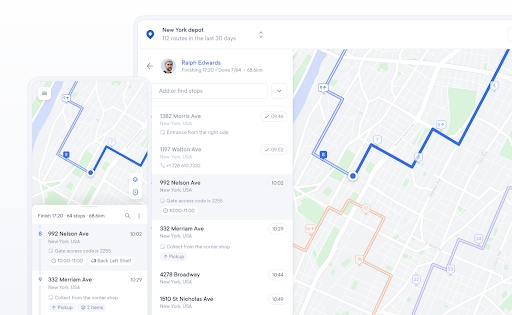
In this, you get a quick setup and an easy-to-use mobile app for delivery drivers. Smaller fleets can create optimized routes, track progress, and capture proof of delivery with minimal training requirements.Some of the main features are
- Simple route optimization and stop management
- Real-time team tracking and delivery status updates
- Photo proof of delivery and driver notes
-
Upper
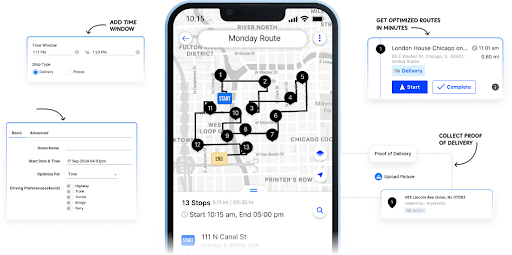
Upper has a drag-and-drop interface that makes planning feel visual and fast. You can tweak the stops and schedules to see how it affects your total time and mileage immediately.Key Features
- Automated route planning and dispatch scheduling
- Drag-and-drop stop management
- Performance analytics for delivery time and distance
Industry-Specific Delivery Management Considerations
Different industries face unique delivery challenges that require specialized approaches. Food and beverage delivery operations need to account for temperature-sensitive products and strict delivery windows. Beverage distribution operations can reduce costs significantly through optimized merchandising routes that consider driver skills and store relationships.
Medical courier services face regulations around specimen transport and time-critical deliveries. Medical courier route optimization requires careful handling of priority stops and compliance documentation. Government agencies have their own set of requirements for transparency and cost accountability, as demonstrated in recent route optimization case studies showing measurable ROI across public sector implementations.
According to Bureau of Labor Statistics data, delivery driver employment is projected to grow 12% through 2031, faster than average for all occupations. This growth emphasizes the importance of efficient delivery management systems to handle increased volume without proportional increases in operational complexity.
Conclusion
When you’re running a delivery business, the last thing you want is a tool that hinders business growth. Based on the tools mentioned here, you may choose the delivery management software that best fits your organizational goals.
If your goal is to combine route optimization, real-time tracking, and proof of delivery in one intuitive platform, Zeo Route Planner remains a clear choice.
Frequently Asked Questions
How much can delivery management software reduce operational costs?
Delivery management software typically reduces operational costs by 15-25% through optimized routing, reduced fuel consumption, and improved driver productivity. Studies show that automated route planning eliminates 20-40% of unnecessary mileage compared to manual planning methods.
What’s the difference between route planning and delivery management software?
Route planning software focuses primarily on optimizing stop sequences and travel time, while delivery management platforms provide end-to-end functionality including dispatching, real-time tracking, customer notifications, and proof of delivery. Delivery management systems offer comprehensive operational control rather than just route optimization.
How long does it take to implement delivery management software?
Most delivery management platforms can be implemented within 1-2 weeks, depending on team size and integration requirements. Cloud-based solutions like Zeo Route Planner offer faster deployment with bulk address import and immediate driver onboarding capabilities. Training typically requires 2-3 days for full team adoption.
Can delivery management software integrate with existing e-commerce platforms?
Yes, most modern delivery management systems offer direct integrations with popular e-commerce platforms like Shopify, WooCommerce, and major CRM systems. These integrations automatically import orders, customer information, and delivery addresses to eliminate manual data entry and reduce errors.
What proof of delivery features are essential for compliance?
Essential proof of delivery features include photo capture, digital signature collection, delivery notes, and timestamp documentation. Some industries require additional features like payment collection for COD orders or detailed delivery confirmations for regulatory compliance and customer dispute resolution.

Are you a fleet owner?
Want to manage your drivers and deliveries easily?
Grow your business effortlessly with Zeo Routes Planner – optimize routes and manage multiple drivers with ease.

increase fuel savings
Save $200 on fuel, Monthly!
Optimize routes with our algorithm, reducing travel time and costs efficiently.
Get Started for Free 


















