


# Equipment Delivery Management: A Practical Framework for 2026
> TL;DR: Equipment delivery management requires coordinating installation windows, skill-matched technicians, damage prevention, and rental returns — not just routing a box to a porch. Route optimization tools like Zeo Route Planner address this with skill-based driver assignment and capacity-based routing, helping field teams save 2+ hours daily compared to manual scheduling.
Equipment delivery management is harder than standard parcel delivery. You’re not just dropping off a box on a porch.
You’re scheduling installation windows, protecting expensive machinery from damage, matching certified technicians to the right jobs, and tracking rentals that need to come back. One missed detail can mean a damaged generator, an angry customer, or a billing dispute you can’t prove either way.
Most delivery software ignores this complexity. Most asset management tools ignore routing entirely. That leaves operations managers stuck juggling spreadsheets, group texts, and phone calls to keep deliveries, installs, and returns on track.
This guide gives you a practical framework for equipment delivery management — from scheduling to proof of installation — plus the KPIs and tools checklist to run it well.
What Is Equipment Delivery Management? (And Why It’s Different from Standard Delivery)
Equipment delivery management is the process of planning, routing, and tracking deliveries of heavy, specialized, or high-value equipment — along with the installations, pickups, and returns that come with them.
Think medical devices, HVAC units, construction equipment, industrial machinery, or rental gear like generators and scaffolding. These aren’t standard packages. They come with extra demands:
- Installation windows. Many deliveries need a scheduled time for setup, not just drop-off.
- Skill requirements. Some equipment needs a certified installer, not just any available driver.
- Damage risk. Oversized or fragile items need careful handling, proper loading order, and route planning that avoids rough roads or tight turns.
- Rental logistics. Equipment often needs to be picked up again later, which means tracking return dates and route planning in both directions.
- Proof requirements. Billing, liability, and warranty claims often hinge on proving a job was done — and done correctly.
Standard delivery software is built for speed and volume. It wasn’t designed for installation scheduling or skill-matched routing. Standard asset management software tracks what equipment you have and where it’s rented — but it won’t plan a driver’s route or confirm an installation happened on-site.
That gap is exactly why so many teams are still running equipment logistics manually.
The Hidden Challenges of Delivering Heavy, Specialized, or Rented Equipment
On the surface, equipment delivery looks like routing with extra steps. In reality, it creates problems most delivery teams never deal with — similar to the kinds of scheduling breakdowns covered in our guide on common HVAC routing mistakes, where missed time windows and skill mismatches cause the same costly ripple effects.
Scheduling installation windows. A customer isn’t just home to receive a package — they often need to be present for setup, with time blocked out for the technician to install and test the equipment. Get the time wrong, and you’ve wasted a trip.
Damage prevention. A forklift attachment or hospital bed frame can’t be tossed in the back of a van. Poor route planning that includes rough terrain, low bridges, or unnecessary backing-up maneuvers raises the risk of damage — and damage claims on high-value equipment get expensive fast. OSHA’s guidelines on material handling and equipment safety outline why proper handling protocols matter for both worker safety and equipment integrity.
Skill-matched routing. Not every driver can install a dialysis machine or commission an industrial compressor. Dispatching based on “who’s free” instead of “who’s certified” leads to callbacks, safety issues, and unhappy customers.
Rental and return coordination. Equipment rental businesses juggle delivery dates, rental duration, and pickup dates at the same time. Miss a pickup window, and you’re either losing rental revenue or blocking inventory another customer is waiting for. According to Equipment Leasing and Finance Association industry data, rental and leased equipment represents a significant and growing share of business equipment investment — making turnaround efficiency a real financial lever.
Proof for billing and liability. When a customer disputes an installation or claims equipment arrived damaged, “I think it was fine” doesn’t hold up. You need photos, signatures, and timestamps tied to that specific job.
According to the U.S. Bureau of Labor Statistics occupational outlook, specialized equipment installation and repair roles are among the fastest-growing occupations through 2032 — meaning more companies will face these exact coordination challenges as demand grows.
Spreadsheets and phone calls can’t solve problems this layered. That’s where route optimization software built for field logistics comes in.
How Route Optimization Software Solves Equipment Delivery’s Toughest Problems
Route optimization software wasn’t originally built for equipment delivery — but the right platform solves most of the challenges above, because the underlying problems are routing and visibility problems.
Skill-based assignment solves the “right technician” problem. Zeo Route Planner lets you tag drivers with specific skills, vehicles, or certifications, then automatically assigns stops to the technician qualified for that job — instead of whoever’s next in line. Read more on how skill-based job assignment works across field service industries.
Time windows solve installation scheduling. You can set specific arrival windows for each stop, so routes are built around when the customer and equipment need the technician on-site, not just the shortest driving distance.
Capacity-based routing helps prevent overloading. Zeo’s routing accounts for vehicle weight and volume limits, so you’re not stacking a route with more oversized equipment than a vehicle can safely carry.
Real-time tracking replaces the check-in phone call. Instead of calling drivers to ask “where are you,” managers get live delivery route tracking and live ETA updates they can see on one screen — and customers get a tracking link so they know when to expect the crew.
Proof of delivery protects you on billing disputes. Zeo’s proof of delivery tools — photo capture, digital signatures, and delivery notes — get collected at the job site and attached to that specific stop, giving you documentation the moment installation is complete.
Dynamic adjustments handle the unexpected. When a job runs long or a customer reschedules, routes can be adjusted mid-shift instead of blowing up the rest of the day’s schedule.
None of this requires replacing your asset management system. It fills the routing and field-visibility gap that asset tools were never built to handle.
From Order to Installation: A Step-by-Step Equipment Delivery Workflow
Here’s what a well-run equipment delivery process looks like, from order to proof of completion.
Step 1: Order intake. The order comes in — a rental request, a medical equipment delivery, or an industrial install. Details like equipment type, size, required certifications, and installation window get logged.
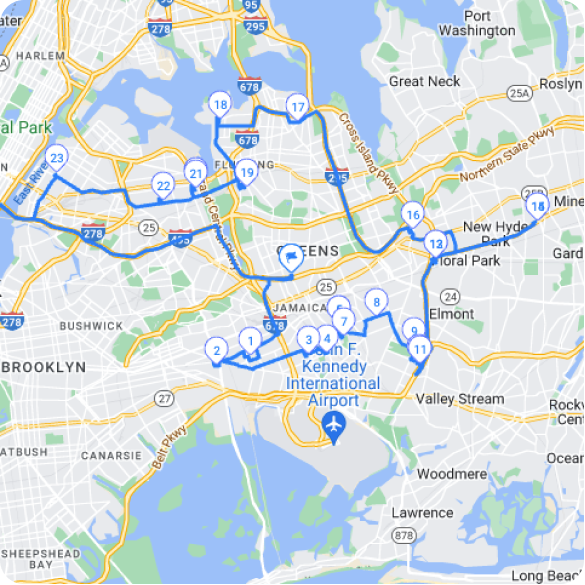
Step 2: Route planning. The operations manager builds the day’s routes in Zeo’s web platform, uploading stops individually, in bulk via spreadsheet, or by pulling from a saved Favorites list for recurring customers. Zeo’s AI-powered optimization sequences stops by location, time window, and vehicle capacity — saving planners an estimated 2+ hours daily compared to manual scheduling.
Step 3: Skill-matched assignment. Stops requiring a certified installer get auto-assigned to drivers tagged with that skill, while standard deliveries go to any available driver.
Step 4: Dispatch to drivers. Your technicians receive their optimized route directly on the Zeo mobile app, complete with turn-by-turn navigation, customer details, and job notes — including equipment specs and installation requirements for that stop.
Step 5: On-site execution. The technician completes the install or delivery within the scheduled time window, referencing job notes for specs they need before arriving.
Step 6: Proof capture. Before leaving, the technician captures a signature, takes photos of the installed equipment, and adds delivery notes — all from the mobile app. This gives managers proof the job was done right without a phone call back to dispatch.
Step 7: Customer notification. The customer receives a notification and live tracking link throughout, so they know exactly when the crew is arriving.
Step 8: Return/pickup scheduling. For rentals, pickup dates get scheduled as a follow-up route, using the same stop data and skill requirements from the original delivery.
Step 9: Reporting. Operations managers review route analytics to see completion times, delays, and driver performance across the day or week.

increase fuel savings
Save $200 on fuel, Monthly!
Optimize routes with our algorithm, reducing travel time and costs efficiently.
Get Started for Free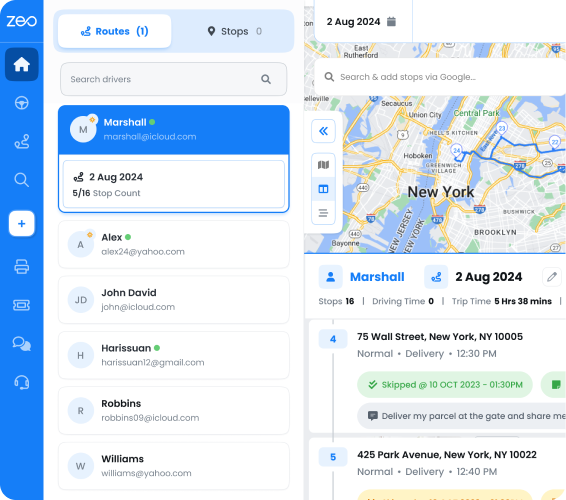
This workflow turns a process that used to require constant phone check-ins into something that runs mostly on its own — with visibility at every step.
What to Look for in Equipment Delivery Management Software (Feature Checklist)
Not every delivery tool is built for equipment logistics. Use this checklist when evaluating software:
- Skill-based driver assignment — so certified installers go to the jobs that need them
- Time window scheduling — for installation appointments, not just delivery windows
- Capacity-based routing — to avoid overloading vehicles with oversized or heavy items
- Real-time GPS tracking — for live visibility into where drivers and equipment are
- Proof of delivery tools — photo capture, signatures, and notes tied to each job
- Dynamic route adjustments — to handle delays, reschedules, or added stops mid-shift
- Driver mobile app — so field technicians get routes, job details, and navigation in one place
- Scheduled/recurring routes — for rentals with regular pickup and return cycles
- Bulk stop upload — to quickly load orders from spreadsheets instead of entering them one by one
- Analytics and reporting — to track performance across drivers, routes, and time periods
- Integrations — connections to platforms like Shopify, WooCommerce, or Zapier if orders originate online
If a tool is missing more than one or two of these, you’ll likely end up back in spreadsheets to fill the gap.
Metrics That Matter: KPIs to Track for Equipment Delivery Performance
You can’t improve what you don’t measure. Track these KPIs to understand how your equipment delivery operation is actually performing:
On-time installation rate. The percentage of jobs completed within the scheduled time window. Low rates often point to unrealistic scheduling or routing inefficiencies.
First-time completion rate. How often a job is finished correctly on the first visit, without a callback for missing parts or incorrect setup.
Damage incident rate. The number of damage claims per delivery, tracked over time, to catch patterns tied to specific routes, vehicles, or handling issues.
Proof-of-delivery capture rate. The percentage of jobs with a photo, signature, or note attached. Gaps here create billing and liability exposure.
Average stops per driver per day. A measure of routing efficiency — useful for spotting whether routes are too sparse or overloaded.
Rental turnaround time. For rental equipment, the time between a return pickup and the equipment becoming available for the next delivery.
Driver idle time and miles tracked. Useful for both efficiency reporting and expense/tax records — our miles tracking guide breaks down how this data ties directly into fuel and vehicle cost reporting.
Reviewing these metrics weekly, rather than just at month-end, makes it easier to catch problems — like a recurring damage pattern on one route — before they become expensive.
Real-World Scenario: Managing a Multi-Stop Equipment Installation Day
Consider a medical equipment supplier with 12 drivers covering a metro region. On a typical Tuesday, the schedule includes:
- 4 hospital bed deliveries requiring two-person installation crews
- 3 oxygen concentrator setups needing a certified technician
- 2 rental wheelchair pickups from patients whose rental period ended
- 3 standard supply drop-offs with no installation required
Under the old process, the operations manager spent the morning on the phone — confirming which drivers were certified for oxygen equipment, manually mapping routes in a separate tool, and texting addresses to drivers one by one. (Similar coordination challenges show up across medical device sales routing, where certification and territory matching add the same layer of complexity.)
With route optimization software, this looks different. The manager uploads all 12 stops into Zeo’s web platform in one batch. Zeo auto-assigns the oxygen concentrator stops to the two technicians tagged with that certification, while bed installations go to crews with the right vehicle capacity for bulky items. Standard drop-offs and rental pickups fill out the remaining routes, optimized by location and time window.
Each driver opens the Zeo mobile app and sees their route for the day, with job notes specifying equipment type and any special setup instructions. At each installation stop, the technician captures a photo of the completed setup and collects a signature before moving to the next job.
By early afternoon, the manager can see — without a single status-check call — which installs are done, which are in progress, and whether any stop is running behind schedule. If a bed installation takes longer than expected, the remaining stops on that driver’s route can be reshuffled instead of falling apart.
At day’s end, the manager pulls proof-of-delivery records for the three insurance-billed medical deliveries, attaching photos and signatures directly to the billing file — no digging through text message threads required.
This is what equipment delivery management looks like when routing, skill-matching, and proof collection work together instead of as separate manual processes.
Frequently Asked Questions
Q: How far in advance should equipment deliveries be scheduled?
Most equipment deliveries should be scheduled at least 24-48 hours in advance to confirm installation windows, verify technician certifications, and allow time for route planning. Rental equipment and medical devices often need longer lead times — sometimes a week — to coordinate with the customer’s availability and any permit requirements.
Q: What’s the difference between equipment delivery management and standard delivery management?
Equipment delivery management includes installation scheduling, skill-matched routing, damage prevention, and rental return tracking — on top of standard delivery routing and tracking. Standard delivery management typically focuses only on getting a package from point A to point B as fast as possible.
Q: How do I reduce damage claims on heavy equipment deliveries?
Reducing damage claims starts with proper loading order, route planning that avoids rough roads or excessive handling, and trained technicians for complex installs. Zeo Route Planner’s capacity-based routing accounts for vehicle weight and volume limits, helping avoid overloaded vehicles — one of the most common contributors to in-transit damage.
Q: Can route optimization software replace my asset management system?
No — route optimization and asset management serve different purposes. Platforms like Zeo handle routing, skill-based driver assignment, and proof of delivery, while asset tools track what equipment you own and where it’s deployed; most operations run both side by side.
Q: What should I look for when choosing software for equipment delivery management?
Look for skill-based driver assignment, time window scheduling, capacity-based routing, and proof-of-delivery tools at minimum. Zeo Route Planner, used by 1.5M+ users across 150+ countries, combines these with real-time GPS tracking and dynamic route adjustments in one platform, reducing the need for separate spreadsheets and phone check-ins.
—
Equipment delivery management doesn’t have to mean stitching together spreadsheets, text threads, and separate software tools. When routing, skill-matching, scheduling, and proof of delivery work from one platform, your team spends less time chasing status updates and more time delivering, installing, and moving on to the next job.
Start a free Zeo Route Planner trial to see how automated routing, skill-based driver assignment, and proof-of-delivery can streamline your equipment deliveries — or book a demo for a custom walkthrough of fleet features for equipment logistics.
Are you a fleet owner?
Want to manage your drivers and deliveries easily?
Grow your business effortlessly with Zeo Routes Planner – optimize routes and manage multiple drivers with ease.

increase fuel savings
Hassle Free Deliveries & Pickups!
Optimize routes with our algorithm, reducing travel time and costs efficiently.
Get Started for Free