


Updated on: October 31, 2026
TL;DR: Dynamic route adjustments save time and cut costs by letting fleets react instantly to traffic, cancellations, and new orders instead of sticking to a fixed plan. Businesses using real-time navigation and predictive data reduce wasted miles, missed deliveries, and idle driver hours. Route optimization tools like Zeo Route Planner address this with dynamic route adjustments mid-shift and live ETA updates, helping delivery and fleet teams save 2+ hours daily.
Customers want a simple courier, a product from an E-commerce store, or even commercial cleaning services — in pronto!
With a few taps on the apps, they can order any services or products at their convenience.
As a business serving such customers without automated route optimization, you’ll have drivers manually call or message dispatchers (the personnel coordinating the movement of vehicles within a fleet about traffic delays, accidents, roadblocks, or unexpected detours. It eats up time and resources (fuel).
Therefore, you’ll need dynamic route adjustments, which can update driving paths in response to new information. Real-time maps or sudden customer cancellations can shape the next move on the road.
The cost factor is huge, but saving a few hours from each shift also keeps drivers happier. Flexible schedules allow drivers to avoid extra loops, which reduces stress. If time and expense reduction are on your radar, agile route planning should be your top priority.
According to the U.S. Bureau of Transportation Statistics, commercial vehicles log billions of miles annually, and even small reductions in unnecessary mileage translate into meaningful fuel and labor savings across a fleet. That’s the real financial case for dynamic routing — it’s not a luxury feature, it’s a direct lever on operating costs.
We’ll walk through five ways to make it happen.
How Adaptive Route Adjustment Drive Time and Cost Savings
Let’s go through three different ways you can leverage adaptive route management and accordingly build fleet management strategies to enhance daily planning.
It does stretch fuel dollars further and use driver hours more wisely.
-
Leveraging Real-Time Navigation
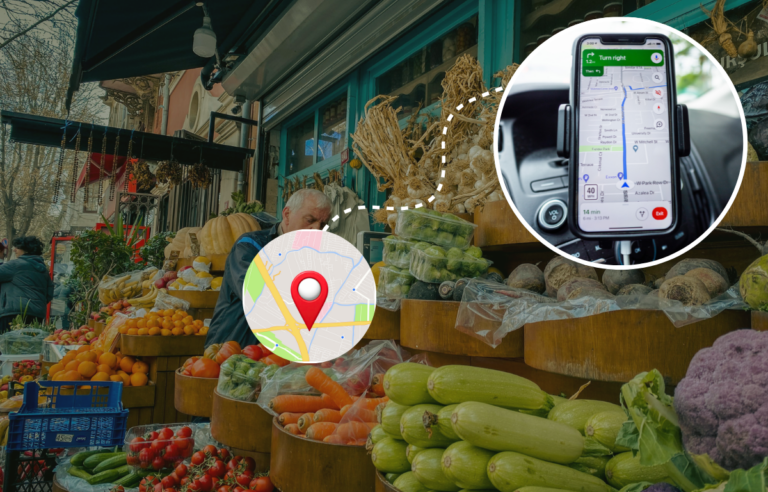
Real-time navigation is at the core of adaptive route adjustments, giving both fleet operators and customers up-to-the-minute visibility on delivery status.
Instead of relying on static route plans, dynamic navigation systems continuously update routes based on new orders, delays, and driver progress.
Modern fleet management software like Zeo leverages GPS-enabled route optimization to recalculate the best path in real-time. They scan for route efficiency, estimate arrival times, and adjust driver instructions on the go.
Drivers receive turn-by-turn guidance via in-cab devices or mobile apps, ensuring they follow the most efficient path based on the latest conditions.
For customers, real-time tracking provides accurate ETAs instead of vague delivery windows. They can monitor a shipment’s location (on maps) and adjust their schedules accordingly, reducing missed deliveries and reattempt costs.

When you get to capture live tracking feeds and reroute the fleet driver faster, you can provide an accurate ETA (Estimated Time of Arrival).As a fleet management company, the real-time navigation will —
- Get continuous recalculations to estimate delivery time precisely, which reduces wait times and improves on-time performance.
- Minimize detours and clear route instructions to keep drivers focused on execution rather than guesswork.
- Results in fewer failed deliveries that enable businesses to notify customers of any changes instantly, reducing the number of missed drop-offs.
-
Make Dynamic Adjustments For Customer Changes
A route that looked perfect at the beginning might spiral into confusion if a major client cancels or shifts a drop-off time right before noon. With a well-designed system, you’ll see requests by priority, so each adjustment is easier to handle.
Some setups use color-coded labels (like red for immediate changes and yellow for moderate priority) to help dispatchers decide whether to reroute a driver on the spot.
Drivers need a way to confirm receipt, which may include a quick on-screen acknowledgment or voice-activated reply. Catching changes early on will help fleets avoid wasted miles, reduce backtracking, and keep customers happy.

increase fuel savings
Save $200 on fuel, Monthly!
Optimize routes with our algorithm, reducing travel time and costs efficiently.
Get Started for Free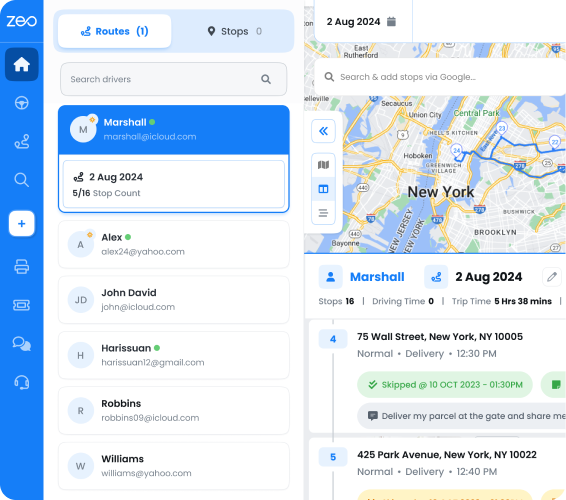
Implementing it will require the following actions:
- Using multi-channel alerts through email, SMS, and app pings for urgent modifications.
- Setting up tiered priorities so that each request is labeled by importance or deadline to master the multi-stop routes.
- Keeping a centralized dashboard so that every change is visible to all dispatchers — warehouse staff, and drivers.
For instance, Zeo’s route optimization engine processes changes in real-time orders or driver assignments.

There are priority stop settings and multi-channel customer notifications so drivers take the most efficient path. The seamless navigation feature by Zeo Route Planner can instantly recalculate the best sequence of stops, minimizing disruptions and keeping delays to a minimum. For fleets that need to pause a scheduled route without losing its setup — say, during a holiday week or a temporary service gap — Zeo’s Blackout Dates feature lets dispatchers pause recurring routes without deleting them, then resume exactly where they left off. -
Leveraging Predictive Data To Offer Clear Guidance
Historical traffic and delivery logs provide necessary insight if you use route planning tools enabled by machine learning models to spot repeated slowdowns at specific times or locations.
Suppose a certain freeway regularly goes from free-flowing to bumper-to-bumper starting around 4 p.m. on weekdays.
If that pattern is consistent, a scheduling tool can push non-urgent trips away from that corridor during those hours. This tweak helps drivers avoid a sea of brake lights, saving both time and diesel.
These same algorithms also weigh historical shipping data.
For instance, an electronics vendor may see recurring order spikes on Saturdays, which allows dispatchers to reassign staff or vehicles in advance.
The use of predictive data for rush hours and routes requires the following:
- Time-of-day scheduling to send vehicles out during quieter periods to avoid congestion and delayed deliveries.
- Conduct order forecasting by checking orders from the last few months to spot recurring spikes.
Beyond forecasting, route analytics and reporting give fleet managers a clear view of which routes consistently run long, which drivers handle detours best, and where fuel costs are creeping up. According to the Federal Motor Carrier Safety Administration, data-driven route planning is increasingly tied to both safety outcomes and operating efficiency, since fewer last-minute reroutes mean less driver fatigue and fewer rushed decisions behind the wheel.
Wrapping Up
We’ve discussed three different ways to do this, along with actionable tips that will help you leverage it to the fullest. Use real-time route tracking, predictive data, and route optimization tools.
Each change and tactic will have a ripple effect that saves time, cuts costs, and keeps everyone on the same page. This simple formula can be tried by any delivery operation seeking more consistent results on the road.
If you’re in a delivery business that requires route optimization for list miles, consider using Zeo Route Planner. It will help you confidently make dynamic route adjustments.
Let’s get you started! Book a Demo Today.
Frequently Asked Questions
What causes delivery routes to go off schedule during the day?
Delivery routes typically fall behind due to unexpected traffic, last-minute customer cancellations, incorrect address data, or delays at previous stops that cascade through the rest of the route. Weather events and road closures also force drivers to improvise without updated guidance. Fleets that rely on static, pre-planned routes have no built-in way to absorb these disruptions once a shift begins.
How often should a delivery route be re-optimized during a shift?
A route should be re-optimized any time a significant change occurs — a new order comes in, a stop is canceled, or traffic conditions shift materially from the original plan. Some fleets re-check routes every 30–60 minutes during peak hours, while others rely on automatic recalculation triggered by live GPS data. Zeo supports this with dynamic route adjustments mid-shift, letting dispatchers and drivers react to changes without manually rebuilding the entire route.
What’s the difference between static and dynamic route planning?
Static route planning creates a fixed sequence of stops in advance and doesn’t change once drivers are on the road, regardless of new conditions. Dynamic route planning continuously factors in real-time traffic, order changes, and driver location to adjust the route as the day unfolds. Most delivery-heavy industries now favor dynamic planning because it reduces wasted mileage and missed time windows.
How can small delivery businesses reduce fuel costs without new vehicles?
Reducing unnecessary mileage is the most direct lever small fleets have, since excess driving — not vehicle age — is often the biggest cost driver. Grouping stops by proximity, avoiding peak-traffic corridors, and cutting backtracking can meaningfully lower fuel spend. Capacity-based routing and optimized stop sequencing, like the kind Zeo’s route optimization provides, help fleets cut daily mileage without touching their vehicle budget.
Do customers actually expect live tracking for deliveries now?
Yes — live tracking has become a standard expectation rather than a bonus feature for most delivery and service businesses. Customers want visibility into arrival windows so they can plan their day instead of waiting indefinitely. Zeo’s live ETA updates and branded tracking page give customers that visibility while reducing the volume of “where’s my driver” calls to dispatch, a workflow used by companies managing 1.5M+ routes.
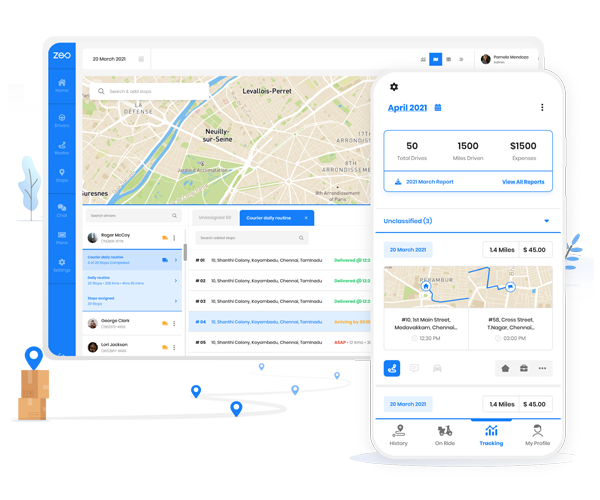
Are you a fleet owner?
Want to manage your drivers and deliveries easily?
Grow your business effortlessly with Zeo Routes Planner – optimize routes and manage multiple drivers with ease.

increase fuel savings
Save 2 Hours on Deliveries, Everyday!
Optimize routes with our algorithm, reducing travel time and costs efficiently.
Get Started for Free