
The Benefits of Zeo’s API for Route Optimization

Reading Time: 3 minutesYou could be an online store selling t-shirts, a retail store providing home deliveries, or a laundry business providing pick-up

Benefits of ZEO API

The Benefits of Zeo’s API for Route Optimization

Reading Time: 3 minutesYou could be an online store selling t-shirts, a retail store providing home deliveries, or a laundry business providing pick-up

eCommerce Route Optimization

The Role of Route Optimization in E-commerce Delivery

Reading Time: 3 minutesBy 2026, 24% of retail purchases are expected to take place online. That’s nearly 1 out of every 4 purchases!

Same Day Delivery

How to Manage Same-day Deliveries as a Fleet Manager

Reading Time: 3 minutesAs consumers have gotten comfortable with the idea of online shopping, same-day delivery is becoming an increasingly important service for

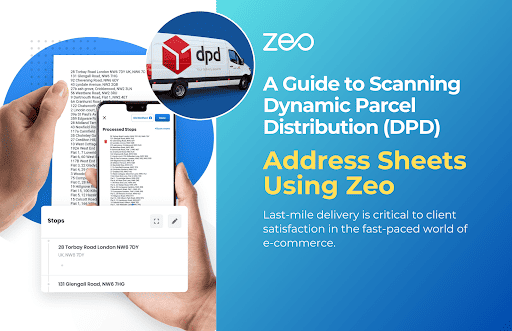
Image Scanning of Delivery Addresses Through Zeo

Reading Time: 3 minutesYou are a delivery driver who needs to make hundreds of deliveries every day. However, adding to your woes is

Future of Route Planning

The Future of Route Planning: Trends and Predictions

Reading Time: 3 minutesWhat is route planning? Route planning means finding the most efficient route between point A and point B. It is

Route Planning Mistakes

5 Common Route Planning Mistakes and How to Avoid Them

Reading Time: 3 minutesEach and every penny saved is important for a business to thrive. You want to do everything that will help

Route Optimisation Software

How Route Optimization Software Helps You Save Money?

Reading Time: 3 minutesHow do we improve efficiency in operations to save costs? From a business perspective, you always have this question in

Now Navigate from Zeo Itself- Introducing in App Navigation for IOS Users

Reading Time: 4 minutesReading Time: < 1 minute Get Direction within Zeo? https://zeorouteplanner-blog.s3.ap-south-1.amazonaws.com/wp-content/uploads/2023/04/WhatsApp-Video-2023-04-06-at-1.02.55-PM-1.mp4 We know its a pain to optimize your route in

The Future of Transportation: How Route Planners Will Drive Fleets Forward

Reading Time: 4 minutesThe future of transportation is more than just autonomous vehicles and electric fleets. It’s a world where the power of

Maximize Delivery Efficiency with Seamless ZEO Integrations

Reading Time: 5 minutesAre your delivery operations as efficient as they could be, or are you losing time and money due to disconnected

How Do You Plan a Route on MapQuest?

Reading Time: 4 minutesGoogle Maps route planner and tools like Waze or Apple Maps are limited in finding the shortest route from one

Improve Customer Services

Improve Customer Service Using Zeo’s Route Planner

Reading Time: 3 minutesFor a successful business, you need to keep this one person happy: your customer! You don’t want to leave out

Zeo Questionnaire

Frequently
Asked
Questions

Know More

How do I add stop by typing and searching? Web

Follow these steps to add a stop by typing and searching:

  • Go to Playground Page. You will find a search box in top left.
  • Type in your desired stop and it will show search results as you type.
  • Select one of the search results to add the stop to list of unassigned stops.

How do I import stops in bulk from an excel file? Web

Follow these steps to add stops in bulk using an excel file:

  • Go to Playground Page.
  • In top right corner you will see import icon. Press on that icon & a modal will open.
  • If you already have an excel file, press the "Upload stops via flat file" button & a new window will open up.
  • If you don't have an existing file, you can download a sample file and input all your data accordingly, then upload it.
  • In the new window, upload your file and match the headers & confirm mappings.
  • Review your confirmed data and add the stop.

How do I import stops from an image? Mobile

Follow these steps to add stops in bulk by uploading an image:

  • Go to Zeo Route Planner App and open On Ride page.
  • Bottom bar has 3 icons in left. Press on image icon.
  • Select the image from gallery if you already have one or take a picture if you don't have existing.
  • Adjust the crop for the selected image & press crop.
  • Zeo will automatically detect the addresses from the image. Press on done and then save & optimize to create route.

How do I add a stop using Latitude and Longitude? Mobile

Follow these steps to add stop if you have Latitude & Longitude of the address:

  • Go to Zeo Route Planner App and open On Ride page.
  • You will see a icon. Press on that icon & press on New Route.
  • If you already have an excel file, press the "Upload stops via flat file" button & a new window will open up.
  • Below search bar, select the "by lat long" option and then enter the latitude and longitude in the search bar.
  • You will see results in the search, select one of them.
  • Select additional options according to your need & click on "Done adding stops".

How do I add stops using QR Code? Mobile

Follow these steps to add stop using QR Code:

  • Go to Zeo Route Planner App and open On Ride page.
  • You will see a icon. Press on that icon & press on New Route.
  • Bottom bar has 3 icons in left. Press on QR code icon.
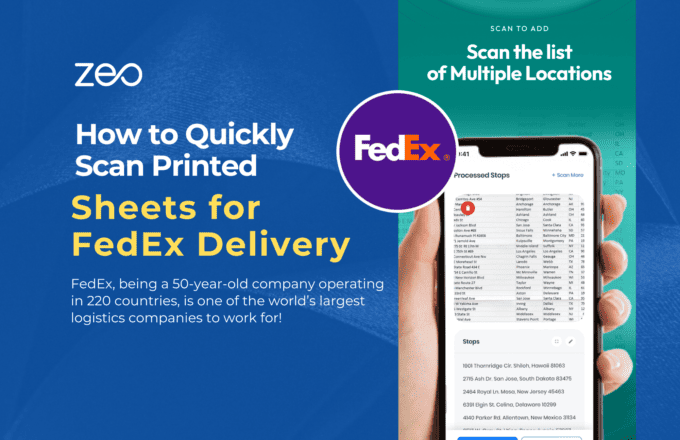
  • It will open up a QR Code scanner. You can scan normal QR code as well as FedEx QR code and it will automatically detect address.
  • Add the stop to route with any additional options.

How do I delete a stop? Mobile

Follow these steps to delete a stop:

  • Go to Zeo Route Planner App and open On Ride page.
  • You will see a icon. Press on that icon & press on New Route.
  • Add some stops using any of the methods & click on save & optimize.
  • From the list of stops that you have, long press on any stop that you want to delete.
  • It will open window asking you to select the stops that you want to remove. Click on Remove button and it will delete the stop from your route.

Zeo Blogs

Explore our blog for insightful articles, expert advice, and inspiring content that keeps you informed.

Best Home Inspection Scheduling Software Guide 2026

Reading Time: 7 minutesComplete guide to choosing home inspection scheduling software that optimizes routes, reduces drive time 30%, and provides real-time updates to agents.

Pool Service Route Scheduling Software: Complete Guide 2026

Reading Time: 8 minutesTransform your pool service operations with route scheduling software. Cut 2-3 hours of daily planning, handle seasonal demand, and optimize multi-crew routes.

Multiple Delivery Runs Optimization for Auto Parts Distributors

Reading Time: 9 minutesTransform chaotic multiple delivery runs into streamlined auto parts operations. Cut costs 25-30% with smart optimization strategies for urgent deliveries.