

Updated on: October 31, 2026
TL;DR: The best routing partner for Amazon Relay drivers is one that cuts wasted miles, documents every delivery, and keeps navigation simple — all in a single app. Fuel and time losses from inefficient routing are among the biggest hidden costs for independent and fleet drivers alike. Route optimization tools like Zeo Route Planner address this with AI-powered route optimization and digital proof of delivery, helping delivery drivers save 2+ hours daily.
As an Amazon Relay driver, your goal is clear: get the deliveries done on time, with precision, and at the lowest cost possible. Every second counts and every delay can eat into your profits. You need a tool that will not only enhance your delivery efficiency but also reduce your operational costs while doing so.
The solution?
Zeo Route Planner!
Designed for maximizing delivery efficiency, minimizing downtimes, and boosting your business outcomes, Zeo Route Planner offers all the support needed to drivers. With its features and functionalities, Zeo’s mobile route planner can become a reliable partner in your success.
Enhancing Delivery Efficiency: How Zeo Route Planner Helps Amazon Relay Drivers
Why Zeo proves to be the best routing partner for Amazon Relay drivers? How does it enhance delivery efficiency and ensure customer satisfaction? And most importantly, how does Zeo help you streamline your routing process? Let’s find out:
-
Route Optimization
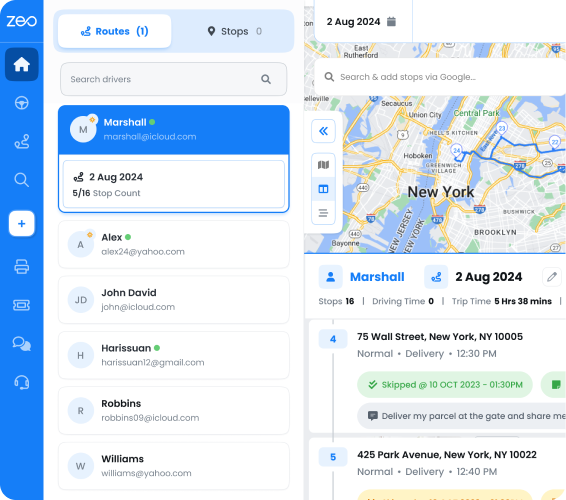
Zeo Route Planner uses advanced algorithms to calculate the most efficient routes. For an Amazon Relay driver, route optimization means you avoid unnecessary detours, ensuring you’re always on the fastest path to your next delivery.
You can plan the shortest, most fuel-efficient routes, which translates into faster deliveries and reduced fuel costs. Rising fuel prices make this even more critical — according to the U.S. Energy Information Administration, diesel prices remain a major variable cost for commercial drivers, making every mile saved meaningful to your bottom line.
Time is money in the delivery business. With optimized routes, you get more deliveries done in a shorter amount of time. This means you can increase your earnings by handling more shipments in a single day, reducing downtime, and improving your overall productivity. Drivers using Zeo’s AI-powered route optimization report saving 2+ hours daily, time that can be redirected toward additional deliveries or much-needed rest.
-
Collect Proof of Delivery
You complete your delivery within the promised timeframe and set on to the next delivery route. And just then you find out there is some issue with the completed delivery and you’ve no proof to prove the delivery completion. What follows will be a trail of paperwork, administrative work, and searching through paper receipts manually.
This mess leads to inefficiency and discrepancies that can be avoided with Zeo’s digital proof of delivery mechanism. Upon completion of delivery, you can simply capture the proof digitally – through photo capture, digital signature collection, and delivery notes.
Paperless documentation eliminates manual efforts and errors. Digital proof of delivery also helps you settle any customer disputes regarding missing deliveries. Delivery proof is the best way to establish transparency and ensure customer satisfaction.
-
Parcel Management
Zeo Route Planner allows you to manage and track your parcels within the app, ensuring you never lose track of deliveries.
Whether you’re managing a few small packages or a large load, keeping everything organized helps ensure nothing gets left behind. The app lets you see exactly what needs to be delivered, so you can deliver each parcel correctly and on time.
Efficient parcel management translates to fewer errors and less time spent searching for packages. You can complete more deliveries in less time, increasing your capacity to take on additional jobs and scale your business. A higher success rate leads to more trust from customers and Amazon Relay, paving the way for business growth.
-
Real-Time ETA Updates
Zeo Route Planner lets you share your live locations, ETAs, and delivery progress with your customers to keep them informed always.
For Amazon Relay drivers, accurate ETAs mean you can communicate better and provide complete transparency regarding the delivery status. Your customers know exactly when you will arrive, thanks to live GPS tracking and automated customer notifications via SMS, email, or a branded live tracking link.
Accurate ETAs build trust with your customers and help you maintain a reputation for reliability. When customers are confident in your punctuality, they’re more likely to use your services again. This leads to more repeat business and higher earnings. Consistency in delivery time is a key factor in growing your customer base.
-
Seamless Navigation
Every driver has a preferred navigation tool that they find easy to use. But what if your route planner doesn’t integrate with that navigation tool?
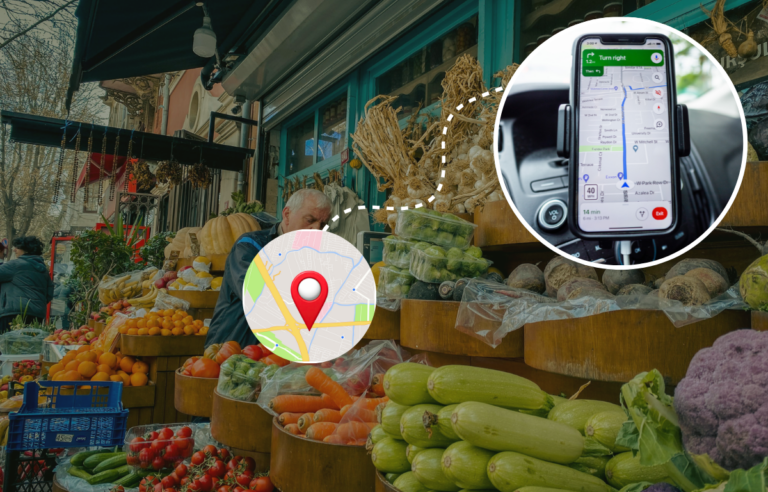
This won’t be a problem with Zeo Route Planner. Use the navigation that works for you! Zeo integrates with Google Maps, Apple Maps, and Waze, among other popular navigation tools.

increase fuel savings
Hassle Free Deliveries & Pickups!
Optimize routes with our algorithm, reducing travel time and costs efficiently.
Get Started for Free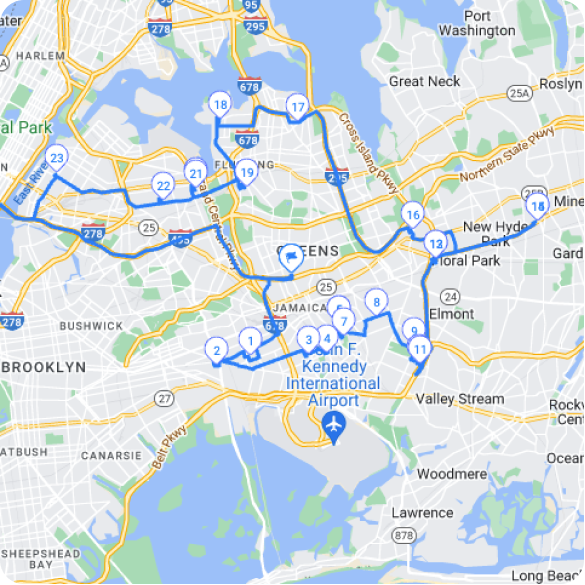
As an Amazon Relay driver, you wouldn’t want to get lost while navigating the delivery routes. Wasting time switching between the route planner and the navigation app is also inefficient.
Zeo provides you single-view access to the navigation details so that you spend less time figuring out your navigation routes and more time delivering. With Zeo Route Planner, you enjoy less confusion regarding navigation and focus more on performance growth.
Managing Costs and Compliance on the Road
Beyond speed and efficiency, Amazon Relay drivers also need to stay on top of operational costs and regulatory requirements. The Federal Motor Carrier Safety Administration’s Hours-of-Service rules limit how many hours a driver can be on the road, which makes every planned route count — fewer wasted miles mean more productive hours within your legal driving window.
Tracking mileage accurately also matters for tax and expense purposes. Zeo’s built-in miles tracking feature logs your driving distance automatically, giving you organized records for expense reports or tax filing without manually jotting down odometer readings after every shift.
For drivers managing multiple recurring routes — such as regular relay lanes or repeat customer stops — Zeo’s scheduled and recurring routes feature lets you set up a route once and have it ready to go on future dates, saving setup time week after week.
Conclusion
Smart strategies need smart tools for successful execution. Zeo Route Planner proves to be the best route planner you can leverage to take your delivery efficiency a notch higher. Today, hard work alone won’t put you ahead of your competitors, you need to back it up with faster, smarter, and more efficient solutions.
Most of the Amazon Relay drivers will put in the hard yards on the delivery routes but the lack of proper planning and strategy will cause them to fall short of their goals. However, this narrative can easily change with a smart route planner like Zeo.
Every feature of Zeo is designed to help you perform better, deliver faster, and reduce operational costs. With Zeo, you don’t have to compromise on service quality and customer satisfaction in the quest to cut costs.
Want to know how Zeo takes your delivery process from good to the best? Schedule a demo now and find out!
Frequently Asked Questions
How many stops can an Amazon Relay driver realistically complete in a day?
The number of stops depends on route distance, delivery density, parking conditions, and hours-of-service limits set by the FMCSA. Urban routes with closely spaced stops typically allow for more deliveries per shift than rural or highway-heavy routes. Planning routes with optimized sequencing rather than manual guesswork is one of the most effective ways to fit more stops into a legal driving window.
What causes the most delays for delivery and relay drivers?
Common causes include poor route sequencing, traffic congestion, incorrect addresses, and time spent searching for proof of delivery after the fact. Many of these delays are avoidable with better upfront planning and digital documentation at the point of delivery. Drivers who switch between multiple apps for navigation, tracking, and proof collection also lose time that could be spent on the road.
How can delivery drivers reduce fuel costs on long routes?
Reducing unnecessary detours and idle time is the single biggest lever for cutting fuel costs, since engine idling and backtracking waste both time and gas. Route optimization software can plan the shortest, most efficient path across multiple stops, which directly reduces total miles driven per shift. Zeo’s AI-powered route optimization is built specifically to minimize detours and backtracking, helping drivers save 2+ hours daily that would otherwise go toward inefficient driving.
Do I need proof of delivery if I’m already using Amazon Relay’s tracking system?
Yes — Amazon Relay’s tracking shows load status, but it doesn’t capture delivery-specific evidence like a photo, signature, or delivery note at the final stop. Having your own proof of delivery record protects you in disputes over missing or damaged packages. Zeo’s proof of delivery feature lets drivers capture photos and digital signatures at each stop, creating a documented record independent of the relay platform.
What’s the difference between a route planner and a navigation app?
A navigation app like Google Maps or Waze gives turn-by-turn directions between two points, while a route planner optimizes the order of multiple stops before you even start driving. Route planners also typically add features like proof of delivery, customer notifications, and driver tracking that standard navigation apps don’t offer. Zeo Route Planner combines both by optimizing stop order upfront and then integrating directly with Google Maps, Apple Maps, or Waze for turn-by-turn guidance.
Are you a fleet owner?
Want to manage your drivers and deliveries easily?
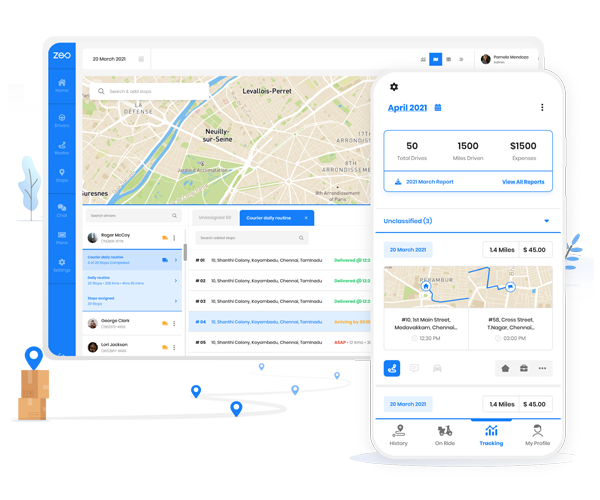
Grow your business effortlessly with Zeo Routes Planner – optimize routes and manage multiple drivers with ease.

increase fuel savings
Save $200 on fuel, Monthly!
Optimize routes with our algorithm, reducing travel time and costs efficiently.
Get Started for Free