



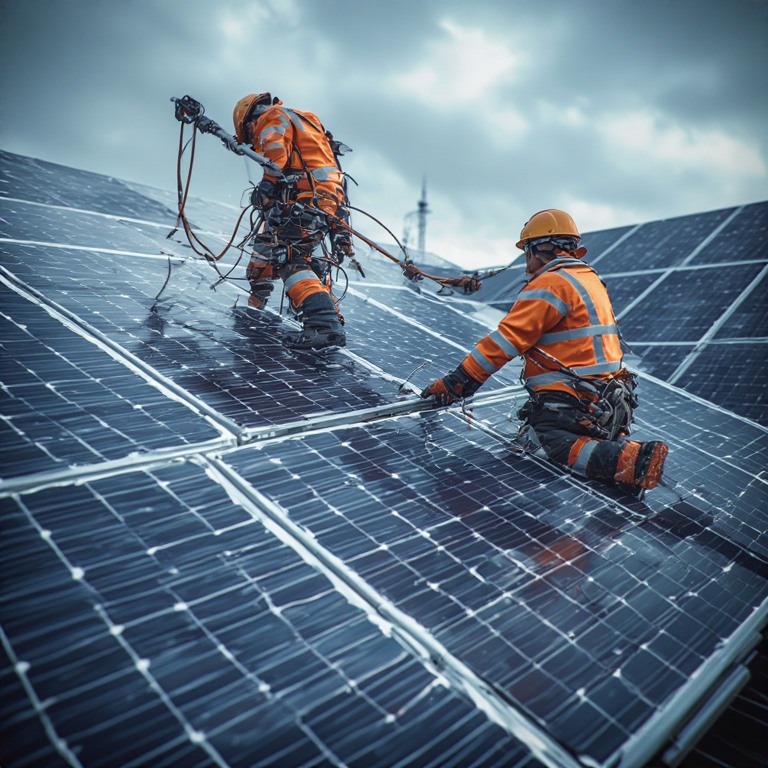
As responsible humans, we must all choose clean, renewable energy sources and make them an integral part of our lives. One such option is solar panels. The solar panel installation crew members help us reduce pollution, lower electricity costs, and lead a more sustainable life.
However, their productivity and efficiency majorly depend on route planning. Poor optimization of solar panel installation routes can reduce the impact of their work on a daily basis. Thus, it’s important to overcome the routing challenges and use the best routing tools like Zeo to enhance route optimization.
Common Routing Challenges in Solar Panel Installation Routes
Planning solar panel installation routes isn’t straightforward. You’ve to account for various factors and tackle different challenges that can, potentially, derail your operations.
- Installations Spread Across Irregular Service Areas
Solar projects are often scattered across suburbs, industrial zones, and semi-rural areas. Routes rarely follow a clean geographic pattern. This causes excessive backtracking and uneven travel segments within the same day. Crews spend more time moving between jobs than installing panels. - Wide Variation in Job Duration
Solar installations vary significantly in scope and complexity. A small residential system may take a few hours, while larger installations extend well beyond estimates. When routes assume uniform job durations, delays compound across the day. - Uncertain Site Readiness at Installation Locations
Many solar jobs depend on site access, prior groundwork, or customer availability. Crews arriving at unprepared sites are forced to wait, reschedule, or move on. These disruptions break route flow and create idle gaps that are difficult to recover. The rest of the route absorbs the delay. - Equipment and Vehicle Loading Constraints
Solar crews carry panels, inverters, mounting systems, and specialized tools. The order of jobs affects how vehicles are loaded and unloaded. Poor routing can force crews to rearrange equipment or revisit depots mid-day. These interruptions add hidden downtime that reduces total installs completed. - Limited Visibility Across the Full Installation Day
Routes are often planned as individual jobs rather than connected sequences. Operations teams lack a clear view of how time is distributed across the day. This makes it hard to identify where delays originate or why crews fall behind. Small inefficiencies remain unnoticed but compound daily.
How Route Optimization Improves Solar Installation Operations
When route optimization is applied thoughtfully, it becomes an operational lever that determines speed, quality, and scalability across solar panel installation routes.
- Turns Installation Days Into Planned Workflows, Not Guesswork
Without structured routing, installation days are built on assumptions rather than data. Optimizing solar panel installation routes can transform the day into an efficient sequence of work, where each job has a defined place and purpose. Crews move through installations with continuity instead of reacting to delays. - Aligns Job Sequencing With Physical and Technical Demands
Solar installations are physically demanding and technically varied. Route optimization allows heavier or more complex jobs to be placed where crews are most effective. Poor sequencing leads to fatigue-driven slowdowns later in the day, while thoughtful planning of solar panel installation routes preserves energy and improves execution quality. - Reduces the Compounding Effect of Early-Day Delays
In solar work, early delays rarely stay isolated. A late start or extended install pushes every subsequent job off schedule. Route optimization absorbs these risks by building realistic flow into solar panel installation routes. The day remains recoverable instead of collapsing under small disruptions. - Creates Predictability for Customers and Operations Teams
Unpredictable routing creates uncertainty for both customers and internal teams. Route optimization introduces consistency in arrival patterns and completion timing. Operations teams gain confidence in daily plans, and customers experience fewer missed windows. - Enables Growth Without Proportional Complexity
As installation volumes grow, routing complexity increases exponentially. Manual planning scales poorly and increases error rates. Route optimization introduces repeatable structure that grows with the business. This allows solar companies to expand capacity without overwhelming crews or planners.
How Zeo Route Planner Helps Solar Installation Crews in 2026
Zeo Route Planner offers various features that help solar businesses apply route optimization in a practical way that crews can follow in the field.

increase fuel savings
Save $200 on fuel, Monthly!
Optimize routes with our algorithm, reducing travel time and costs efficiently.
Get Started for Free
- Live Route Tracking
Live route tracking gives operations teams a clear view of how installation days are unfolding. Managers can see where crews are along their solar panel installation routes without interrupting their work. This visibility helps identify delays early and understand their impact.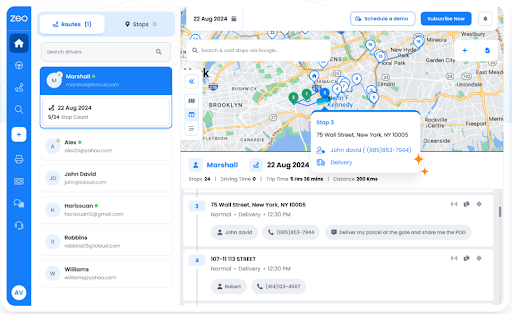
- Route Optimization
Zeo uses route optimization to sequence installation jobs in a logical and efficient order. This reduces unnecessary movement between sites and helps crews maintain steady momentum. Instead of reacting to issues during the day, teams follow a plan built for execution. Route optimization becomes a daily operational standard.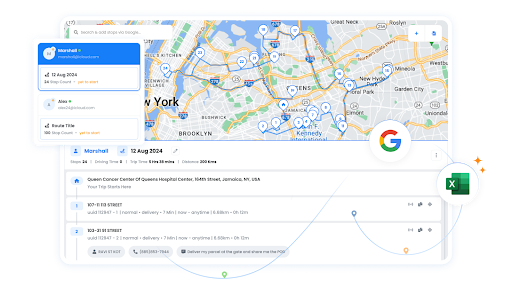
- Proof of Delivery
Proof of delivery creates a clear record of completed installations or site visits. Crews confirm work digitally at each location on their route. This removes ambiguity at the end of the day and reduces manual reporting. It adds accountability across solar panel installation routes.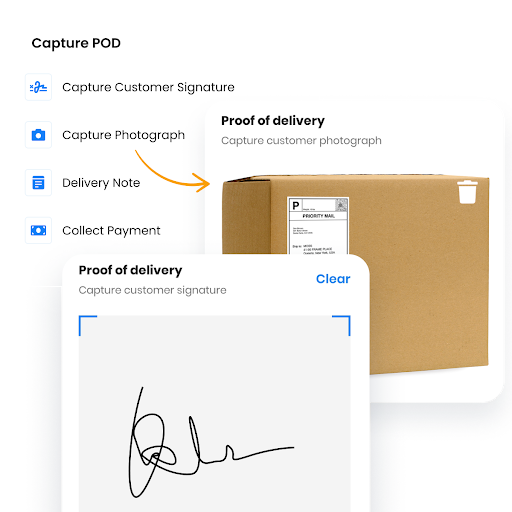
- Driver Management
Driver management ensures each route is clearly assigned to a specific crew or vehicle. Operations teams can balance workloads across installers more effectively. This prevents confusion when schedules change or teams expand. Clear ownership improves reliability across solar panel installation routes.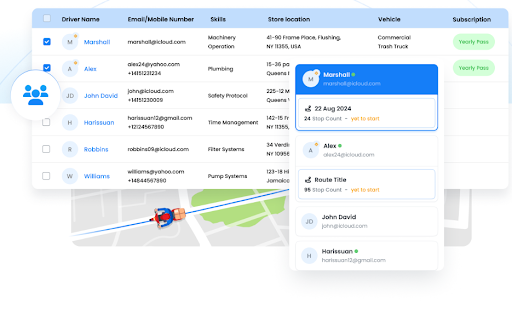
- Route Analytics
Route analytics show how installation days perform over time. Teams can see which routes run long and where inefficiencies repeat. These insights help refine future route optimization decisions. Planning improves as real performance data replaces assumptions.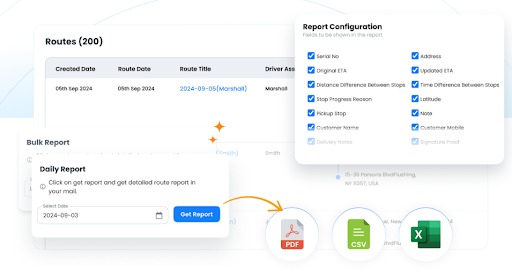
- Automated Customer Updates
Automated updates keep customers informed about installation timing throughout the day. This reduces missed appointments and uncertainty at job sites. Clear communication improves trust and reduces coordination effort. It supports smoother execution across solar panel installation routes.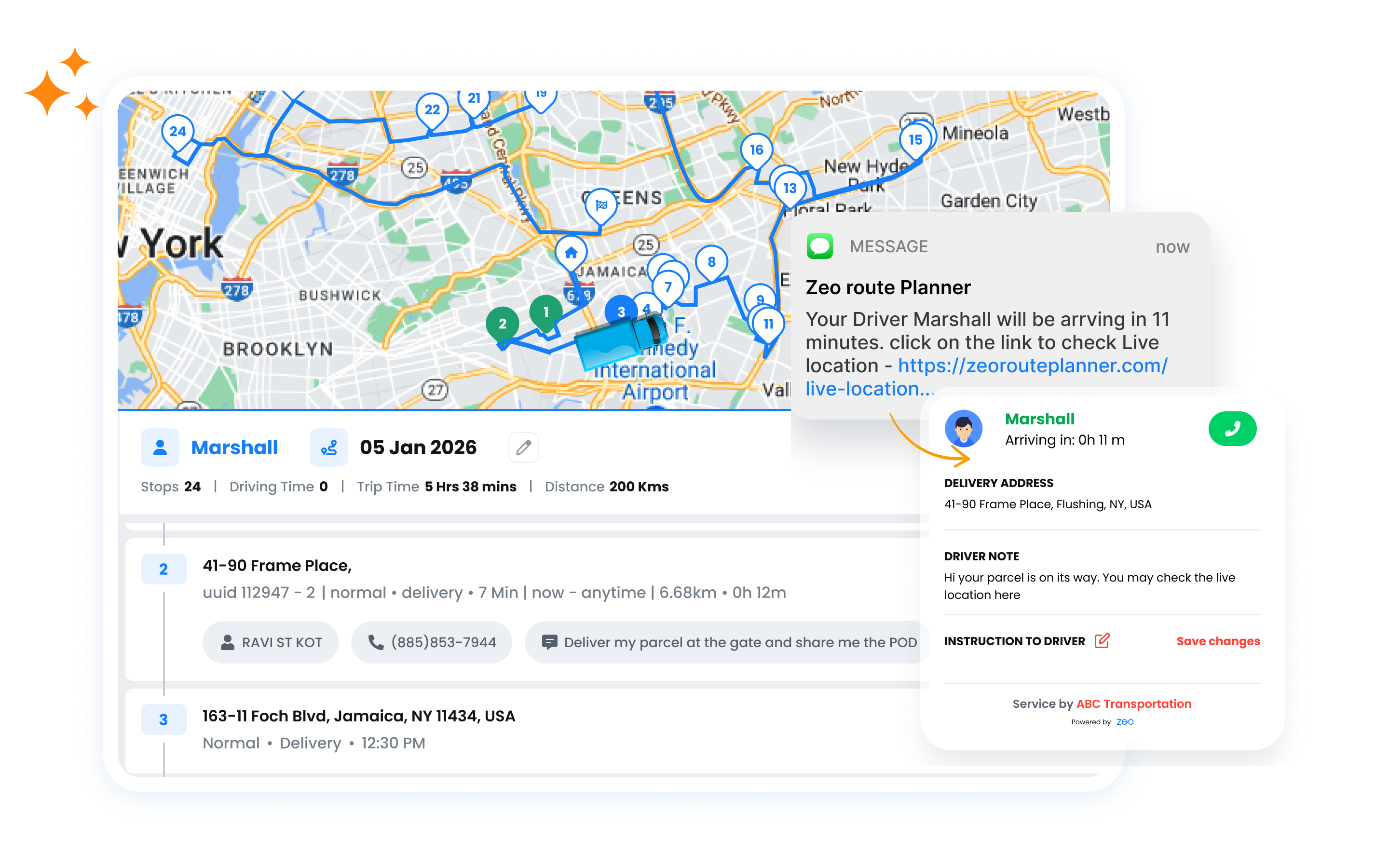
- Mobile App for Drivers
The mobile app gives installers access to routes, job details, and updates in one place. Crews stay aligned with planned route optimization even when schedules change. Instructions are clear and easy to follow in the field. This supports consistent execution across installation days.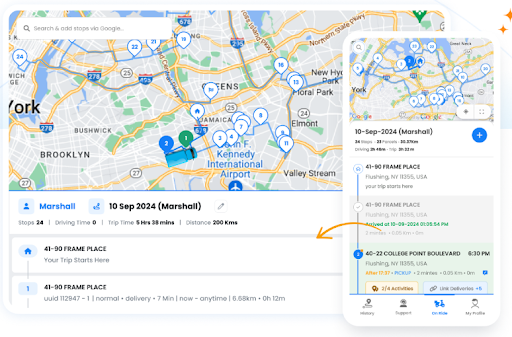
Conclusion
As solar installation demand will grow in 2026, efficient route planning will become just as important as skilled crews. Well-structured solar panel installation routes help teams complete more jobs with greater consistency and less disruption. Applying route optimization brings control, predictability, and clarity to daily field operations.
If you want to manage solar panel installation routes more effectively, sign up for Zeo Route Planner and start planning smarter installation days today.

Are you a fleet owner?
Want to manage your drivers and deliveries easily?
Grow your business effortlessly with Zeo Routes Planner – optimize routes and manage multiple drivers with ease.
increase fuel savings
Save $200 on fuel, Monthly!
Optimize routes with our algorithm, reducing travel time and costs efficiently.
Get Started for Free 




















