



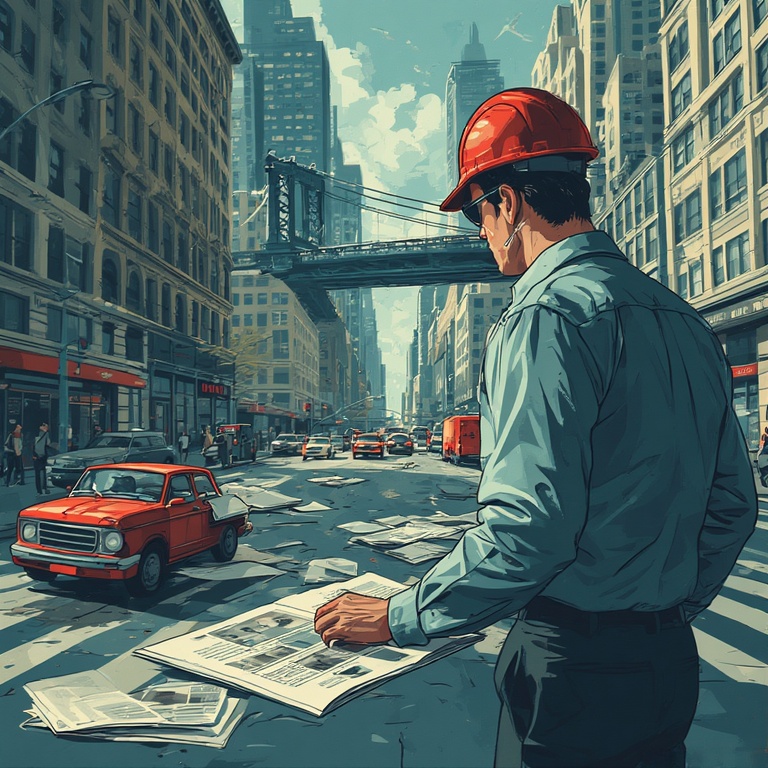
For most of us, newspapers are the daily source of information about what’s happening in the world. We expect them to be delivered early in the morning before stepping out in the world. Getting the newspaper delivered later in the day won’t make much sense. This is why newspaper route planning becomes important.
With the right approach to newspaper route planning, drivers can cut down their delivery time, save fuel, and avoid unnecessary backtracking. Instead of guessing the best way to sequence stops, modern tools make it possible to build fast, accurate routes in seconds. The goal is simple: deliver more efficiently with less effort.
Challenges of Delivery Without Proper Newspaper Route Planning
Delivering newspapers without proper newspaper route planning can turn a simple route into a stressful and time-consuming task. These challenges often lead to wasted fuel, longer delivery times, and frustrated customers.
- Backtracking and Wasted Mileage
Without a well-organized route, drivers often revisit the same streets or take longer paths to reach stops. This adds unnecessary mileage and wastes precious early-morning time. Over weeks, these inefficiencies significantly increase fuel costs and workload. - Difficulty Managing Large Numbers of Stops
Newspaper route planning often includes dozens or even hundreds of addresses. When stops are not grouped properly, it becomes easy to miss locations or deliver out of order. This creates confusion and increases the chances of mistakes. - Delays Caused by Manual Planning
Planning routes by hand or trying to memorize stops slows drivers down. Manual planning also leaves room for errors, especially when subscriber lists change. These delays can push deliveries past ideal time windows and impact customer satisfaction. - Handling Subscriber Changes Inefficiently
New subscribers, cancellations, or address updates can disrupt a manually planned route. Adjusting routes on the go is difficult without a proper system in place. Efficient newspaper route planning avoids the last-minute detours and increased stress during delivery hours. - Higher Risk of Missed or Late Deliveries
When routes are not optimized, timing becomes unpredictable. Missing just a few minutes can cause newspapers to arrive late, leading to unhappy customers and potential complaints. Consistency becomes nearly impossible without proper newspaper route planning tools.
How to Find the Best Newspaper Route in Just One Minute
Finding the fastest and most efficient newspaper route planning does not have to be complicated. With the right approach, you can solve the route optimization problem and get a fully optimized route in seconds and start delivering without delays or confusion.
- Add All Your Delivery Stops at Once
Instead of entering addresses one by one during your shift, load your full list into a route planner in a single step. This saves time and ensures nothing is missed. Bulk entry also makes it easier to manage large subscriber lists. - Let the System Automatically Sequence the Best Route
Smart route planners instantly reorder your stops to create the shortest and most efficient path. This eliminates guesswork and prevents backtracking. With automation handling the heavy lifting, you get a ready-to-use route almost instantly. - Save Recurring Routes for Daily or Weekly Deliveries
Newspaper routes often repeat, so saving them lets you reuse the same optimized layout every day. This makes future deliveries faster to set up and consistent in performance. Even when small changes occur, the base route remains solid. - Adjust Quickly for New or Cancelled Subscribers
Subscriber lists change frequently, and updating routes manually takes time. A good route planner lets you add or remove stops instantly. This keeps your route accurate and avoids unexpected delays during your shift. - Eliminate Manual Guesswork Entirely
Manual planning can lead to mistakes, missed turns, and wasted time. Automated tools take care of sequencing and optimization, so you can focus on delivering. With everything handled in one minute, your mornings become much smoother.
Why Zeo is the Best Tool for Newspaper Route Planning
Newspaper route planning requires speed, accuracy, and flawless timing, especially during early-morning hours. Zeo Route Planner is built to handle these exact demands, helping drivers deliver faster while staying organized every single day.

increase fuel savings
Save $200 on fuel, Monthly!
Optimize routes with our algorithm, reducing travel time and costs efficiently.
Get Started for Free
- One-Click Route Optimization
With one tap, Zeo instantly arranges all your stops in the fastest, most efficient order. This removes the guesswork from early-morning planning and eliminates backtracking. It ensures you complete your entire route quickly and consistently meet subscriber deadlines.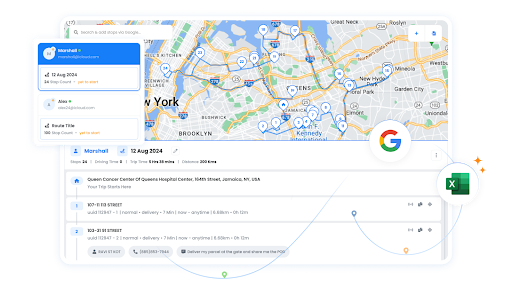
- Bulk Stop Import
Newspaper routes often include dozens or hundreds of addresses. Zeo lets you import your entire subscriber list at once, saving valuable time. Bulk import also reduces errors and makes it easy to update your list whenever subscribers join or cancel.
- Recurring Routes for Daily Delivery
Most newspaper routes repeat every day, and Zeo helps you save and reuse them with a single click. This means your optimized route is ready every morning without rebuilding it from scratch. Even when a few stops change, updating the route is instant and effortless.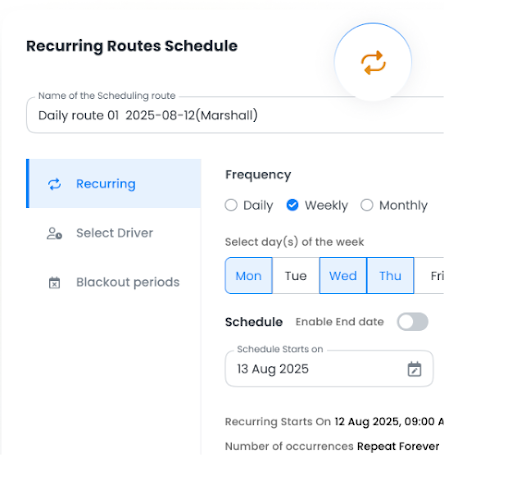
- Route Analytics
Zeo gives you insights into delivery time, distance traveled, and overall route efficiency. These analytics help you identify patterns, reduce fuel usage, and improve daily planning. Over time, drivers can refine their routes for maximum speed and profitability.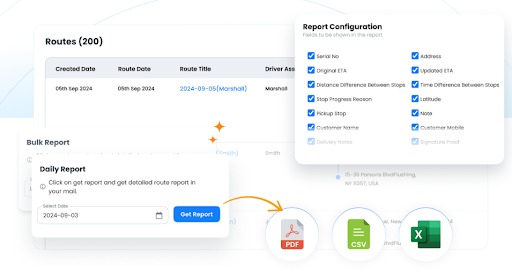
- Seamless Navigation
Once your route is optimized, Zeo guides you turn by turn so you never miss a stop or take the long way around. Smooth navigation is essential during pre-dawn hours when visibility is low and timing is tight. Zeo ensures you stay on track from the first drop to the last.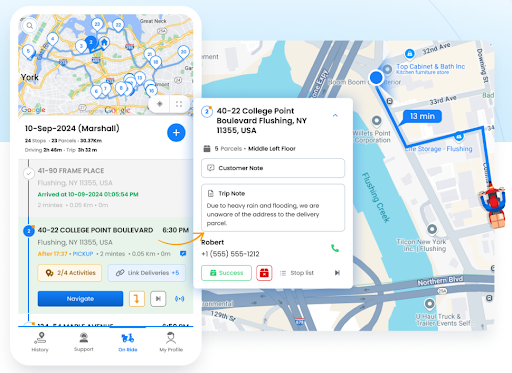
- Automated Delivery Updates
For drivers delivering newspapers to businesses or bulk-drop locations, Zeo can send automatic updates to notify clients when deliveries are completed. This reduces follow-up calls and helps maintain clear communication. It adds a layer of professionalism to your daily workflow.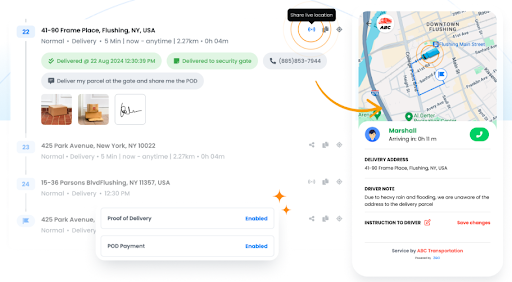
Conclusion
Newspaper delivery moves fast, and the right planning can make every morning run smoother, quicker, and far more efficient. With smart tools that simplify routing, reduce errors, and save time, drivers can deliver consistently without the stress of manual planning.
Zeo Route Planner brings all of this together with powerful features built specifically for daily delivery workflows. If you want to streamline your newspaper route planning and complete your deliveries in record time, sign up for Zeo today.

Are you a fleet owner?
Want to manage your drivers and deliveries easily?
Grow your business effortlessly with Zeo Routes Planner – optimize routes and manage multiple drivers with ease.
increase fuel savings
Save $200 on fuel, Monthly!
Optimize routes with our algorithm, reducing travel time and costs efficiently.
Get Started for Free 




















