

Updated on: October 21, 2026
“`html
TL;DR: Google Maps Route Planner works well for quick, simple trips but caps out at 25 waypoints and can’t manage multi-driver fleets or delivery constraints. For businesses running more than a handful of stops, dedicated route optimization software fills the gap. Route optimization tools like Zeo Route Planner address this with AI-powered route optimization and capacity-based routing, helping delivery teams save 2+ hours daily.
Getting deliveries from point A to point B sounds simple—until you’re managing dozens of stops, unpredictable traffic, and tight schedules. That’s where Google Maps Route Planner comes in. It gives drivers turn-by-turn directions, live traffic updates, and a clear view of every stop on the map. But here’s the catch: manually adding and arranging multiple stops can be a hassle.
That’s why businesses often pair Google Maps with a route planning app. This combination effectively optimizes routes, cut down on drive time, and keeps deliveries running smoothly. It’s a small upgrade that makes a big difference—saving time, fuel, and a whole lot of stress.
It’s time to find out how you can leverage Google Maps route optimization for delivery planning.
How to plan a delivery route with Google Maps
Many small and medium-sized businesses start with Google Maps Route Planner as their first step in mapping delivery stops.
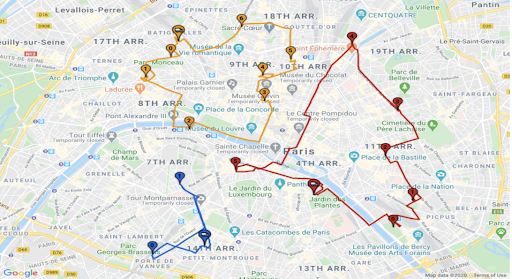
The optimized route planning systems by Google involve listing your key addresses and plugging them into Google’s platform. Then, you can share the directions with drivers.
It’s simple, but there are important details to watch for when creating routes.
Create Your Routes
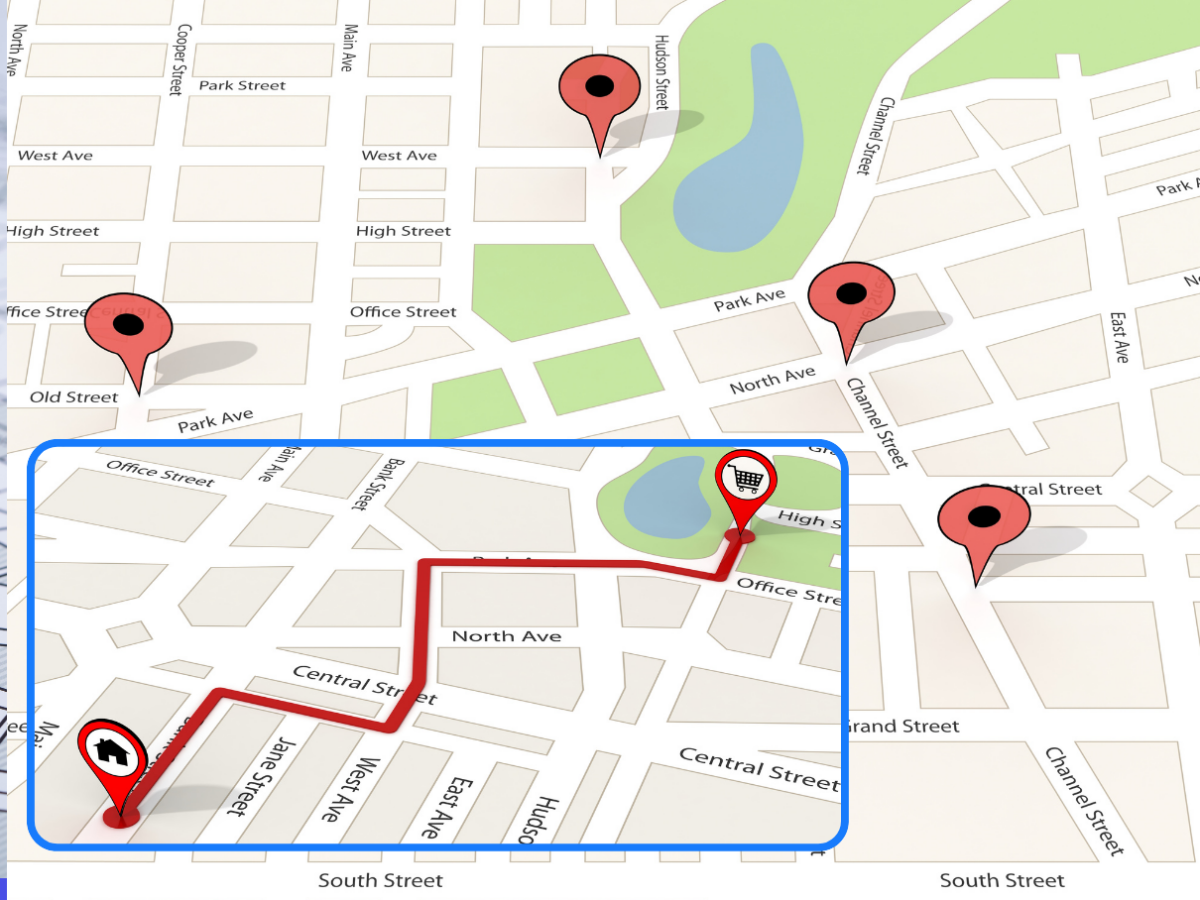
When you begin planning a delivery route with Google Maps, the starting point is often a spreadsheet or a list of customer addresses. Enter each stop one by one in the route planner and arrange the order to fit your driver’s schedule. Now, you can use this process on a desktop browser or even a mobile app.
At a technical level, all you’re doing is sending address data to Google’s geocoding function in the background. It lets the system pinpoint the latitude and longitude, which Google Maps decodes to show you possible routes.
You can add up to 25 waypoints (including start and end). After you’ve set those points, you can view the estimated travel time and distances between stops.
Below are some quick tips for creating routes:
- Break larger deliveries into smaller batches to stay within the waypoint limit.
- Double-check every address for errors to ensure geocoding accuracy.
- Use the “Add Stop” button to include each location in the correct sequence.
- Tap “Directions” to confirm the estimated time and distance before starting the trip.
- Keep an eye on live traffic data since conditions can change in busy areas.
Limitations
You can use Google Maps Route Planner to get the drivers from one point to another with efficient route planning. But there are a few drawbacks as well.
25-waypoint limit
The first hurdle is the 25-waypoint limit. Large delivery setups with dozens of stops might need a workaround or a different system. Splitting big routes into multiple segments can be time-consuming and complicate dispatch.
Lacks specialized route optimization tools
Some teams have also noticed that it lacks the deeper features seen in specialized Route Optimization tools. For instance, you can’t directly manage multiple drivers and their capacity.
A few more limitations include:
- No capacity planning features for large fleets.
- Limited scheduling options for time-specific deliveries.
These boundaries push many businesses to look for more robust software, such as Zeo Route Planner. This software offers automated route optimization that dynamically arranges stops. Also, you can add stops by typing to build it efficiently, considering real-time traffic conditions, driver shifts, and delivery constraints.
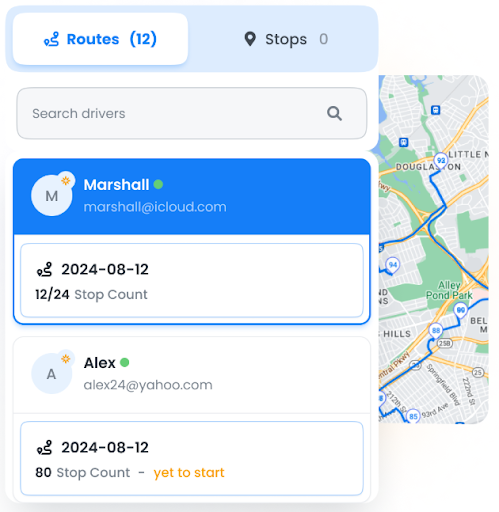
Unlike Google Maps Route Planner, which requires manual adjustments, Zeo Route Planner automatically optimizes delivery sequences, reducing fuel costs, improving ETAs, and making multi-driver fleet management seamless.
Google Maps Route Planner vs Route Optimization
You may assume that Google Maps Route Planner takes care of everything related to planning trips. But that’s not exactly the case.
Route Optimization is a broader process that involves sorting through large address sets, considering driver workloads, and even factoring in delivery time windows.
But then, Google’s planner only gives you a series of directions and does not automatically decide the best sequence if you’ve got more than a handful of stops.
Route optimization solutions like Zeo Route Planner are therefore useful. They gather data from a Distance Matrix API (Google’s or another provider’s) and run advanced algorithms, such as the Traveling Salesman Problem or Vehicle Routing Problem.

increase fuel savings
Hassle Free Deliveries & Pickups!
Optimize routes with our algorithm, reducing travel time and costs efficiently.
Get Started for Free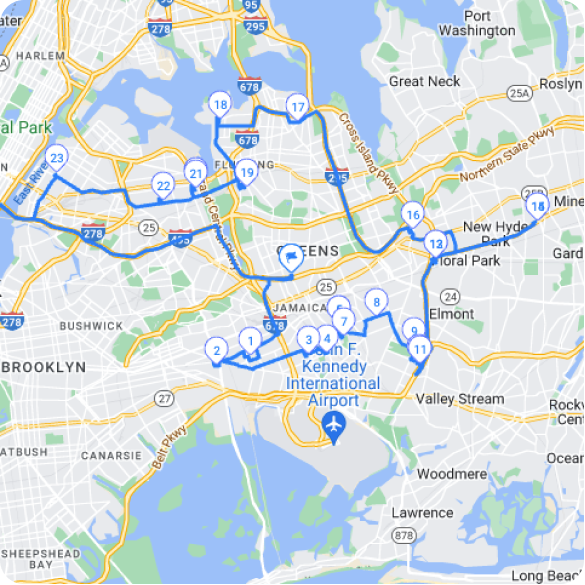
These systems help assign the right stops to the correct driver and arrange them in the best order to reduce the number of miles traveled.
In other words, Google Maps Route Planner is great for quick and simple guidance, but it’s not designed to run a complex fleet.
Below are the major differences:
| Aspect | Google Maps Route Planner | Route Optimization |
| Primary Focus | Directions and basic trip planning | Assigning stops, best sequencing, fleet management |
| Max Waypoints | 25 | Can handle far more, often hundreds or thousands |
| Fleet Management | Not built-in | Often includes driver scheduling and capacity rules |
| Custom Constraints | Limited | Handles time windows, vehicle load, driver breaks |
Why Delivery Volume Changes Your Routing Needs
The point where Google Maps Route Planner stops being enough usually isn’t about the software itself — it’s about how your delivery operation grows. A single driver handling 10 stops a day can get by with manual planning. But once you’re coordinating multiple drivers, varying vehicle capacities, and customers who expect accurate delivery windows, the math gets complicated fast.
According to the U.S. Bureau of Transportation Statistics, freight and delivery vehicle miles traveled have steadily climbed over the past decade, putting more pressure on dispatchers to plan efficient routes rather than rely on guesswork. This growth is part of why last-mile delivery costs have become one of the largest line items in logistics budgets — a trend tracked closely by supply chain researchers and industry groups alike.
Manual route planning also carries a hidden cost: driver time. The U.S. Bureau of Labor Statistics notes that delivery drivers often spend significant portions of their shift navigating between stops rather than actively delivering, which is exactly the inefficiency that automated route sequencing aims to reduce.
What to Look for Beyond Google Maps
If your delivery operation is outgrowing Google Maps Route Planner, it helps to know which features actually move the needle. Here’s what separates basic trip mapping from true route optimization:
- Automatic sequencing: Instead of manually reordering stops, the software calculates the most efficient sequence based on distance, traffic, and time windows.
- Multi-driver assignment: Stops get distributed across your fleet automatically, factoring in vehicle capacity and driver skills.
- Time window constraints: Deliveries with specific appointment windows are scheduled accordingly, reducing missed deliveries.
- Live tracking and notifications: Customers get real-time ETA updates instead of a vague delivery day.
- Proof of delivery: Photo capture and digital signatures replace paper logs and reduce disputes.
Zeo Route Planner covers each of these with features like capacity-based routing, time window constraints, and live ETA updates for customers — giving dispatchers a single system instead of juggling Google Maps alongside spreadsheets and messaging apps.
Conclusion
That’s it! We’ve now covered the core steps and analyzed a few limitations of using Google Maps Route Planner. You can certainly use it to plan the trip and map the pit stops.
For a smaller set of stops, Google Maps Route Planner is enough. But if you’re juggling many drivers and loads of stops, then full Route Optimization software might be a better fit.
If your team needs a system that handles more stops, think of a more brilliant dispatch that keeps scheduling under control — with Zeo Route Planner. It helps deliver packages efficiently, including everything from importing addresses to recipients’ notifications to customer dashboards.
Book a demo to see how it can cut travel time, reduce driver strain, and keep your routes running smoothly.
Frequently Asked Questions
Why does Google Maps limit routes to 25 stops?
Google Maps Route Planner caps routes at 25 waypoints to keep calculations fast and reliable for everyday navigation use, since it’s built primarily for individual trip planning rather than commercial fleet dispatch. This limit works fine for small errands or single-driver routes but becomes a bottleneck once delivery volume grows beyond a quick afternoon run.
How do I plan delivery routes for multiple drivers at once?
Planning for multiple drivers requires software that can split addresses across a fleet based on vehicle capacity, driver location, and skill requirements — something Google Maps doesn’t handle natively. Zeo Route Planner’s auto-assignment feature distributes stops to drivers automatically and factors in capacity-based routing, which is used by businesses managing fleets of all sizes.
What’s the difference between a route planner and a route optimizer?
A route planner simply maps directions between points you’ve already chosen, while a route optimizer calculates the most efficient order for those stops using algorithms like the Vehicle Routing Problem. The distinction matters most once you’re managing more than a handful of daily stops, where manual sequencing starts costing real drive time.
How can I reduce fuel costs on delivery routes?
Reducing fuel costs starts with minimizing unnecessary mileage, which means optimizing stop order rather than driving in the sequence orders arrived. The EPA notes that reducing idling and inefficient routing both cut fuel consumption and vehicle emissions, making route sequencing a practical lever for cost control. Tools with AI-powered route optimization, like Zeo Route Planner, help by automatically arranging stops to shorten total distance traveled, a capability used by over 1.5M+ users.
Can I track delivery drivers in real time without expensive fleet hardware?
Yes — modern route planning apps offer real-time GPS tracking through the driver’s smartphone, eliminating the need for separate hardware installations. Zeo Route Planner includes live location tracking and a branded tracking page, giving customers accurate ETA updates without any additional equipment costs.
“`
Are you a fleet owner?
Want to manage your drivers and deliveries easily?
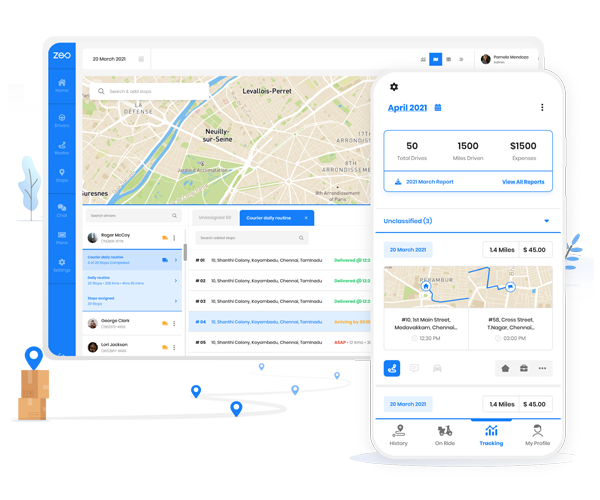
Grow your business effortlessly with Zeo Routes Planner – optimize routes and manage multiple drivers with ease.
increase fuel savings
Hassle Free Deliveries & Pickups!
Optimize routes with our algorithm, reducing travel time and costs efficiently.
Get Started for Free