

Updated on: October 30, 2026
“`html
TL;DR: Google Maps Route Planner works well for personal trips but caps multi-stop routes at 10 locations, making it unsuitable for fleets managing dozens of daily deliveries. Businesses need capacity-based routing, driver tracking, and proof of delivery to scale logistics efficiently. Route optimization tools like Zeo Route Planner address this with AI-powered route optimization and auto-assignment of stops to drivers, helping fleet teams save 2+ hours daily.
If you’ve ever planned a route using Google Maps, you know how easy and convenient it can be for personal trips or small deliveries. But what happens when your logistics operations scale up and your fleet needs to run smoothly with minimal hiccups? That’s where things start to get tricky.
The Google Maps Route Planner, while helpful, isn’t enough for businesses managing complex logistics, fleet operations, and delivery timelines. You might be getting by, but you’re missing out on an opportunity to optimize your business on a whole new level.
Keep reading to see why businesses need more than just a route planner and how Google Maps falls short when it comes to high-performance logistics.
Benefits of Using Google Maps Route Planner
Google Maps Route Planner offers plenty of advantages, especially when you’re looking for a quick solution. It’s free, reliable, and incredibly efficient for basic route planning. But does it go above and beyond for businesses managing fleets? Let’s take a look at some core benefits of Google Maps before exploring its limitations.
- Global Routing Capabilities
With Google Maps’ global routing, businesses that operate internationally can benefit from routes across over 200 countries. If your business operates in a variety of locations or across borders, this feature makes Google Maps an invaluable tool for global operations. However, the one-size-fits-all approach doesn’t work when your fleet needs more dynamic routing or highly specific local insights.
- Scalability for Personal Use
Google Maps serves billions of users, making it scalable for widespread personal use. But what happens when you need to handle hundreds of routes a day? Google Maps simply isn’t built to manage multiple routes simultaneously for large fleets. However, it offers a strong infrastructure that serves over one billion users.
- Toll Costs & Avoiding Fees
For fleets that need to avoid tolls to save on costs, Google Maps provides an option to adjust your route based on tolls, ferries, or highways. While helpful, businesses need far more flexibility than Google Maps offers when it comes to deciding on the most cost-effective routes, especially when managing large fleets with varying vehicle types.
Shortcomings of Google Maps Route Planner for Business Logistics
Yes, Google Maps Route Planner is an easy-to-use and handy tool for planning routes. But can its efficiency go beyond personal trips and simple routing? Let’s find out the limitations of Google Maps Route Planner:
- Limited Multi-Stop Route Planning
Google Maps Route Planner is an ideal tool if your route optimization requirements are simple and straightforward. If you are planning complex routes with multiple stops, this might not be the best tool for you.
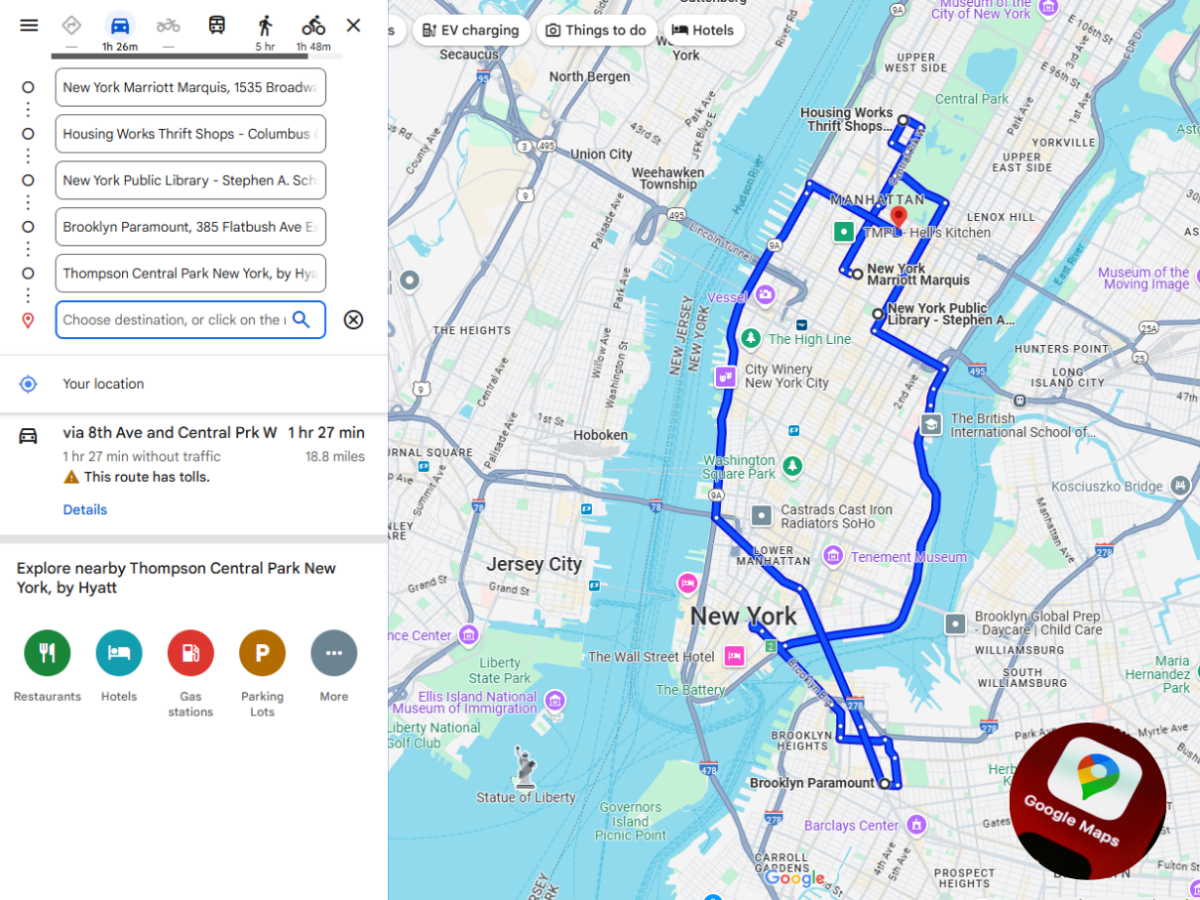
While Google Maps allows you to add multiple stops, the number is restricted to just ten locations. If your routing requirements go beyond ten stops, this can prove to be a major bottleneck for your business. Generally, even small businesses handle dozens or even hundreds of delivery stops daily, a volume the Bureau of Labor Statistics notes continues to climb as delivery driver demand grows nationwide.
A flexible route planning software that does not cap off your ability to add multiple stops is the right answer for businesses and fleet managers looking for complex multi-stop route optimization.
- Lack of Driver & Fleet Management Features
Fleet managers have to monitor complex logistics operations including driver assignment, vehicle management, performance analysis, customer communication, and more. Effective fleet management requires real-time visibility of driver locations and delivery status.Google Maps Route Planner restricts your ability to streamline fleet management as it lacks features for real-time route tracking, automated delivery updates, scheduling, and route analytics.
Absence of these features makes it difficult for fleet managers to identify the areas of improvement, point out inefficiencies, enhance driver management and scheduling, and improve the delivery process. This results in poor customer experience.
- No Proof of Delivery Mechanism
Nothing can break customer trust like misplaced deliveries. Your delivery process should not focus merely on delivering packages to the destination but on ensuring your customers receive them.
Digital proof of delivery is a proven way to provide complete transparency regarding the delivery completion status. Google Maps lacks this essential business feature. Without proof of delivery, you can be subject to customer complaints and frustration.
Getting a digital proof of delivery in the form of a picture, signature or notes is an ideal way to ensure your customers get their packages. This proof also shields you from any legal complaints from customers.
- No Integration With Business Tools
Gone are the days when business operations could function in silos. Large-scale logistics businesses need a smooth ecosystem where all functions work towards collective growth. Successful logistics operations include seamless inventory management systems, CRM systems, order processing platforms, and route planning tools.

increase fuel savings
Save 2 Hours on Deliveries, Everyday!
Optimize routes with our algorithm, reducing travel time and costs efficiently.
Get Started for Free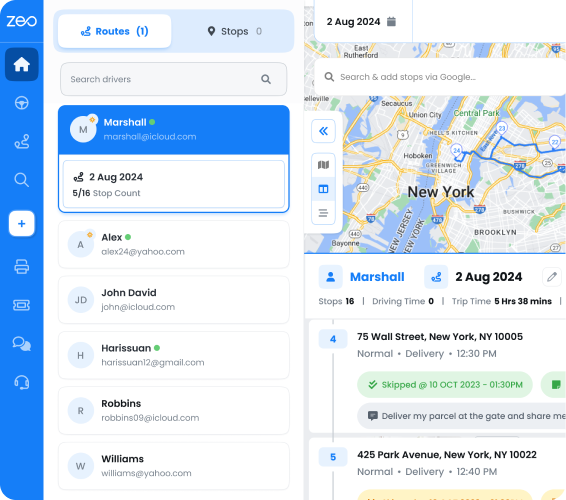
Google Maps Route Planner fails to integrate with other key business tools, leaving fleet managers handicapped and inefficient. This lack of integration capabilities proves to be a roadblock in workflows, reducing operational efficiency.
- No Capacity-Based or Priority Routing
Beyond stop limits, Google Maps has no concept of vehicle capacity, delivery priority, or time windows. A fleet manager juggling refrigerated vans, cargo trucks, and sedans needs routing logic that accounts for weight and volume limits, not just the shortest path between points.
Similarly, when a customer needs an ASAP delivery versus a standard scheduled drop-off, Google Maps treats every stop the same way. Capacity-based routing and priority stop settings are the kind of operational detail that separates a personal navigation app from a true business logistics tool, and it’s an area where Google Maps simply wasn’t designed to compete.
- No Support for Recurring or Scheduled Operations
Many delivery and service businesses run the same routes on a weekly or daily basis, with occasional changes to drivers or stops. Google Maps requires you to rebuild your route from scratch every single time, with no way to save a recurring schedule or temporarily pause a route without deleting it.
For businesses managing scheduled routes, this manual rework adds up to hours of wasted administrative time each week, according to research published by the U.S. Department of Transportation’s freight analysis on logistics efficiency gaps for small and mid-sized fleets.
The Bottom Line
Google Maps Route Planner offers its share of benefits, mainly for personal trips and small businesses with very simple routing needs. However, as your business requirements evolve and you try to scale up your logistics operations, this tool will fall short in its offerings.
Right from multi-stop route optimization to poor customer communication, this tool is not ideally suited for large-scale logistics businesses.
Fleet managers looking to scale up their operations must choose a smart, AI-powered route planner like Zeo that offers features designed for complex routing needs, seamless communication, and operational efficiency. Zeo supports bulk address import from Excel, CSV, or Google Sheets, so fleet managers can upload hundreds of stops in seconds instead of entering them one by one.
It’s time to move beyond basic routing tools. It’s time to embrace Zeo Route Planner. Schedule a free demo now!
Frequently Asked Questions
How many stops can you add to a route in Google Maps?
Google Maps limits route planning to a maximum of 10 stops per route, which works fine for personal errands but quickly becomes a bottleneck for delivery businesses. Fleets handling dozens or hundreds of daily stops need dedicated route optimization software that removes this cap entirely.
Why do delivery routes take longer than expected even with GPS navigation?
GPS navigation tools calculate the fastest path between two points, but they don’t account for delivery-specific factors like time windows, vehicle capacity, or stop sequencing across multiple destinations. Without route optimization that factors in these constraints, drivers end up backtracking or arriving outside customer-requested windows, adding unplanned time to every shift.
What’s the difference between a navigation app and a route optimization tool?
A navigation app like Google Maps or Waze gives turn-by-turn directions for a single trip, while a route optimization tool plans the most efficient sequence across many stops, factoring in driver capacity, time windows, and priorities. Zeo Route Planner’s AI-powered optimization handles this automatically and saves fleet teams 2+ hours daily compared to manual route planning.
How can small delivery businesses reduce fuel and labor costs?
The biggest cost drivers for small fleets are inefficient routing, excessive idle time, and manual dispatch errors. According to the EPA’s guidance on fuel-efficient driving and fleet practices, reducing unnecessary mileage through better route sequencing is one of the most effective ways to cut fuel spend without investing in new vehicles.
Can you track drivers in real time without expensive fleet hardware?
Yes, modern route planning apps offer real-time GPS tracking through a driver’s smartphone, eliminating the need for separate hardware installations. Zeo Route Planner provides live location tracking and customer-facing ETA updates through a branded tracking page, giving fleet managers visibility used by over 1.5M+ users worldwide.
“`
Are you a fleet owner?
Want to manage your drivers and deliveries easily?
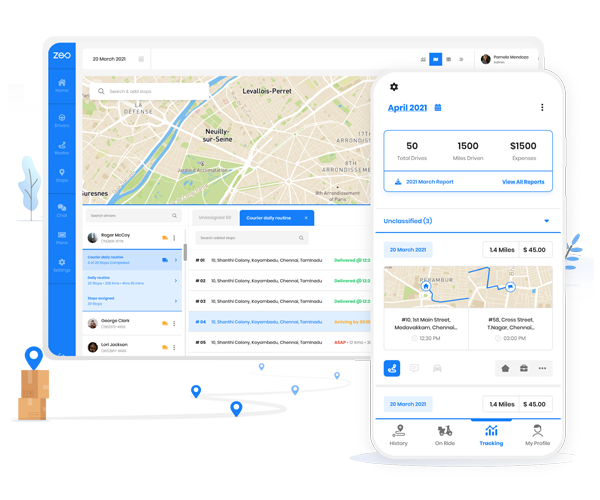
Grow your business effortlessly with Zeo Routes Planner – optimize routes and manage multiple drivers with ease.
increase fuel savings
Save 2 Hours on Deliveries, Everyday!
Optimize routes with our algorithm, reducing travel time and costs efficiently.
Get Started for Free