




Updated on: April 27, 2026
Reading Time: 4 minutes
TL;DR: The Zeo Web Plugin automatically optimizes Google Maps routes with multiple stops using advanced algorithms, eliminating manual reordering. This free Chrome extension addresses Google Maps’ limitation of not automatically optimizing stop sequences. Route optimization tools like Zeo Route Planner address this with AI-powered route optimization, helping delivery and field service teams save 2+ hours daily.
In today’s dynamic world, effective route planning is crucial for both individuals and businesses. Zeo Web Plugin is a free plugin that optimizes Google Maps routes using advanced algorithms. It allows users to add stops and select the shortest route by clicking the plugin.
Zeo’s web plugin simplifies route planning for fleet management and makes the process more efficient and effective. This plugin enhances Google Maps’ route planning capabilities, enhancing efficiency, cost reduction, and productivity.
The Problem with Google Maps Route Planning
While Google Maps is excellent for navigation, it has significant limitations for multi-stop route planning. Google Maps allows up to 10 stops but doesn’t automatically reorder them for optimal efficiency. This means users must manually arrange stops, often resulting in inefficient routes that waste time and fuel.
For businesses handling multiple deliveries or service calls daily, this limitation becomes costly. Studies by the U.S. Department of Transportation show that optimized routing can reduce fuel consumption by up to 20% and significantly decrease vehicle wear and operational costs.
How to Use Google Maps to Optimize a Route with Multiple Stops?
This guide provides a step-by-step approach to optimizing a multi-stop route using Google Maps, followed by an introduction to the Zeo Chrome extension, which enhances route optimization by offering detailed instructions on utilizing Google Maps effectively.
- Start by using Google Maps: To access Google Maps, either open it in a web browser or download the app on your smartphone.
- Enter the starting location: Enter your initial location in the search bar and click the “Directions” button, and plan your route.
- Include your first location: Enter your first destination in the directions interface. Google Maps will calculate the route from your current location to the specified destination.
- Add more stops: To add more stops, click the “+” button below the destination field. You can add up to 9 stops or a total of 10 points on your route. Reorder destinations by dragging and dropping them in the list.
- Evaluate and adjust the route: Google Maps displays the route for each segment between stops. It allows users to adjust the path by dragging the line to avoid specific areas or pass through specific locations.
- Adjust manually (if needed): Now, manually adjust the order of stops for the most efficient route, as Google Maps does not automatically optimize stops for the shortest.
- Start navigating: After selecting the route and stop order, click the “Start” button in the app to begin navigation, which displays a step-by-step route and estimated travel time on the web.
Google Maps is a useful route planning tool, but it doesn’t automatically reorder stops for the fastest sequence, which is addressed by Zeo’s Route Optimizer Chrome Plugin.
Use Zeo’s Route Optimizer Chrome Plugin to Enhance Your Route Optimization
- Go to the ‘Zeo Chrome Extension’ feature, then click on ‘Install Zeo Web Plugin’.
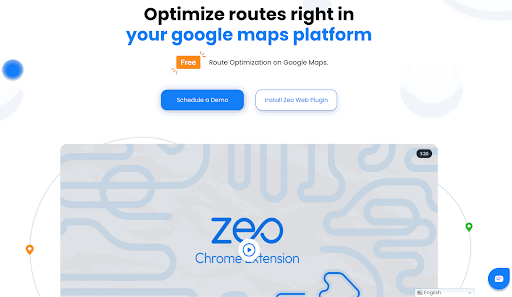
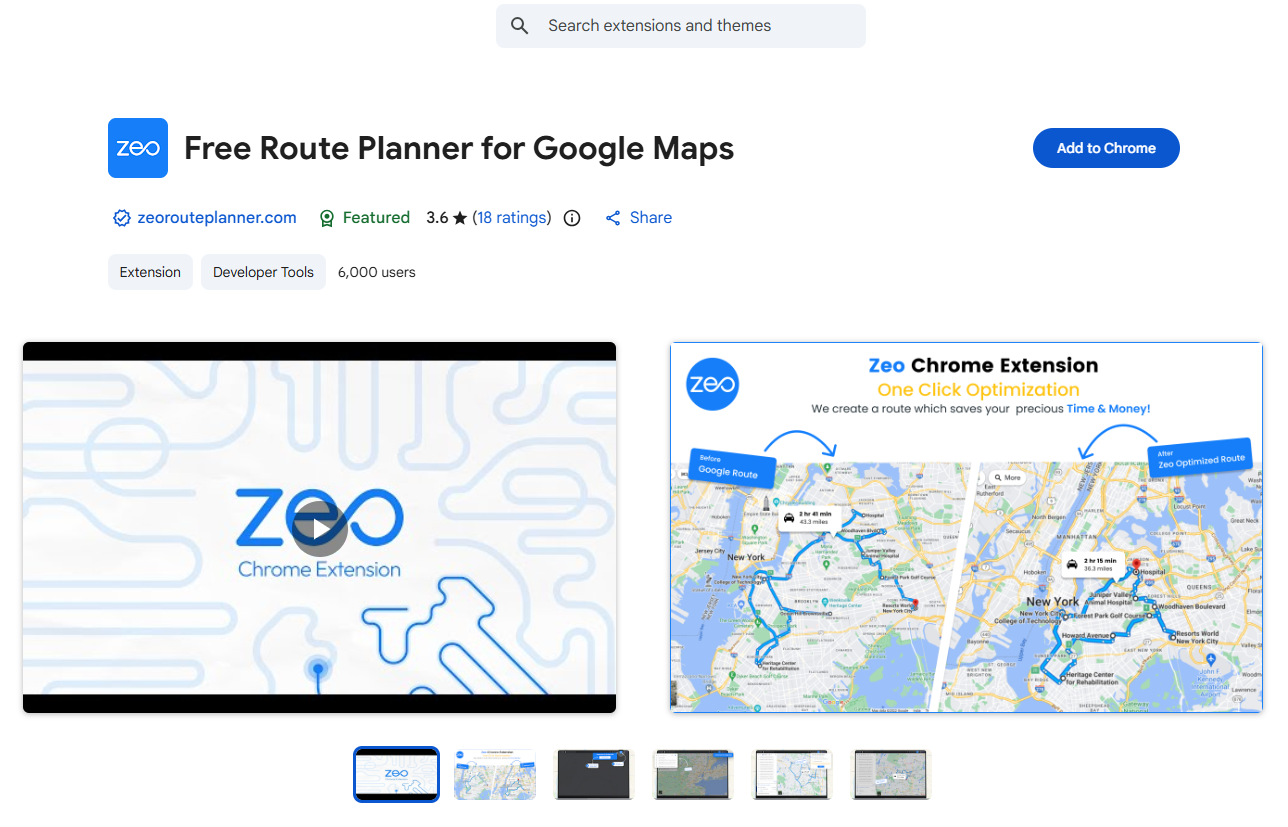
- Now add the ‘Free Route Planner for Google Maps’ plugin to your Chrome browser.
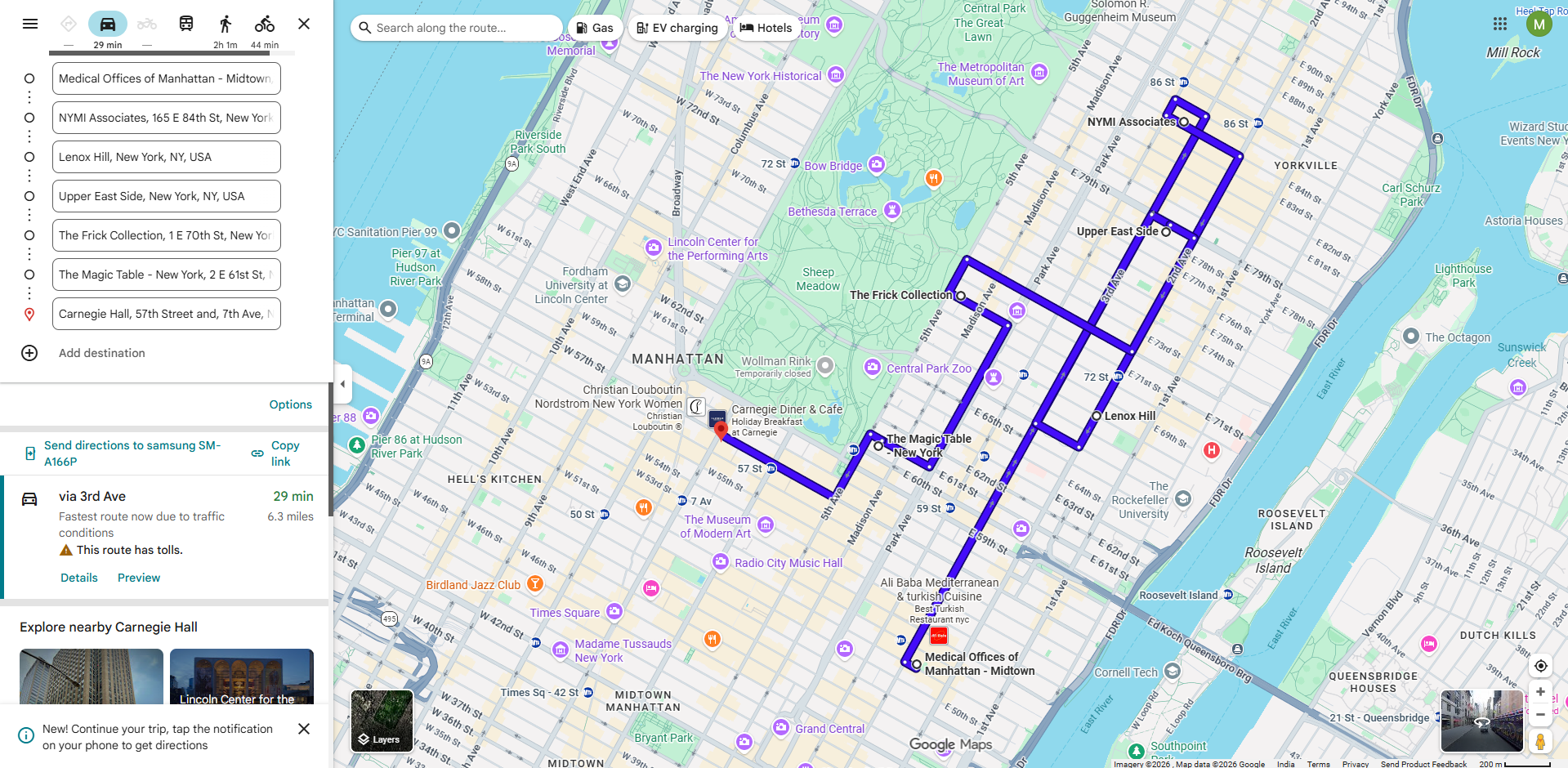
- Open Google Maps in your browser.
- Ensure the first stop is the starting point, and the necessary stops for your trip.
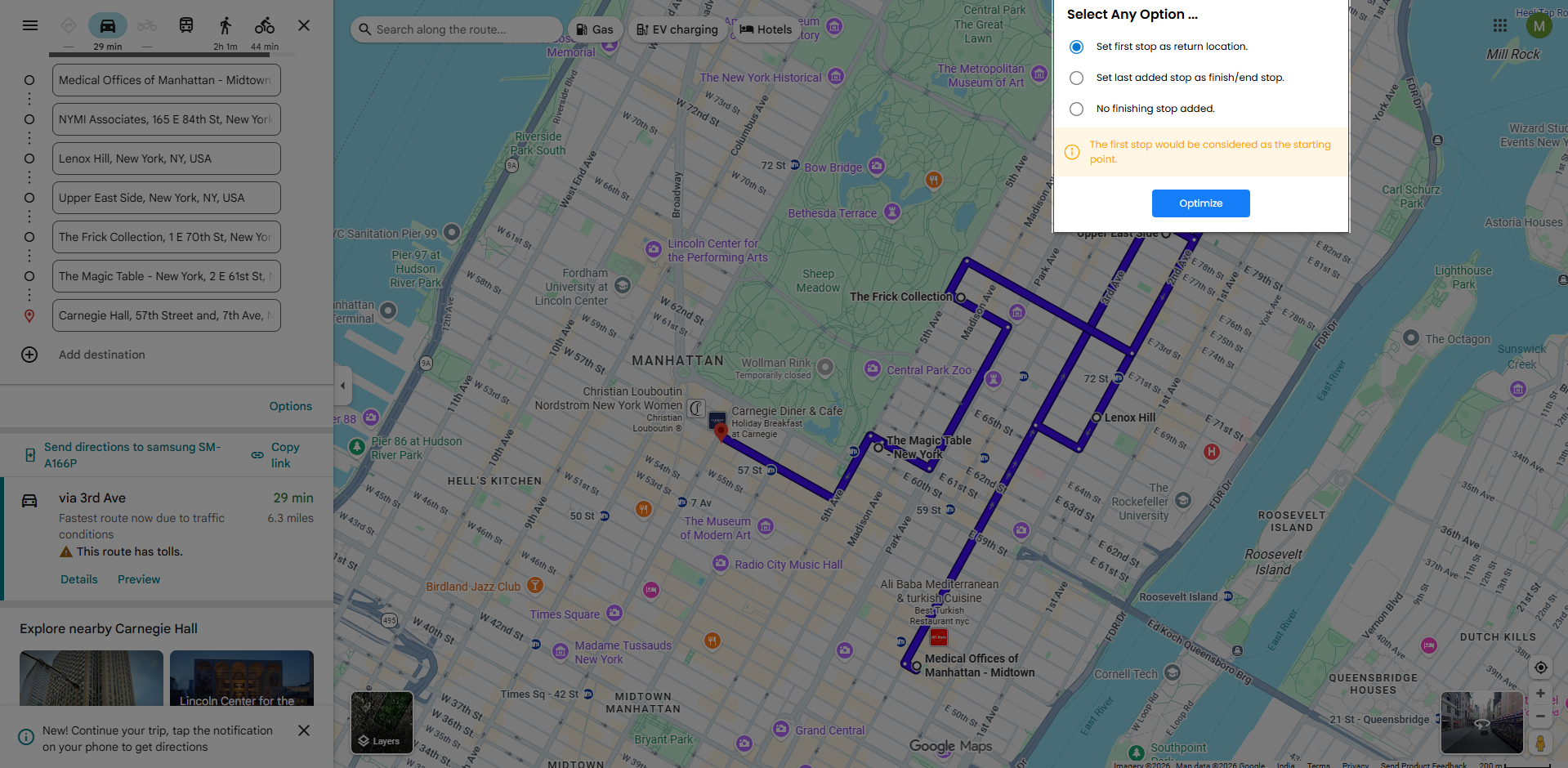
- To change the settings, click on the Zeo Plug-in at the top and choose the desired option.
- Set the first stop as the return location.
- Set the last added stop as the finish/end stop.
- No finishing stop added.
- The optimized route with the correct sequence will be displayed in a new window.
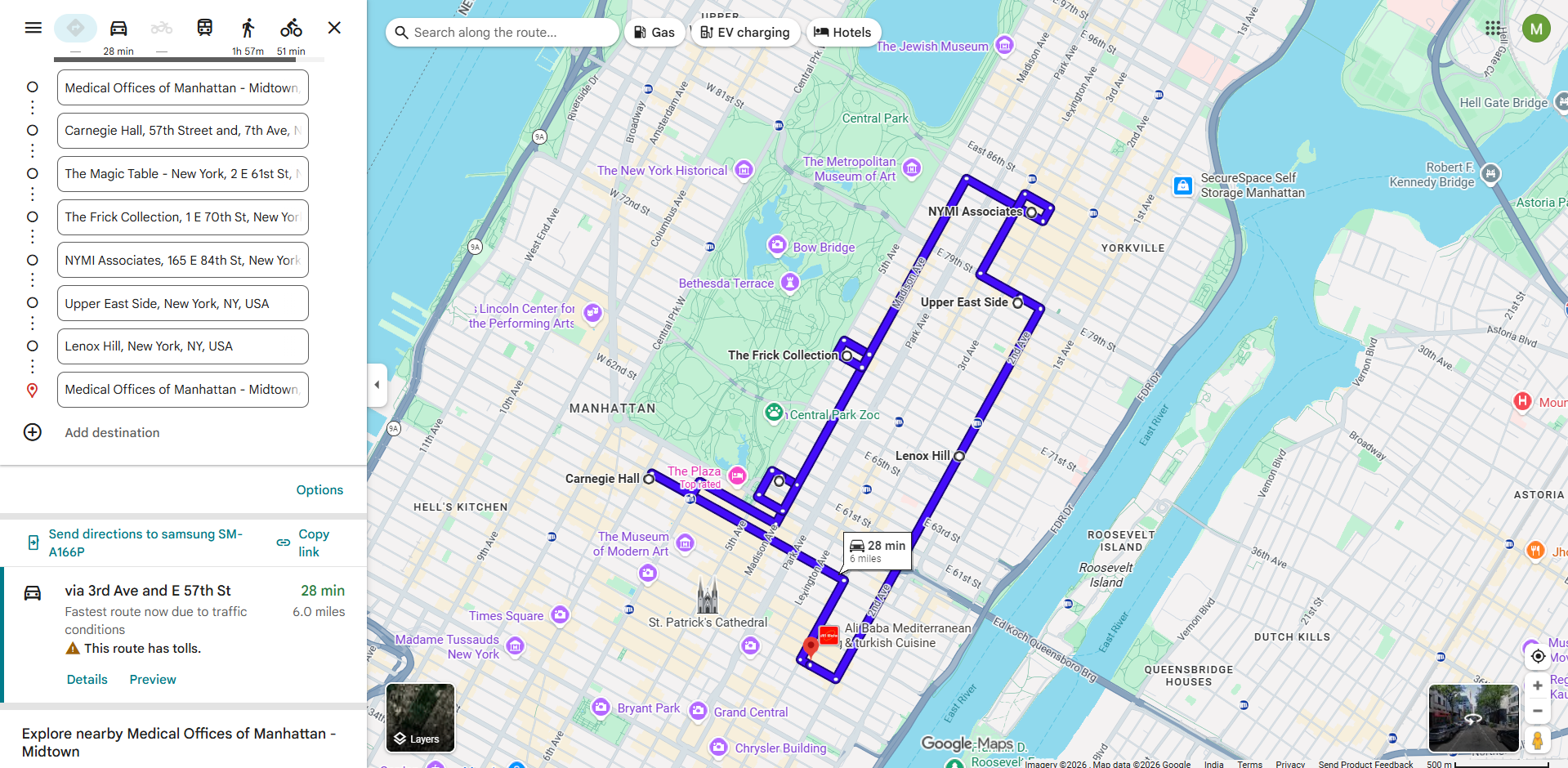
- To send the optimized route to your phone, click on the ‘Send directions to your phone’ option.
- You may now start your journey using the optimized route on your phone app.
Why Manual Route Optimization Falls Short
Manual route planning becomes increasingly complex as the number of stops grows. With just 10 stops, there are over 3.6 million possible route combinations. Without advanced algorithms, even experienced drivers struggle to identify the most efficient sequence, leading to unnecessary mileage, increased fuel costs, and longer working hours.
This complexity is why professional route optimization solutions use sophisticated algorithms to calculate the best possible routes instantly, considering factors like traffic patterns, delivery time windows, and vehicle capacity constraints.
Benefits of Zeo Web Plugin
The Zeo Web Plugin integrates route optimization, tracking, and fleet management tools into web platforms. It eliminate the need for software switches by enhancing operational efficiency.
- Indicates which stops on a list should be visited in what order.
- Reduces overall journey expenses by offering the lowest distance.
- You have plenty of time to complete other activities because the entire trip takes the least amount of time.
Features of Zeo Web Plugin
The Zeo online Plugin is a small yet effective browser plugin that integrates sophisticated fleet management and route optimisation features straight into your internal dashboard or online platform. Some features of Zeo Web Plugin are as follows:

increase fuel savings
Save 2 Hours on Deliveries, Everyday!
Optimize routes with our algorithm, reducing travel time and costs efficiently.
Get Started for Free
- No app download required: Install the extension in two simple steps.
- Multi-stop route planning: Calculates efficient routes for multiple stops.
- Route optimization: Optimize your route with the click of a button.
- Real-time updates: For minimal disruptions Zeo Web Plugin allows real-time adjustments and instant updates.
- Enhances Google Maps: route optimization with Google Maps supercharges the route-planning process with a user-friendly interface.
Without switching tools or tabs, Zeo’s plugin makes it simple to design, allocate, and track routes for field service operators, logistics providers, and eCommerce companies.
Advanced Route Planning for Business Operations
While the Chrome extension works excellently for basic route optimization, businesses with more complex requirements often need additional features. Professional route planning involves considering multiple variables beyond just distance and time. For teams managing larger fleets or handling specialized deliveries, understanding how to create comprehensive routes manually provides greater control over scheduling and resource allocation.
Advanced route optimization also includes handling bulk operations efficiently. Many businesses benefit from learning how to upload multiple stops simultaneously rather than entering each location individually, especially when managing daily routes with dozens of locations.
Final Thoughts
The Zeo Chrome Extension feature combines the power of Google Maps with route optimization, eliminating the need for a separate app. The feature enhances the use of Google Maps for courier drivers and field service professionals. The best part is that it’s free, eliminating the need to spend money on a paid app.
Get our Zeo Web Plugin, which is a valuable tool for optimizing your routes, as every mile counts.
Frequently Asked Questions
How many stops can Google Maps handle for route planning?
Google Maps allows up to 10 waypoints (including your starting point and destination), meaning you can add 8 intermediate stops to your route. However, Google Maps doesn’t automatically optimize the order of these stops for efficiency, requiring manual reordering to achieve the shortest route.
What’s the difference between shortest distance and fastest route optimization?
Shortest distance optimization minimizes total mileage, while fastest route optimization considers traffic patterns, speed limits, and road conditions to minimize total travel time. Most businesses benefit from fastest route optimization since it reduces driver hours and fuel costs, though the choice depends on your specific priorities and local traffic conditions.
Can route optimization work for same-day delivery operations?
Yes, route optimization is essential for same-day delivery operations and becomes more valuable as order volumes increase. Dynamic route adjustments allow dispatchers to add new orders throughout the day while maintaining efficiency, and real-time tracking helps manage customer expectations with accurate delivery windows.
How much fuel can optimized routing save for delivery businesses?
Optimized routing typically reduces fuel consumption by 15-25% compared to manual route planning, according to fleet management studies. The savings increase with route complexity – businesses with 20+ daily stops often see the highest percentage improvements in fuel efficiency and reduced vehicle wear.
Is there a limit to how many routes I can optimize with browser extensions?
Browser extensions like the Zeo Web Plugin don’t typically impose daily limits on route optimizations, making them suitable for businesses that need to plan multiple routes throughout the day. For larger operations requiring bulk route planning with 100+ stops daily, dedicated route planning platforms with bulk address import capabilities provide more efficient workflows.

Are you a fleet owner?
Want to manage your drivers and deliveries easily?
Grow your business effortlessly with Zeo Routes Planner – optimize routes and manage multiple drivers with ease.

increase fuel savings
Save $200 on fuel, Monthly!
Optimize routes with our algorithm, reducing travel time and costs efficiently.
Get Started for Free 


















