




Updated on: July 21, 2025
Do you carefully plan your routes for hours on end, balancing multiple stops on Google Maps, and yet question whether you could have done it more efficiently or more quickly?
Zeo’s free Google Maps route planner is a user-friendly application that revolutionizes delivery planning and navigation by saving time, gas, and effort for drivers and small business owners. Discover its capabilities to enhance your route planning and save time, fuel, and effort.
What is Zeo Chrome Extension?
The Zeo Chrome Extension is a smart, user-friendly add-on designed with powerful route optimization capabilities to enhance Google Maps. It enables users to design the most effective routes, add stops in bulk, and quickly adjust to changes. The Chrome Web Store offers it for free.
This extension is a lifesaver for:
- Delivery drivers are aiming to complete more stops in less time.
- Fleet managers monitor logistics.
- Individuals planning complex trips or multi-location errands.
Think of this free route planner for Google Maps as the ultimate sidekick for anyone who needs their routes to be optimized, effective, and easy.
Use Zeo Chrome Extension for Google Maps [step-by-step]
Navigating your delivery routes doesn’t have to be complex. With the Zeo Chrome Extension, planning optimized routes on Google Maps becomes a simple process that anyone can master in minutes with these steps:

increase fuel savings
Save 2 Hours on Deliveries, Everyday!
Optimize routes with our algorithm, reducing travel time and costs efficiently.
Get Started for Free
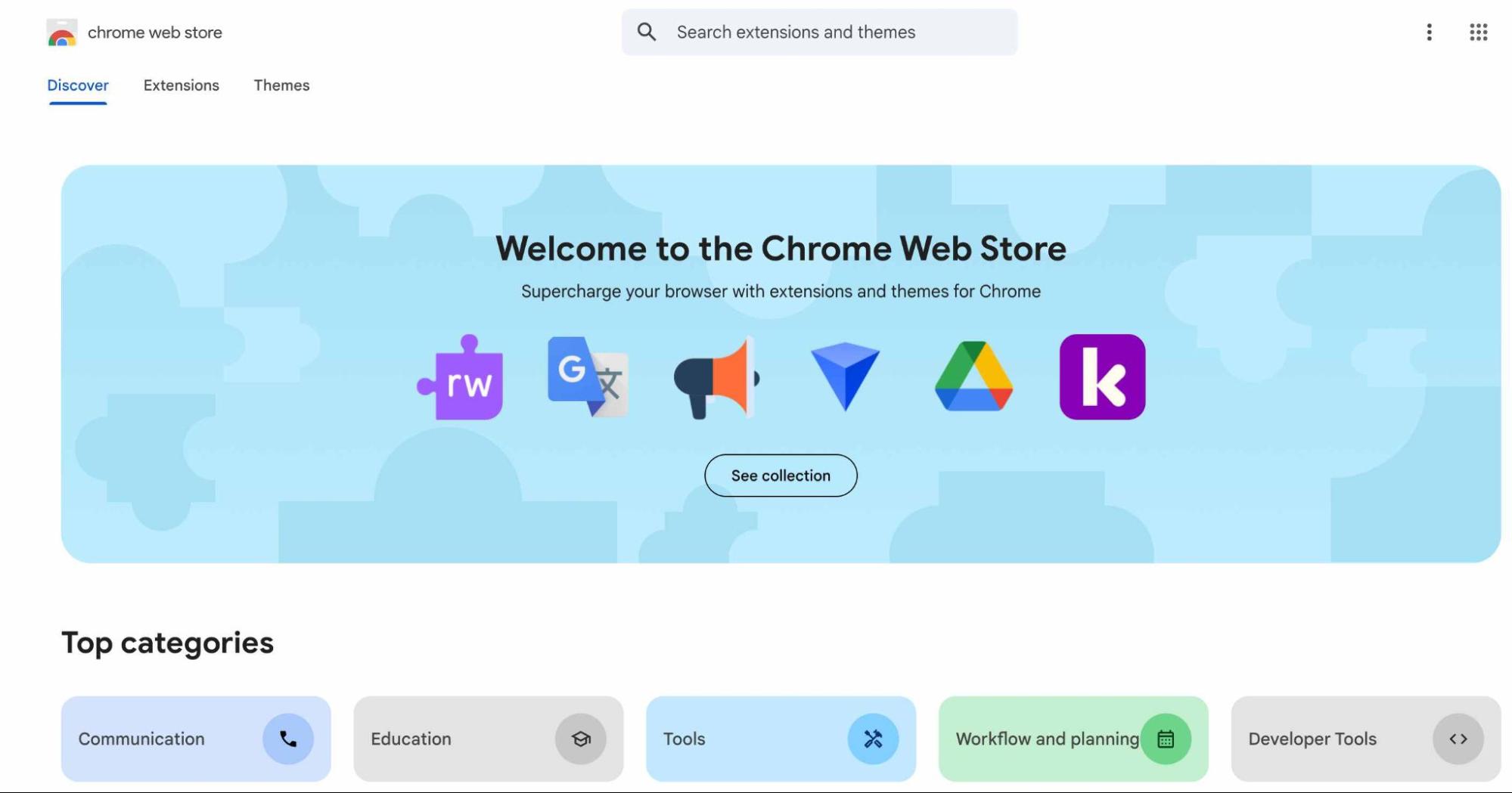
- Visit Chrome Web Store.
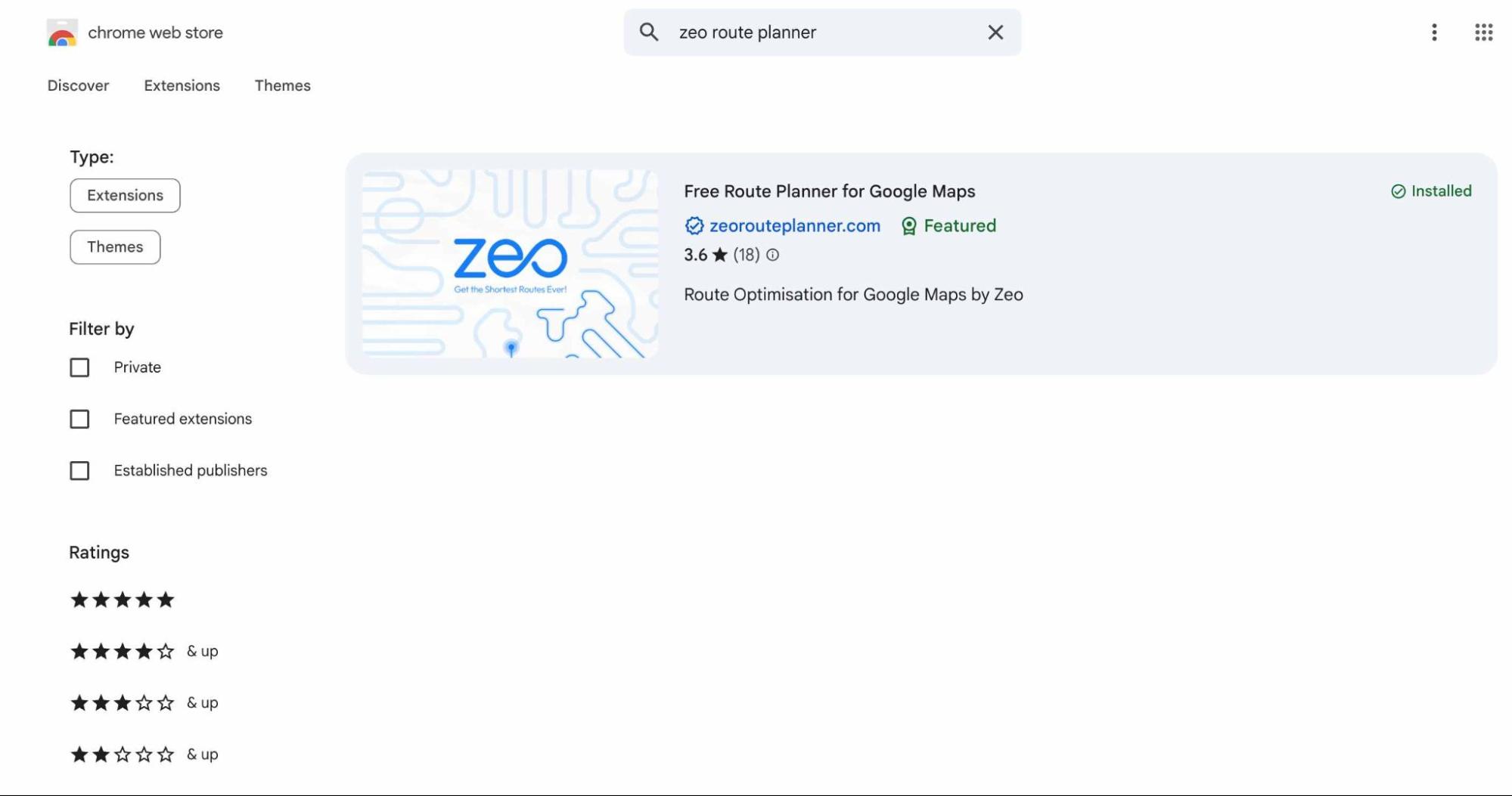
- Search for Zeo in the store.
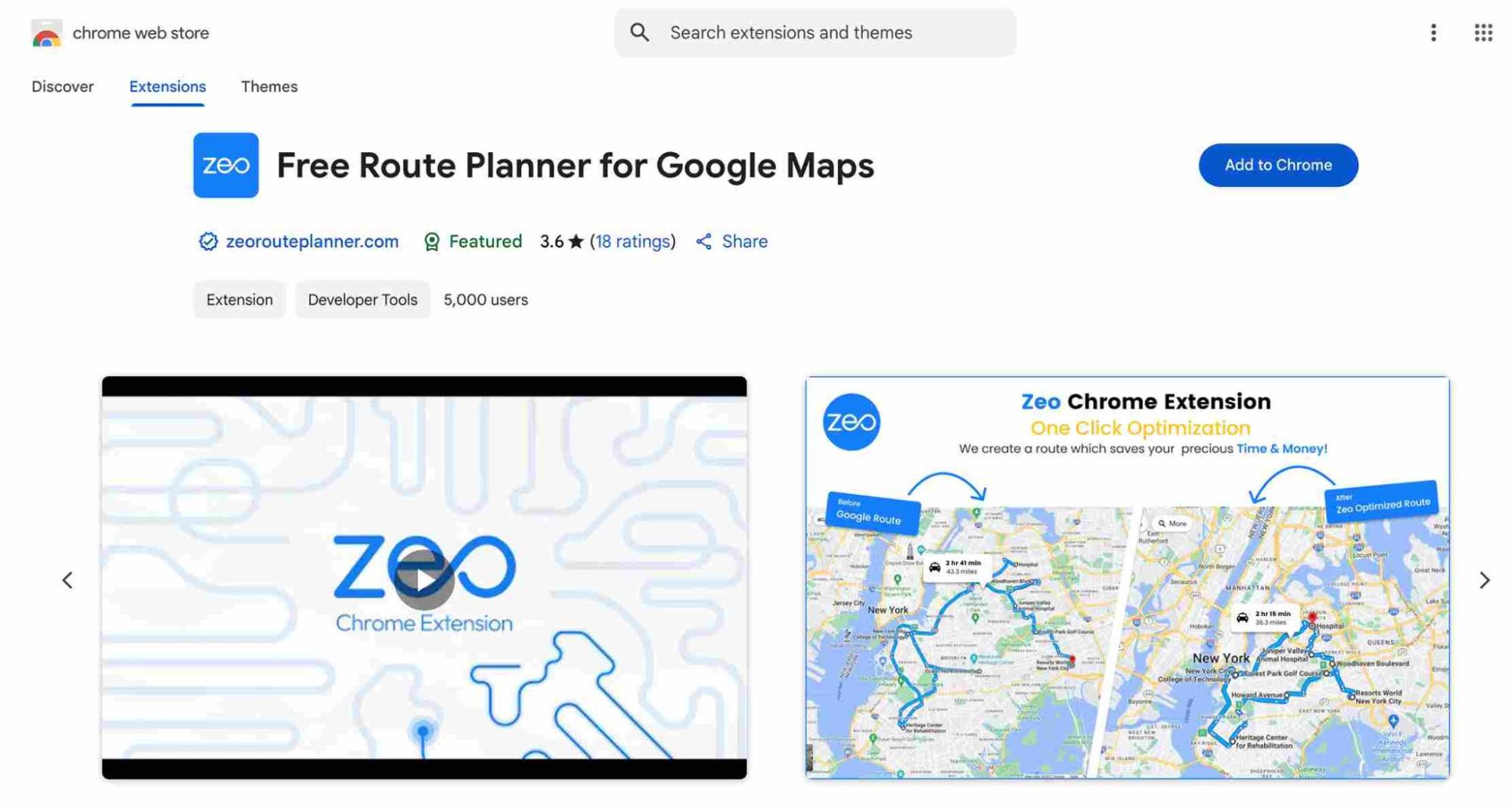
- Click on ‘Add it to Chrome’.
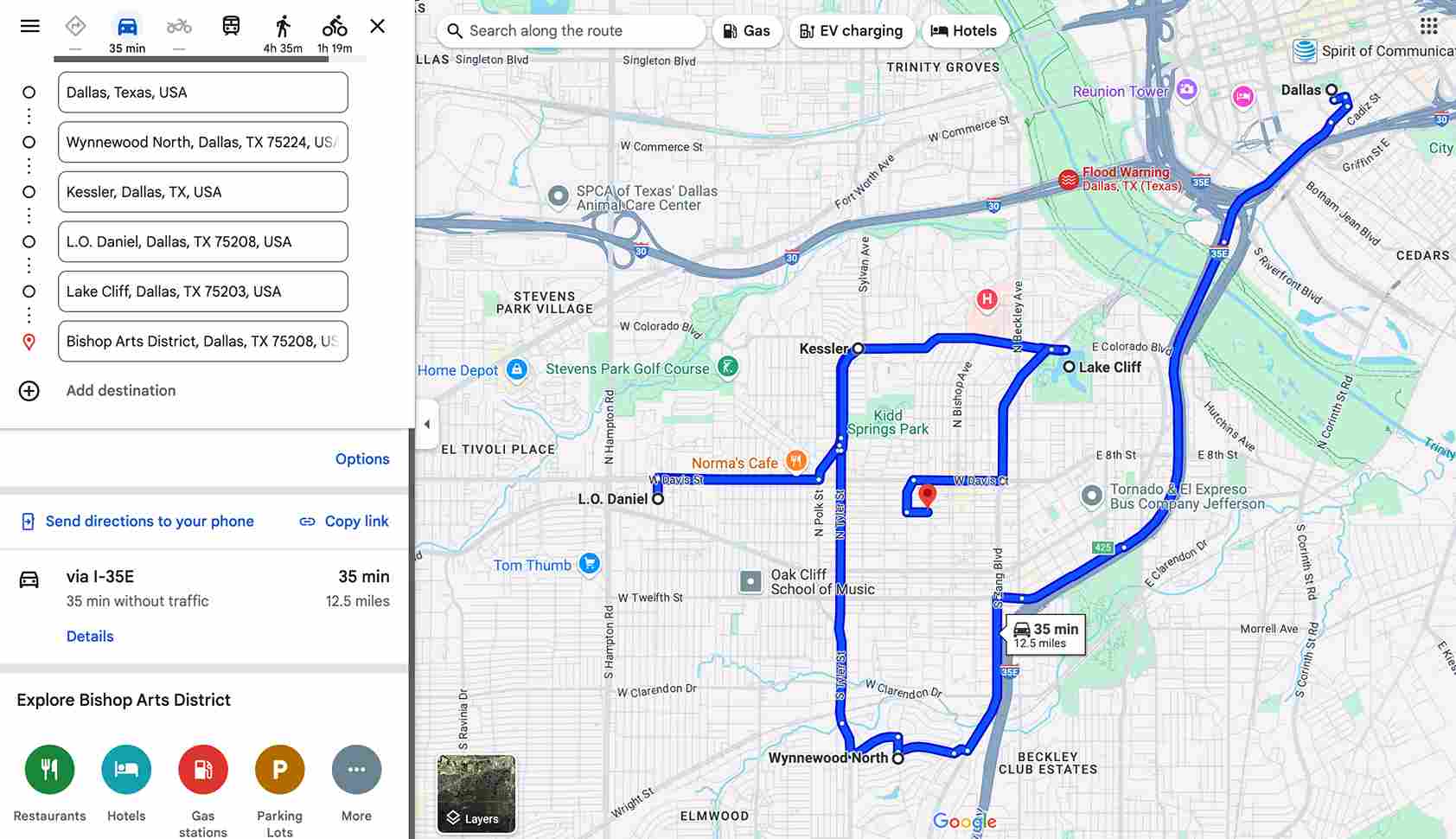
- Go to Google Maps.
- Add all the stops in your route that you want to be optimized.
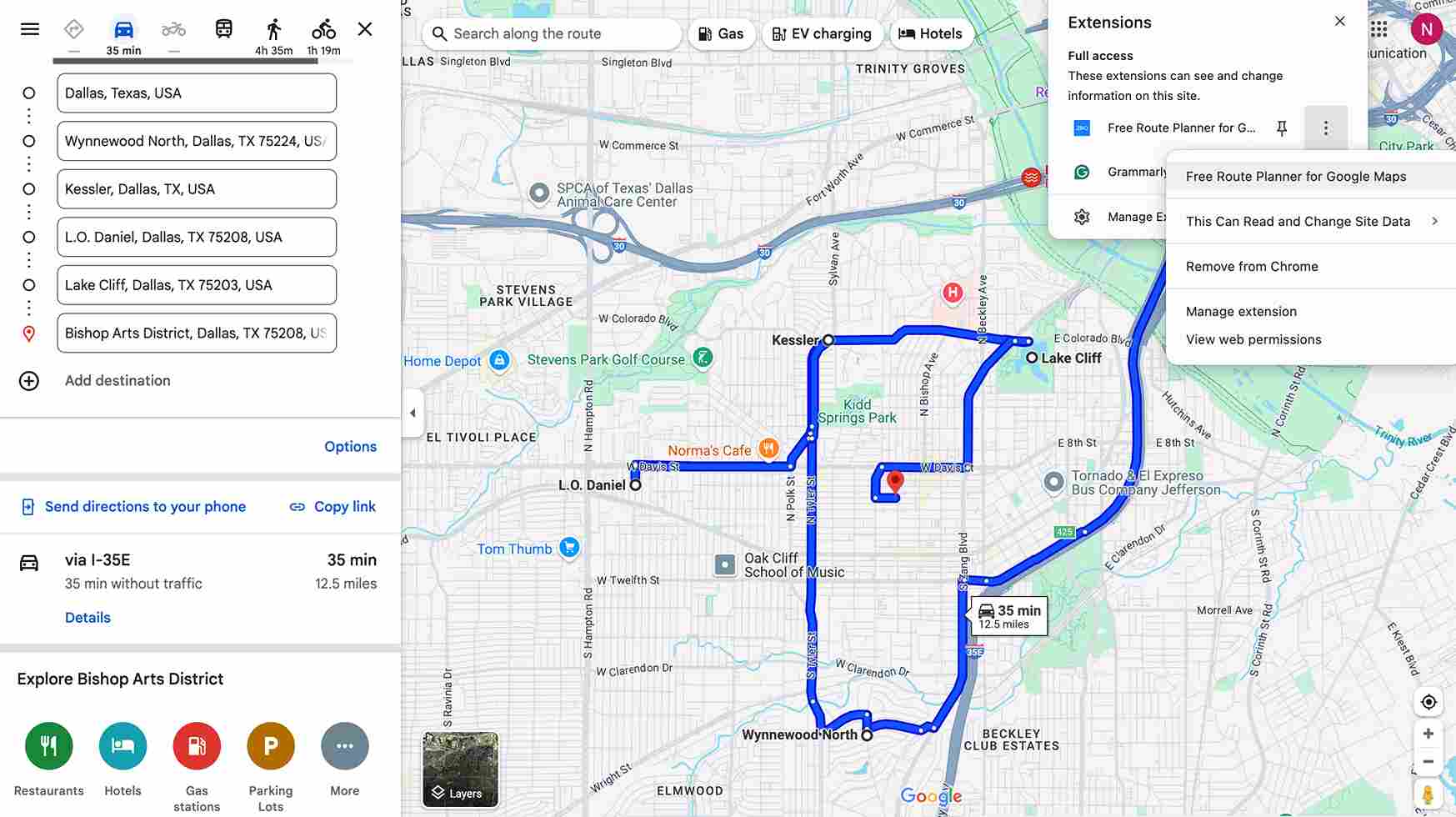
- Check the travel time before optimization.
- Open the Zeo Chrome Extension.
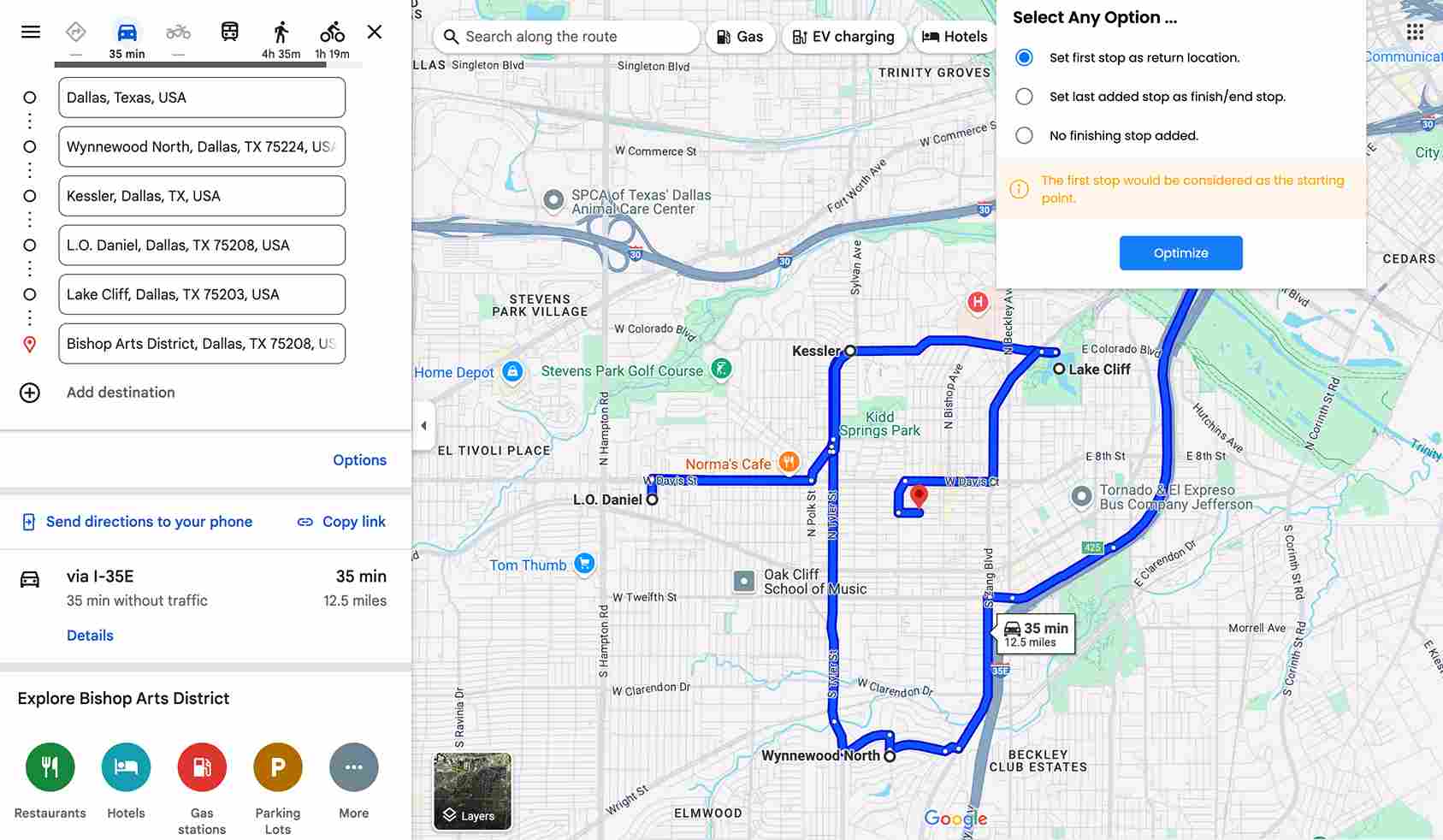
- Select ‘‘Optimize’’.
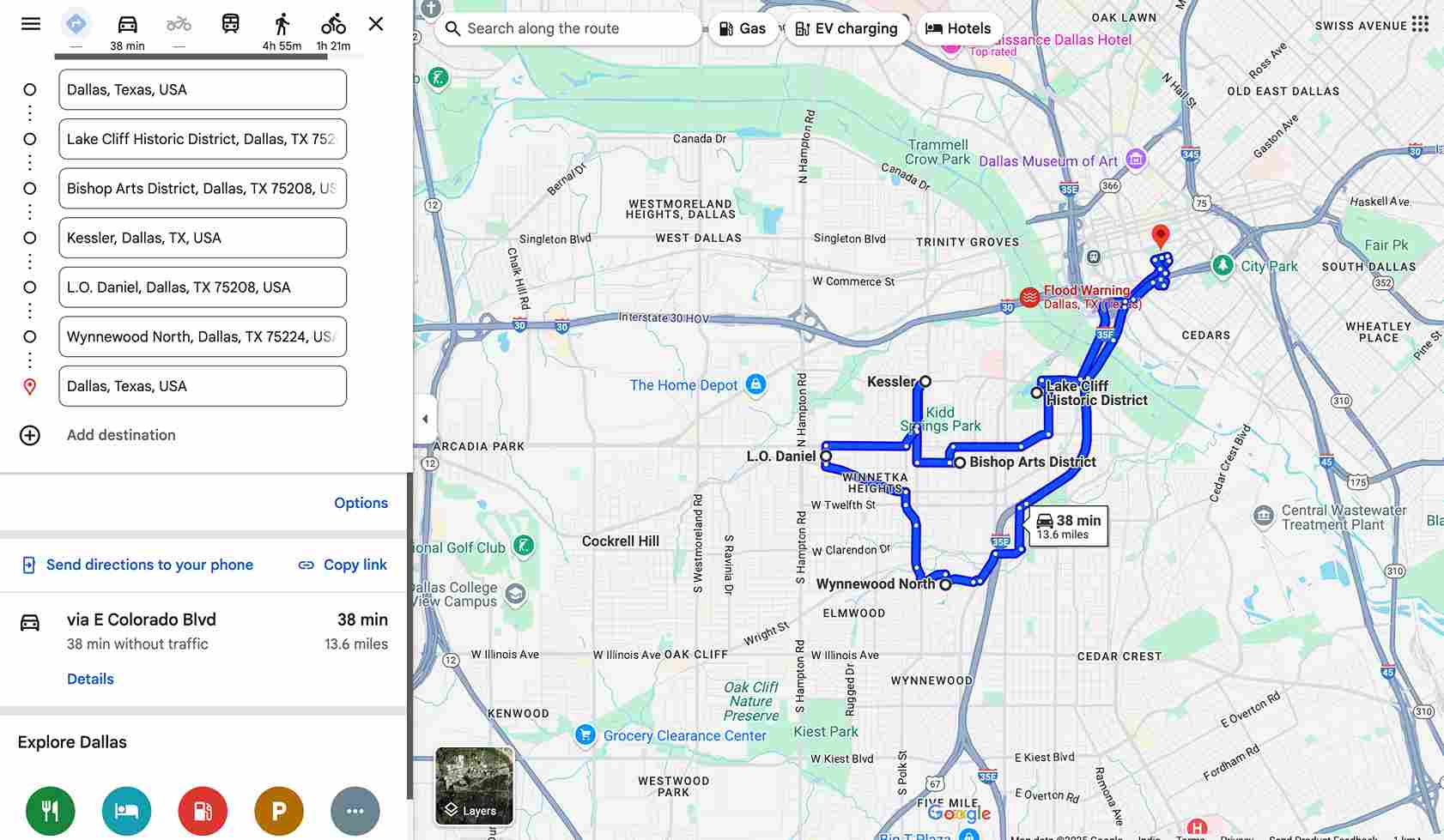
- The Zeo Chrome Extension quickly produces an optimized route.
Advantages of Using Zeo Chrome Extension
The Zeo Chrome Extension enhances efficiency, accuracy, and ease in route planning. It transforms the way you work and makes your job smarter and more productive.
- Getting started with the Zeo Chrome Extension is easy. The Zeo Chrome extension can make optimized routes instantly with a few steps.
- You simply need to input your stops into Zeo, and it does the heavy lifting by organizing and optimizing the route. Zeo helps you to focus on delivering great service instead of wasting time.
- Fuel expenses are one of the biggest expenses in operation, mainly for businesses that rely on fleets. By minimizing unnecessary driving, Zeo creates the shortest path for your stops. Thus, by cutting down on waste fuel, you can save money and reduce your carbon footprint.
- Zeo Route Planner simplifies multi-stop routing by allowing you to add unlimited stops. Zeo automatically organizes stops into the best sequence. When you are managing multiple destinations, missing the stops can cause many unwanted troubles.
- Planning efficient routes by ensuring driver well-being and safety is important. The Zeo Chrome Extension helps drivers stay focused and less stressed on the road through accurate route optimization.
Closing Thoughts
For companies and people dealing with the difficulties of route planning, the Zeo Chrome Extension is revolutionary. The combination of Google Maps with Zeo’s route planning software delivers instant, optimized routes without any mess up.
If you’re a fleet manager who wants a better navigation system, then Zeo Chrome Extension will be a perfect choice for you.
Are you prepared to up your routing game? To see the Zeo difference for yourself, use the Free Route Planner for Google Maps now!

Are you a fleet owner?
Want to manage your drivers and deliveries easily?
Grow your business effortlessly with Zeo Routes Planner – optimize routes and manage multiple drivers with ease.
increase fuel savings
Hassle Free Deliveries & Pickups!
Optimize routes with our algorithm, reducing travel time and costs efficiently.
Get Started for Free



















