...
Reading Time: 4 minutes
Fleet Platform
Mobile App

Export Your Data,
Your Way

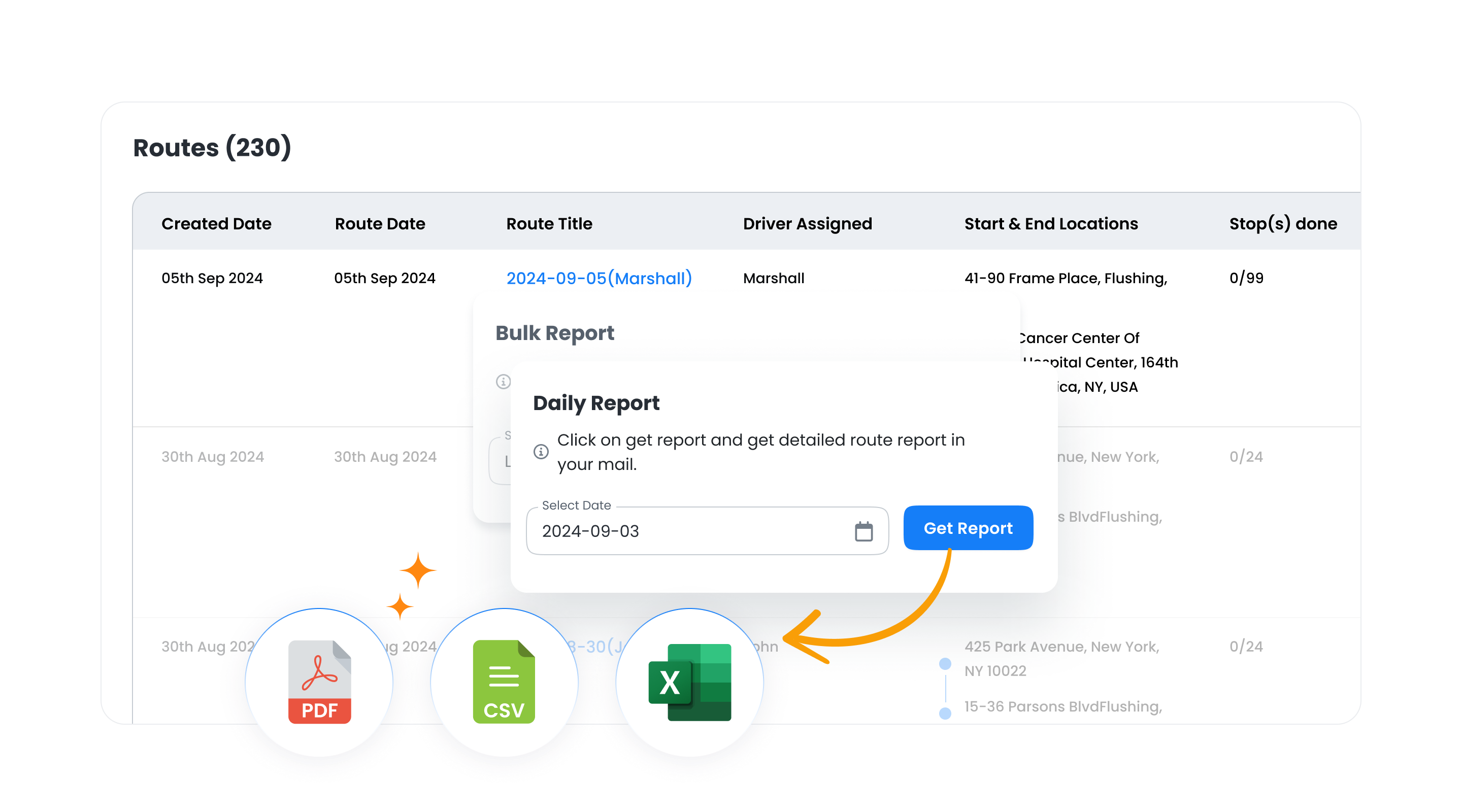
Download route data in CSV, Excel, or PDF format. Single routes, bulk exports,
or custom date ranges—get the data you need for compliance, analysis, or sharing.


Report Exports, Zeo Route Planner
  • 3

    Fewer “where are you?” calls

  • 5

    Automatic notification triggers

  • Historical data access

5 Export Options for Every Need

From quick single-route downloads to comprehensive fleet summaries

  • Report Exports, Zeo Route Planner

    Single Route Export

    Download complete details for any individual route. Stop list, times, status, proof of service data—everything in one file for record-keeping or analysis.

    • CSV
    • Excel
    • PDF
  • Report Exports, Zeo Route Planner

    Bulk Date Range Export

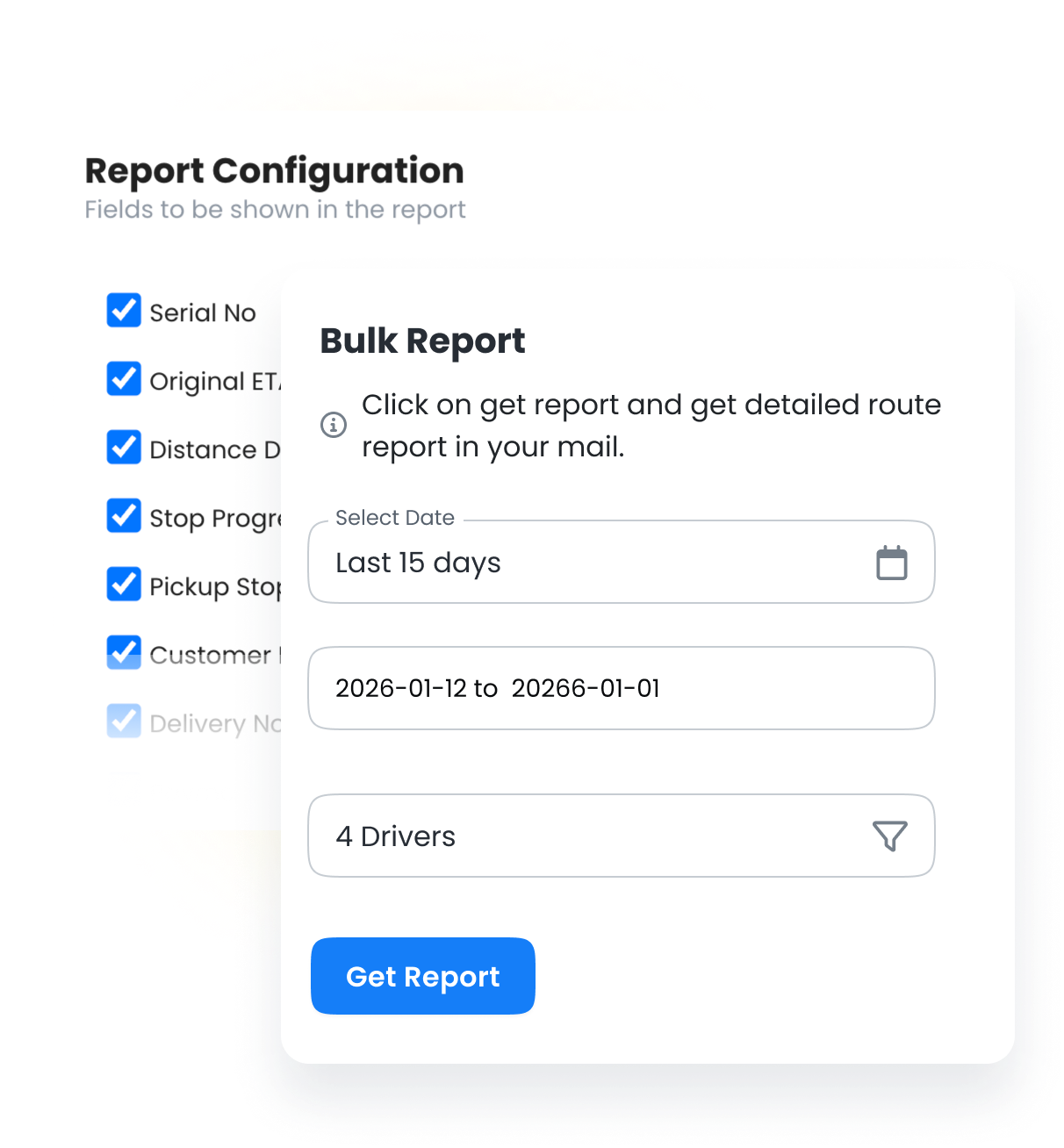
    Export all routes within a date range. Perfect for monthly compliance reports, quarterly reviews, or annual summaries. Filter by driver, status, or outcome.

    • CSV
    • Excel
  • Report Exports, Zeo Route Planner

    Custom Column Selection

    Choose exactly which fields to include. Create lean exports with just what you need or comprehensive reports with every data point.

    • CSV
    • Excel
  • Report Exports, Zeo Route Planner

    Async Generation

    Large exports process in the background. Get notified when ready and download from your export history. No waiting or browser timeouts.

    • All Formats
  • Report Exports, Zeo Route Planner

    Fleet Summary Reports

    Aggregated fleet performance summaries with key metrics, driver comparisons, and trend data. Perfect for management reporting and stakeholder updates.

    • Excel
    • PDF

Export Formats

The right format for every use case

  • Group 11880 4, Zeo Route Planner

    CSV

    Universal spreadsheet format compatible with any software. Best for data analysis and imports.

    • Universal compatibility
    • Easy to import anywhere
    • Lightweight file size
    • Perfect for data processing
  • G543 2, Zeo Route Planner

    Excel (.xlsx)

    Full-featured spreadsheets with formatting, multiple sheets, and formulas preserved.

    • Multiple sheets per file
    • Formatting preserved
    • Charts and formulas
    • Professional presentation
  • G543 2, Zeo Route Planner

    PDF

    Print-ready formatted reports. Perfect for sharing, compliance records, and archiving.

    • Professional formatting
    • Print-ready layout
    • Includes company branding
    • Ideal for compliance

Customize Your Exports

Simple, transparent SMS pricing with easy credit management.

Calculator 1, Zeo Route Planner

Column Selection

Choose which fields to include. Skip unnecessary columns for cleaner, focused exports.

Icon 1, Zeo Route Planner

Filter & Sort

Filter by date, driver, status, or outcome. Sort by any column before exporting.

Group 2, Zeo Route Planner

Date Range Selection

Quick presets (today, this week, this month) or custom date ranges for precise data pulls.

Icon 2, Zeo Route Planner

Save Export Templates

Save your column and filter selections as templates. Reuse for recurring reports.
Report Exports, Zeo Route Planner

Manual Tracking vs. Zeo Exports

The difference automated record-keeping makes

Report Exports, Zeo Route Planner
Manual Records


  • Handwritten logs prone to errors
  • Hours compiling reports manually
  • Missing data and gaps
  • Hard to find historical records
  • Compliance audits are stressful

Report Exports, Zeo Route Planner
Zeo Exports


  • Automatic, accurate record-keeping
  • One-click export in seconds
  • Complete data for every stop
  • Instant access to any date
  • Compliance-ready reports always

How Businesses Use Exports

Data exports for compliance, billing, and analysis

DELIVERY

Pharmaceutical Compliance

A pharmaceutical delivery company exports monthly reports showing chain-of-custody for controlled substances. PDF exports with timestamps and signatures satisfy regulatory requirements without manual paperwork.

FIELD SERVICE

Contract Billing Verification

A commercial cleaning company exports weekly service records for each client. Excel reports show visit times and proof-of-service photos, supporting invoices and resolving any service disputes.

Group 1707478361, Zeo Route Planner

Your Data, Ready When You Need It

Export route data for compliance, analysis, or sharing in seconds

Group 1707478363, Zeo Route Planner

Zeo Questionnaire

Frequently
Asked
Questions

Know More

Report Exports

Is there a limit to how much data I can export?

No limits on data exports. Export all historical data going back to when you started using Zeo. Large exports (10,000+ rows) process asynchronously so you can continue working while they generate.

Can I schedule automatic exports?

Zeo automatically generates export data when routes complete. You can download reports at any time for any date range. For integration with external systems, use our REST API to programmatically retrieve export data.

Are proof-of-service photos included in exports?

PDF exports can include thumbnail images. CSV and Excel exports include links to full-resolution photos stored in your account. You can also bulk download all photos for a date range separately.

Can I export data through the API?

Yes, all export functionality is available through our REST API. Programmatically request exports, check generation status, and download files for integration with your other systems.

Zeo Blogs

Explore our blog for insightful articles, expert advice, and inspiring content that keeps you informed.

2026 01 06 Home Inspection Scheduling Software Featured, Zeo Route Planner

Best Home Inspection Scheduling Software Guide 2026

Reading Time: 7 minutesComplete guide to choosing home inspection scheduling software that optimizes routes, reduces drive time 30%, and provides real-time updates to agents.

2026 01 06 Pool Service Route Scheduling Software Featured, Zeo Route Planner

Pool Service Route Scheduling Software: Complete Guide 2026

Reading Time: 8 minutesTransform your pool service operations with route scheduling software. Cut 2-3 hours of daily planning, handle seasonal demand, and optimize multi-crew routes.

2026 01 06 Multiple Delivery Runs Optimization Auto Parts Featured, Zeo Route Planner

Multiple Delivery Runs Optimization for Auto Parts Distributors

Reading Time: 9 minutesTransform chaotic multiple delivery runs into streamlined auto parts operations. Cut costs 25-30% with smart optimization strategies for urgent deliveries.