



Updated on: July 21, 2025
In the fast-paced world of automotive logistics, inefficiency can negatively affect customer satisfaction. The strategic implementation of advanced technologies can enhance visibility and ensure timely and accurate deliveries. To stay on top of fleet management operations, keeping track of every delivery and managing routes plays an important role. Here come the role of Zeo’s fleet management solution to streamline automotive logistics.
Now let’s see how you can streamline automotive logistics with Zeo’s Fleet Management Solution.
How Zeo’s Features Streamline Automotive Logistics
Zeo’s fleet management solution offers a platform that is designed to optimize and simplify automotive fleet operations. Here are the features of Zeo that can redefine logistics management.
#1. Live Route Tracking
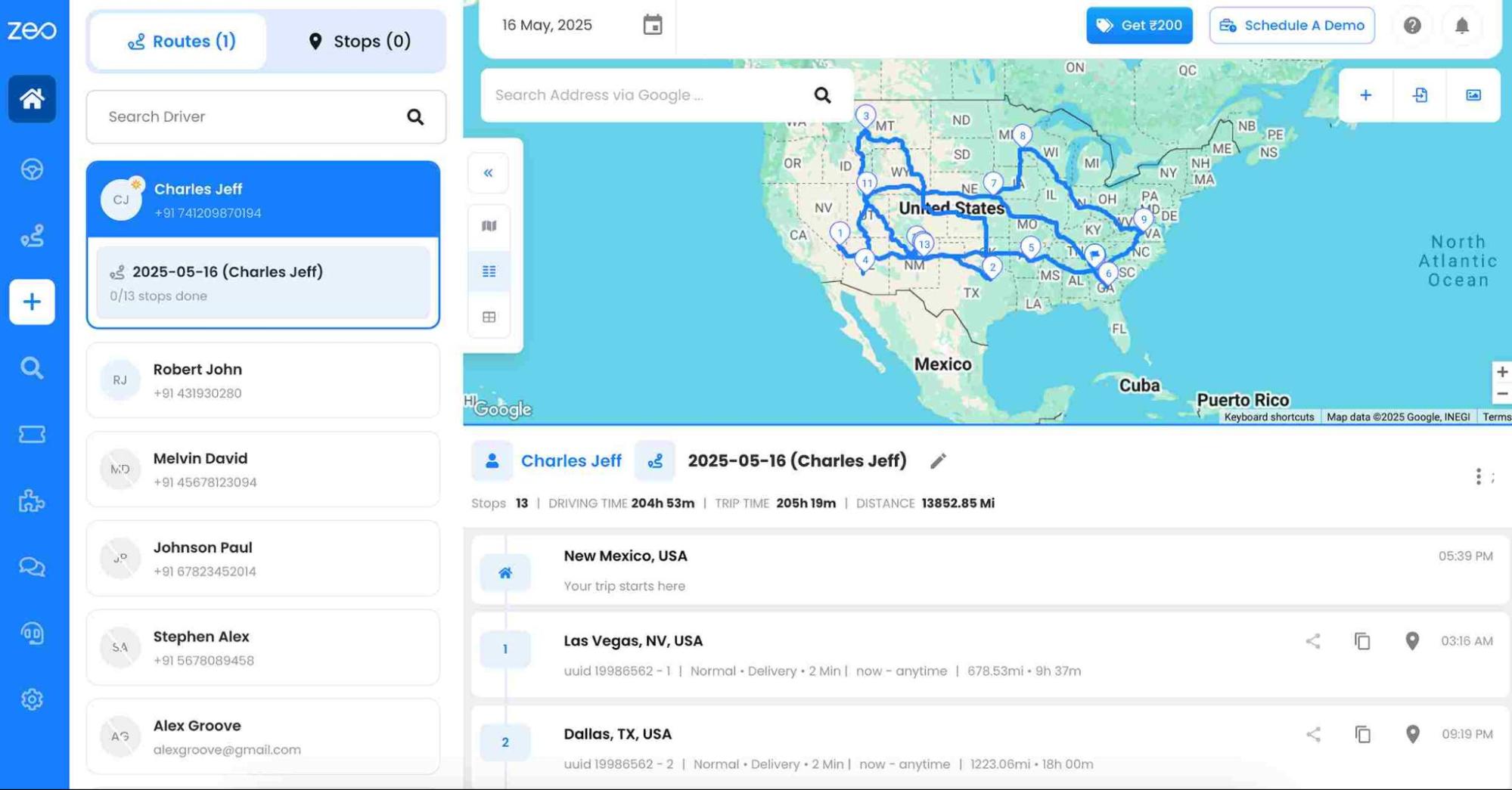
In automotive logistics, the parts of automobiles should reach their destinations on time. To monitor this, Zeo’s live route tracking plays a crucial role. It helps in detecting delays and streamlining schedules. Thus, the fleet logistics managers can improve coordination with drivers. To run an automotive business confidently the live route tracking can make deliveries on schedule, enhance trust, and strengthen long-term partnerships.
In automotive logistics live location of the fleet is vital to ensure that the parts of automobiles reach their destinations on time. With complete oversight of their fleet, logistics managers can improve coordination between manufacturing plants, warehouses, and dealerships.
#2. Route Optimization
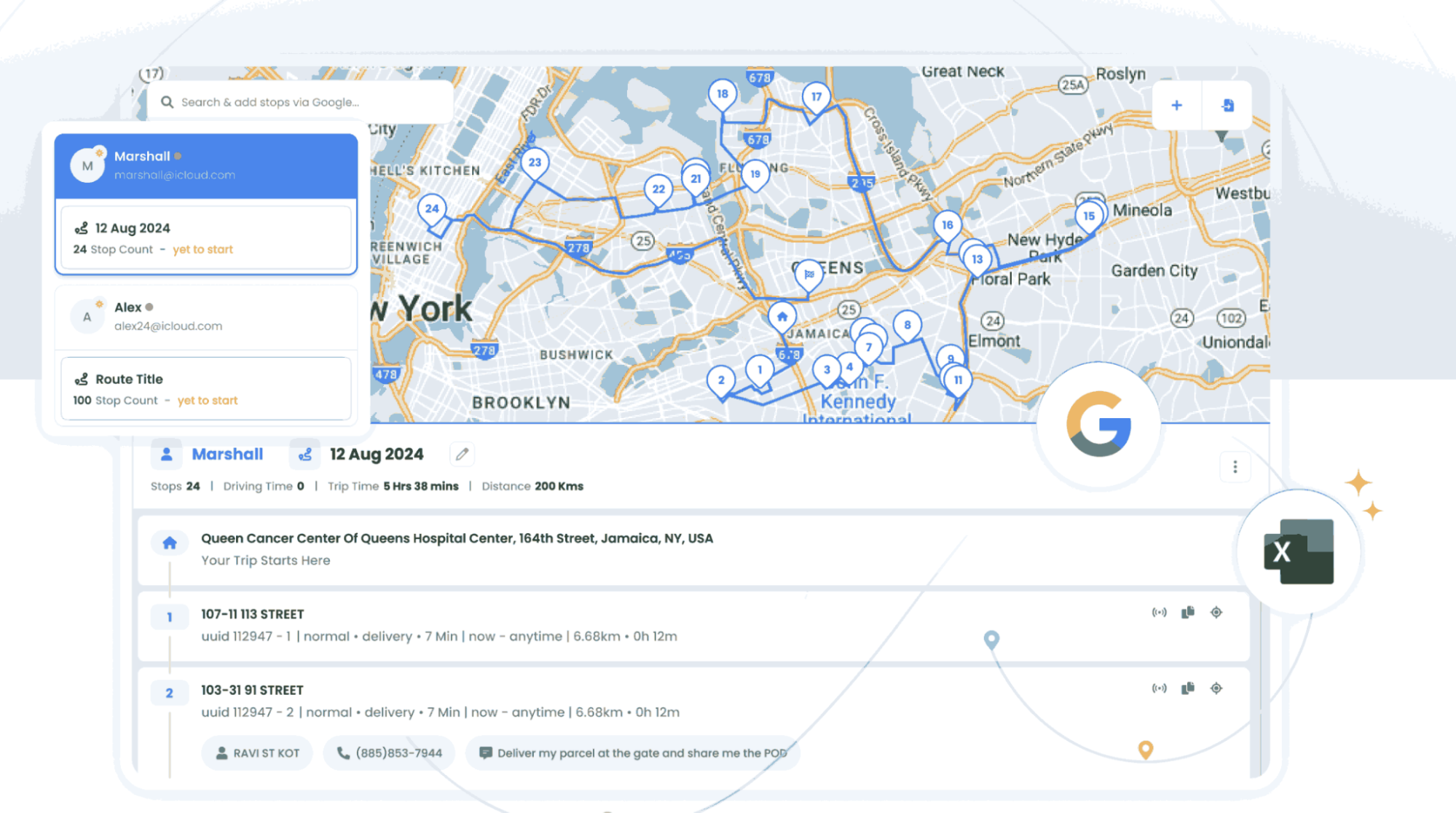
Automotive logistics undergo complex navigation to find the exact delivery routes. Zeo’s logistics route optimization feature can calculate the best routes which is done by analyzing the number of stops, delivery priority, and delivery schedules. By optimizing routes, the automotive logistics companies can provide a reduction in delivery time and fuel consumption.
#3. Driver Management
Skilled and efficient drivers are the success of automotive logistics. Zeo driver management feature simplifies overall activities by managing driver schedules and monitoring driver performance. This also helps the managers to minimize the risk associated with high-value shipments. By using Zeo’s Driver Management feature, companies can cut costs and deliver consistently across the supply chain.
#4. Automated Delivery Updates
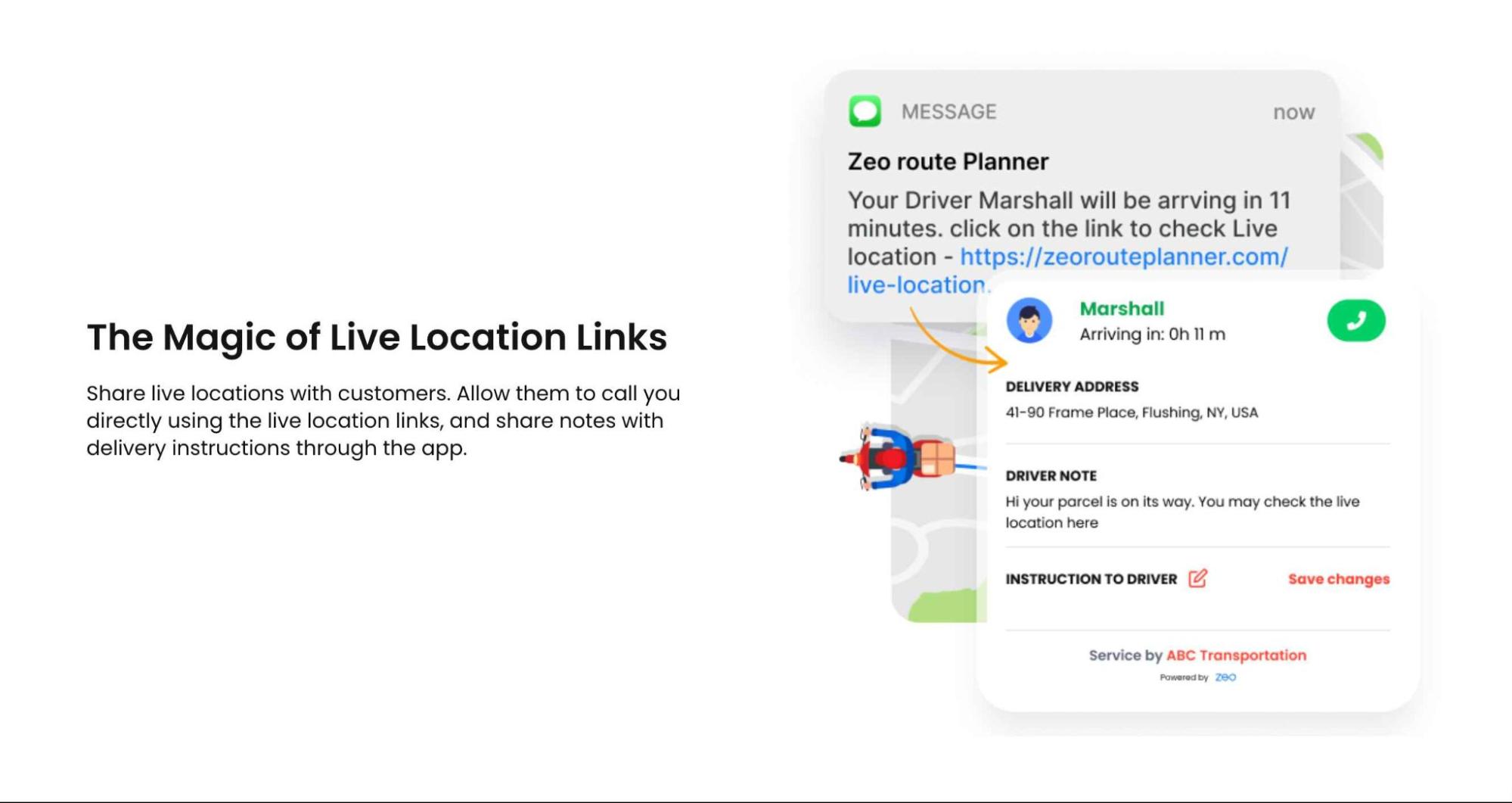
To keep the customers happy and satisfied, it is very important to provide information about the delivery progress. By Zeo’s automated delivery update feature, the customers get automatically sent instant and accurate updates. Thus, timely delivery updates create transparency and trust among the stakeholders.
#5. Collect Proof of Delivery

increase fuel savings
Hassle Free Deliveries & Pickups!
Optimize routes with our algorithm, reducing travel time and costs efficiently.
Get Started for Free
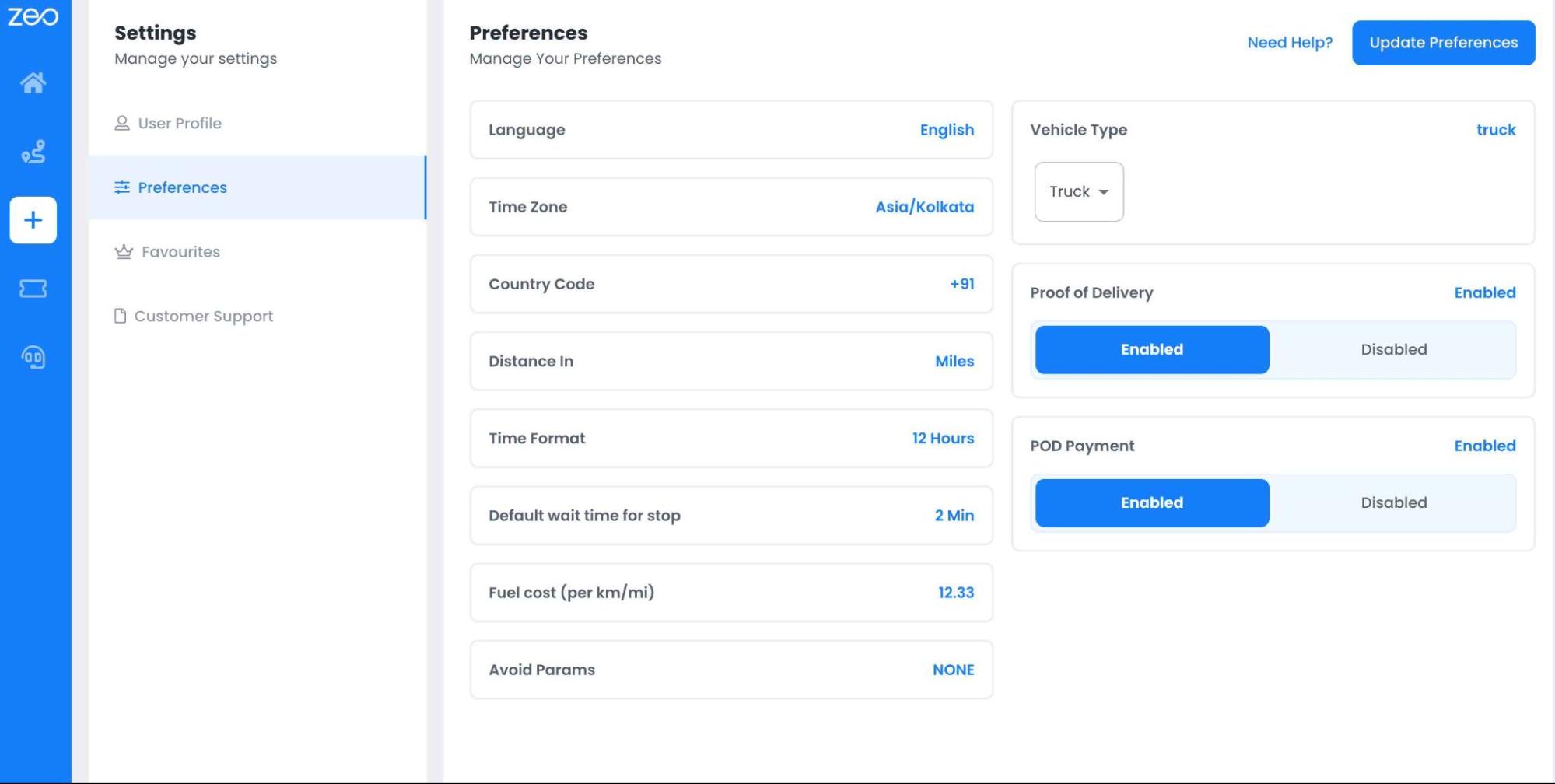
In the automotive industry, accurate delivery confirmation is non-negotiable as it deals with high-value products. Zeo’s proof of delivery feature allows the automotive logistics driver to capture photos and signature, which provides evidence of completed deliveries. This feature ensures seamless transfer of goods by eliminating disputes and improving accountability. Hence, the automotive clients can have peace of mind as the products are handled with care.
#6. Route Analytics
To optimize costs and to improve delivery performance automotive logistics demands data-driven decision making. For streamlining automotive logistics Zeo’s route analytics convert fleet data into useful report for future analysis. The route analytics of Zeo can tells how to optimize everything from dispatch to delivery and shows how well your routes are performing.
#7. Mobile App for Drivers
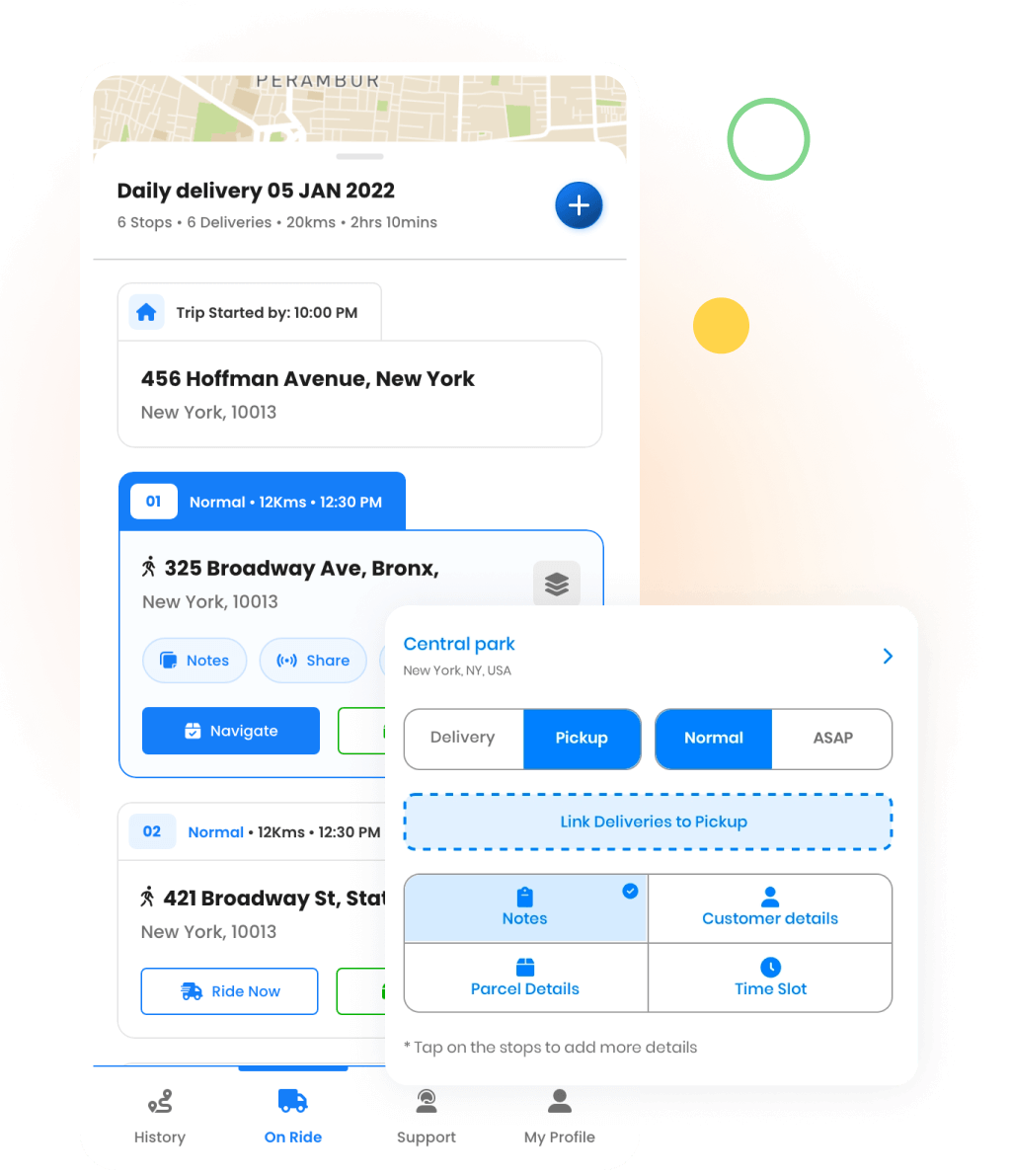
In automotive logistics drivers often operate under tight schedules. Zeo’s Mobile Driver App ensures your fleet on time, provides real-time navigation and ensures that they stay productive and on track. A seamless supply chain experience helps automotive firms by ensuring that each part or vehicle reaches its destination quickly and effectively.
Why Automotive Businesses Should Choose Zeo
Zeo Route Planner is a reliable partner for automotive logistics companies, focusing on accuracy, dependability, and efficiency. It uses advanced technologies like analytics, route optimization, and real-time tracking to handle complex supply chains and meet urgent delivery dates.
Zeo Route Planner offers features tailored to meet the industry’s demands. These features include live route tracking, logistics route optimization, and automatic delivery updates. By reducing idle time, ensuring on-time delivery, and improving transparency, Zeo Route Planner helps automotive companies improve customer satisfaction, cut costs, and streamline operations.
Key benefits of partnering with Zeo include:
- Enhanced Operational Efficiency: Automate fleet management tasks and streamline logistics with solutions tailored to the complexities of automotive logistics, reducing downtime and ensuring smooth operations.
- Cost Optimization: Minimize fuel expenses and maintenance costs through precise logistics route optimization, cutting down unnecessary mileage and operational overheads.
- Improved Delivery Performance: Achieve consistent on-time deliveries with features designed to mitigate delays, improving customer satisfaction and reinforcing trust in your service.
- Customizable Scalability: Flexible solutions that evolve alongside your business, ensuring you’re always equipped to handle growing fleets and shifting demands.
- Actionable Insights: Leverage route analytics to identify patterns, optimize workflows, and make data-driven decisions that maximize profitability.
Zeo is more than a route planner, it’s a comprehensive partner that empowers automotive businesses to overcome logistical challenges, exceed customer expectations, and drive measurable growth in a competitive market.
Conclusion
Embracing smart, innovative solutions like Zeo Route Planner is the key to outpacing challenges, exceeding customer expectations, and driving sustainable growth. From cutting-edge logistics route optimization to real-time fleet tracking, Zeo equips your business with the tools needed to thrive in an ever-evolving industry.
Take the leap towards smarter operations and unmatched efficiency. Schedule a demo with Zeo experts today and discover how we can revolutionize your fleet management and logistics strategy. Let’s drive your business toward success together!

Are you a fleet owner?
Want to manage your drivers and deliveries easily?
Grow your business effortlessly with Zeo Routes Planner – optimize routes and manage multiple drivers with ease.
increase fuel savings
Save 2 Hours on Deliveries, Everyday!
Optimize routes with our algorithm, reducing travel time and costs efficiently.
Get Started for Free



















