


Updated on: October 25, 2026
TL;DR: Telecom fleets future-proof their operations by replacing static routing with AI-powered route optimization that adapts to traffic, service windows, and technician skill sets in real time. Field service delays cost telecom providers both revenue and customer trust, especially as network rollouts accelerate. Route optimization tools like Zeo Route Planner address this with skill-based driver assignment and dynamic route adjustments mid-shift, helping telecom teams save 2+ hours daily.
Imagine a telecom technician stuck in traffic, with three more service calls to complete by the end of the day. Every minute wasted means a frustrated customer and increased operational costs. This scenario is all too familiar for companies struggling with inefficient fleet management. As telecom networks expand and the demand for fast service rises, outdated methods just won’t cut it anymore. The key to staying ahead? Smarter route optimization with tools that future-proof your telecom fleet management.
Telecom fleet management isn’t just about getting technicians from point A to point B. It’s about efficiency, cost control, and ensuring that every service call is completed on time, always. And to do that in today’s fast-paced tech-driven world, companies need powerful, intuitive route-planning solutions like Zeo Route Planner. Before we dive into how Zeo future-proofs telecom fleet management, let’s understand the challenges.
The Common Challenges of Telecom Fleet Management
Telecom fleets operate under constant pressure. Service calls come in from different locations, often in highly congested areas. Technicians must move swiftly between jobs to maintain service standards. Without effective route planning, these challenges quickly snowball into larger problems.
- Inefficient Route Planning: Without optimized routing, technicians can easily end up on longer, more inefficient paths. This means they spend more time on the road and less time serving customers.
- High Operational Costs: Poor route planning leads to higher fuel consumption and more wear-and-tear on vehicles, not to mention increased labor costs. According to the U.S. Bureau of Transportation Statistics, vehicle operating costs continue to climb year over year, making every unnecessary mile a direct hit to margins.
- Delayed Service Delivery: Inaccurate routes cause delays, leaving customers waiting for hours. This not only impacts customer satisfaction but also the brand’s reputation.
- Technician Fatigue: When drivers spend extra hours navigating inefficient routes, fatigue sets in. This leads to a decline in job performance and can result in more service errors. The Bureau of Labor Statistics has repeatedly flagged driver fatigue as a measurable factor in workplace incident rates across field service and transportation roles.
These challenges can cripple telecom companies that don’t evolve. The good news is that they’re entirely avoidable with the right route planner in place.
How Zeo Route Planner Future-Proofs Telecom Fleet Management
The future of Telecom Fleet Management lies in smart route optimization tools that do the heavy lifting. Zeo Route Planner is designed to make routing as efficient as possible, turning everyday fleet management problems into solutions that boost performance and save costs. But how does it do this?
- Real-Time Route Optimization: Telecom technicians rarely follow the same routes every day. Traffic, construction, and weather conditions can change in an instant. Zeo’s route optimization enables you to plan routes on the fly, ensuring your technicians take the most efficient path at all times. This helps avoid traffic jams, accidents, and delays.
- Live Tracking: As a fleet manager, you need to know where your vehicles are at any given moment. Zeo’s live tracking feature provides full visibility into your fleet’s movements, allowing you to dispatch technicians faster and adjust routes in real-time based on current conditions.
- Multi-Stop Route Planning: Telecom technicians often need to handle multiple service calls within a single trip. Zeo allows you to seamlessly plan multi-stop routes, so your fleet covers the most ground in the least time possible, all while keeping fuel costs low and job efficiency high.
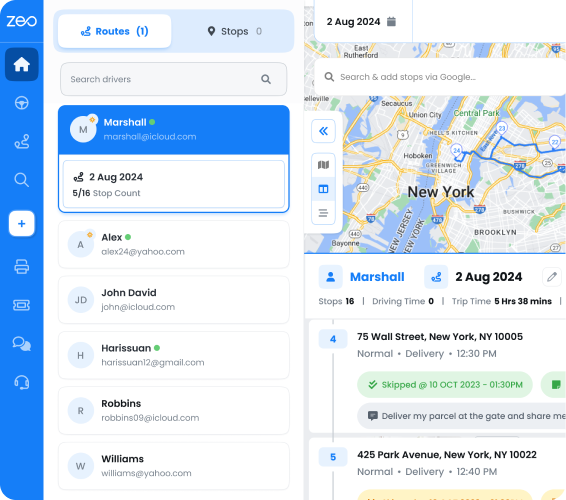
- Centralized Monitoring: With Zeo Route Planner, fleet managers can oversee all fleet operations in one place. By integrating with your existing fleet management systems, Zeo makes it easy to manage and monitor all deliveries, service calls, and routes from a single dashboard. This ensures better communication between fleet managers and technicians, reducing service delays.
- Data-Driven Insights: Zeo provides deep, data-driven analytical insights into fleet performance. These analytics help you understand patterns in fleet activity, make informed decisions, and fine-tune your operations for future efficiency. Whether it’s identifying fuel wastage or optimizing technician scheduling, these insights will keep your telecom fleet running at peak efficiency.
Why Route Planning is the Key to Future Telecom Success
The telecom industry is evolving rapidly, and so is the demand for efficient service delivery. Telecom fleet management isn’t just about managing drivers and vehicles anymore. It’s about optimizing every aspect of your operation. Here’s how route planning with Zeo helps future-proof your fleet:
- Cost Reduction: Route optimization cuts down unnecessary mileage, saving fuel and reducing vehicle maintenance costs. Over time, these savings add up, allowing your fleet to operate on leaner budgets without sacrificing service quality.
- Improved Technician Productivity: With optimized routes, technicians can attend to more service calls each day. That means fewer delays, happier customers, and more work completed in less time.
- Customer Satisfaction: In today’s competitive telecom market, customer satisfaction is everything. Efficient route planning ensures that technicians arrive on time and ready to serve, giving customers the reliable service they expect.
- Environmental Impact: Sustainability is becoming more critical, even in fleet management. Optimized routes help reduce your fleet’s carbon footprint by lowering fuel consumption and cutting down unnecessary driving. The U.S. Environmental Protection Agency notes that transportation remains one of the largest sources of greenhouse gas emissions, which means fewer miles driven translates directly into a smaller fleet footprint. Telecom companies that prioritize sustainability will be better equipped to meet future regulatory demands.
Managing Scheduled Installations and Last-Minute Service Changes
Telecom fleets don’t just handle one-off service calls. Many technicians work from recurring maintenance schedules, planned installations, and multi-day rollout projects that require consistency across weeks or months. When a technician calls in sick or a route needs a different skill set for a single day, swapping out an entire schedule shouldn’t mean starting from scratch.
Zeo’s Date Override feature lets fleet managers change the assigned technician for a single day without disrupting the rest of a scheduled route, while Day Plan allows different technicians to be assigned to specific days within the same recurring route. For planned downtime, such as a holiday or a facility closure, Blackout Dates let you pause a scheduled route temporarily instead of deleting and rebuilding it later. These capabilities matter for telecom operations where installation crews, maintenance teams, and emergency repair technicians often rotate through the same service areas on different timelines.
Building Faster Routes from Existing Data
Telecom companies often maintain long lists of recurring service addresses, from cell tower sites to residential installation points. Re-entering these locations every time a new route is built wastes time that technicians and dispatchers don’t have. Zeo’s Favorites feature stores frequently used stops, and Quick Route Creation from Favorites turns saved lists into a ready-to-go route in a few clicks.

increase fuel savings
Hassle Free Deliveries & Pickups!
Optimize routes with our algorithm, reducing travel time and costs efficiently.
Get Started for Free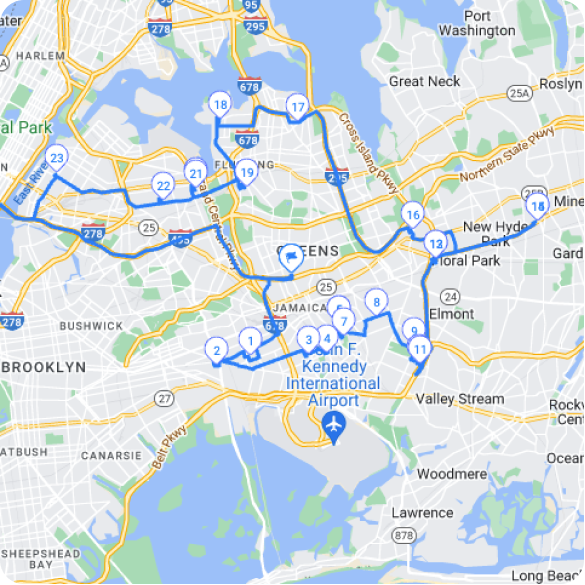
For fleets managing hundreds of addresses, bulk upload directly into Favorites means a spreadsheet of service locations can be saved once and reused across multiple routes. Combined with multi-source stop upload, which accepts spreadsheets, images, Favorites lists, or Google Search results, dispatchers spend less time on data entry and more time managing actual service delivery.
Conclusion
The future of telecom fleet management relies on adopting route planning tools that not only solve today’s problems but also prepare your fleet for the challenges ahead. Zeo Route Planner is more than just a routing tool, it’s the key to unlocking your fleet’s full potential. Whether you’re aiming to cut costs, improve technician performance, or boost customer satisfaction, Zeo provides the solutions you need to stay ahead in an ever-changing landscape.
It’s time to invest in smarter, more efficient fleet management strategies, and with Zeo Route Planner, your telecom fleet will be ready to tackle whatever the future holds. Schedule a demo with Zeo experts to understand how you can stay ahead of the curve.
Frequently Asked Questions
What causes the most delays in telecom field service scheduling?
The biggest causes of delay are inaccurate travel time estimates, last-minute service cancellations, and technicians being assigned jobs outside their skill set or coverage area. Traffic congestion and poor initial route sequencing compound these issues throughout the day. Addressing the scheduling side first, before adjusting for traffic, typically prevents the largest share of daily delays.
How many service calls should a telecom technician realistically handle per day?
This depends on job complexity, travel distance between sites, and whether installations or simple repairs make up the workload, but most field service benchmarks suggest 6-10 stops per technician per day for mixed installation and maintenance routes. Routes with heavy drive time between rural cell sites will naturally see fewer completed calls. Capacity planning should account for both job duration and realistic travel buffers rather than a fixed daily quota.
How can telecom companies reduce fuel costs across a growing fleet?
Reducing unnecessary mileage through better route sequencing is the single largest lever most fleets have, since idle time and backtracking account for a significant share of wasted fuel. Zeo Route Planner’s AI-powered route optimization reduces inefficient mileage automatically, and fleets using it report saving 2+ hours daily in combined driving and planning time. Pairing optimized routing with regular vehicle maintenance schedules further compounds fuel savings over time.
What’s the difference between dynamic routing and static route scheduling?
Static route scheduling assigns a fixed sequence of stops in advance and doesn’t adjust once a technician is on the road. Dynamic routing continuously recalculates the optimal path based on real-time conditions like traffic, new urgent service requests, or a technician falling behind schedule. Telecom fleets handling emergency repairs alongside planned installations generally need dynamic routing since unplanned high-priority calls are common.
How do telecom fleets handle emergency repair calls without disrupting the full day’s schedule?
Emergency repairs typically get tagged as priority stops that get inserted into a technician’s existing route without requiring a full re-plan of every other job that day. Zeo Route Planner supports this through priority stops (ASAP vs. Normal) and dynamic route adjustments mid-shift, letting dispatchers slot urgent repairs into live routes while keeping the rest of the day’s schedule intact. This approach keeps average response times down without forcing technicians to abandon already-scheduled customers.
Are you a fleet owner?
Want to manage your drivers and deliveries easily?
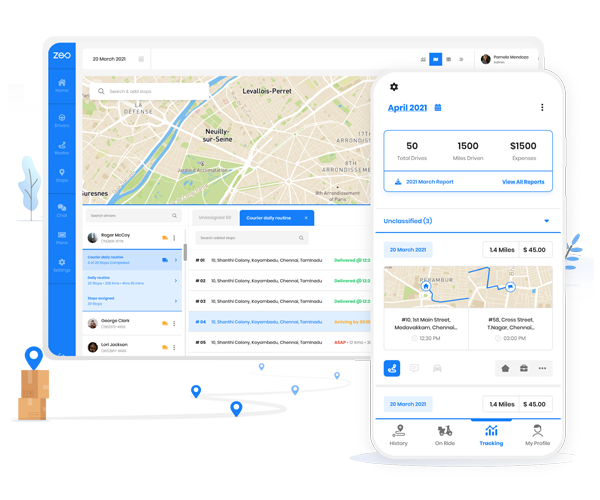
Grow your business effortlessly with Zeo Routes Planner – optimize routes and manage multiple drivers with ease.

increase fuel savings
Save $200 on fuel, Monthly!
Optimize routes with our algorithm, reducing travel time and costs efficiently.
Get Started for Free