...
Reading Time: 4 minutes

Quickly map efficient
routes in minutes

Find optimal routes and streamline your processes with ease.
Route Optimization, Zeo Route Planner

How can dependable routes be
created within minutes?

Use Zeo for quick and dependable route optimization
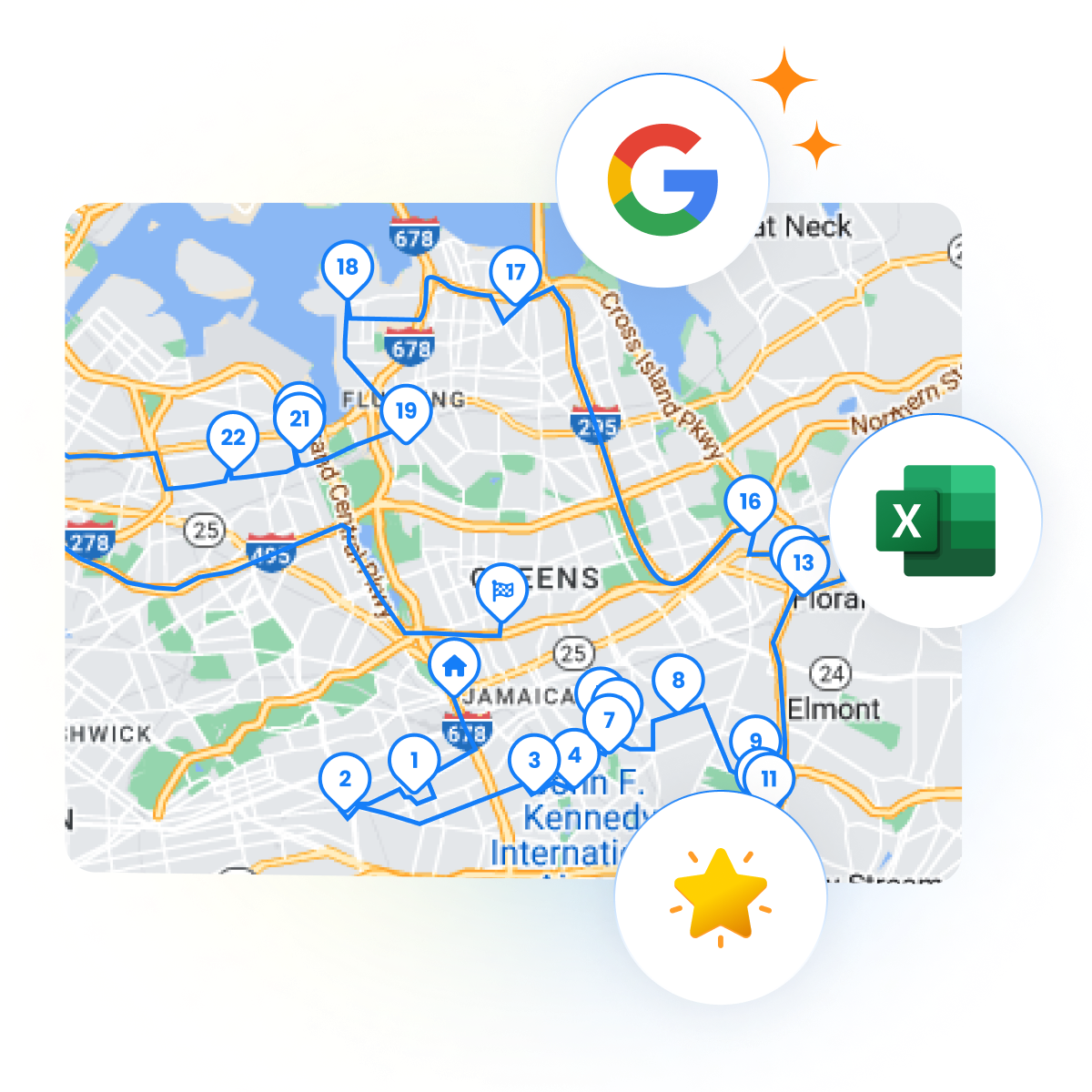
  • Use customizable data fields, and add basic or detailed stops.
  • Estimate and plot the most suitable route with the touch of a button.
  • Adjust delivery routes and stops based on customer preferences.
  • F2 Image01 1, Zeo Route Planner

    Route optimization in a matter of minutes

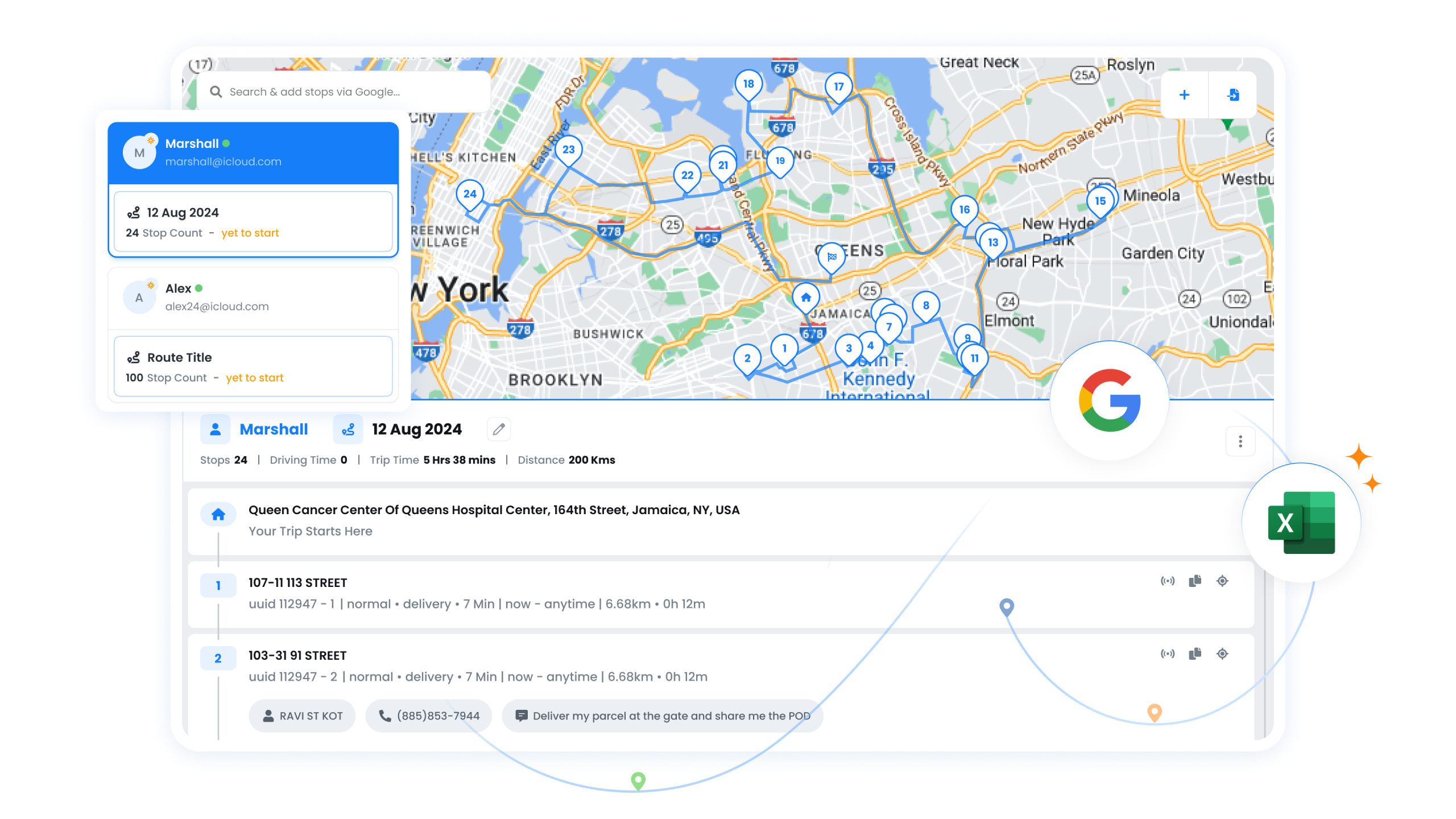
    Create routes using Google search, import data from Excel, select from available stops, or choose from favorites. Find the most efficient routes quickly.

  • Plan your routes ahead of time

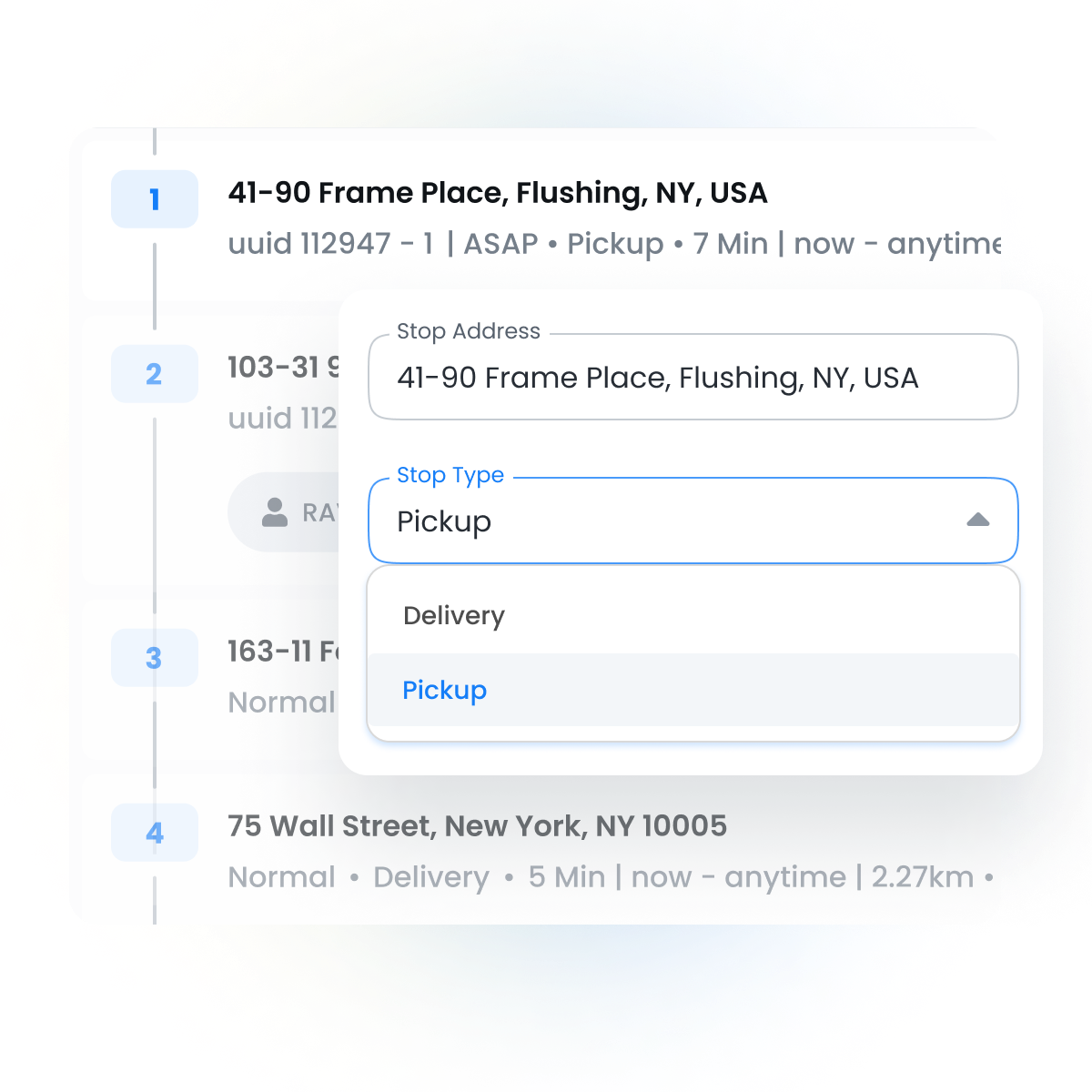
    Create delivery or pickup routes in advance. Ensures quicker delivery, less fuel consumption, and boost customer satisfaction.
    F2 Image02 1, Zeo Route Planner
  • F2 Image03 1, Zeo Route Planner

    Customize delivery routes and stops

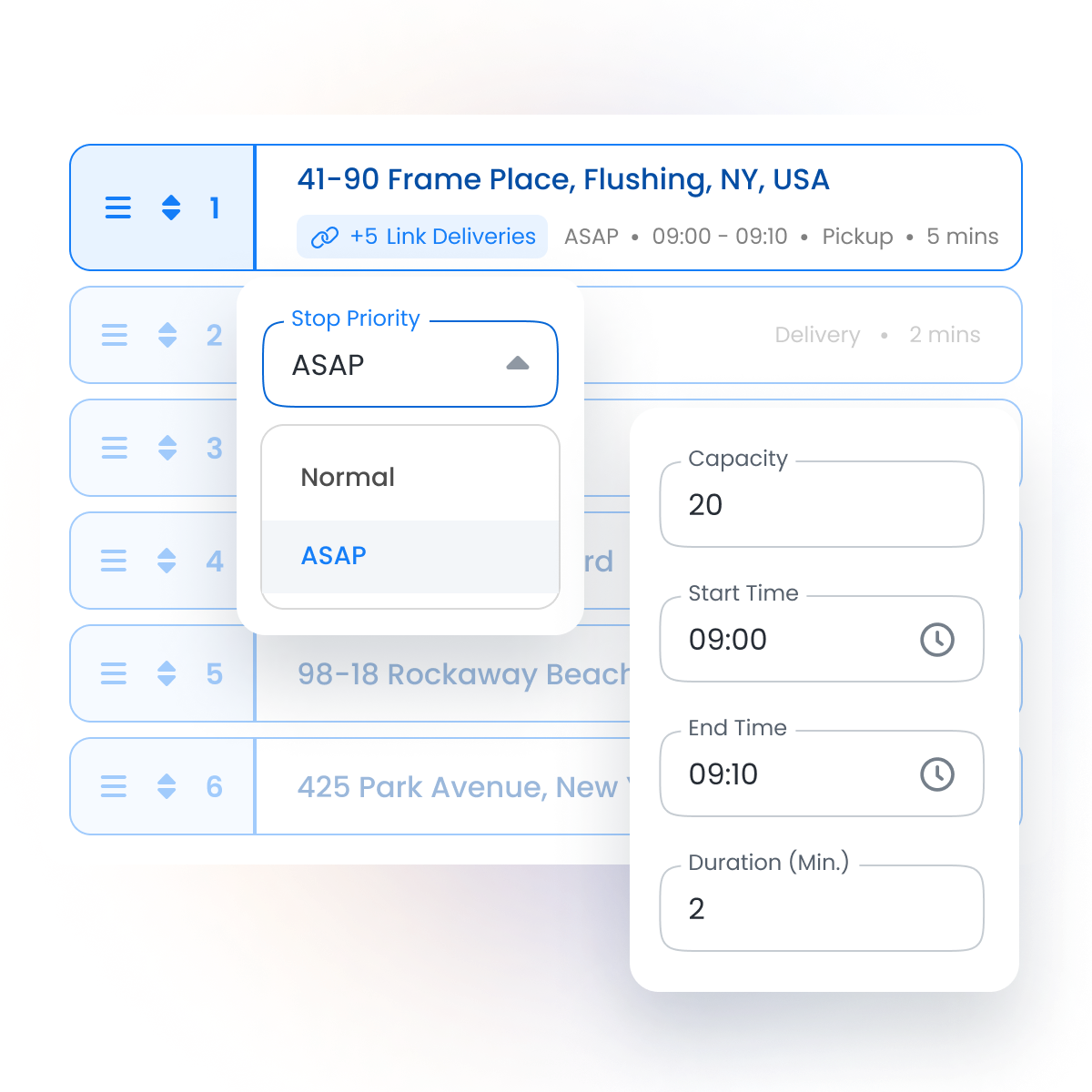
    Modify bulk delivery routes and tailor stops to meet the preferences of clients by considering factors like stop priority, vehicle capacity, and delivery time slot.

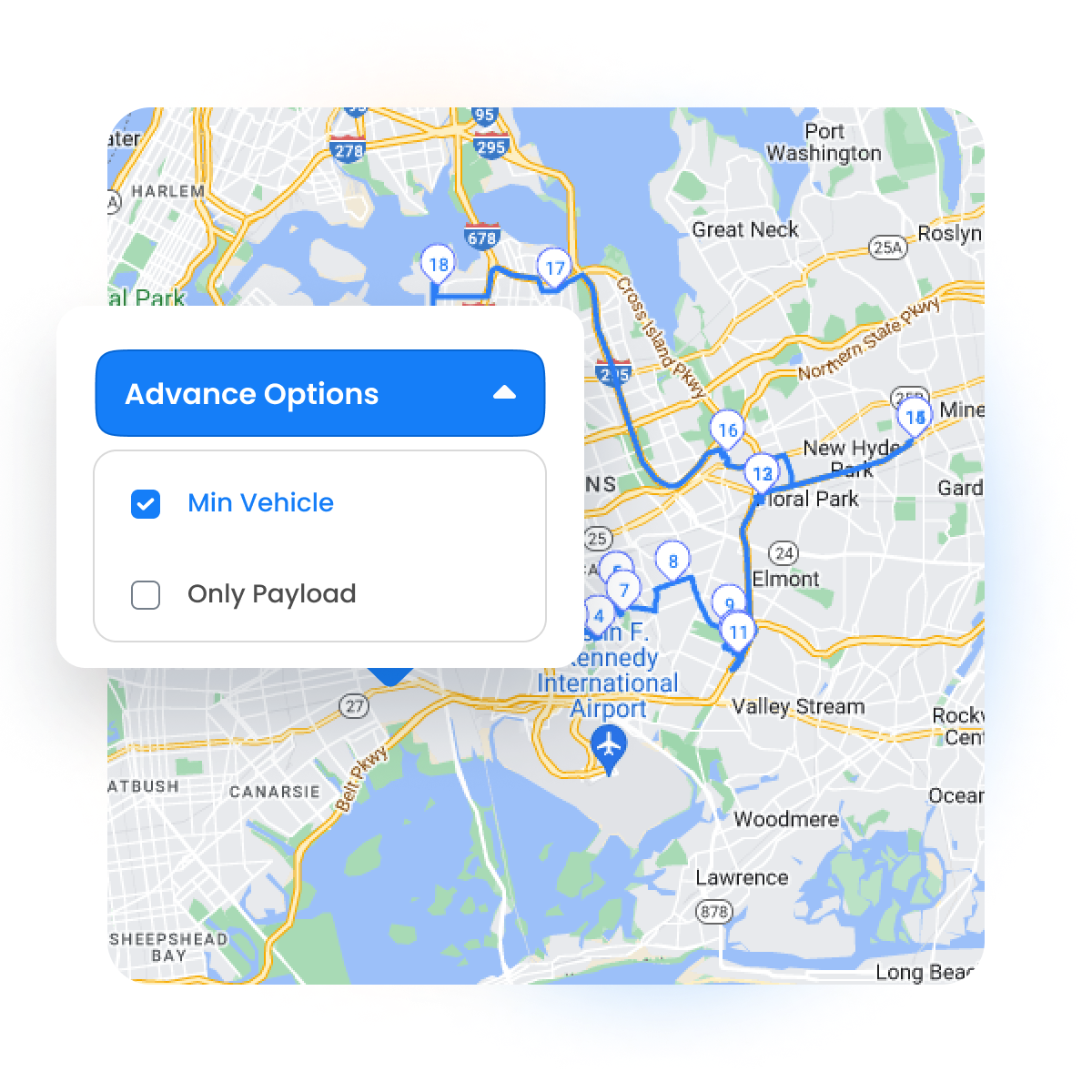
  • Optimize the route with the least vehicles possible

    Select the minimal vehicle option for the best possible route. Lower fuel, labor costs, maintenance, and reduce carbon footprint.
    F2 Image04 1, Zeo Route Planner
  • F2 Image05 1, Zeo Route Planner

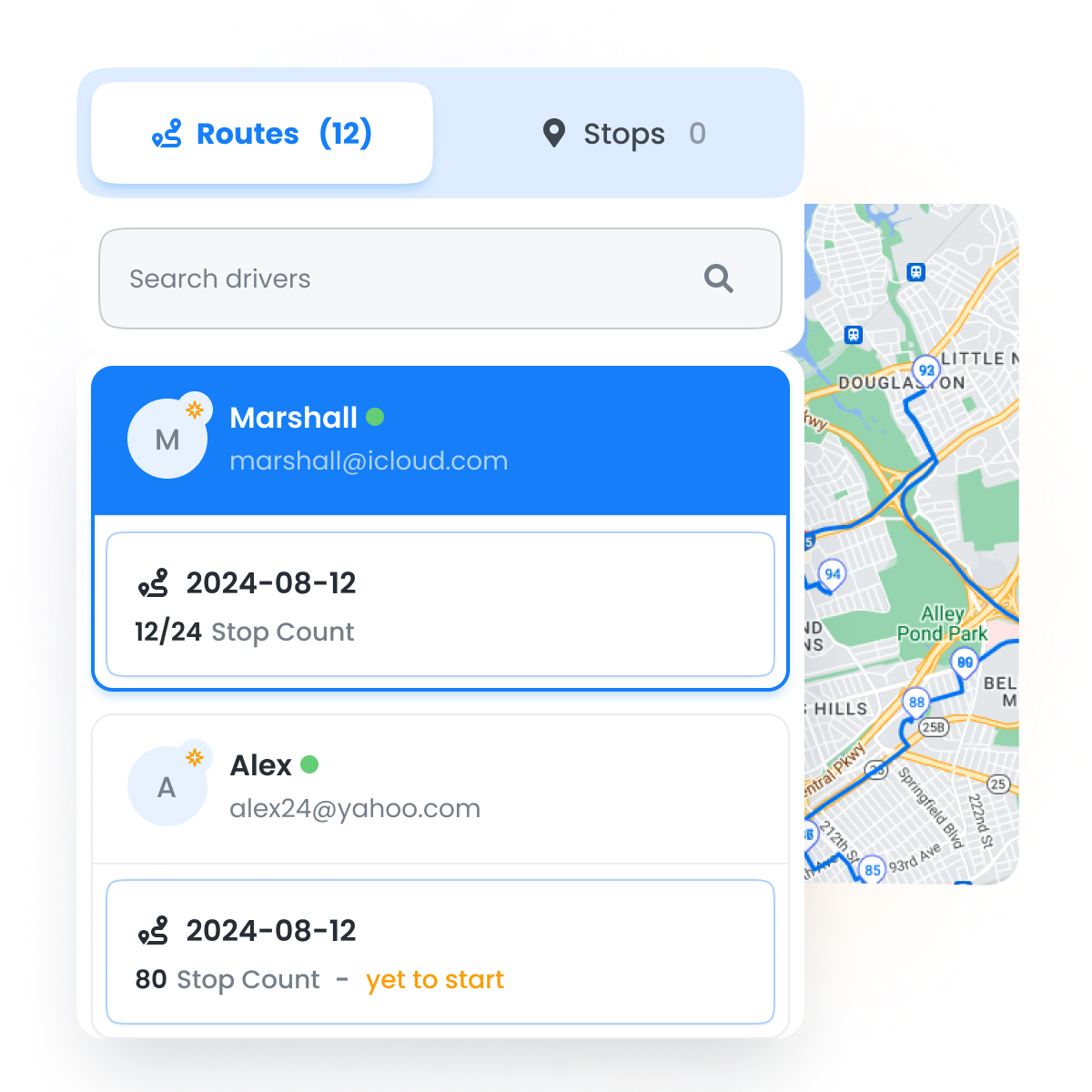
    Create and track multiple routes

    Track multiple routes created for different drivers all at once with an easy-to-use layout. Execute multiple tasks in the optimal order

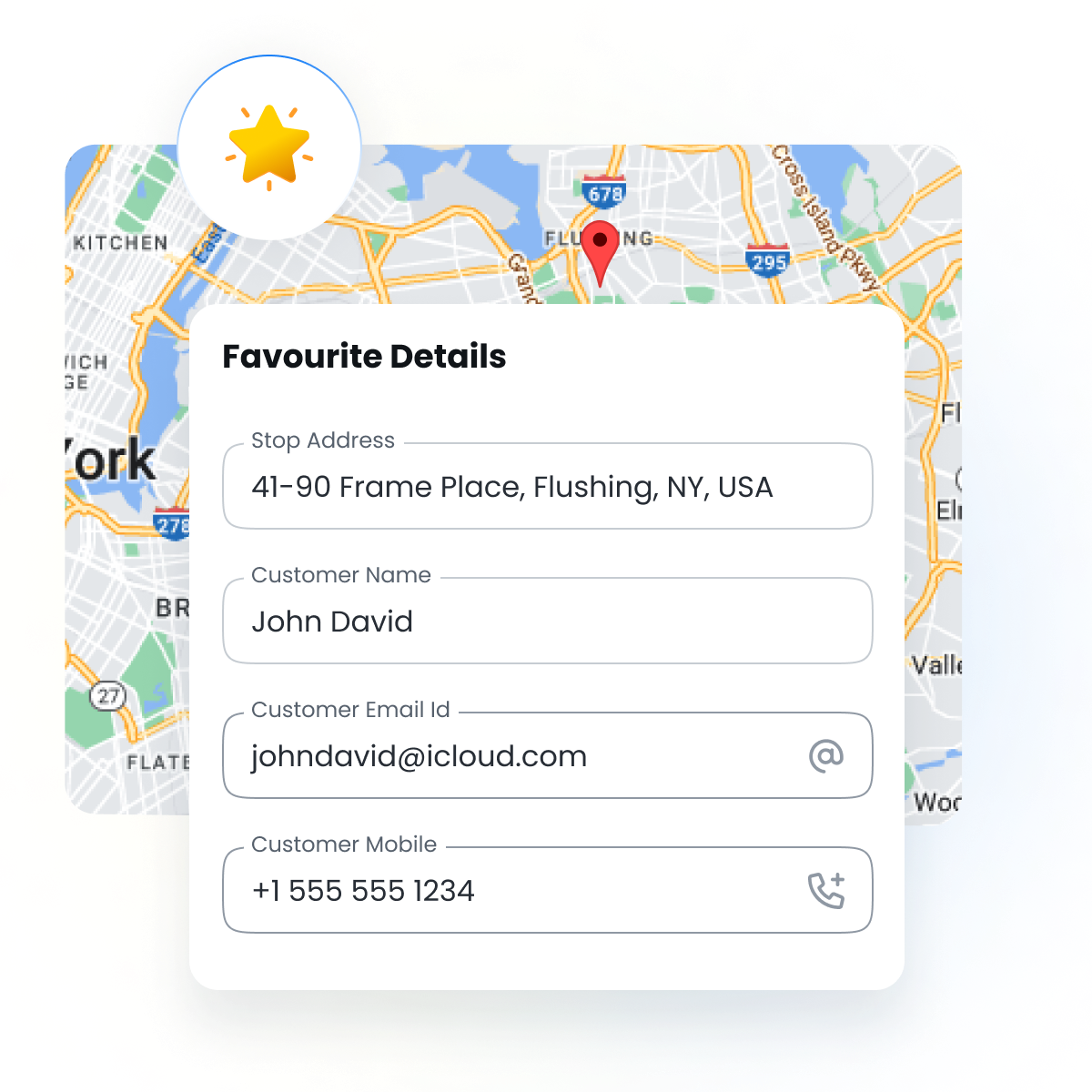
  • Establish stops as favorites

    Define stops as favorites that are frequently accessed for quick-adding of customer name, phone number, and customer email. Allow for quick and easy access.
    F2 Image06 1, Zeo Route Planner
  • F2 Image07, Zeo Route Planner

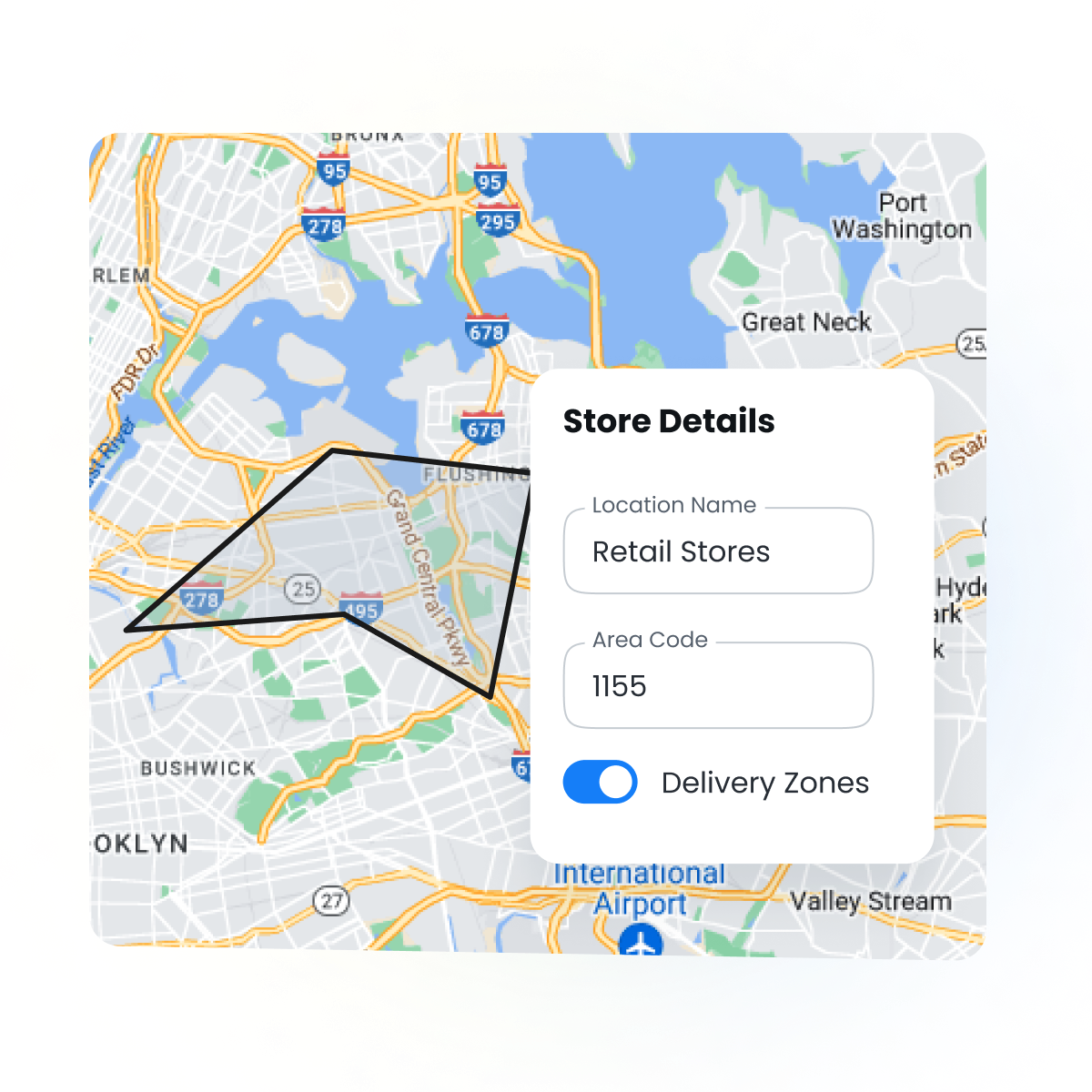
    Define your stores’ delivery zones

    Create delivery zones and assign drivers to the stores for effective route planning within each zone. Ensure efficient service delivery to customers.

Smarter Scheduling with
Recurring Routes

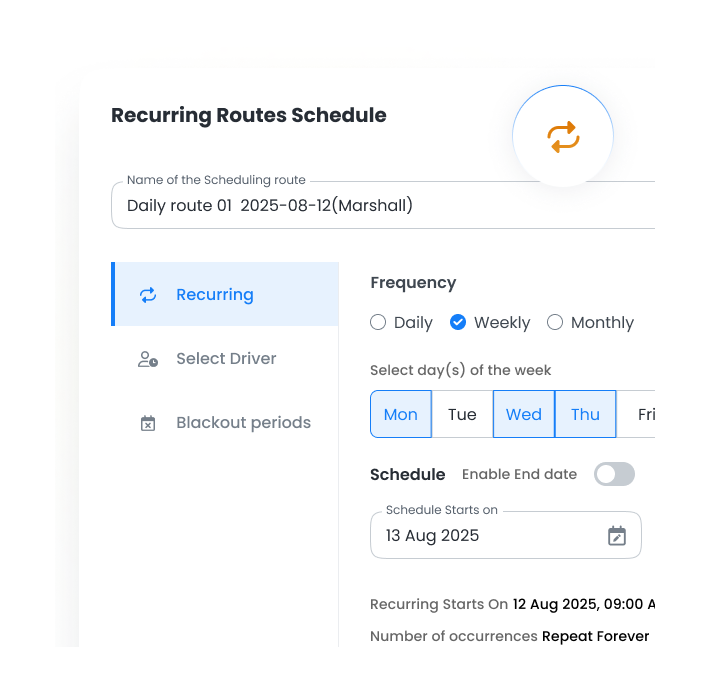
  • Plan Once, Repeat Forever

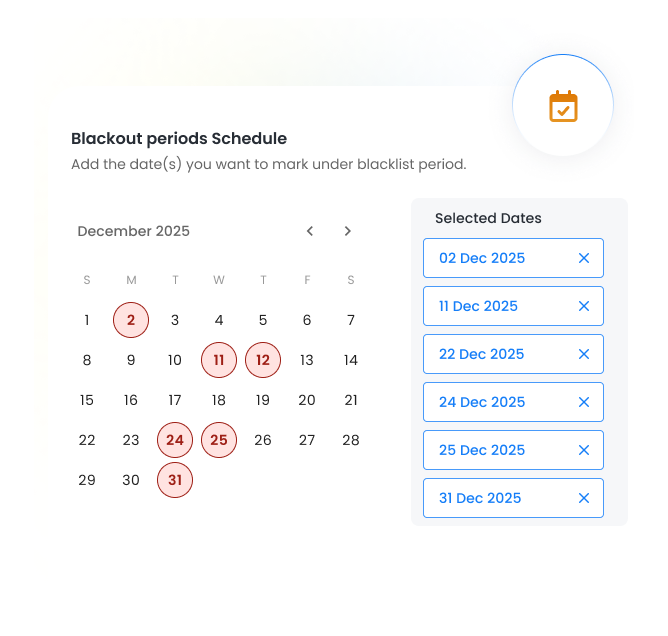
     Plan your routes once and set them to repeat automatically every day, week, or month. No need to re-enter the same stops again and again.
    Reccuring 1, Zeo Route Planner
  • Reccuring 1 1, Zeo Route Planner

    Adapt to Changes

    Adjust plans anytime with features like driver selection, blackout periods, and date overrides. Add new stops or update schedules without starting over.
Group 1707478361, Zeo Route Planner

Use Zeo for better routes.

Group 1707478363, Zeo Route Planner

Maximize output using Zeo’s fleet features.

Catering to fleet managers with end-to-end management solutions

  • Route optimization

    Zeo Route Planner assists fleet owners in creating and optimizing routes for their drivers, enhancing efficiency and reducing operational costs.

    View More

  • Driver management

    Zeo Route Planner streamlines driver schedules, optimizes routes, and monitors performance for efficient last-mile delivery.

    View More

  • Automated delivery updates

    Automated delivery updates keep customers informed in real-time, enhancing transparency with notifications at each delivery stage.

    View More

  • Collect proof of delivery

    Collecting proof of delivery involves capturing a signature, photo, or digital confirmation to ensure accountability and verification.

    View More

  • Route Analytics

    Route analytics optimizes efficiency and reduces costs by analyzing delivery routes, traffic, and driver performance.

    View More

  • Integrations

    Integrations connect software systems for seamless data exchange and streamlined workflows, enhancing efficiency.

    View More

  • Mobile app for Drivers

    Zeo Mobile app for drivers provides navigation, route optimization, delivery updates, and communication tools to boost performance.

    View More

  • Live route tracking

    Live route tracking enables real-time monitoring of delivery progress, enhancing transparency and efficiency.

    View More

#1 Rated for Productivity, Time & Costs in Route Planning Software

2 Star, Zeo Route Planner
RoutePlanning MomentumLeader Leader, Zeo Route Planner RoutePlanning HighPerformer HighPerformer, Zeo Route Planner RoutePlanning BestUsability Total, Zeo Route Planner RoutePlanning BestResults Total, Zeo Route Planner RoutePlanning BestRelationship Total, Zeo Route Planner RoutePlanning BestRelationship Small Business Total, Zeo Route Planner LastMileDelivery Leader Small Business Leader, Zeo Route Planner LastMileDelivery Leader Leader, Zeo Route Planner LastMileDelivery HighPerformer India HighPerformer, Zeo Route Planner LastMileDelivery HighPerformer EMEA HighPerformer, Zeo Route Planner LastMileDelivery HighPerformer AsiaPacific HighPerformer, Zeo Route Planner LastMileDelivery HighPerformer Asia HighPerformer, Zeo Route Planner Capterra, Zeo Route Planner Getapp 1, Zeo Route Planner SoftwareAdvice, Zeo Route Planner
Devider, Zeo Route Planner
Ratig 1, Zeo Route Planner Raiting 2, Zeo Route Planner


Trusted by 10,000+ Businesses for optimized routes

Used by over 1.5mn drivers across 150 countries to finish their work faster!

Route Optimization, Zeo Route Planner

Zeo Questionnaire

Frequently
Asked
Questions

Know More

Route Optimization

How can I avoid creating the same route again and again every day?

With Zeo’s Scheduled Routes feature, you can set up a route once and schedule it to repeat daily, weekly, or monthly. Zeo auto-generates future routes, saving you time and preventing repetitive setup.

What if I need my scheduled routes to run only on specific days?

Using Scheduled Routes, you can choose exact days or intervals for repetition. Zeo schedules them automatically, ensuring your regular deliveries or services run consistently without manual planning.

Is there a feature to temporarily pause dispatches without deleting existing scheduled routes?

With Zeo’s Blackout Dates option inside Scheduled Routes, you can temporarily pause selected routes without deleting them—helping you avoid unnecessary dispatches and plan accurately.

Is it possible to map agents to specific days for smooth scheduling?

Zeo’s Day Plan option lets you assign different agents for each day of the scheduled route, ensuring proper coverage and avoiding last-minute changes or confusion.

What if I need to adjust a scheduled route later on?

Using Scheduled Routes, you can update the schedule, assigned agents, or blackout dates anytime. Zeo automatically adjusts future occurrences while keeping your operations consistent.

Can I change the assigned agent for a day not impacting the scheduled route?

With Zeo’s Date Override feature, you can change the assigned agent for just one day without affecting the full scheduled route. It lets you handle absences or last-minute adjustments while keeping the rest of your plan intact.

How can I save stops I visit frequently so I don’t type them every time?

With Zeo’s Favorites feature, you can save commonly used addresses and service points. This lets you reuse them instantly during route creation, reducing repetitive entry and saving time.

Is there an option to select frequently used stops instead of typing them every time?

With Zeo’s Quick Route Creation from Favorites, you can pick saved stops or whole lists and turn them into a ready-to-go route in seconds—avoiding manual typing and reducing errors.

What if I need to edit a favorite stop after uploading them?

Yes. You can update any favorite stop directly from the Favorites section in Settings. Once your stops are uploaded, you can manually edit names, addresses, and notes—keeping all your frequently used locations accurate and up to date.

How can I upload a large list of frequently used stops at once instead of adding them manually?

With Zeo’s Bulk Upload Stops feature, you can import a full list of frequently used addresses into Favorites using a spreadsheet. Zeo reads and saves them automatically as a Favorites list, allowing you to reuse these stops instantly and plan routes much faster.

Is there an option in Zeo to remove old saved stops and upload new ones in bulk?

You can bulk delete your old Favorites list directly from Zeo’s Settings and then upload a fresh list using the Bulk Upload Stops feature. This lets you clear outdated entries and import all new frequently used stops in one step—saving time and keeping your data clean.

How can I create routes faster without manually arranging every stop?

With Zeo’s Route Optimization, you can upload stops through spreadsheets, images, Favorites, or Google Search. Zeo automatically sequences them for the quickest and most efficient route—saving you time instantly.

How do I make sure my agents get the most efficient route every time?

Zeo’s Route Optimization analyzes distance, workload, skills, and vehicle capacity to build the best route for each agent—reducing travel time and boosting daily productivity.

How can I avoid overloaded vehicles or mismatched parcels during planning?

With Zeo’s Capacity & Volume Optimization, every stop is assigned to a vehicle based on weight, load, and volume limits—preventing overloads and improving fleet efficiency.

What if certain stops require specific skills or certifications?

Zeo’s Skill-Based Assignment ensures stops are matched with agents who have the right expertise. This improves service accuracy and prevents the wrong agent from being sent.

Does Zeo let me keep my own stop sequence without automatic re-optimization?

Zeo’s Navigate as Added option preserves your stop order without re-optimizing. Perfect when sequence matters—like inspections, field visits, or fixed appointment schedules.

What setting helps me exclude certain paths so my routes follow safer alternatives?

With Zeo’s Avoid Params feature, you can exclude highways, tunnels, trunks, bridges, fords, and ferries from your routes. Zeo automatically plans paths that follow your preferences, ensuring safer, more reliable, and fully customized travel.

Can I pair my pickups with their corresponding deliveries?

Zeo’s Pickup–Delivery Linking feature, it automatically pairs related stops and sequences them correctly, reducing backtracking and ensuring smooth pickup-to-drop workflows.

Can I plan routes for future days without doing everything last minute?

You can schedule routes for upcoming days / weeks / months. Zeo keeps them ready so your agents start each day prepared and customers get consistent service.

Zeo Blogs

Explore our blog for insightful articles, expert advice, and inspiring content that keeps you informed.

Walmart Spark Delivery Driver: Complete 2026 Earnings Guide & Real Driver Experiences, Zeo Route Planner

Walmart Spark Delivery Driver: Complete 2026 Earnings Guide & Real Driver Experiences

Reading Time: 3 minutesLife moves fast, and one aspect of it is the growing convenience. Grocery shopping? People want it done, and they

Your 2026 Guide to the 12 Best Delivery Management Software, Zeo Route Planner

Your 2026 Guide to the 12 Best Delivery Management Software

Reading Time: 5 minutesRunning a business around product deliveries needs a super-tight focus on timing, coordination, and quick response. When routes pile up

Zeo Route Planner

How Much Does It Cost to Start a Fence Business & How Profitable Is It?

Reading Time: 4 minutesEvery new business idea brings along with it a wave of excitement, purpose, and hope. However, businesses don’t run only