




Artificial Intelligence has already overtaken every industry. It has revolutionized how we live, work, and conduct business. No matter the sector, AI tools have become a priority for businesses that want to grow faster and stay ahead of the curve. The logistics and delivery industry is no different.
An AI delivery management software enhances operations, reduces time, and eliminates errors. However, the market is swamped with various tools. Choosing the right one often becomes an important step to ensure efficiency and success.
We’ve compiled a list of the best right AI delivery management software that will help you make the right decision.
What is an AI Delivery Management Software?
An AI delivery management software is a platform designed to plan, manage, and execute deliveries using intelligent automation. It helps businesses handle multiple delivery tasks in an organized and predictable way.
Instead of relying on manual planning, teams use AI to manage routes, drivers, and delivery schedules more efficiently. This allows operations to scale without adding complexity.
Unlike basic delivery tools, AI delivery management software looks at the entire delivery workflow. It connects route planning, delivery tracking, customer communication, and performance analysis into one system. The software continuously improves decisions based on data and usage patterns. This makes deliveries more reliable and easier to manage as volume increases.
Top 6 AI Delivery Management Software for 2026
Choosing the right AI delivery management software depends on how well it balances planning, execution, and day-to-day usability. While many tools offer advanced capabilities, only a few translate AI into real operational efficiency.

increase fuel savings
Save 2 Hours on Deliveries, Everyday!
Optimize routes with our algorithm, reducing travel time and costs efficiently.
Get Started for Free
Below are eight platforms shaping delivery operations in 2026, with each serving different business needs.
- Zeo Route Planner
Zeo Route Planner stands out as one of the most practical and well-rounded AI tools for modern delivery teams. It combines intelligent route optimization with execution-focused features that drivers and managers actually use daily.Unlike complex systems that require heavy setup, Zeo delivers value quickly through a clean interface and fast planning. This makes it a highly effective AI delivery management software for teams that need results without operational friction.
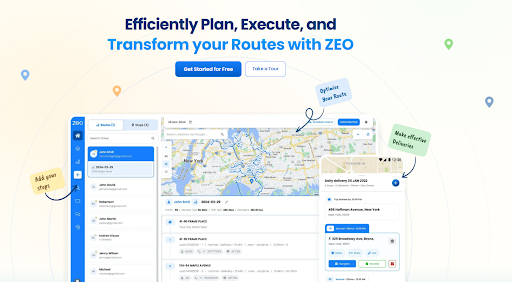
What truly differentiates Zeo is how seamlessly it connects planning, tracking, communication, and analytics in one workflow. Teams can manage recurring routes, track progress in real time, and maintain clear delivery records without switching tools. For many businesses, Zeo represents the ideal balance of intelligence, usability, and reliability in an AI delivery management software. - Locus
Locus is designed for enterprises managing large fleets and complex delivery constraints. It uses advanced AI models to optimize routing, capacity planning, and delivery orchestration at scale. The platform is best suited for organizations with mature logistics operations. As an AI delivery management software, Locus focuses heavily on optimization depth.
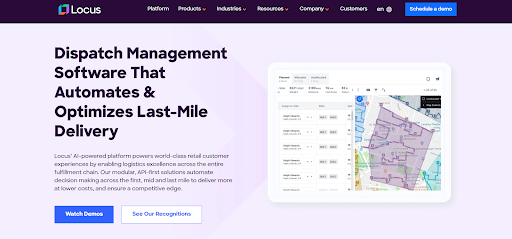
Its strength lies in handling multiple variables across high-volume networks. Businesses with strict delivery commitments and long-term planning needs benefit most from this approach. However, the complexity can be more than what smaller teams require. Locus fits operations that prioritize large-scale efficiency over simplicity. - Onfleet
Onfleet is widely used for last-mile and on-demand delivery operations. It helps teams dispatch orders, track drivers, and maintain visibility throughout the delivery process. The platform is known for its intuitive interface and quick onboarding. This makes it a dependable AI delivery management software for fast-paced urban deliveries.

Onfleet places strong emphasis on execution and customer experience. Automated notifications and live tracking help keep customers informed. While its planning capabilities are lighter than some enterprise tools, it performs well where speed and transparency matter most. - Tookan
Tookan offers flexibility for businesses with diverse delivery workflows. It supports task assignment, driver coordination, and route planning across industries. The platform is configurable and adapts to different operational models. Tookan works as a customizable AI delivery management software.
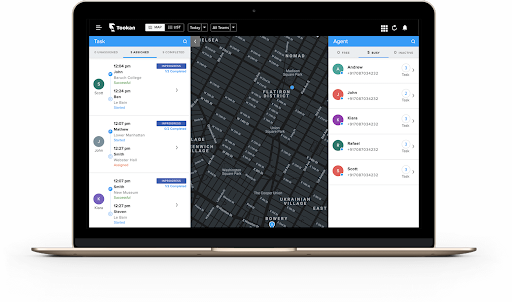
Its main advantage is control over process design. Teams can tailor workflows to match specific delivery needs. This flexibility is valuable for businesses handling varied delivery types, though it may require more setup effort. - DispatchTrack
DispatchTrack focuses on structured delivery execution and accountability. It supports route planning, delivery tracking, and proof of completion for scheduled deliveries. The platform is often used in industries where accuracy and documentation are critical. As an AI delivery management software, it emphasizes reliability.
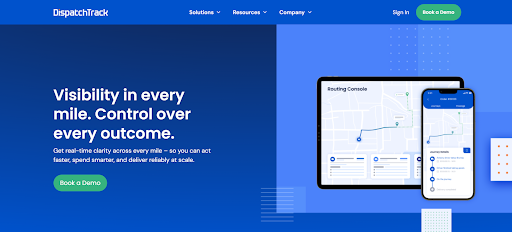
DispatchTrack provides strong visibility into delivery performance through reporting and confirmations. Managers gain confidence in execution without constant manual checks. It works best for predictable and service-driven delivery models. - SmartRoutes
SmartRoutes is built around intelligent routing and real-time delivery tracking. It helps teams plan routes efficiently and monitor driver progress throughout the day. The platform focuses on reducing planning effort while improving execution. SmartRoutes functions as a capable AI delivery management software.
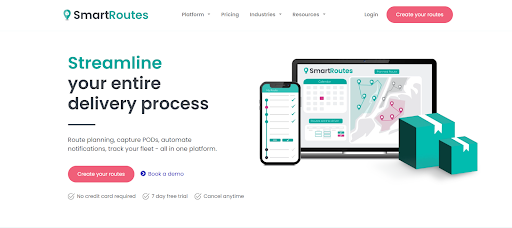
Its analytics and tracking features help teams refine routes over time. The tool suits growing delivery operations that need better visibility and planning. It offers a solid balance of functionality without heavy complexity. - OptimoRoute
OptimoRoute is built for businesses managing complex delivery schedules and service appointments. It focuses on optimizing routes while considering time windows, driver capacity, and recurring deliveries. As an AI delivery management software, OptimoRoute supports structured planning across large and distributed delivery operations.
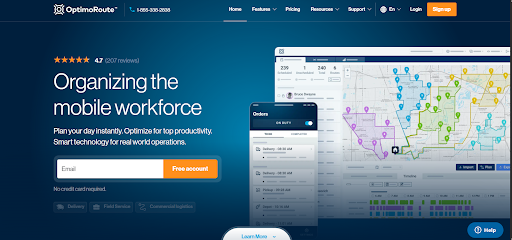
The platform is widely used by field service and logistics teams that require precise scheduling. Its strength lies in balancing efficiency with reliability across daily routes. OptimoRoute fits organizations that need detailed planning and consistent execution at scale. - Upper Route Planner
Upper Route Planner helps delivery teams manage multi-stop routes with a strong focus on efficiency. It supports route optimization, tracking, and delivery organization in one system. As an AI delivery management software, Upper aims to simplify daily delivery planning for growing teams. It is commonly used by local delivery and service businesses.
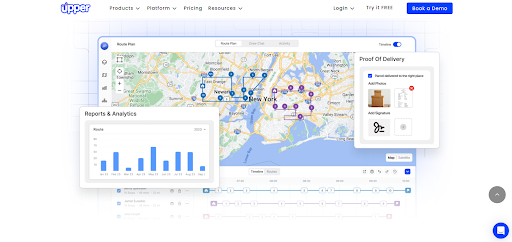
Upper stands out for handling bulk stops and recurring delivery routes effectively. Teams can plan routes quickly while maintaining visibility into execution. The tool suits operations that are scaling and need better structure without enterprise-level complexity.
Conclusion
Choosing the right AI delivery management software plays a major role in how efficiently delivery operations run in 2026. The tools covered in this list show that there is no one-size-fits-all solution. Businesses must consider usability, scalability, and how well a platform supports daily execution. The best software is the one that fits naturally into existing delivery workflows.
Among these options, platforms that balance intelligent routing with real-world usability deliver the most value. Tools like Zeo Route Planner stand out by making advanced capabilities accessible without adding complexity.
If you want to simplify delivery planning, improve route efficiency, and keep teams aligned throughout the day, sign up for Zeo and start managing deliveries smarter in 2026.

Are you a fleet owner?
Want to manage your drivers and deliveries easily?
Grow your business effortlessly with Zeo Routes Planner – optimize routes and manage multiple drivers with ease.
increase fuel savings
Hassle Free Deliveries & Pickups!
Optimize routes with our algorithm, reducing travel time and costs efficiently.
Get Started for Free



















