



Updated on: April 25, 2026
Reading Time: 4 minutes
TL;DR: Route optimization algorithms save time and fuel by calculating the most efficient delivery sequences, considering factors like traffic patterns, vehicle capacity, and delivery windows. Advanced algorithms can reduce travel distance by 20-40% and significantly lower fuel consumption. Route optimization tools like Zeo Route Planner address this with AI-powered route optimization and capacity-based routing, helping logistics teams save 2+ hours daily.
Route optimization algorithms are revolutionizing in the fast-paced business world. Every logistics company and delivery service can benefit from finding ways to streamline its operations, cut costs, and increase productivity. Route optimisation might make all the difference if your company depends on transportation. An algorithm for route optimisation can help with it.
In this blog post, we’ll examine a route optimisation algorithm’s definition, operation, and potential advantages for your company.
What is a Route Optimization Algorithm?
Route optimization algorithm is the set of computational techniques determining the most efficient delivery route within logistics operations. It is the supply chain’s critical leg and ensures delivery efficiency and business profitability. It considers many factors, such as vehicle capacity, delivery time window, etc.
Route optimization algorithms can range from simple to highly complex. Each offers different computational time and service quality. It manages operations and reduces carbon emissions. It provides flexibility to optimize the routes based on changing circumstances and offers adaptability and scalability.
According to the U.S. Department of Transportation, transportation accounts for approximately 29% of total U.S. greenhouse gas emissions, making route optimization a critical strategy for environmental impact reduction. Modern algorithms process vast amounts of data including real-time traffic conditions, weather patterns, and historical delivery performance to create optimal routing solutions.
How does the Route Optimization Algorithm Work?
Route optimisation is a crucial aspect of logistics management because it directly affects the efficiency and cost-effectiveness of a delivery operation. Businesses use sophisticated algorithms to improve their delivery routes due to increased fuel prices and consumer expectations for on-time delivery.
The quickest paths to a specific location are found through route optimisation. Because it may cut down on trip time and expenses, this idea has become quite popular in logistics and transportation.
Whether you run a small local business or a major logistics operation, understanding route optimization may help you improve customer satisfaction and expedite your delivery processes. A company or organisation must be able to record all of its business routes before using this strategy. Experts may then utilise the data to predict the most effective routes.
Route optimization is an essential component of logistics management, considering it has a direct impact on a delivery operation’s efficiency and cost-effectiveness. Due to increased fuel prices and consumer expectations for on-time delivery, businesses use sophisticated algorithms to improve their delivery routes.
The quickest paths to a specific location are found through route optimisation. Because it may cut down on trip time and expenses, this idea has become quite popular in logistics and transportation.
The Science Behind Fuel and Time Savings
Route optimization algorithms achieve fuel and time savings through several mathematical approaches. The most common is solving variations of the Vehicle Routing Problem (VRP), which considers multiple constraints simultaneously. These algorithms analyze distance matrices, calculate optimal stop sequences, and account for real-world factors like traffic congestion and road restrictions.
Modern algorithms use machine learning to improve predictions over time, learning from historical data about delivery times, traffic patterns, and seasonal variations. This continuous improvement means that route efficiency increases as more data becomes available, creating compounding savings benefits.
The Environmental Protection Agency reports that every gallon of gasoline saved prevents 19.6 pounds of CO2 from entering the atmosphere, making route optimization both economically and environmentally beneficial.
Applications of Route Optimization Algorithms
Route optimization algorithms find their use in multiple industries and sectors, as follows.
- Delivery service businesses use route optimization algorithms to minimize travel distance, thereby improving delivery times and increasing overall productivity.
- Public transit systems depend on route optimization algorithms, which help to optimize bus, train, and metro routes. It helps enhance coverage and transportation for commuters.
- Route optimization in field service companies helps plan the most optimal routes for field techs, which ensures timely service.
- Municipalities optimize waste collection routes to minimize fuel consumption and reduce the environmental impact of garbage collection.
- Food delivery services can create optimal routes for food delivery platforms. This helps them to deliver meals fresh and on time which can improve customer satisfaction.
- E-commerce companies optimize last-mile delivery routes to deliver packages to customers by reducing delivery time.
- With available vehicles, ride-sharing and taxi companies optimize drivers’ routes to minimize travel time and efficiently match passengers.
- Sales managers use route optimization algorithms to create the best routes for sales reps. These routes help reach the maximum clients in an area in the most efficient manner.
- Route optimization algorithms help optimize commercial truck routes, considering height, weight, capacity, and road restrictions.
How can Zeo Auto’s Route Optimization Algorithm Save time and fuel?
Zeo Route Planner is a popular logistics technology platform that offers a route optimization algorithm designed to help businesses streamline their delivery operations and improve overall efficiency. Here’s how it can help
#1. Optimal Route Planning
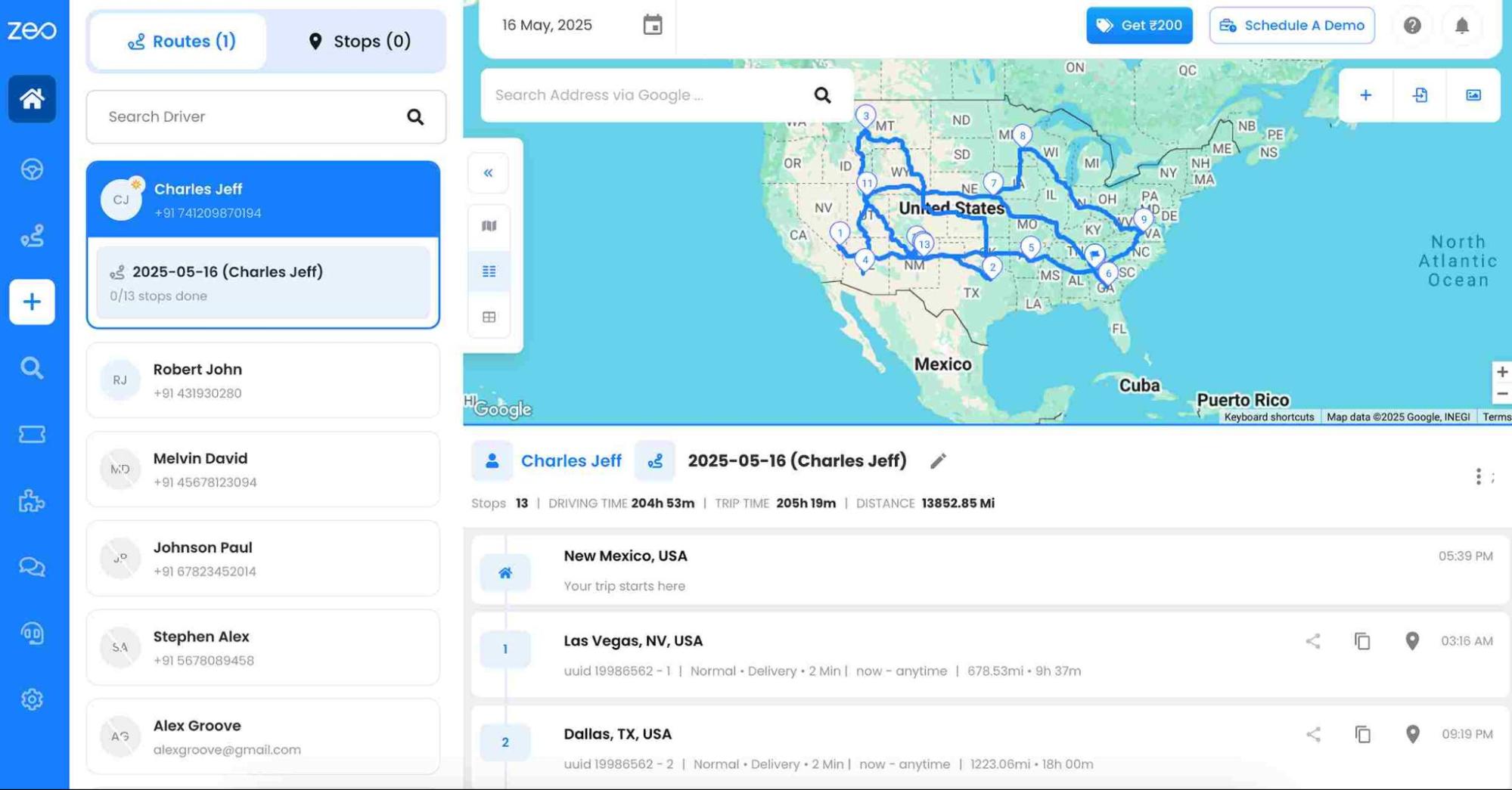
The Zeo route planner algorithm optimizes routes for delivery drivers by considering factors like distance, delivery time windows, vehicle capacity, and pickup and drop-off constraints. By reducing travel time and distance, you can save costs. The algorithm uses real-time analysis to ensure the best routes minimize distance and fuel.
#2. Multi-Stop Route Optimization

increase fuel savings
Save 2 Hours on Deliveries, Everyday!
Optimize routes with our algorithm, reducing travel time and costs efficiently.
Get Started for Free
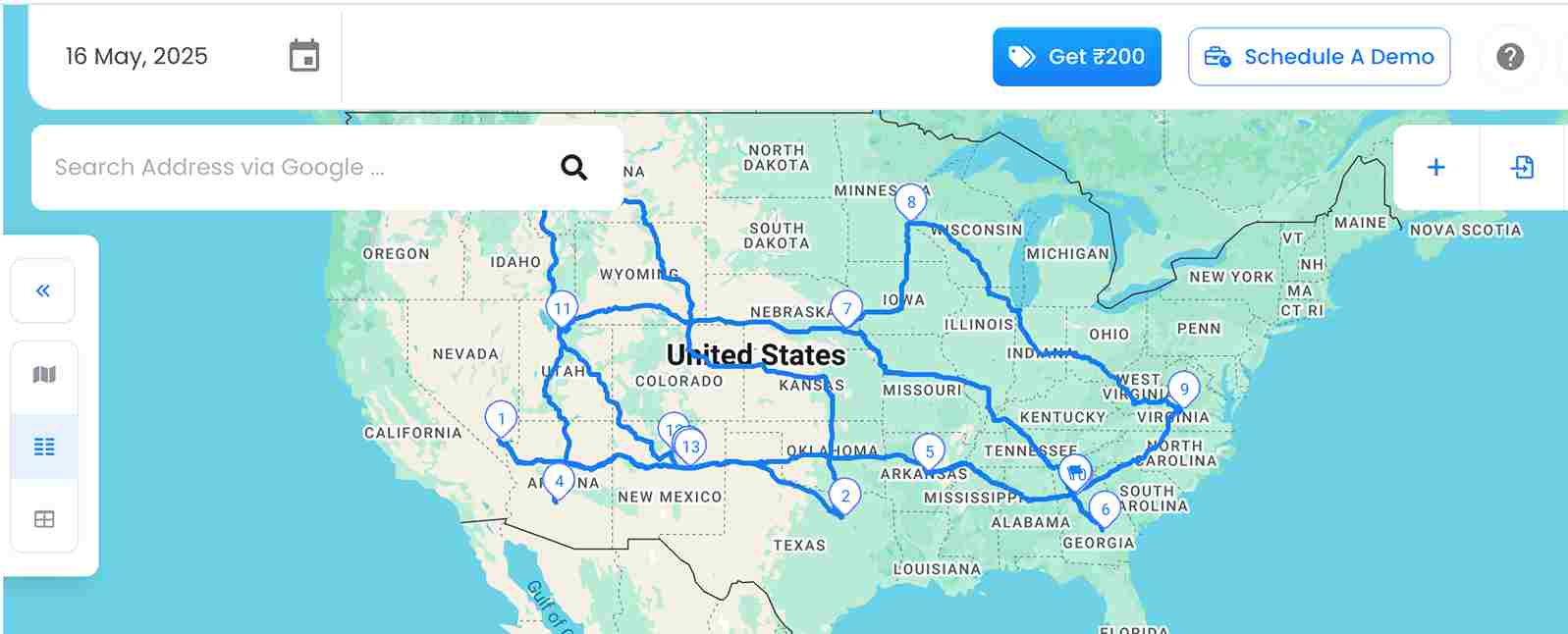
Zeo’s multi-stop route optimization process helps to select the most efficient route to visit multiple destinations while minimizing travel time and distance. Zeo’s algorithm is designed for businesses with multiple delivery locations to optimize multi-stop routes.
It ensures efficient driver coverage of all stops in the shortest time and improves productivity by minimizing travel time, fuel, and distance.
Read More: Multiple Stops with the Same Address in Route Planning
#3. Analytics and Insights for Long-Term Savings
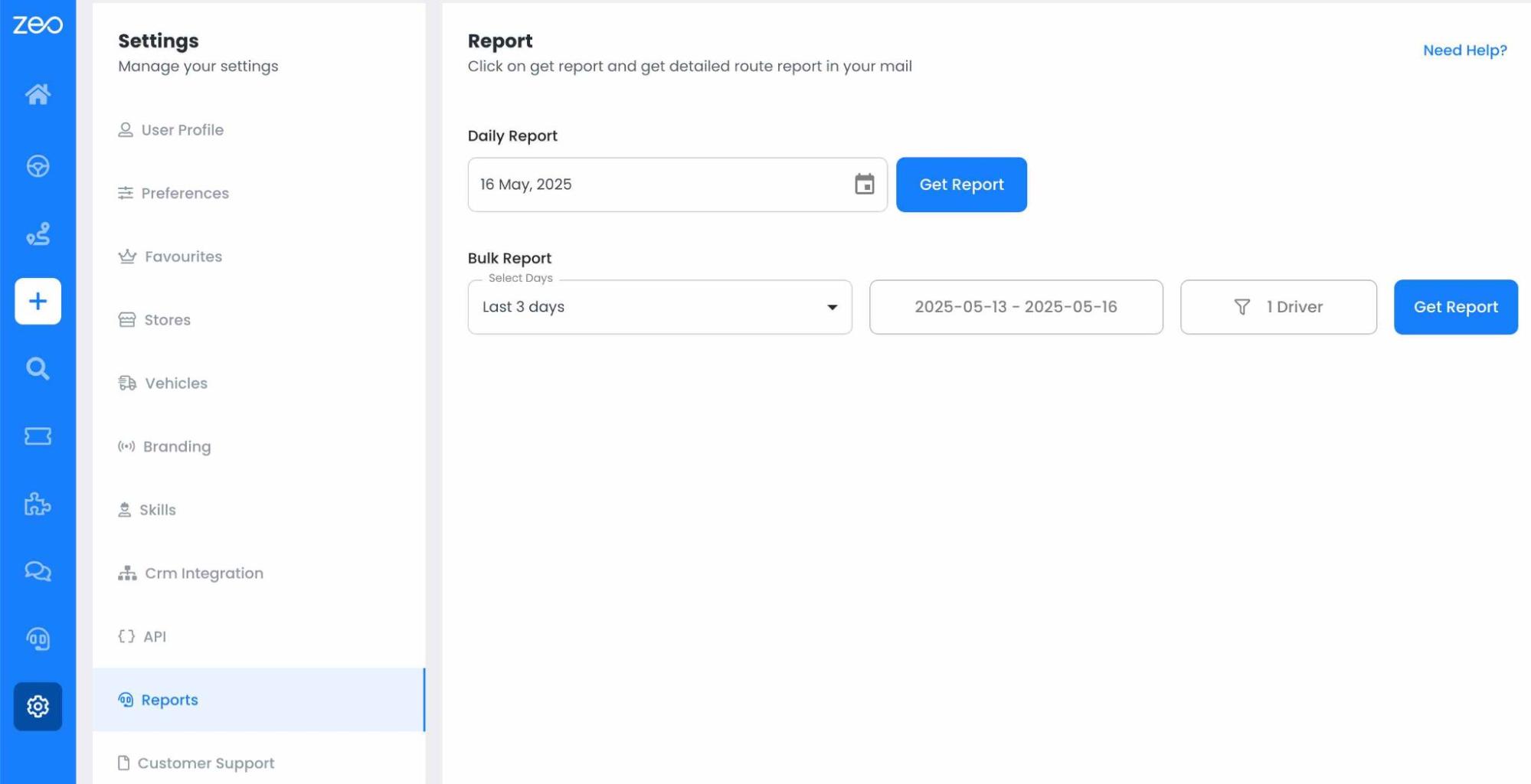
To improve the delivery process, Zeo offers valuable analytics for businesses. It allows for historical data analysis to refine future planning and identify savings opportunities. Additionally, it plans routes for peak demand readiness, ensuring efficient handling of higher delivery volumes during peak seasons.
#4. Scalability and Flexibility
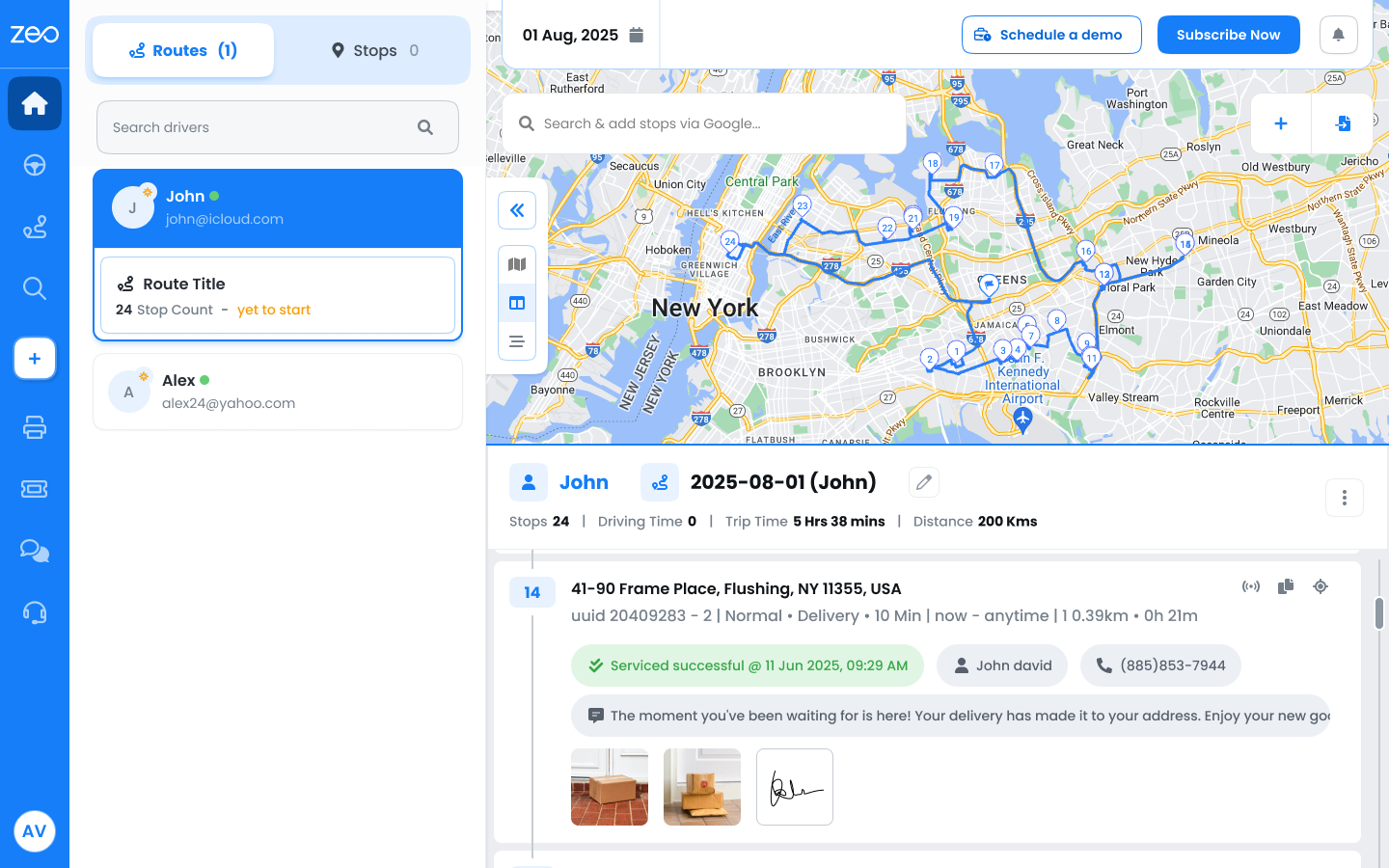
Zeo Auto’s route optimization algorithm enhances logistics efficiency and adapts to business growth. Without compromising productivity, route optimisation can assist a growing delivery company with a higher volume of deliveries. It allows businesses to scale their operations effectively and maintain high levels of customer service.
The route optimization algorithms offer exceptional scalability and flexibility by ensuring the business stays competitive. It can efficiently manage a high volume of deliveries even during busy hours.
Read More: How Zeo’s AI Algorithms can Revolutionize Smarter Route Planning
Measuring Return on Investment
The financial benefits of route optimization extend beyond immediate fuel savings. Companies typically see improvements in driver productivity, reduced vehicle wear and tear, and enhanced customer satisfaction through more reliable delivery times. Fleet managers report average fuel cost reductions of 15-25% when implementing comprehensive route optimization strategies.
Labor cost savings often represent the largest ROI component, as optimized routes reduce overtime hours and allow drivers to complete more deliveries within standard work schedules. Vehicle maintenance costs also decrease due to reduced mileage and more efficient driving patterns that minimize stop-and-go traffic exposure.
Conclusion
Route optimisation algorithms are a valuable tool for delivery businesses, offering lower costs, increased productivity, and customer satisfaction. They create efficient routes using advanced mathematical models and real-time data, minimizing fuel usage and ensuring on-time delivery. This results in improved customer service, reduced operational costs, and increased productivity.
Frequently Asked Questions
How much fuel can route optimization algorithms typically save?
Route optimization algorithms typically reduce fuel consumption by 15-25% through shorter travel distances and more efficient routing sequences. The exact savings depend on factors like delivery density, vehicle type, and current route efficiency, but most businesses see measurable fuel cost reductions within the first month of implementation.
What factors do route optimization algorithms consider when planning routes?
Modern algorithms consider multiple variables including traffic patterns, delivery time windows, vehicle capacity constraints, driver skills, road restrictions, and historical performance data. Advanced systems also incorporate real-time factors like weather conditions and traffic incidents to maintain optimal routing throughout the day.
Can route optimization work for small businesses with just a few delivery vehicles?
Route optimization provides significant benefits for businesses of all sizes, often delivering even higher percentage improvements for smaller fleets. Small businesses frequently see immediate productivity gains as manual route planning becomes automated, and driver efficiency increases through optimized stop sequences and reduced decision-making time.
How do route optimization algorithms handle last-minute changes or new orders?
Dynamic route optimization algorithms can recalculate routes in real-time when new orders arrive or changes occur. These systems use algorithms that can quickly assess whether to add stops to existing routes or create new ones, maintaining efficiency while accommodating business flexibility requirements.
What integration capabilities should I look for in route optimization software?
Look for solutions that integrate with your existing business systems like e-commerce platforms, CRM software, and fleet management tools. Zeo Route Planner offers integrations with Shopify, WooCommerce, HubSpot CRM, and Zapier connections to over 1000+ applications, helping businesses using 150+ countries streamline their entire delivery workflow from order to completion.
Set up a free demo with Zeo experts now!

Are you a fleet owner?
Want to manage your drivers and deliveries easily?
Grow your business effortlessly with Zeo Routes Planner – optimize routes and manage multiple drivers with ease.
increase fuel savings
Hassle Free Deliveries & Pickups!
Optimize routes with our algorithm, reducing travel time and costs efficiently.
Get Started for Free



















