



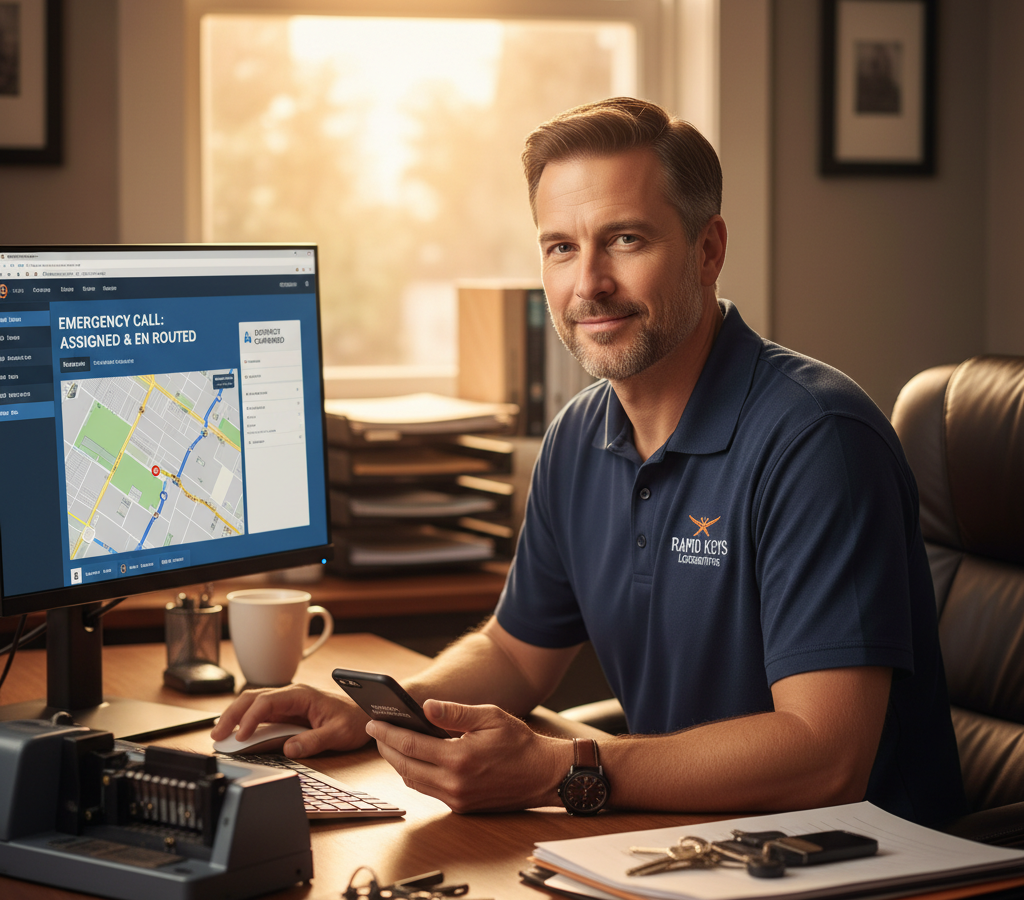
# Emergency Locksmith Dispatch Software: Cut Response Times by 40%
> TL;DR: Emergency locksmith dispatch software reduces response coordination time from 8-12 minutes to under 2 minutes through automated technician assignment and real-time optimization. Businesses using modern emergency locksmith dispatch software capture 15-25% more emergency calls by responding faster than competitors. Route optimization platforms like Zeo Route Planner address this with AI-powered optimization and real-time GPS tracking, helping locksmith teams save 2+ hours daily.
When someone’s locked out of their car at midnight or can’t access their home during a storm, every minute counts. Emergency locksmith calls represent your highest-value opportunities, but they’re also the most time-sensitive. The difference between capturing that $200 emergency call and losing it to a competitor often comes down to response time.
Manual dispatch processes kill your competitive edge. While you’re calling technicians to check availability and calculating drive times, customers are already dialing your competitors. Modern emergency locksmith dispatch software changes this equation entirely.
The Critical Minutes: Why Emergency Response Time Determines Locksmith Business Success
Emergency locksmith calls generate 3-4 times more revenue per job than scheduled services. A typical lockout service ranges from $150-300, while routine key duplication might bring in $50. But here’s the challenge: customers rarely wait more than 15 minutes before calling the next locksmith on their list.
Your current dispatch process probably looks like this: Customer calls, you check which technicians are available, manually calculate who’s closest, call the technician, wait for confirmation, then call the customer back with an ETA. This process takes 8-12 minutes on average.
Competitors using modern dispatch software complete this same process in under 2 minutes. They’re already en route while you’re still making phone calls.
The math is brutal but clear. According to the Associated Locksmiths of America, businesses that respond to emergency calls within 5 minutes capture 85% of those jobs. Response times over 10 minutes drop success rates to just 34%.
Speed isn’t just about beating competitors. It’s about helping people in genuine distress. A parent locked out with a child in the car, or someone stranded in an unsafe area at night, needs immediate help and clear communication.
Emergency Response Time Optimization: How AI-Powered Routing Cuts Response Times by 40%
AI-powered routing transforms emergency dispatch from guesswork into precision. Instead of manually calculating distances and availability, intelligent software instantly identifies the optimal technician for each call.
Here’s how it works in practice. When an emergency call comes in, the system immediately analyzes:
Your technicians’ real-time locations via GPS tracking. It knows exactly where each person is, not where they were an hour ago. Current job status and estimated completion times. If someone’s finishing a job in 10 minutes, the system factors that into response calculations.
Traffic conditions and optimal routing. The software doesn’t just measure straight-line distance—it calculates actual drive time considering current road conditions. Technician skills and equipment. A car lockout requires different tools than a commercial safe job, and the system matches accordingly.
Zeo Route Planner handles this analysis instantly, using AI-powered optimization that processes these variables in seconds rather than minutes. The system automatically selects the best technician and sends route details directly to their mobile app, cutting typical dispatch time from 8-12 minutes down to under 2 minutes. Advanced driver tracking software ensures dispatchers know exactly where each technician is located at all times.
Real-world example: Austin Emergency Locksmith reduced their average response time from 28 minutes to 16 minutes after implementing automated dispatch. This 43% improvement helped them capture an additional 23 emergency calls per month, generating $4,600 in extra revenue monthly.
The speed advantage compounds throughout busy periods. During peak times when multiple emergencies come in simultaneously, manual dispatch becomes nearly impossible to manage effectively. Automated systems handle multiple concurrent dispatches without losing accuracy.
Dynamic re-routing adds another layer of optimization. If a closer technician becomes available while another is en route, the system can instantly reassign jobs to minimize total response time across all emergencies.
Multi-Technician Dispatch Coordination: Managing Complex Emergency Scenarios
Large emergency jobs often require multiple technicians or specialized equipment. A commercial building lockout might need both a general locksmith and a safe specialist. Traditional dispatch struggles with these coordinations, but modern software excels at complex scenarios.
Consider a typical evening for a mid-sized locksmith company. You have five technicians in the field: two handling scheduled residential jobs, one finishing a commercial installation, and two available for emergencies. Three emergency calls come in within 10 minutes.
Manual coordination becomes chaotic. You’re tracking multiple conversations, calculating drive times, and trying to optimize assignments while customers wait. By the time you’ve sorted everything out, response times suffer across all three calls.
Emergency locksmith dispatch software coordinates these scenarios automatically. The system evaluates all available resources against all pending calls, then calculates the optimal assignment pattern that minimizes total response time.
Zeo’s auto-assignment feature handles exactly this situation, instantly creating optimal routes and sending assignments directly to each technician’s mobile device. The platform’s skill-based job assignment ensures commercial safe jobs go to specialists while standard lockouts are handled by general technicians. Dispatch managers use the web platform to monitor all jobs in real-time, while technicians receive immediate notifications and turn-by-turn navigation on their phones.
Multi-technician jobs get special handling. When a commercial lockout requires both a general locksmith and safe specialist, the system coordinates both assignments and ensures they arrive within minutes of each other. Customers get accurate ETAs for complete service, not just the first technician.
The communication flow becomes seamless. Instead of playing phone tag with multiple technicians, dispatchers see real-time status updates and can reassign jobs instantly if situations change. If a scheduled appointment cancels, that technician immediately becomes available for emergency dispatch.
Priority levels add another control layer. True emergencies (someone trapped) get highest priority, while urgent but non-critical calls (locked out but safe) can wait slightly longer if needed. The system balances speed with resource optimization.
Beyond Speed: Customer Communication and Trust During Emergency Situations
Fast dispatch means nothing if customers don’t know help is coming. Emergency situations create anxiety, and poor communication amplifies stress. Professional locksmith businesses understand that customer experience during emergencies directly impacts reviews, referrals, and repeat business.
Automated customer notifications transform the emergency experience. Instead of wondering when someone will arrive, customers receive immediate confirmation with accurate ETAs. They get updates if anything changes, and can track their technician’s progress in real-time.
Here’s what modern customer communication looks like:
Within 2 minutes of calling, customers receive SMS confirmation with technician details and ETA. If the technician gets delayed by traffic or a previous job, customers receive automatic updates. Live tracking links let customers see exactly where their help is located.
Zeo’s customer notification system sends branded SMS and email updates automatically, including live tracking links that show the technician’s location on a map. This transparency reduces callback volume by 60% and significantly improves customer satisfaction scores. The real-time messaging system also enables direct communication between dispatchers and field technicians when situations change.
Professional presentation matters during emergencies. When customers can track their technician’s approach and receive proactive updates, anxiety decreases and trust increases. They feel informed rather than abandoned.
The tracking experience extends beyond arrival. Customers see when technicians are nearby and get notifications when they’ve arrived. This eliminates confusion about arrival times and reduces the awkward waiting period.
Digital proof of service completion adds final polish. Photos of completed work, digital signatures, and detailed service notes create professional documentation. Customers receive immediate receipts and service summaries via email.
Payment integration streamlines the final step. Instead of fumbling with cash or cards in stressful situations, customers can pay digitally through secure links. This speeds job completion and improves cash flow for your business.
Integration Guide: Connecting Emergency Locksmith Dispatch Software with Existing Locksmith Tools and Payment Systems
Most locksmith businesses already use various software tools for scheduling, invoicing, and customer management. Modern dispatch software needs to work with these existing systems, not replace everything at once.
Common integration points include:

increase fuel savings
Save 2 Hours on Deliveries, Everyday!
Optimize routes with our algorithm, reducing travel time and costs efficiently.
Get Started for Free
Customer management systems that store client contact information and service history. Invoicing software that generates bills and tracks payments. Scheduling platforms that manage non-emergency appointments. Payment processors that handle credit cards and digital transactions.
The key is finding dispatch software that connects with your current tools rather than forcing complete system replacement. Look for platforms offering API integrations or direct connections to popular locksmith software.
Zeo integrates with popular business tools through Zapier integration, connecting to over 1000 applications including QuickBooks, ServiceTitan, and various CRM systems. This means customer information flows automatically between systems without double data entry.
Start with core integrations first. Connect your customer database so emergency calls automatically pull up service history and contact details. Link your invoicing system so completed jobs generate bills immediately. Add payment processing so technicians can collect payment on-site using mobile devices.
Data synchronization prevents the headaches of managing multiple systems. When a technician completes an emergency call, that information should update your scheduling system, generate an invoice, and log service history automatically.
Consider mobile payment integration carefully. Emergency customers often don’t carry cash, and card readers don’t always work reliably. Mobile payment apps like Venmo, PayPal, or Square provide backup options that work even with poor cellular signals.
The integration process typically takes 2-3 weeks to complete fully. Start with dispatch and routing features to capture immediate response time benefits, then add payment and invoicing connections to streamline operations.
ROI Calculator: Measuring the True Revenue Impact of Faster Emergency Dispatch
Investing in emergency locksmith dispatch software requires upfront costs, but the revenue impact often pays for itself within months. Here’s how to calculate the true ROI for your specific situation.
Start with baseline metrics from your current operation:
Average monthly emergency calls received. Current emergency call conversion rate (calls that become paying jobs). Average revenue per emergency job. Current average response time.
According to industry data from the Bureau of Labor Statistics, locksmith businesses average 12-18 emergency calls per week, with conversion rates varying from 45-75% depending on response time and market competition.
Now calculate improvement potential using proven route optimization guide principles:
Response time reduction typically increases conversion rates by 15-25 percentage points. Faster dispatch often allows technicians to handle 2-3 additional emergency calls per day. Higher customer satisfaction leads to more referrals and repeat business.
Real example calculation:
Current state: 60 emergency calls monthly, 50% conversion rate, $180 average job value = $5,400 monthly emergency revenue.
With optimized dispatch: 60 calls monthly, 70% conversion rate, plus 8 additional calls from faster service = 68 calls × 70% × $180 = $8,568 monthly emergency revenue.
Monthly improvement: $3,168 additional revenue. Annual impact: $38,016 increased revenue from emergency services alone.
Zeo Route Planner costs significantly less than this revenue increase, typically paying for itself within 2-3 months through improved emergency call capture alone. The software saves 2+ hours daily per technician through optimized routing, adding operational efficiency beyond just emergency response.
Factor in reduced fuel costs from optimized routing, decreased overtime from better scheduling, and improved customer retention from professional service delivery. These secondary benefits often match the direct emergency revenue gains.
Don’t forget to measure time savings. If dispatch software saves 30 minutes per day on routing and coordination tasks, that’s 2.5 hours weekly you can spend on business growth activities instead of administrative tasks.
The ROI calculation becomes compelling quickly. Most locksmith businesses find that emergency dispatch software generates 300-500% ROI within the first year through faster response times, higher conversion rates, and operational efficiency gains.
Frequently Asked Questions
Q: How quickly should a locksmith respond to emergency calls?
Industry standards suggest emergency locksmith services should respond within 15-30 minutes for optimal customer satisfaction. Response times under 15 minutes typically capture 85% of emergency calls, while delays over 30 minutes result in most customers calling competitors.
Q: What features should emergency locksmith dispatch software include?
Essential features include real-time GPS tracking, automated technician assignment, customer notification systems, and mobile apps for field technicians. Zeo Route Planner provides AI-powered optimization with auto-assignment, real-time tracking, and customer SMS notifications, helping locksmith businesses reduce response times significantly.
Q: How much can locksmith businesses save with automated dispatch?
Automated dispatch typically reduces response coordination time from 8-12 minutes to under 2 minutes, allowing businesses to capture 15-25% more emergency calls. Most locksmith companies see ROI within 2-3 months through improved call conversion rates and operational efficiency gains.
Q: Can dispatch software handle multiple emergency calls simultaneously?
Yes, modern emergency locksmith dispatch software excels at managing concurrent emergencies by instantly calculating optimal technician assignments across multiple calls. The system considers real-time locations, job completion estimates, and technician skills to minimize total response time across all emergencies.
Q: What’s the difference between regular scheduling and emergency dispatch software?
Emergency dispatch software prioritizes speed and real-time optimization over advance planning. Unlike regular scheduling tools, emergency systems instantly analyze technician availability, traffic conditions, and job requirements to make split-second assignment decisions that regular scheduling software cannot handle effectively.
Ready to capture more emergency locksmith calls and reduce response times? Start your free 14-day trial with Zeo Route Planner to see how AI-powered dispatch can reduce your emergency response times and capture more urgent locksmith calls.

Are you a fleet owner?
Want to manage your drivers and deliveries easily?
Grow your business effortlessly with Zeo Routes Planner – optimize routes and manage multiple drivers with ease.

increase fuel savings
Save $200 on fuel, Monthly!
Optimize routes with our algorithm, reducing travel time and costs efficiently.
Get Started for Free 










