



Updated on: April 14, 2026
Successful businesses depend on effective delivery services. A successful delivery operation depends in large part on efficient driver tracking. In the delivery sector, driver monitoring software has grown in popularity since it gives companies real-time information about the whereabouts and actions of their drivers. If you want to increase client happiness and last-mile delivery, continue reading.
This blog article will examine the advantages of using driver monitoring software, like Zeo Route Planner, for your delivery company in 2026.
What is Driver Tracking?
Driver tracking is the process of tracking the position, driving behavior, and actions of drivers while traveling on the road. Guaranteeing that every assignment is finished on schedule is the aim. And mainly to monitor driver performance to boost efficiency, safety, and output of the complete driver fleet..
The main goal of driver monitoring is to find out where your drivers are, what they are doing, and whether or not they are doing the duties you want of them. GPS-based monitoring and mobile app-based tracking are the two main ways to track drivers.
GPS-based tracking uses specialised hardware devices to track drivers’ whereabouts using GPS technology. Mobile app-based tracking, on the other hand, tracks drivers’ positions using a specific mobile application that makes use of smartphones’ GPS capabilities.
Why is the Demand for Driver Tracking on the Rise?
Due to several factors, the demand for driver-tracking software has been steadily increasing. Consumers already demand exact and fast deliveries, and driver tracking enables companies to give them real-time delivery status information.
Additionally, driver tracking software enhances operational efficiency by optimizing routes, improving driver availability, and minimizing delays caused by unforeseen circumstances such as traffic or roadblocks.
What are the Benefits of Driver Tracking Software?
Using driver tracking software can substantially enhance your delivery operations. Some of its key benefits are:
#1. Driver Schedules
Without knowing the location of your drivers at all times, fleet management is impossible.
Priority orders cannot be shipped as soon as they arrive without such information. The same is true with last-minute adjustments. Driver tracking software gives you access to that data. Dispatchers can fit in new orders and observe each driver’s whereabouts.
#2. Driver Availability
You can assess the current capacity of drivers’ cars by having insight into their location and the amount of work they have left. By using this information, you may increase your fleet’s vehicle capacity and plan future deliveries.
#3. Estimated Time of Arrival ETA
Driver tracking software enables businesses to provide customers with an estimated time of arrival (ETA). If a company doesn’t provide delivery tracking, consumers aren’t willing to do repeat business. Driver tracking software provides more accurate times of arrival, which helps to build trust and loyalty.
#4. Driver Performance
You can keep an eye on your drivers’ performance and driving patterns with driver tracking software. This might help you keep your fleet under control and enhance driver conduct while driving. Preventing drivers from exceeding speed restrictions also preserves the cars’ lifetime. As a result, you can decrease your maintenance expenses.
#5. Driver Safety
Tracking drivers on the road can increase their safety and allow dispatchers and fleet managers to react faster in case of accidents or vehicle breakdowns. By using driver tracking software, you can locate drivers with specific customer orders.

increase fuel savings
Save $200 on fuel, Monthly!
Optimize routes with our algorithm, reducing travel time and costs efficiently.
Get Started for Free
It also sends a tracking link to the customer, allowing them to monitor their package’s location at every step of the delivery journey. This not only improves driver safety but also enhances the overall safety of your fleet.
How Zeo Driver Tracking Software can help your Delivery Business?
Selecting the optimal driver-tracking software solution based on ease of use, route optimization, real-time updates, performance metrics, and customer support can maximize its benefits.
If you are a delivery business owner looking to increase accountability, expedite delivery, and satisfy consumers, then you may find Zeo’s Driver Tracking Software to be a valuable resource. Let’s see some Zeo features that can help your delivery business seamlessly,
#1. Driver Management
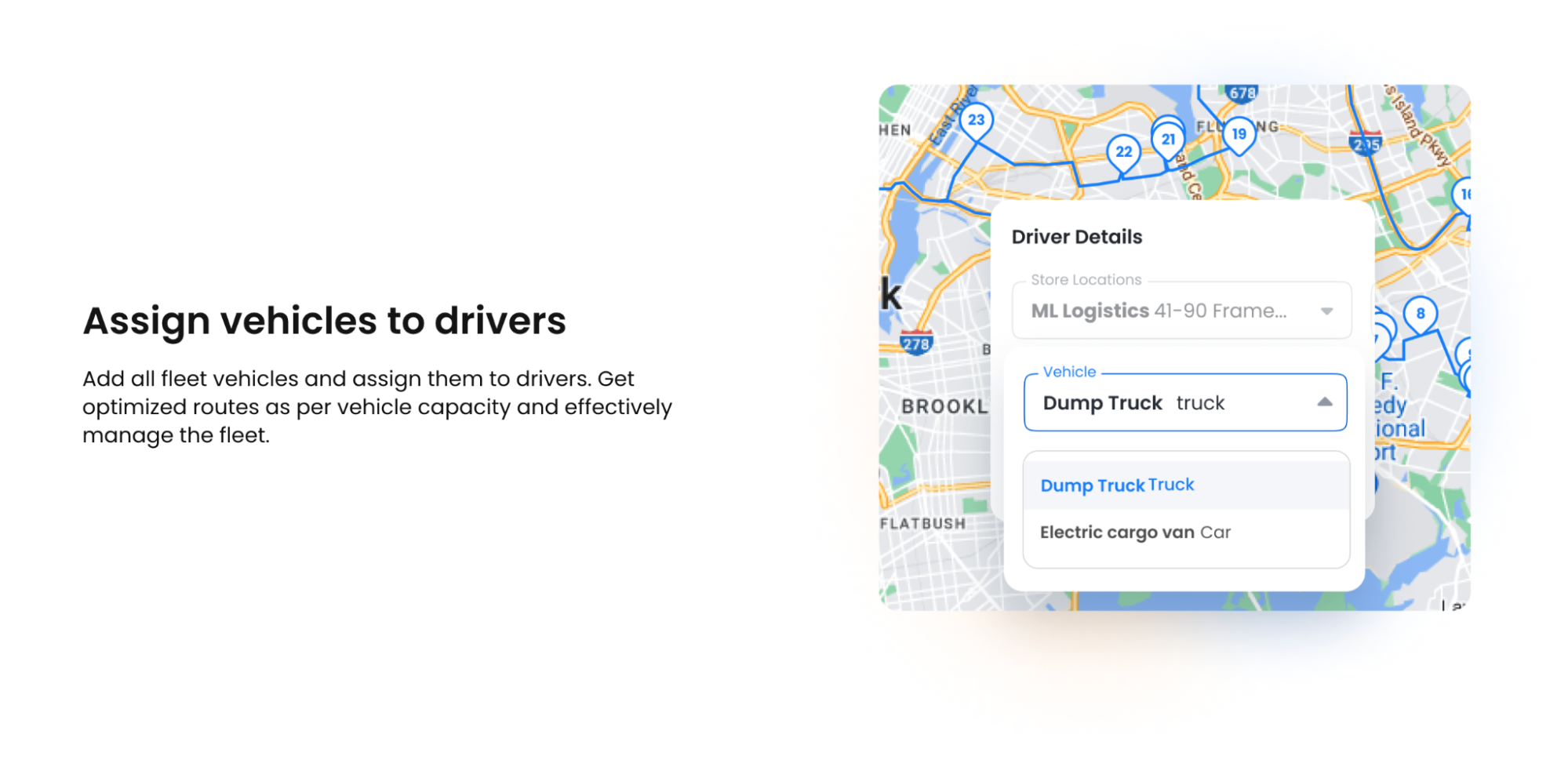
Zeo’s Driver Management software offers real-time insights on driver behavior and vehicle usage, enhancing safety and efficiency. It automatically assigns stops to drivers based on location and shift timings, eliminating the need for manual allocation.
Zeo also helps businesses optimize routes, match tasks with team members’ expertise, and assign stores to drivers for uniform departure points. It also allows for efficient fleet management based on vehicle capacity.
#2. Live Route Tracking
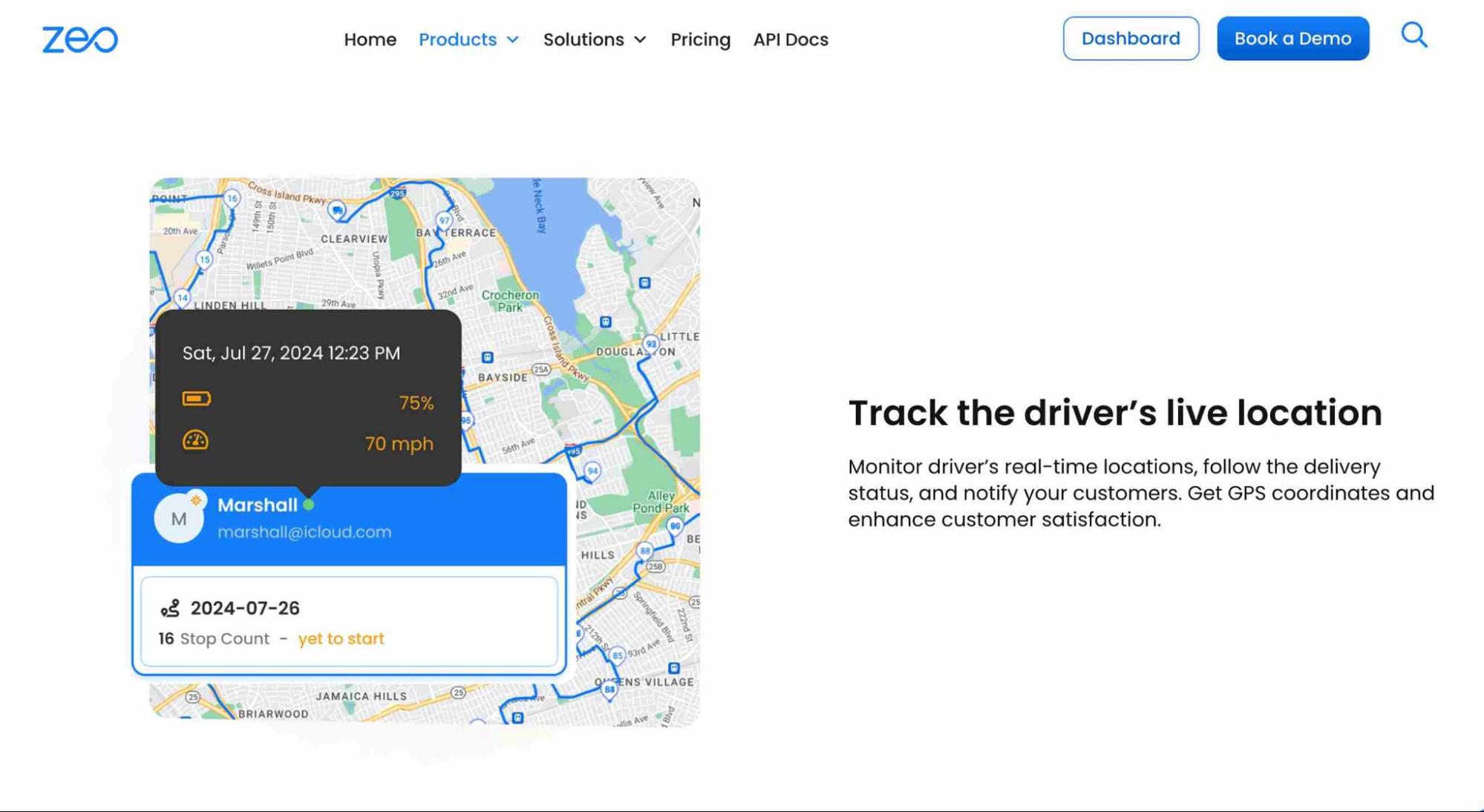
Businesses can use Zeo’s Live route Tracking to see the real-time estimated time of arrival (ETA) for every delivery or service call in order to avoid any issues.This data may be accessed by Fleet management to instantly identify delayed deliveries. If there is a delay, dispatchers can let clients know, reroute the delivery, and reschedule it at a more opportune time.
Ensure Happy Customers with Driver Tracking!
In the dynamic landscape of the delivery industry, driver-tracking software has become an indispensable tool for businesses striving to provide efficient and reliable services.
Businesses can improve driver availability, provide accurate ETAs, adapt to last-minute changes, enhance customer satisfaction, and ensure driver and vehicle security by implementing a driver tracking solution like Zeo Route Planner.
Embrace driver tracking technology in 2026 to streamline your delivery operations and stay ahead of the competition.
You can schedule a free demo to learn more about Zeo!

Are you a fleet owner?
Want to manage your drivers and deliveries easily?
Grow your business effortlessly with Zeo Routes Planner – optimize routes and manage multiple drivers with ease.

increase fuel savings
Save 2 Hours on Deliveries, Everyday!
Optimize routes with our algorithm, reducing travel time and costs efficiently.
Get Started for Free 


















