




Updated on: April 14, 2026
For modern delivery businesses, route optimization is a vital, simplifies processes. As technology develops and the need for effective transportation solutions increases, fleet management is changing quickly. In this blog, we will explore how to guarantee efficient delivery with fleet management which involves transforming logistics, touching upon the best software for fleet owners.
What is Route optimisation?
Route optimization is the process of planning the fastest and most cost-effective way for your mobile field service workers to get from one appointment to another. Route optimization means your mobile workforce spends less time driving, which boosts efficiency and supports sustainability.
Why is Route Optimization important in Modern Delivery Businesses?
Route optimisation software uses advanced algorithm to identify the most efficient product delivery routes. It gathers information on delivery information, locations, vehicle capacity, and constraints like road limits or driver availability. These systems integrate with other systems to ensure seamless operations, ensuring reliable, economical, and successful product distribution.
How does Zeo’s Route Planner for Fleets help modern delivery businesses?
Zeo fleet management aims to supervise the fleet and asset processes to facilitate the efficiency of day-to-day operations. Fleet managers responsible for fleet management processes have to permanently enhance their decisions toward driver satisfaction and safety, fuel optimization, and sustainability to efficiently coordinate commercial vehicles.
It’s crucial to think about the features that a fleet management system must have for you to succeed as a fleet manager before choosing one to run your operations.
Key Features of Zeo’s Route Planner For Fleets
Zeo Route Planner is a feature-rich tool intended to streamline route planning, increase efficiency, and save operating costs for logistics companies’ fleet operations. For fleet managers trying to simplify logistics, it is a great tool. The Zeo fleet route planner has the following features
#1. Live Route Tracking
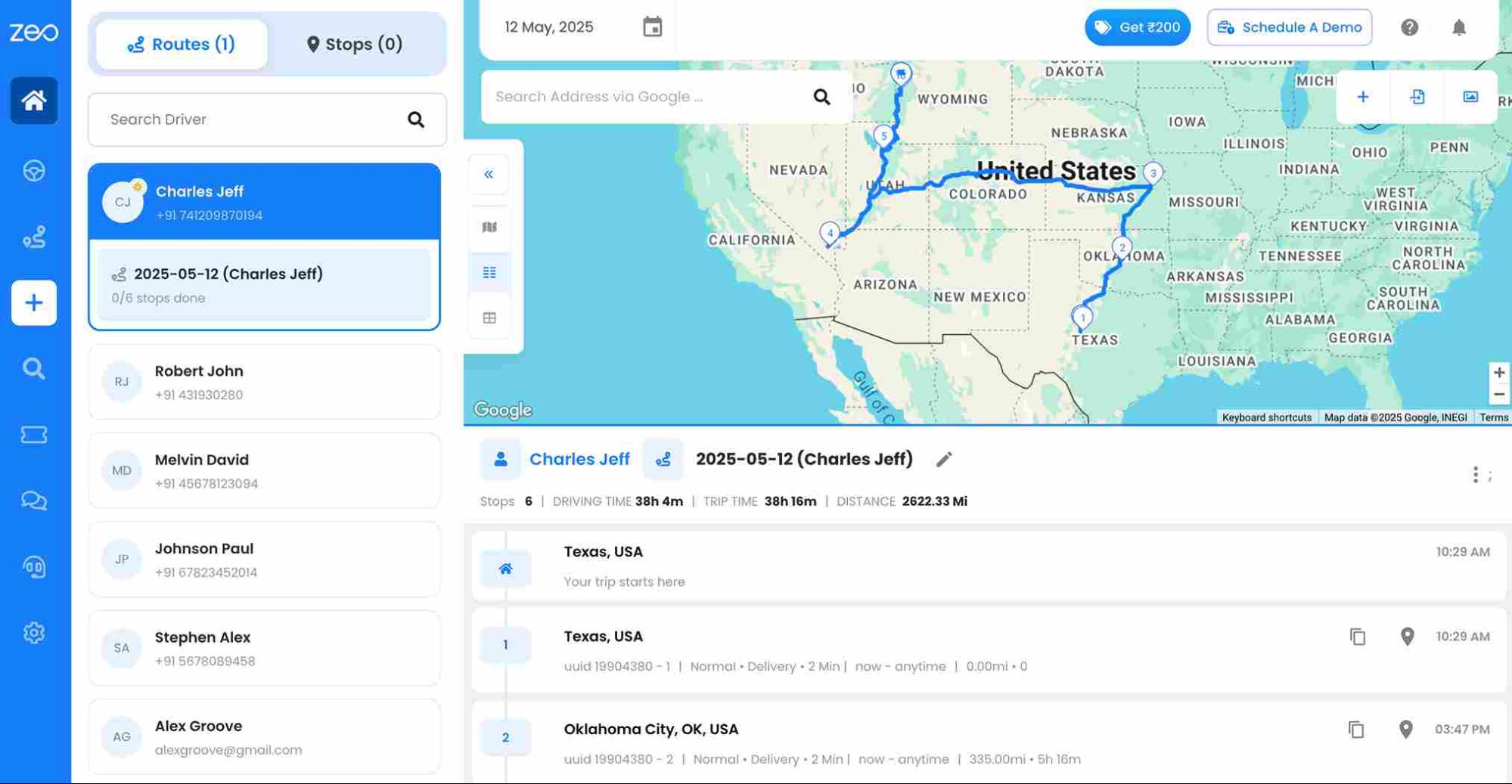
Zeo’s Live Route Tracking allows organizations to monitor fleet locations and truck movements on their delivery routes in real time. This system employs GPS, telematics, and other data sources to offer real-time updates on each vehicle’s actual location.
#2. Route Optimization
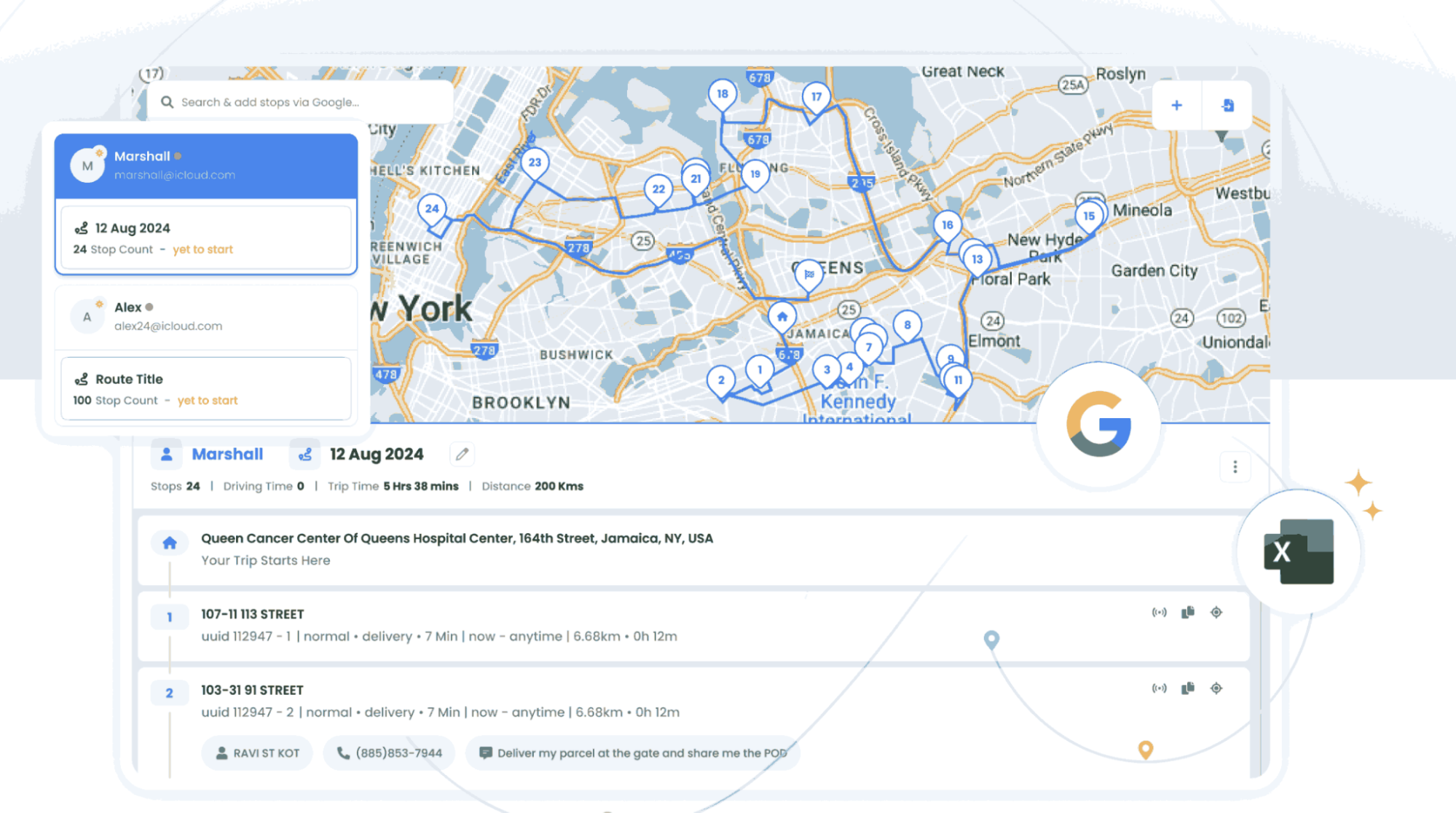
Zeo offers route optimization, which is crucial for an efficient delivery business that optimizes routes by lowering operational costs. It leads to cost savings and enhanced efficiency by streamlining the stop-upload process. Zeo ensures that each delivery meets specific standards. Efficient stop assignment optimizes each driver’s route which resulting in on-time deliveries and lower operating expenses.
#3. Driver Management

increase fuel savings
Hassle Free Deliveries & Pickups!
Optimize routes with our algorithm, reducing travel time and costs efficiently.
Get Started for Free
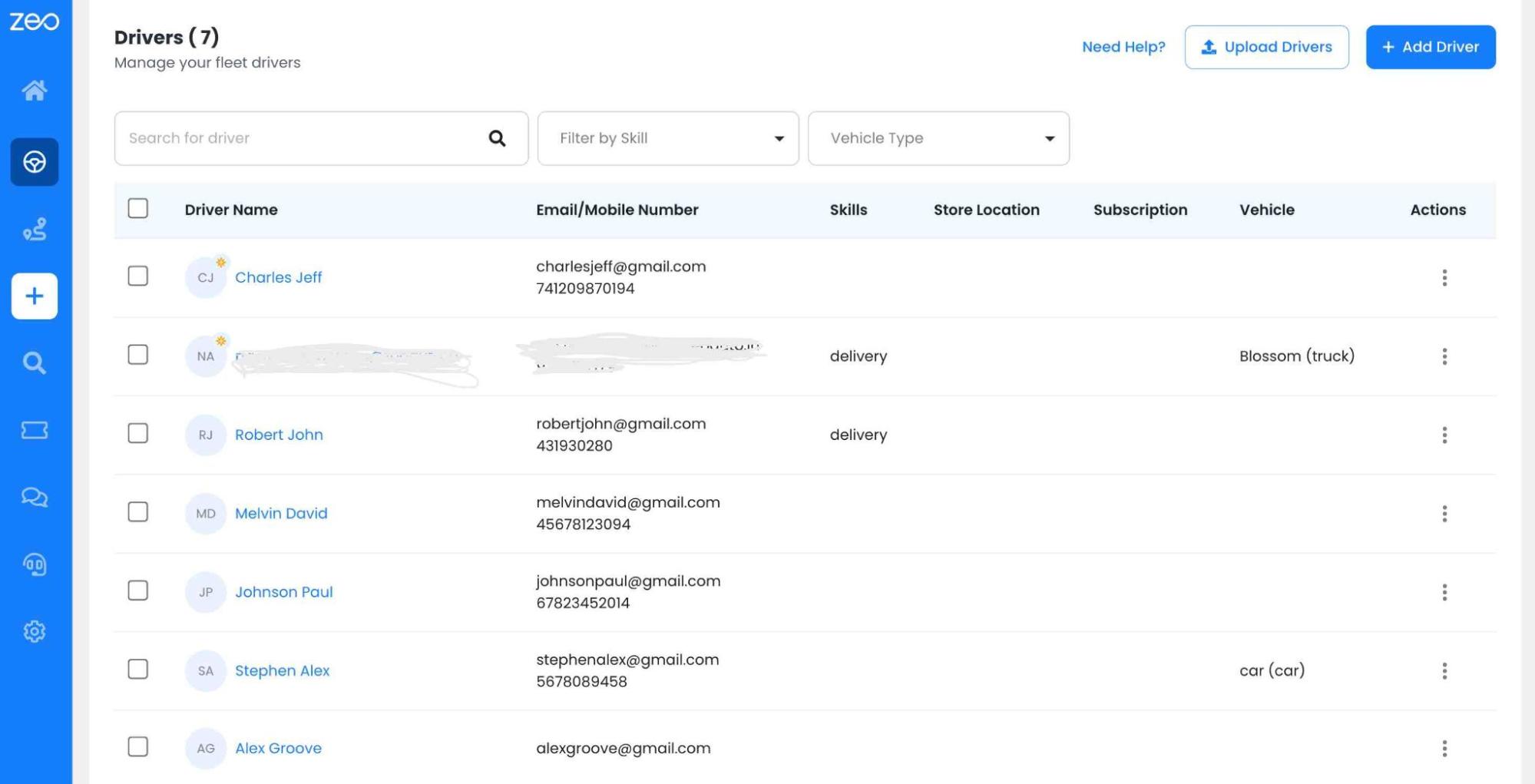
Zeo’s Driver Management system uses advanced technology to monitor and improve driver behavior and safety in fleets. It can upload stops, create routes, and automatically assign multiple routes to drivers in a single click. It auto-assigns stops as per driver availability and shift timings. By giving a birdeye view on operations Zeo track the fleets live locations. It takes preventive actions to avoid accidents and ensure safer journeys and more efficient fleet operations.
#4. Automated Delivery Updates
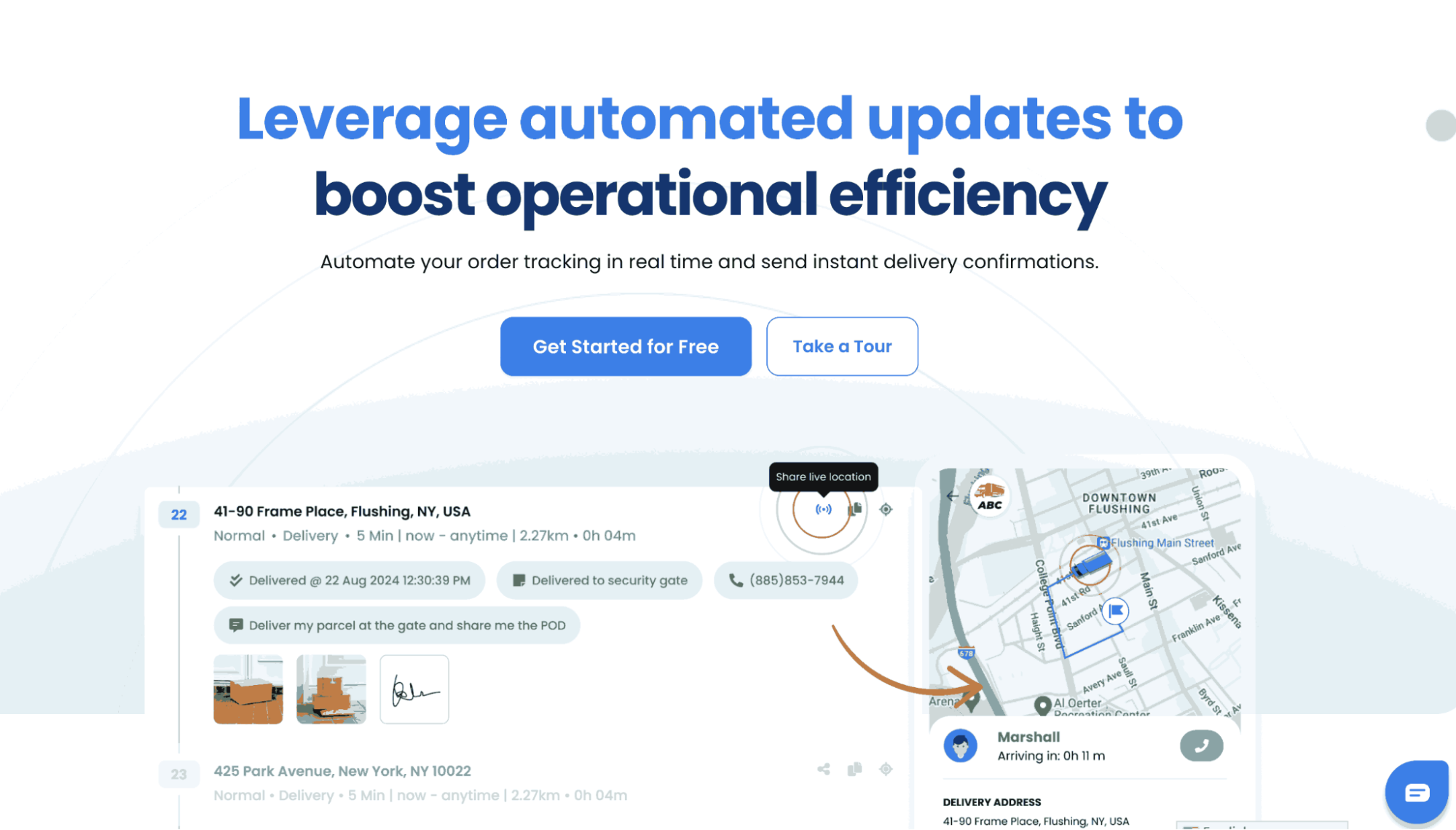
Zeo Route Planner is a tool that offers automated delivery updates, improving communication between fleet managers, drivers, and customers. It provides current delivery location, status information, alerts, customizable notifications, and two-way communication. Customers receive notifications at every stage, reducing inquiries and improving transparency. Zeo also allows customers to schedule their day accordingly, enhancing customer satisfaction by facilitating direct communication between drivers and fleet managers.
#5. Collect Proof of Delivery
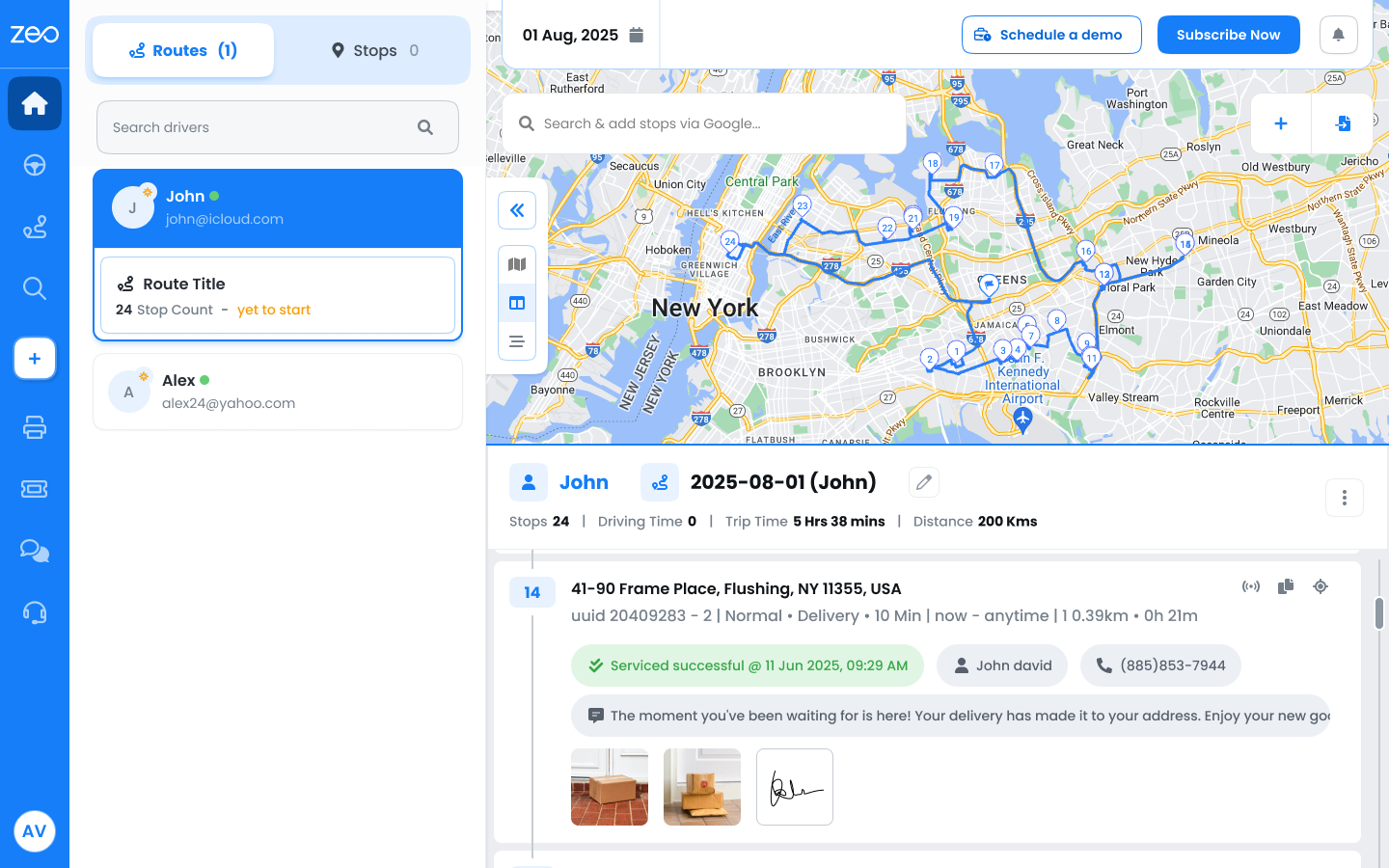
Implementing a Proof of Delivery system can enhance operational functions and customer experience. Route planners like Zeo offer this comprehensive feature, which instantly snaps and uploads photos of deliveries. It provides visual confirmation that is clear and undeniable, even in complex delivery scenarios. It streamlines the delivery process and keeps payment details linked with every proof for a complete delivery overview.
Conclusion
Efficient delivery involves smarter operations, not just faster routes. Fleet owners can transform their service into a lean, scalable, and reliable growth engine with the right tools and processes.
Implementing best practices in fleet management is crucial for a high-performing delivery operation. Zeo’s strategic route planning, live route tracking, driver management systems, and automated delivery updates significantly improve business operations.
To create efficient delivery business, book a demo call now or sign up for a free trial of Zeo Route Planner!

Are you a fleet owner?
Want to manage your drivers and deliveries easily?
Grow your business effortlessly with Zeo Routes Planner – optimize routes and manage multiple drivers with ease.
increase fuel savings
Save 2 Hours on Deliveries, Everyday!
Optimize routes with our algorithm, reducing travel time and costs efficiently.
Get Started for Free



















