




Sales representatives are always on the run, following up with clients, setting up meetings, and chasing deadlines. Any time delayed is time wasted for them. They have to prepare a solid pitch for their products and services, and also ensure that they reach the clients at the right time and not a minute late.
Sales route optimization is the best way to ensure you are always on time and are not lost taking longer routes to reach your clients. Let’s understand what are the challenges of sales route optimization, and the effective steps to simplify the process.
What is Sales Route Optimization?
Sales route optimization is the practice of planning daily sales visits in a structured and intentional way. It focuses on organizing multiple customer meetings into a logical sequence that makes the best use of time.
Instead of planning each visit in isolation, sales teams look at the entire day as a connected schedule. This approach helps reps stay organized and maintain consistency across all appointments. Sales route planning trends will reshape the productivity of the sales team in 2026 and beyond.
What Are the Challenges in Sales Route Optimization?
Without a structured approach to sales route optimization, the following issues reduce productivity and weaken overall sales performance.
- Time Spent on Manual Planning
Manual planning consumes valuable hours that could be spent on customer conversations. Sales reps repeatedly review addresses, schedules, and priorities during the day. This constant reworking makes sales route optimization difficult to sustain. Over time, manual planning creates fatigue and inconsistent outcomes. - Poor Prioritization of Sales Visits
Not every meeting delivers the same business impact. High-value accounts may end up poorly placed within the schedule. Sales route planning and optimization depends on aligning visit order with account importance. When priorities are unclear, effort increases but results decline. - Inefficient Territory Coverage
Sales reps often move through the same areas multiple times within a single day. This leads to unnecessary effort and limits the number of visits completed. Sales route optimization helps structure territories more effectively. Without it, daily coverage remains fragmented and hard to scale. - Frequent Schedule Changes
Cancellations and rescheduled meetings disrupt even well-planned sales days. One change can force multiple route adjustments. Sales route optimization becomes challenging when routes lack flexibility. This results in rushed decisions and reduced focus. - Limited Visibility Across the Sales Day
Many reps plan meetings one at a time rather than viewing the full schedule. This narrow approach makes transitions between visits harder to manage. Sales route optimization relies on understanding how the entire day fits together. Without clear visibility, routes lose efficiency.
The Step-by-Step Sales Route Optimization Guide
Sales route planning strategies work best when they follow a structured and repeatable process. This guide outlines practical steps that also highlight where route optimization tools add value.

increase fuel savings
Hassle Free Deliveries & Pickups!
Optimize routes with our algorithm, reducing travel time and costs efficiently.
Get Started for Free
- Step 1: List All Planned Sales Visits Clearly
Begin by documenting every customer visit planned for the day or week. Include meeting purpose, expected duration, and location details. Having all stops visible in one place reduces oversight and rework. - Step 2: Identify High-Value and Time-Sensitive Meetings
Each sales day includes visits that carry different levels of importance. Mark high-value accounts and meetings with fixed timing early in the planning process. This prevents critical visits from being squeezed later. - Step 3: Group Visits Based on Territory and Proximity
Organize meetings that fall within the same territory or nearby areas. This reduces unnecessary movement and creates a smoother daily flow. Manual grouping can work at a small scale but becomes harder as visits increase. - Step 4: Sequence Visits to Create a Logical Daily Flow
Arrange meetings in an order that balances preparation and engagement. Poor sequencing can lead to rushed conversations or mental fatigue. A well-structured plan supports stronger customer interactions. - Step 5: Review and Adjust Routes With Flexibility in Mind
Before starting the day, review the planned route for gaps or overload. Changes often require quick adjustments that are hard to manage manually. Routing tools simplify this review process and reduce planning effort.
How Zeo Simplifies Sales Route Optimization
Sales route optimization becomes easier when planning, execution, and follow-ups work together. Zeo Route Planner supports sales reps by turning complex routes into structured daily workflows.
- Live Route Tracking
Live route tracking gives sales reps clear visibility into their daily progress. It helps them stay aligned with planned visits and schedules. Managers also gain insight into route adherence without constant check-ins. This visibility strengthens accountability across sales route optimization efforts.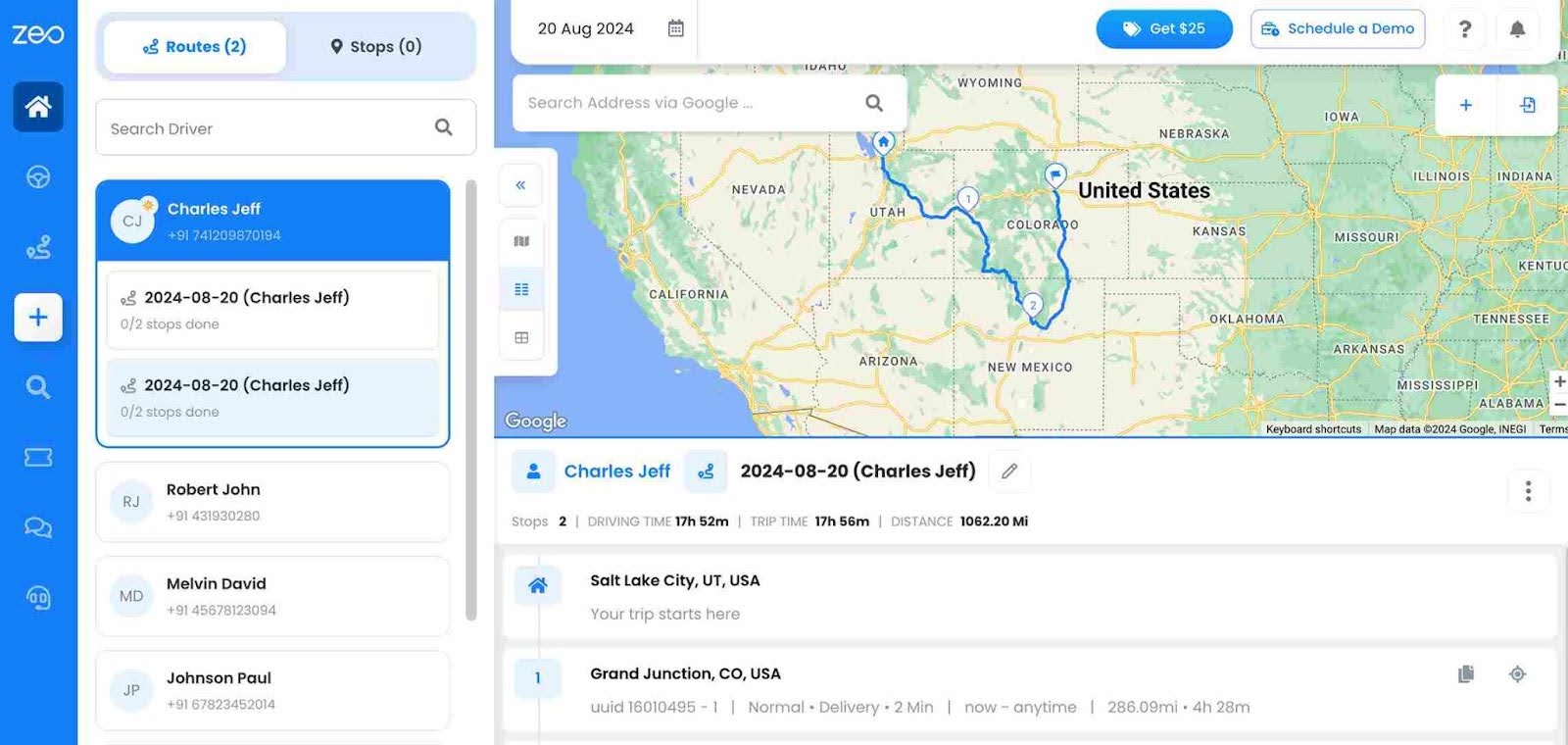
- Route Optimization
Zeo automatically arranges multiple sales stops into the most efficient sequence. Reps no longer need to manually reorder meetings throughout the day. This reduces planning effort and improves daily consistency. Sales route optimization becomes faster and more reliable.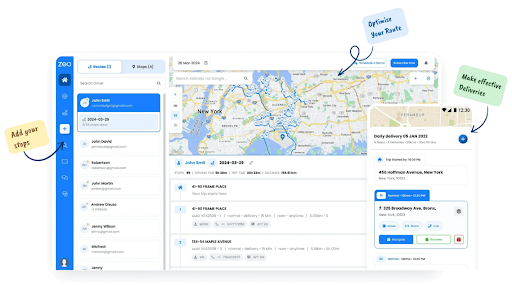
- Automated Customer Updates
Automated updates keep customers informed about visit status and timing. This reduces missed meetings and unnecessary follow-up calls. Sales reps can focus on conversations instead of coordination. Clear communication supports smoother sales route optimization.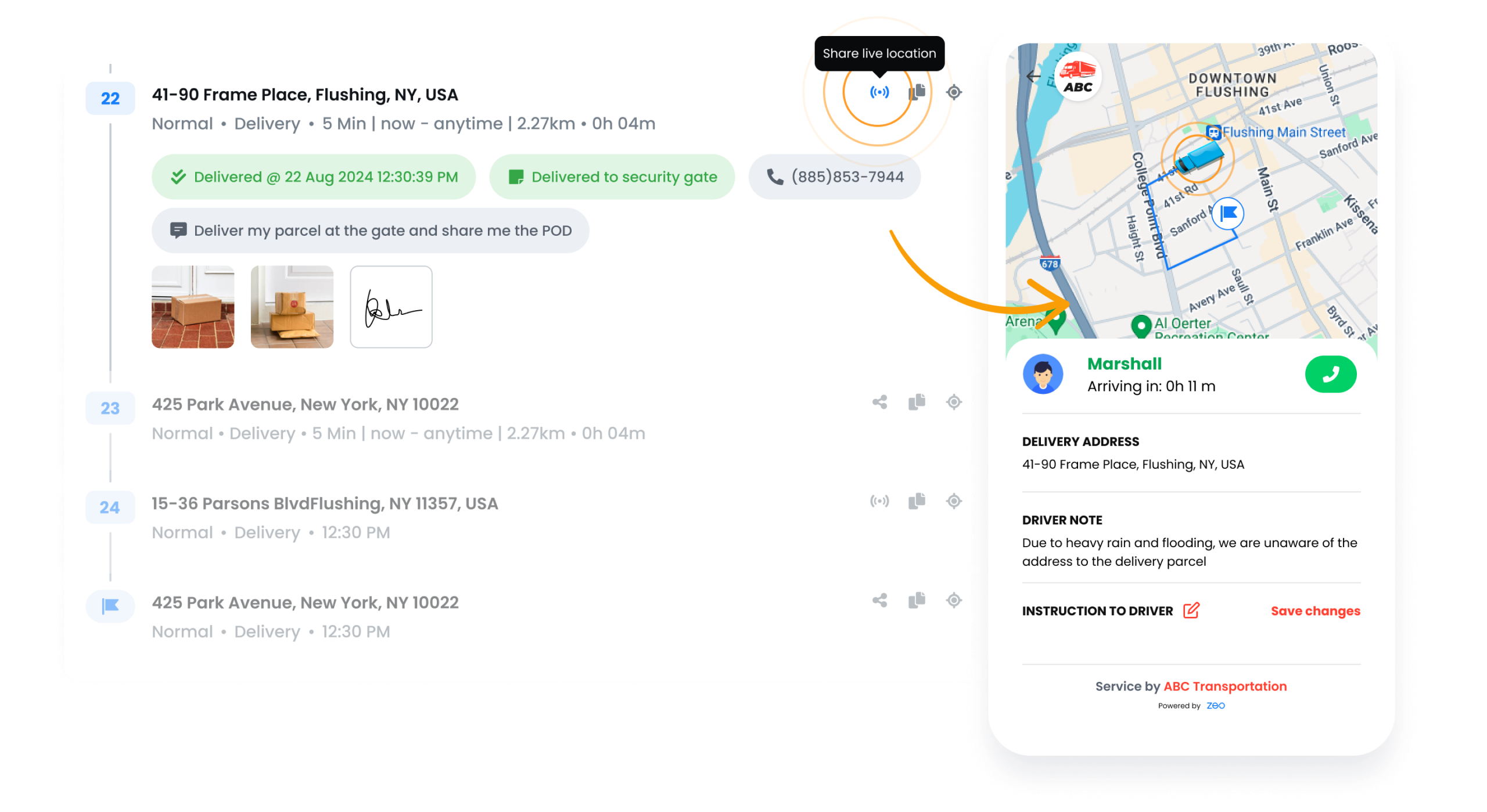
- Proof of Delivery
Proof of delivery records visit completion through digital confirmation. It provides clarity on completed meetings and shared materials. Sales teams gain reliable records without manual reporting. This adds structure and trust to sales route optimization workflows.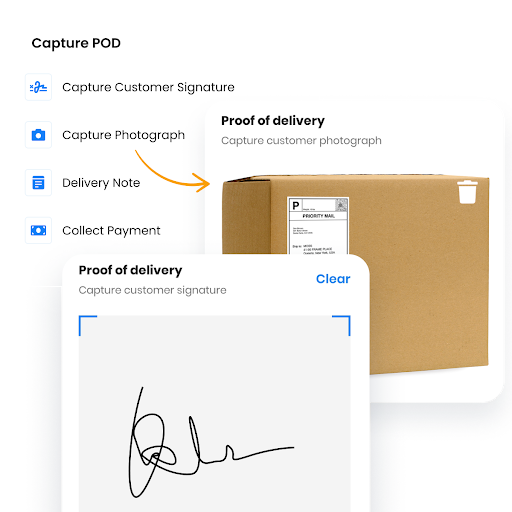
- Route Analytics
Route analytics show how time and effort are spent across sales routes. Teams can identify inefficiencies and improve future planning. Data-driven insights support smarter territory decisions. Strong analytics improve long-term sales route optimization outcomes.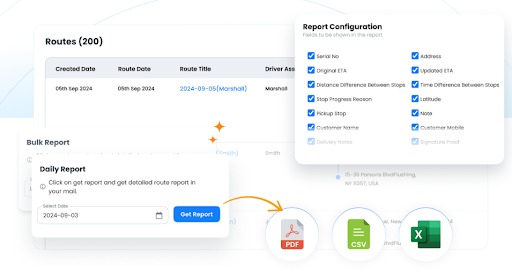
- Recurring Routes
Recurring routes allow reps to reuse proven schedules for regular customers. This reduces repetitive planning for weekly or monthly visits. Consistency improves preparation and time management. Sales route optimization becomes easier to scale.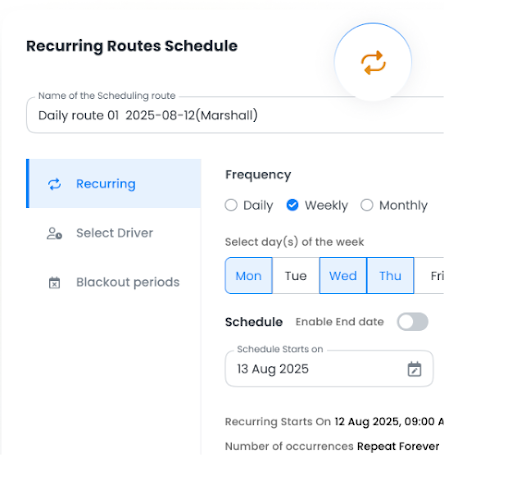
- Global Search
Global search helps reps quickly find customers, addresses, or routes. It reduces the time spent searching through lists or notes. Faster access keeps the day moving smoothly. This feature supports efficient sales route optimization execution.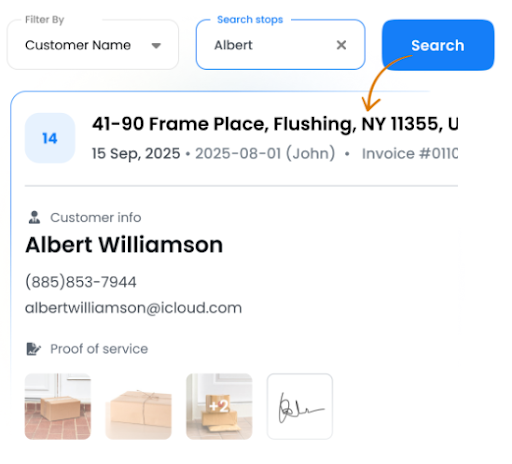
Conclusion
Sales route optimization helps sales teams turn daily travel into a structured and repeatable process. When routes are planned with intention, reps spend more time selling and less time reorganizing their day. Small improvements in planning lead to stronger focus, better preparation, and more consistent customer engagement.
If you want to simplify sales route optimization and stay organized and productive throughout the day, sign up for Zeo Route Planner and start building smarter sales routes.

Are you a fleet owner?
Want to manage your drivers and deliveries easily?
Grow your business effortlessly with Zeo Routes Planner – optimize routes and manage multiple drivers with ease.
increase fuel savings
Save 2 Hours on Deliveries, Everyday!
Optimize routes with our algorithm, reducing travel time and costs efficiently.
Get Started for Free



















