



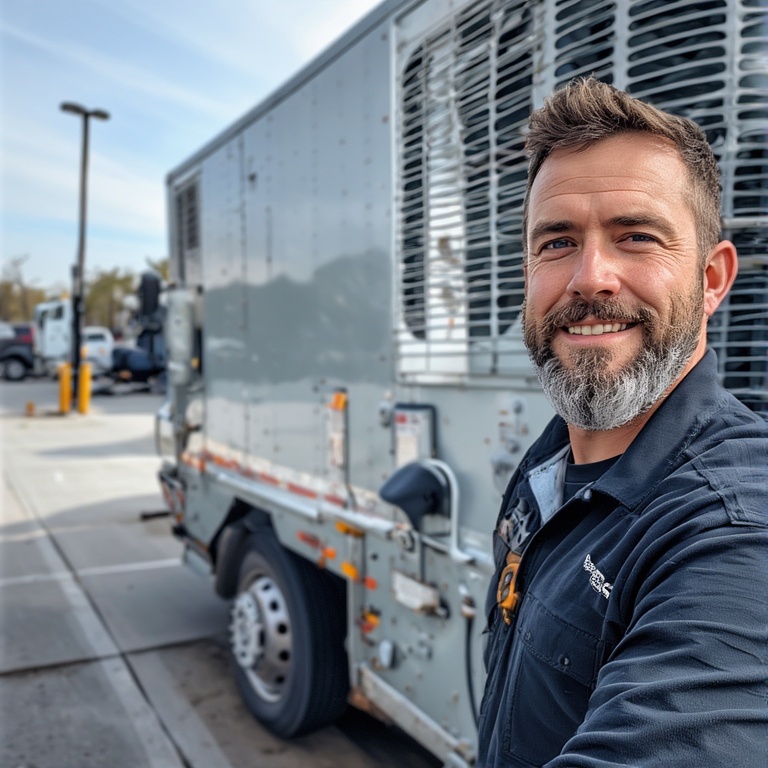
The secret behind every efficient and smooth HVAC operation is coordination with technicians, scheduling visits, planning routes, communicating with customers, and ensuring everything happens at the right time. Sounds complex, right? That’s a normal day in the life of an HVAC dispatcher.
The success of the operations depends on the efficiency and accuracy of HVAC dispatchers. If they falter, the operations falter. They must adopt a well-organized process to eliminate any disruptions. Here are eight proven tips that can ensure that.
8 Tips Every HVAC Dispatcher Should Know
HVAC dispatching is not just about filling time slots. It is about making smart decisions that keep technicians productive, customers satisfied, and operations running smoothly. These tips for HVAC dispatcher teams are based on what actually works in day-to-day field operations.
- Prioritize Jobs Based on True Urgency
Not all urgent-sounding calls are real emergencies. A broken AC during peak summer hours needs faster action than a routine service request. One of the most important tips for HVAC dispatcher efficiency is learning how to assess urgency correctly. This prevents schedule chaos and ensures critical jobs get handled first. - Assign Jobs Based on Location, Not Just Availability
Sending the first available technician is often a mistake. Dispatchers should consider where technicians are finishing their current jobs. Assigning the closest technician reduces travel time and keeps schedules realistic. This is one of the most effective tips for HVAC dispatcher teams looking to improve response times. - Plan Routes, Not Individual Appointments
Dispatching one job at a time leads to unnecessary driving and technician fatigue. Grouping jobs by area allows technicians to complete more calls with less downtime. Smart route planning is one of the most practical tips for HVAC dispatcher productivity, especially on busy days. You must always run your HVAC service with advanced route optimization. - Give Technicians Complete Job Information Upfront
Incomplete job details slow technicians down and increase repeat visits. Dispatchers should share customer notes, equipment history, and access instructions before the technician arrives. Clear information is one of the most overlooked tips for HVAC dispatcher success and has a direct impact on first-time fix rates. - Set Realistic Arrival Windows With Customers
Customers prefer honesty over exact promises that cannot be met. Giving realistic time windows reduces follow-up calls and frustration. This is one of the tips for HVAC dispatcher workflows that improves trust and lowers pressure on both dispatchers and technicians. - Always Leave Room for Schedule Adjustments
Emergency calls, cancellations, and delays are unavoidable in HVAC operations. Dispatchers should avoid fully packed schedules with no flexibility. Building buffer time into routes is one of the smartest tips for HVAC dispatcher teams working in unpredictable conditions. - Track Technician Progress Throughout the Day
Knowing when a technician is wrapping up a job helps dispatchers plan the next assignment better. This prevents idle time and overlapping jobs. Real-time awareness supports smoother handoffs and faster decision-making. Not tracking technician progress is a common HVAC routing mistake that can hamper your planning and efficiency. - Review Dispatch Performance Regularly
Look at response times, travel gaps, and missed appointments at the end of each day or week. These insights help dispatchers adjust future schedules and improve planning. Continuous review is one of the most valuable tips for HVAC dispatcher teams aiming for long-term efficiency.
How Zeo Route Planner Helps HVAC Dispatchers
HVAC dispatchers juggle multiple technicians, urgent service calls, and tight schedules every day. Zeo simplifies this complexity by giving dispatchers better visibility, control, and flexibility over daily operations through its various features. Zeo can help you revolutionize HVAC service efficiency with its features.
- Live Route Tracking
Zeo empowers HVAC dispatchers to see where each technician is in real time. This makes it easier to assign the nearest technician to urgent service calls and provide accurate arrival updates to customers. Live tracking also helps identify delays early and adjust schedules proactively.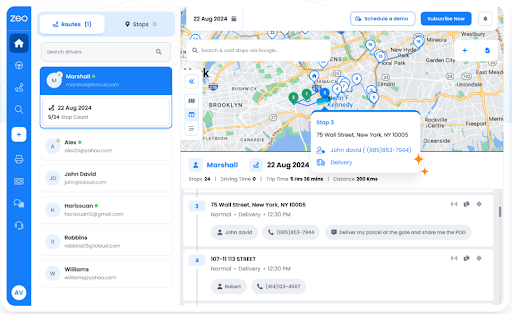
- Route Optimization
With route optimization, Zeo automatically arranges service calls in the most efficient order. This reduces unnecessary travel time between jobs and helps technicians complete more calls per day. For HVAC dispatchers, it means smoother schedules and fewer gaps between appointments.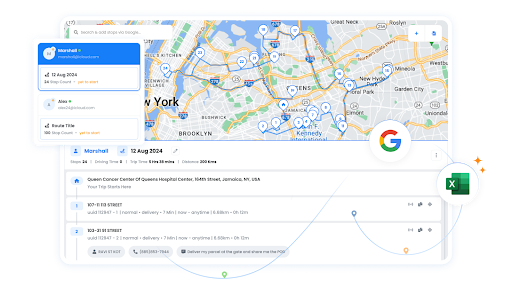
- Automated Customer Updates
Zeo sends automated notifications to customers about technician arrival times and job status. This reduces inbound calls asking for updates and keeps customers informed without extra effort from dispatchers. Clear communication leads to better customer satisfaction and fewer complaints.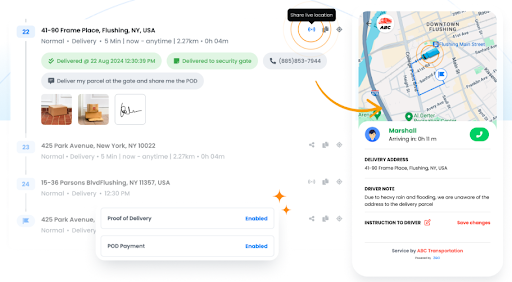
- Driver Management
Zeo helps HVAC dispatchers assign jobs, monitor technician workloads, and balance schedules effectively. Dispatchers can quickly see who is available, who is overloaded, and who is finishing a job soon. This ensures fair work distribution and faster response times.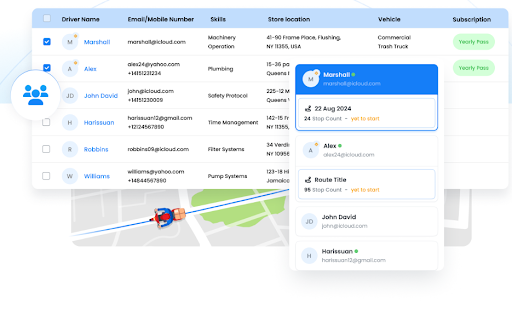
- Route Analytics
Zeo provides insights into travel time, job completion patterns, and route efficiency. HVAC dispatchers can use these analytics to identify bottlenecks and improve future scheduling. Over time, this leads to better planning, reduced costs, and improved service performance.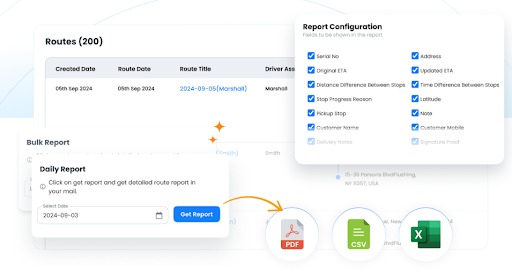
- Recurring Routes
Many HVAC businesses handle routine maintenance visits that repeat weekly or monthly. Zeo allows dispatchers to save these recurring routes and reuse them instantly. This reduces daily planning time and ensures consistency across scheduled service calls.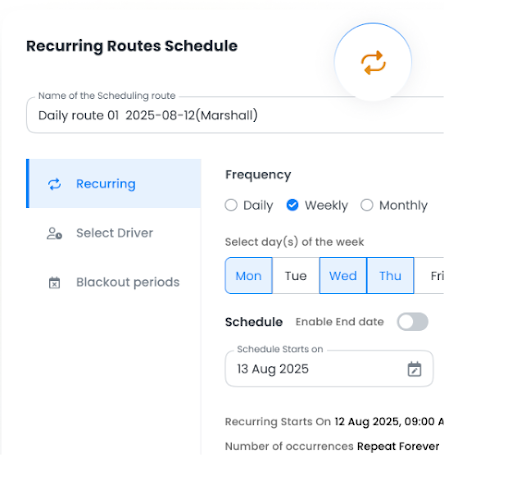
- Global Search
HVAC dispatchers often need to quickly find a technician, customer address, or service location. Zeo’s global search makes it easy to locate any route, stop, or technician in seconds. This speeds up decision-making and reduces time spent navigating multiple screens.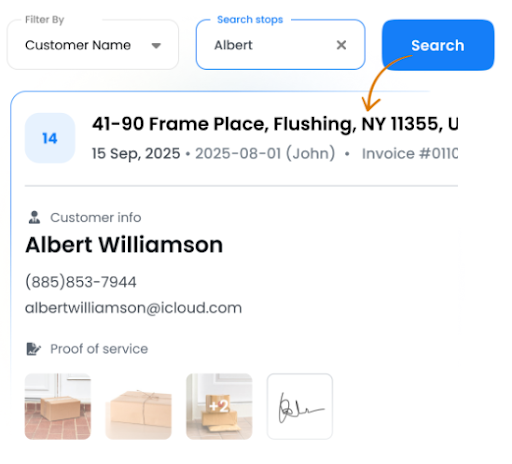
Conclusion
HVAC dispatching is a demanding role that requires constant coordination, quick decision-making, and clear communication. When dispatchers focus on smarter scheduling, efficient routing, and realistic expectations, daily operations become far more manageable. These tips for HVAC dispatcher success help reduce delays, improve technician productivity, and deliver a better service experience.

increase fuel savings
Save 2 Hours on Deliveries, Everyday!
Optimize routes with our algorithm, reducing travel time and costs efficiently.
Get Started for Free
Combining strong dispatching practices with the right tools makes a real difference. Solutions like Zeo Route Planner support dispatchers by simplifying route planning, improving visibility, and keeping schedules on track. When dispatchers are equipped properly, the entire HVAC operation runs more smoothly.
Sign up for Zeo Route Planner today and simplify your HVAC dispatch operations.

Are you a fleet owner?
Want to manage your drivers and deliveries easily?
Grow your business effortlessly with Zeo Routes Planner – optimize routes and manage multiple drivers with ease.
increase fuel savings
Save 2 Hours on Deliveries, Everyday!
Optimize routes with our algorithm, reducing travel time and costs efficiently.
Get Started for Free 


















