



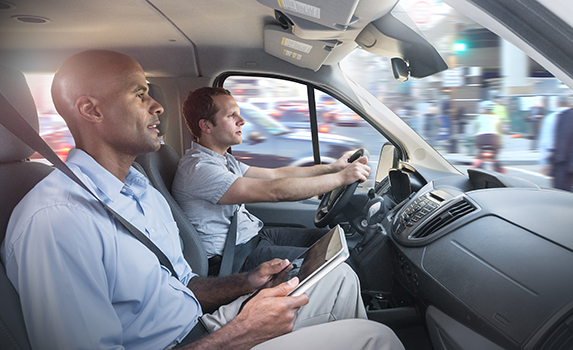
Being a delivery driver doesn’t simply mean driving your vehicle from point A to point B. A lot of preparation and planning goes into every delivery. Different shifts, different delivery expectations, different locations, and different delivery priorities can have a say in how you prepare for the route.
Realizing you have missed an essential tool while on the road can lead to challenges and derail your delivery process. We’ve compiled a list of the 15 delivery driver essentials that you must always carry in your vehicle. This list will ensure you are always prepared for every delivery.
15 Delivery Driver Essentials You Should Always Carry
The right delivery driver essentials help you deliver faster, stay safe, and handle unexpected situations without losing time or money.
- Route Optimization App
A route optimization tool like Zeo helps you move through your stops in the most efficient order. It reduces unnecessary mileage, saves fuel, and helps you cover more ground in less time. With smooth routing, every shift becomes more productive and profitable.Zeo Route Planner offers various user-friendly features like live route tracking, automated delivery updates, proof of delivery, recurring routes, global search, route analytics, and more to streamline your route planning process.
- Smartphone Mount
A sturdy phone mount keeps your device at eye level, making navigation safer and easier. You avoid fumbling with your phone and maintain better focus on the road. This simple accessory improves accuracy and reduces distractions. - Car Charger and Power Bank
Your phone is your lifeline for maps, apps, and communication, so it must stay powered at all times. A reliable charger and backup power bank prevent shutdowns during long shifts. Consistent battery life keeps your workflow uninterrupted. - Insulated Delivery Bags
Hot and cold items need to stay at the right temperature. Insulated bags help maintain freshness and prevent spills during transport. Customers notice the difference, and better food quality often leads to higher ratings. - Flashlight
Night deliveries, dark driveways, and hidden house numbers can slow you down. A small flashlight makes it easier to find entrances and drop-off points quickly. It also adds a layer of safety when navigating low-light areas. - Reusable Grocery Bags
These bags help you carry multiple items at once and keep big orders organized. They are especially useful for bulk grocery or package deliveries. With better organization, you spend less time sorting and more time moving. - First Aid Kit
Minor cuts, scrapes, or sudden issues can happen during a busy shift. A small first aid kit keeps you prepared for quick fixes. It ensures you stay on the road without unnecessary interruptions. - Vehicle Emergency Kit
Flat tires, jump starts, or small mechanical issues can hit at the worst times. An emergency kit with jumper cables, a tire inflator, and basic tools can save your shift. Being able to solve small problems fast keeps your earnings on track. - Pen and Notepad
Technology is great, but having backup tools is even better. A pen and notepad help you jot down special instructions, gate codes, or reminders. They come in handy during moments when an app glitches or extra clarity is needed. - Cleaning Supplies
Wet wipes, sanitizer, and microfiber cloths help you keep your car clean throughout the day. A clean workspace improves comfort and shows professionalism during handoffs. Good hygiene also helps maintain customer trust. - Snacks and Water
Long routes can drain your energy quickly. Keeping light snacks and water ensures you stay fueled without making extra stops. This keeps you focused, steady, and ready for long shifts. - Seasonal Gear
Weather changes can hit suddenly and affect your speed. Gloves, umbrellas, sunscreen, or hats help you stay comfortable throughout the year. Being ready for the season keeps your pace consistent regardless of conditions. - Dashcam
A dashcam offers protection if issues or disputes arise during deliveries. Having clear footage promotes safety and accountability. It gives you peace of mind while driving in busy or unpredictable areas. - Spare Change or Small Cash
Some locations still require coins for parking meters or tolls. Keeping a small stash of change prevents delays when digital payments are not accepted. It saves time and keeps your schedule running smoothly. - Comfort Items
Seat cushions, sunglasses, or a reusable water bottle make long hours more comfortable. Small comfort improvements help reduce fatigue during heavy delivery days. Better comfort leads to better focus and more consistent performance.
Why Delivery Driver Essentials Matter
Delivery shifts can change quickly, and the smallest setback can slow your entire schedule. The right delivery driver essentials keep you prepared, efficient, and ready for anything the road brings your way.

increase fuel savings
Hassle Free Deliveries & Pickups!
Optimize routes with our algorithm, reducing travel time and costs efficiently.
Get Started for Free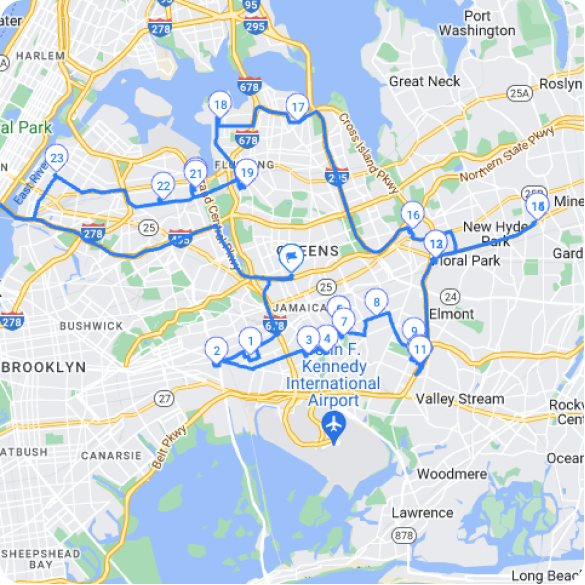
- Staying Efficient and On Schedule
Every delay, even a small one, affects the number of deliveries you can complete. Essentials like a route planner, organizer bags, or a charger help you stay consistently on track. When your workflow is smooth, you complete more stops and earn more without extending your shift. - Improving Customer Experience
Customers expect accuracy, care, and timely deliveries. Tools like insulated bags, flashlights, and reusable totes help you provide a more professional experience. Better service leads to higher ratings, which plays a big role in getting more orders. - Reducing Stress During Unpredictable Situations
Missing house numbers, long hallways, tricky parking spots, or minor car issues are common challenges. Delivery driver essentials like a flashlight, first aid kit, or emergency toolkit turn stressful moments into easy fixes. Prepared drivers stay calmer and more confident throughout the day. - Ensuring Personal Safety on the Road
Long hours, late-night deliveries, and unfamiliar neighborhoods require drivers to be ready for anything. Items like a dashcam, emergency supplies, and basic safety gear provide added protection. When you feel safe, you drive with better focus and consistency.
Conclusion
Being prepared is one of the easiest ways to boost efficiency, stay stress-free, and deliver a better experience on every shift. The right delivery driver essentials help you avoid delays, stay organized, and protect your daily earnings. When you combine smart tools with better planning, every delivery becomes faster and more predictable.
If you want to streamline your routes and increase your efficiency from day one, sign up for Zeo Route Planner and see how much smoother your delivery workflow can become.

Are you a fleet owner?
Want to manage your drivers and deliveries easily?
Grow your business effortlessly with Zeo Routes Planner – optimize routes and manage multiple drivers with ease.

increase fuel savings
Save $200 on fuel, Monthly!
Optimize routes with our algorithm, reducing travel time and costs efficiently.
Get Started for Free





















