...
Reading Time: 4 minutes
Fleet Platform

See Your Entire Fleet
in Real Time

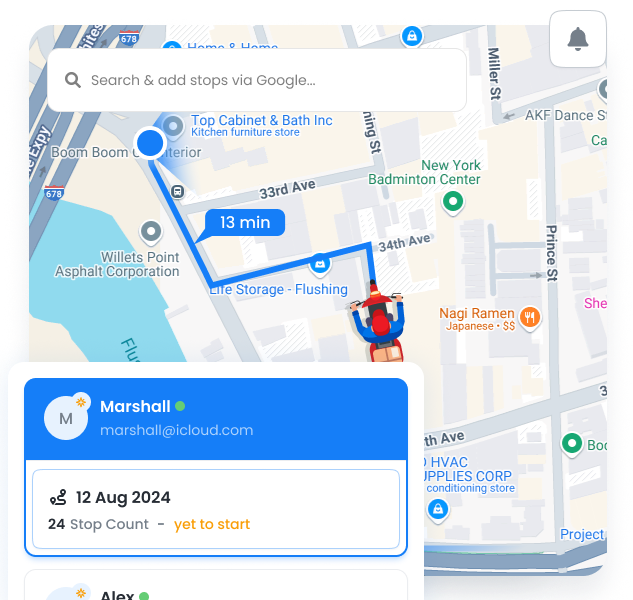
One dashboard showing every team member’s location, route progress, and ETA. No more guessing
where people are or calling to check status — it’s all right here, updating every 30 seconds.
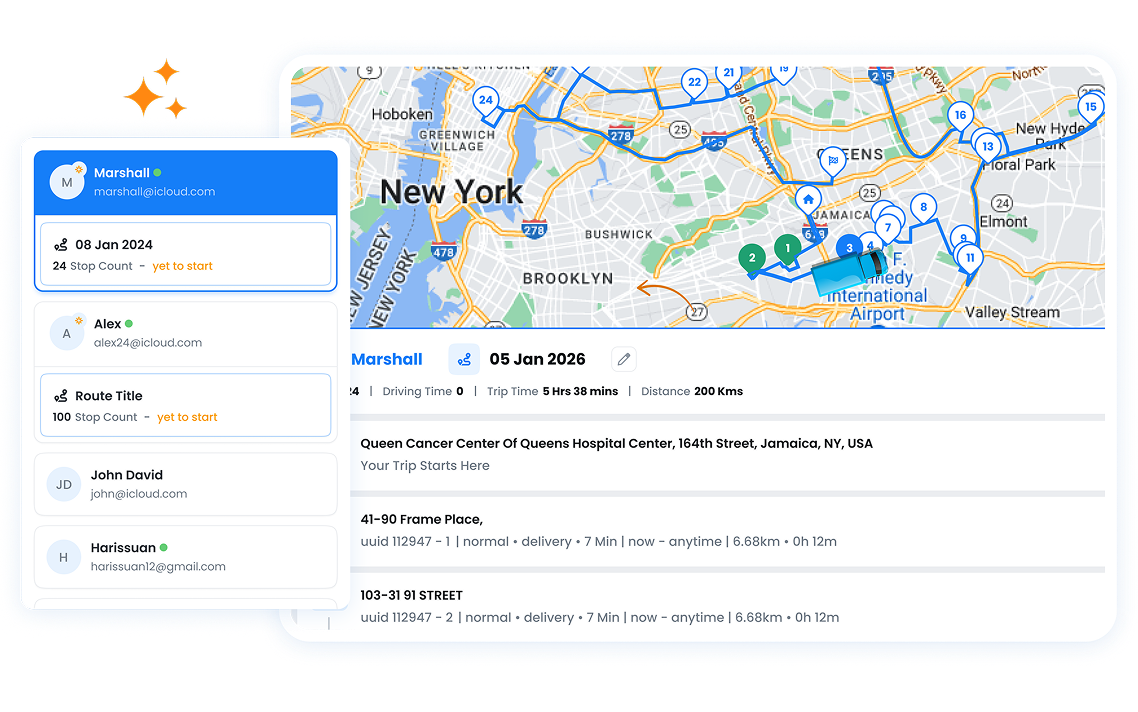
Fleet Dashboard, Zeo Route Planner
  • 30s

    Location refresh rate

  • 100%

    Fleet visibility

  • 95%

    ETA accuracy

Dashboard Capabilities

Everything you need to monitor your fleet from one screen.

Fleet Dashboard, Zeo Route Planner

Real-Time Location

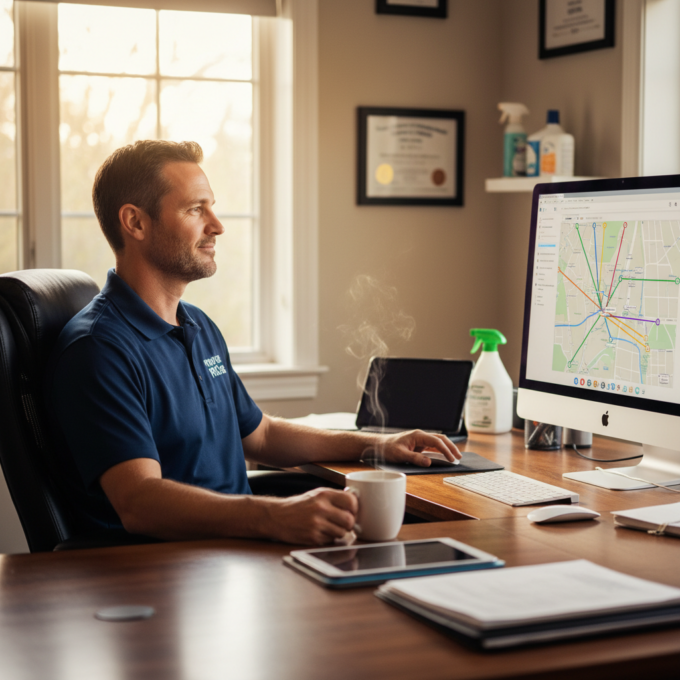
See exactly where each team member is, updated every 30 seconds. GPS-accurate positioning on an interactive map.
Fleet Dashboard, Zeo Route Planner

Progress Monitoring

Track completed vs. remaining stops for each route. Visual progress bars show how far along each person is.


Fleet Dashboard, Zeo Route Planner

ETA Tracking

Live ETAs for each stop, automatically recalculated based on current location and traffic conditions.

Fleet Dashboard, Zeo Route Planner

Status Indicators

Color-coded status: on schedule (green), slight delay (yellow), behind schedule (red). Spot issues at a glance.

Fleet Dashboard, Zeo Route Planner

Battery Monitoring

See device battery levels for each team member. Get alerts when batteries are low to prevent tracking interruptions.

Fleet Dashboard, Zeo Route Planner

Fleet Overview

Summary panel showing total stops, completed, remaining, and aggregate statistics for the entire fleet.

What You See on the Dashboard

A single view designed for dispatchers and operations managers.

Frame 1707478314 20 1, Zeo Route Planner

Interactive Map

Zoom, pan, and click on any driver to see their details and route

Frame 1707478314 22 1, Zeo Route Planner

Driver List Panel

Sortable list of all active drivers with quick stats and status

Frame 1707478314 1 1, Zeo Route Planner

Alerts & Notifications

Real-time alerts for delays, completed routes, and issues

Frame 1707478314 9, Zeo Route Planner

Quick Search

Find any driver, stop, or customer instantly

Fleet Dashboard, Zeo Route Planner

How Businesses Use the Dashboard

Real-time visibility transforms daily operations.

DELIVERY

Customer Service Response

When a customer calls asking “where’s my delivery?”, the support team opens the dashboard and answers in seconds: “Your driver is 3 stops away, ETA 2:15 PM.” No callbacks needed.

FIELD SERVICE

Emergency Dispatch

An urgent service call comes in. The dispatcher checks the dashboard, sees which technician is closest and has capacity, and assigns the stop — all within 2 minutes.

DELIVERY

End-of-Day Monitoring

Operations manager monitors the dashboard at 4 PM to identify drivers who might need help finishing their routes. Reassigns stops to ensure all deliveries complete on time.

FIELD SERVICE

Client Reporting

A property management company shows clients the live dashboard during meetings, demonstrating how their properties are being serviced in real-time. Builds trust and transparency.

Group 1707478361, Zeo Route Planner

Get Real-Time Fleet Visibility

See where your team is, right now with 7-day free trial.

Group 1707478363, Zeo Route Planner

Zeo Questionnaire

Frequently
Asked
Questions

Know More

Fleet Dashboard

How accurate is the GPS tracking?

Location accuracy depends on the mobile device, but typically within 10-50 feet. Updates occur every 30 seconds when drivers are actively on a route. GPS tracking uses the device's native location services.

Does tracking drain the driver's phone battery?

Zeo is optimized for battery efficiency. The 30-second update interval balances real-time visibility with battery conservation. Most drivers complete full routes without battery issues, especially if starting with 50%+ charge.

Can I see historical location data?

Yes. After routes complete, you can access the full route history including path taken, stop times, and any deviations. Route replay lets you visualize the entire day's movement.

How many drivers can I track at once?

There's no limit. The dashboard is designed to handle fleets of any size. For very large fleets (100+ drivers), you can filter by team, zone, or status to focus on specific groups.

Zeo Blogs

Explore our blog for insightful articles, expert advice, and inspiring content that keeps you informed.

2026 01 23 How To Schedule Vending Machine Restocking Featured, Zeo Route Planner

How to Schedule Vending Machine Restocking Efficiently

Reading Time: 6 minutesLearn how to schedule vending machine restocking with data-driven methods, route optimization, and mobile tech to cut costs and boost revenue.

How to Break into Medical Device Sales, Zeo Route Planner

How to Break into Medical Device Sales

Reading Time: 5 minutesThe medical industry is the lifeline for us in the true sense. Healthcare professionals work tirelessly to ensure public well-being

Sales Route Planning By Man Ci, Zeo Route Planner

The Step-by-Step Sales Route Optimization Guide

Reading Time: 5 minutesSales representatives are always on the run, following up with clients, setting up meetings, and chasing deadlines. Any time delayed