



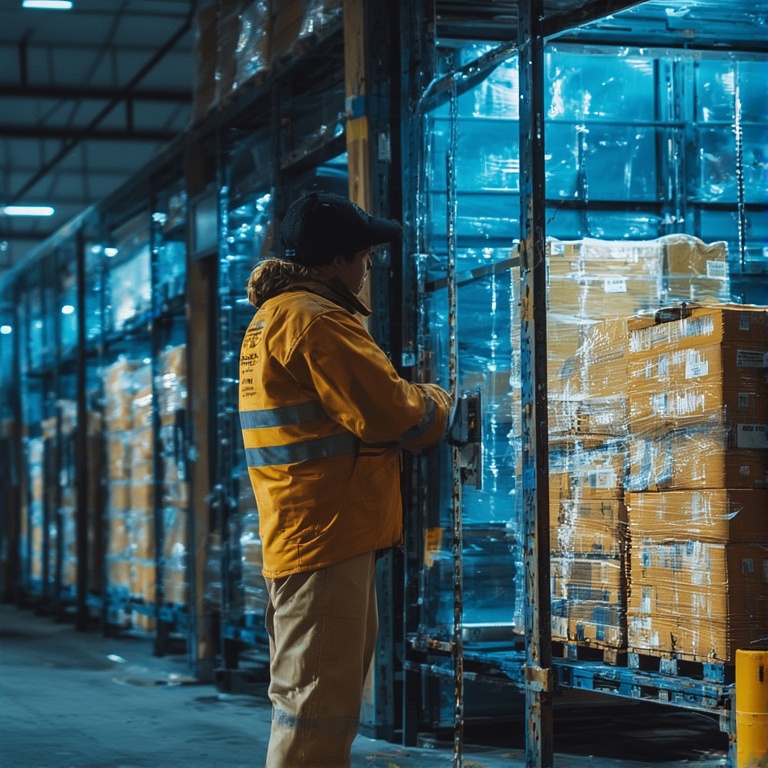
When we think about logistics and delivery, we usually consider the movement of goods and packages from the warehouse to the customer’s doorstep. What about the undelivered packages or missed deliveries? That’s the other aspect of every delivery operation, the reverse logistics.
When goods are not delivered or not accepted by the customers, they must be sent back to the warehouse. This process also demands proper planning, organized trips, and optimized routes to reduce the time and cost associated with it. So, how does it work? Let’s find out.
What is Reverse Logistics?
Reverse logistics is the process of moving products from the customer back to the business for returns, repairs, recycling, or proper disposal. Instead of goods flowing outward through the supply chain, they travel in the opposite direction and often require careful coordination.
This includes tasks like picking up returned parcels, collecting damaged items, retrieving equipment, or managing product recalls. The main goal is to recover value while keeping operations efficient and organized.
Why is Reverse Logistics Important?
Reverse logistics has become a crucial part of modern supply chains as returns and product recovery grow across industries. Handling this process well helps businesses stay efficient, customer-focused, and cost-conscious.
- Reduces Operational Costs
Efficient reverse logistics helps companies recover value from returned or unused products instead of treating them as losses. Proper handling also prevents unnecessary storage, transportation, and disposal costs. Over time, this can significantly improve overall profitability. - Improves Customer Satisfaction
Customers expect returns and exchanges to be quick and hassle-free. A smooth reverse logistics system ensures faster pickups, quicker processing, and timely refunds or replacements. When customers trust the return experience, brand loyalty increases naturally. - Supports Sustainability Efforts
Reverse logistics enables recycling, refurbishing, and responsible disposal of products. Businesses can reduce waste, lower their environmental footprint, and repurpose materials where possible. This strengthens sustainability goals and enhances brand reputation. - Strengthens Inventory and Resource Management
Returned items can re-enter inventory, be repaired for resale, or be redirected to secondary markets. This improves resource utilization and reduces the need for new production. Better inventory flow leads to fewer shortages and more accurate stock planning. - Enhances Workflow Efficiency
A structured reverse logistics process prevents confusion, delays, and bottlenecks. Teams know exactly where items need to go, which saves time and keeps operations smooth. Efficiency becomes especially important when return volumes spike unexpectedly.
Common Challenges in Reverse Logistics
Managing the backward flow of goods is often more complicated than standard deliveries. Returns come with unpredictable volumes, scattered pickup locations, and constantly changing requirements that can slow operations down.

increase fuel savings
Save 2 Hours on Deliveries, Everyday!
Optimize routes with our algorithm, reducing travel time and costs efficiently.
Get Started for Free
- Unpredictable Return Volumes
Unlike outbound deliveries, returns rarely follow a predictable pattern. Some days bring just a few pickups while others create sudden surges. This inconsistency makes staffing, scheduling, and resource planning much more difficult. - Inefficient Pickup Routes
Without organized routing, drivers waste time traveling between distant or poorly sequenced locations. This leads to unnecessary mileage and longer processing times. Inefficient pickup routes also make it harder to stay on schedule during busy periods. - High Transportation Costs
Reverse logistics often requires more stops and more time on the road. Fuel usage increases quickly when pickups are spread across large areas. If return routes are not optimized, transportation costs can rise far faster than the value being recovered. - Poor Tracking and Visibility
Many businesses struggle to track returned items after they leave the customer. Without clear visibility, packages can be delayed, misplaced, or processed incorrectly. This slows down refunds, repairs, and inventory updates. - Frequent Changes in Pickup Requirements
Customers may change their pickup time, location, or request additional collections. Without a flexible system to manage these updates, operations get disrupted. Manual adjustments often lead to delays and routing confusion.
Why is Zeo Route Planner the Ideal Tool for Reverse Logistics?
Reverse logistics relies on efficient pickups, flexible routing, and clear coordination between teams and drivers. Zeo Route Planner brings all these elements together, making return operations faster, smoother, and far more organized.
- Multi-Stop Route Optimization
Zeo instantly sequences all pickup locations in the most efficient order, removing guesswork and preventing unnecessary mileage. In reverse logistics, where stops are scattered and unpredictable, optimized routing saves both time and fuel. This ensures faster processing of returns and lower operational costs. - Real-Time Route Adjustments
Return requests can change throughout the day, and Zeo helps teams adapt instantly. You can add, remove, or rearrange stops without rebuilding the route from scratch. This flexibility is essential for handling last-minute pickups, cancellations, or urgent recovery tasks. - Recurring Routes for Scheduled Pickups
Many reverse logistics workflows involve routine pickups from stores, warehouses, or recycling hubs. Zeo lets you save these routes and reuse them whenever needed. This consistency reduces planning time and ensures that recurring return cycles run smoothly. - Proof of Pickup
Documentation is crucial in reverse logistics, especially for refunds, repairs, and warranty claims. Zeo allows drivers to capture signatures, photos, and notes at each pickup. Proof of delivery and pickup creates a clear audit trail and reduces disputes or miscommunication. - Automated Customer Updates
Keeping customers informed about scheduled or completed pickups improves trust and reduces support inquiries. Zeo sends automated updates that confirm when a pickup is assigned, on the way, or completed. This helps eliminate confusion and missed handovers. - Driver Management
Reverse logistics often involves multiple drivers covering different areas. Zeo helps managers assign routes, monitor performance, and ensure coverage across all return zones. Effective driver management leads to more organized operations and balanced workloads during peak return periods. - Live Route Tracking
Visibility is critical when processing returns. Zeo allows managers to track drivers in real time, ensuring pickups stay on schedule and helping teams respond quickly if routes need adjusting. Live route tracking also improves accountability across the entire operation.
Conclusion
Reverse logistics is becoming a core part of modern supply chains, and businesses that manage it well gain a major advantage in cost savings, efficiency, and customer satisfaction. But without the right tools, pickups can become slow, disorganized, and expensive.
Zeo Route Planner simplifies the entire process by optimizing routes, improving coordination, and giving teams the visibility they need to stay in control. If you want to streamline your return operations and manage pickups with confidence, sign up for Zeo Route Planner today.

Are you a fleet owner?
Want to manage your drivers and deliveries easily?
Grow your business effortlessly with Zeo Routes Planner – optimize routes and manage multiple drivers with ease.
increase fuel savings
Hassle Free Deliveries & Pickups!
Optimize routes with our algorithm, reducing travel time and costs efficiently.
Get Started for Free










