




Walking has become a go-to choice for fitness, travel, and daily routine, and having a reliable walking route planner makes every walk easier and more enjoyable. Whether you want a scenic path or a simple way to reach your destination, planning ahead takes the guesswork out of exploring.
People now expect apps that are accurate, simple, and helpful. The best walking route apps make it easy to map routes, track progress, and stay confident on any journey. As you explore the top options available today, you’ll see how the right tool can improve every walk.
What is a Walking Route Planner?
A walking route planner is a tool that helps you map out the best path for your walk, whether you are exploring a new neighborhood or planning a fitness routine. It gives you a clear view of where to go, how long the walk will take, and what the terrain looks like. This makes your walk safer, easier, and more enjoyable from start to finish.
Most route planners also offer helpful features like distance tracking, step-by-step directions, and the option to customize your path. Some even show elevation levels or recommended walking trails. With the right planner, you can spend less time figuring out directions and more time enjoying the walk itself.
Key Features to Look for in the Best Walking Route Apps
Choosing the right walking app can completely change your walking experience. The best tools make your routes easier to plan, safer to follow, and more enjoyable overall.
- Route Optimization
Route optimization helps you find the most efficient or scenic walking path based on your preferences. It saves time by avoiding unnecessary detours and shows you the ideal way to reach your destination. For daily walkers or fitness enthusiasts, this feature makes every walk more consistent and goal-focused. - Recurring Routes
If you take the same path often, recurring routes allow you to save and reuse your favorite walks with one tap. This is perfect for morning routines, regular fitness schedules, or neighborhood loops. It removes the effort of planning the same route again and keeps your walking habits simple and steady. - Route Analytics
Route analytics show helpful details like distance, pace, time, and progress over multiple walks. These insights help you track improvements and adjust your routes over time. Whether you’re walking for fitness or exploring new places, analytics make your experience more informed and motivating. - Seamless Navigation
Seamless navigation gives you clear directions throughout your walk so you never feel lost or unsure about where to turn. It keeps your attention on the route rather than the map. This makes the entire walk safer, smoother, and far more enjoyable. - Mobile Route Planner App
A mobile route planner app lets you plan, save, and follow routes directly from your phone while you walk. This convenience means you can adjust your path anytime and keep everything you need in one place. For casual walkers and travelers, having your planner in your pocket makes all the difference.
Best Walking Route Planner Apps for 2026
With so many tools available today, choosing the right walking route planner can shape how enjoyable and efficient your walks feel. These top apps offer helpful features that support everyday walkers, travelers, and fitness-focused users alike.
- Zeo Route Planner
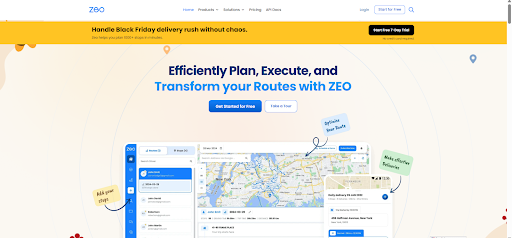
Zeo Route Planner is a powerful yet simple tool for planning the perfect walking route. Its smart route optimization feature helps you find the most efficient or scenic path in seconds, while recurring routes make it easy to repeat your favorite walks.The Zeo app also offers route analytics, so you can track your distance, pace, and overall progress over time. Combined with seamless navigation and global search, Zeo makes every walk smooth, accurate, and enjoyable.
- Google Maps
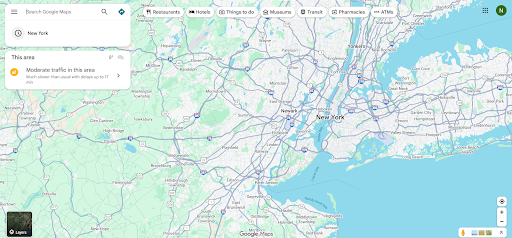
Google Maps is one of the most reliable choices for everyday walking directions. It offers real-time navigation, street-level detail, and highly accurate walking routes across cities and neighborhoods worldwide.The app helps you discover new paths, avoid unsafe areas, and find shortcuts you might not know otherwise. It’s especially helpful when traveling, making it easy to explore new places with confidence.
- AllTrails
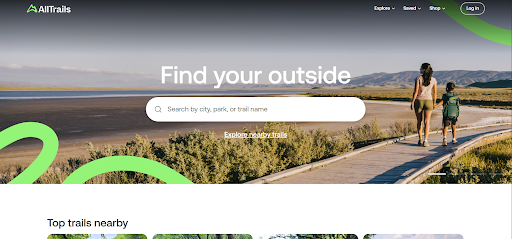
AllTrails is one of the favorite walking route planner apps for walkers who love nature, parks, and hiking paths. It provides access to thousands of trails with details like route length, difficulty levels, elevation gain, and surface types.
increase fuel savings
Hassle Free Deliveries & Pickups!
Optimize routes with our algorithm, reducing travel time and costs efficiently.
Get Started for Free
Users can read reviews, view photos, and filter routes based on what they enjoy. Whether you’re looking for a casual scenic walk or a more challenging climb, AllTrails helps you discover outdoor routes that match your goals.
- Map My Walk
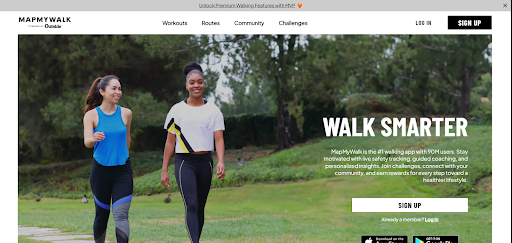
Map My Walk is designed for people who want to track their fitness while walking. It measures your distance, pace, calories burned, and time, and even provides insights into your performance over multiple walks.The app includes challenges, goal-setting features, and integration with fitness devices, making it ideal for anyone following a workout routine. Its route-saving options also help you maintain consistency with your daily or weekly walking plans.
- Footpath Route Planner
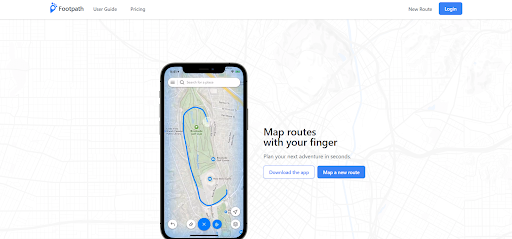
The Footpath Route Planner is perfect for walkers who enjoy creating their own unique routes. You can draw a path directly on the map, and the app automatically shapes it into the closest streets or trails.This gives you complete control over your walking distance, direction, and scenery. It’s especially useful for planning long walks, scenic routes, or new paths that aren’t automatically generated by other apps.
Conclusion
Walking becomes more enjoyable when you have the right tools to guide your path. The apps we explored make it easier to discover new routes, stay on track, and get more out of every walk, whether you’re exploring your neighborhood or traveling somewhere new. With the right walking route planner, you can turn any walk into a smoother, safer, and more engaging experience.
Zeo Route Planner stands out because it brings together smart route optimization, easy navigation, recurring routes, and powerful analytics in one simple app. It helps you walk with confidence and gives you the freedom to explore without worrying about planning or directions.
Sign up for Zeo Route Planner today and start creating walking routes that fit your goals, pace, and lifestyle.

Are you a fleet owner?
Want to manage your drivers and deliveries easily?
Grow your business effortlessly with Zeo Routes Planner – optimize routes and manage multiple drivers with ease.
increase fuel savings
Hassle Free Deliveries & Pickups!
Optimize routes with our algorithm, reducing travel time and costs efficiently.
Get Started for Free 










