




Winter operations are no longer as simple as sending crews out with plows and hoping the work gets done on time. With unpredictable storms, demanding clients, and tight service windows, snow removal teams need speed, accuracy, and complete visibility to stay ahead. That is why more businesses are turning to snow removal software to bring order and control to their winter workload.
The right software helps you manage routes, track crews, communicate updates, and complete jobs faster than manual planning ever could. It gives you a clear picture of what is happening in the field and helps you make decisions that keep customers satisfied and operations running smoothly.
What Is Snow Removal Software?
Snow removal software is a digital tool that helps businesses plan, manage, and track their winter operations. Instead of relying on paper, manual calls, or guesswork, teams can use software to organize routes, assign tasks, monitor crews, and stay in control during busy snow events.
Key Features to Look for in the Best Snow Removal Software
The right snow removal software should make your winter operations easier, faster, and more organized. When storms hit, you need tools that help you stay ahead, respond quickly, and keep every job on track.
- Live Route Tracking
Live route tracking helps you see where every plow truck and sidewalk crew is in real time. This is crucial during storms when conditions change quickly and you need to verify that each property has been serviced. With live maps, you can redirect crews, cover emergency areas, and ensure no site is left unattended. - Route Optimization
Route optimization builds efficient plowing and salting routes so crews can clear more properties in less time. It eliminates wasted driving, reduces overlap between drivers, and ensures priority sites are handled first. This keeps operations running smoothly even when snowfall is heavy or sudden. - Recurring Routes
Most snow contracts require multiple passes during a storm, especially for commercial lots, retail stores, and apartment complexes. Recurring routes make this easy by automatically scheduling repeated visits. This ensures consistent service throughout the storm without manually planning each round. - Route Analytics
Route analytics help you understand how long each job takes and how efficiently your team is performing. These insights can reveal bottlenecks, overtime risks, and areas where crews are moving too slowly. Over time, analytics help you refine routes, improve response times, and boost profitability. - Proof of Delivery or Proof of Service
Snow removal often requires clear documentation for liability and contract compliance. Proof of service lets crews take photos, record timestamps, and attach digital notes after each job. This protects your business from disputes and shows clients that their lots and sidewalks were cleared properly. - Automated Delivery Updates
During heavy snowfall, clients want to know when their property will be cleared. Automated delivery updates send real-time messages when a crew is on the way, when a job starts, and when it finishes. This reduces customer calls and gives property managers peace of mind during storms. - Driver Management
Driver management tools help you assign plowing zones, monitor work hours, and keep track of who completed which job. This is especially important when managing multiple trucks and shovel crews across large areas. Strong driver oversight improves safety and ensures balanced workloads. - Global Search
Global search lets you instantly locate any client property, route, or past service record during a storm. Instead of digging through paperwork or spreadsheets, you can pull up the information you need in seconds. This is extremely valuable when clients request updates or when you need to reassign crews quickly.
Best Snow Removal Software for 2026
Managing winter operations takes more than manpower. You need tools that help you react fast, coordinate teams, and deliver reliable service to every client. These snow removal software options offer the features and flexibility contractors need to stay organized during even the toughest storms.

increase fuel savings
Save $200 on fuel, Monthly!
Optimize routes with our algorithm, reducing travel time and costs efficiently.
Get Started for Free
- Zeo Route Planner
Zeo Route Planner is a powerful choice for snow removal teams that need real-time control during unpredictable storms. Its smart route optimization helps crews clear properties in a logical, efficient order without backtracking or wasted fuel. Live tracking gives you a clear view of every plow truck and sidewalk crew so you can make quick decisions when conditions change.
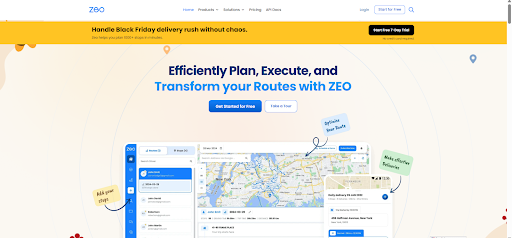
With recurring routes, proof of service, and automated updates, Zeo makes it easier to handle multiple passes, document work, and keep customers informed. This level of visibility and coordination is essential for fast-moving winter operations. - Jobber
Jobber is a strong all-in-one platform for managing winter service businesses. It helps with scheduling, invoicing, client communication, and job tracking. Snow removal teams can assign crews, monitor progress, and send updates to customers. Jobber works well for contractors who want clean workflows and strong customer management tools.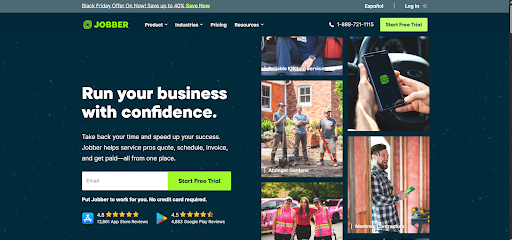
- Service Autopilot
Service Autopilot offers powerful scheduling, dispatching, and client management features that fit snow removal operations. Its automation tools help teams manage large service lists during storms and organize return visits. The software is built for growing businesses that need strong backend organization and route management.
- Plowz & Mowz
Plowz & Mowz is widely used by snow removal contractors looking for on-demand job opportunities. The platform connects customers with available plow operators in their area. It helps contractors receive new job requests instantly, manage one-time plowing work, and expand their winter service volume.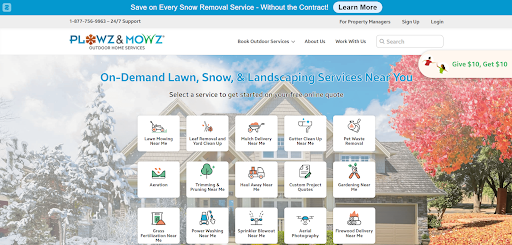
- LMN (Landscape Management Network)
LMN (Landscape Management Network) is designed for landscaping and snow contractors who handle both seasonal and year-round work. During winter, LMN helps teams manage job sites, track hours, organize routes, and bill clients accurately. Its strong reporting and cost-tracking features make it useful for businesses with multiple crews and large commercial sites.
Conclusion
Winter operations demand accuracy, quick decisions, and a reliable workflow. When snow starts to fall, teams need tools that help them stay organized, communicate clearly, and complete every job on time. The right snow removal software can transform a stressful storm into a smooth and predictable process that keeps both crews and clients happy.
Among all the available solutions, Zeo Route Planner stands out as the strongest option for snow removal contractors in 2026. Its powerful routing features, live crew tracking, recurring routes, proof of service, and automated updates work together to keep your entire operation running with confidence. If you want smoother winter workflows, sign up for Zeo Route Planner today.

Are you a fleet owner?
Want to manage your drivers and deliveries easily?
Grow your business effortlessly with Zeo Routes Planner – optimize routes and manage multiple drivers with ease.
increase fuel savings
Save $200 on fuel, Monthly!
Optimize routes with our algorithm, reducing travel time and costs efficiently.
Get Started for Free 










