



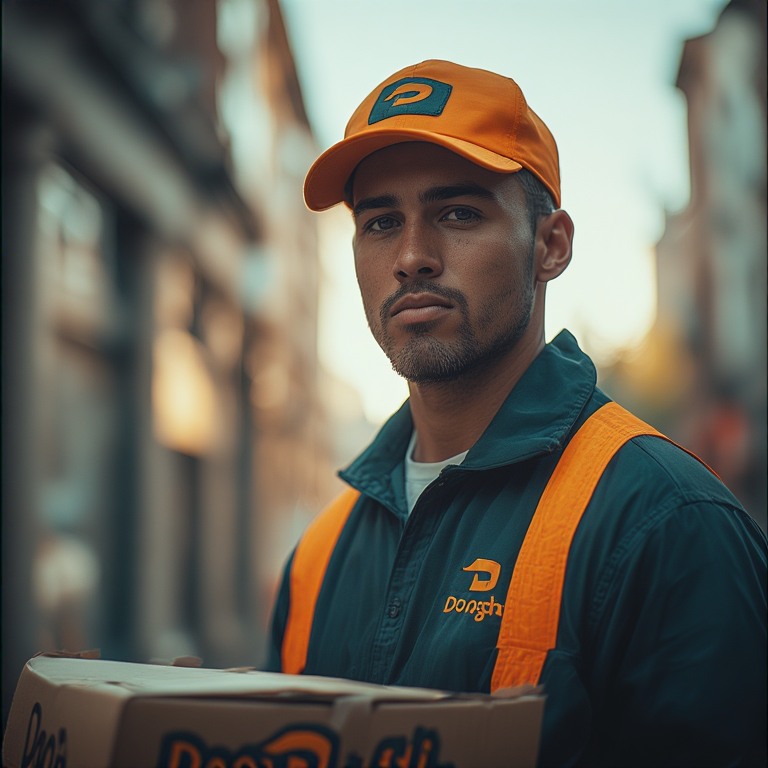
When it comes to work, we all expect flexibility and freedom. The exploding gig economy is a true testament to that. Flexible work hours and minimal barriers to entry make delivery jobs lucrative. Food delivery, in particular, is quite popular.
Among the many available food delivery platforms, DoorDash connects customers with local restaurants and joins forces with delivery drivers to ensure customers have their favourite food items at their doorstep.
So, how can you become a DoorDash driver? Let’s find out.
Eligibility and Requirements to Become a DoorDash Driver
Before you can start delivering, you need to meet a few basic requirements set by DoorDash to ensure smooth and reliable service. These requirements help every DoorDash driver complete deliveries safely and without unnecessary issues.
- Minimum Age Requirement
To become a DoorDash driver, you must be at least 18 years old. This applies whether you plan to deliver by car, bike, or scooter. Meeting the age requirement is the first step before moving forward with registration. - Vehicle Options and Eligibility
A DoorDash driver can deliver using a car, bike, scooter, or even on foot in select cities. Your vehicle does not need to be new, but it must be safe and reliable. Available delivery options may vary based on your location. - Driver’s License and Background Check
If you deliver by car, a valid driver’s license is required. DoorDash also conducts a background check to review driving history and criminal records. Every DoorDash driver must clear this step before the account is activated. - Smartphone and App Requirements
You need a smartphone with a stable internet connection to use the DoorDash app. The app is required for accepting orders, navigating routes, and tracking earnings. Without it, a DoorDash driver cannot manage deliveries efficiently.
Step-by-Step: How to Become a DoorDash Driver
Signing up to deliver with DoorDash is a simple process that can be completed in a short amount of time. Once approved, you can start delivering and earning as soon as you are ready.
- Create a DoorDash Account
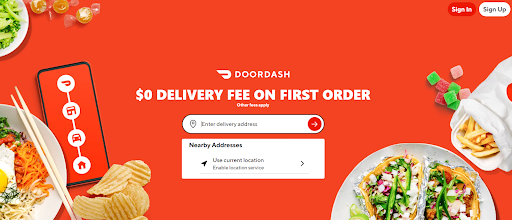
Start by visiting the DoorDash website or downloading the DoorDash app. Enter your basic details such as name, email address, phone number, and location. This creates your initial account and allows you to begin the signup process. - Choose Your Delivery Method
During signup, you will select how you plan to deliver, whether by car, bike, scooter, or on foot where available. This helps DoorDash match you with the right type of delivery requests. You can update this later if your delivery method changes. - Complete the Background Check
DoorDash will run a background check to verify your driving history and criminal record. This step usually takes a few days, but approval times can vary. You will be notified once the review is complete. - Download the DoorDash App
After approval, download the DoorDash app on your smartphone. The app is where you accept orders, get navigation directions, and track your earnings. Make sure notifications are enabled so you do not miss delivery requests. - Get Ready for Your First Delivery
Once your account is active, you can log in and start accepting orders. Familiarize yourself with the app layout and delivery flow before going live. Being prepared helps your first few deliveries go smoothly.
How Much Can a DoorDash Driver Earn?
What you earn depends on where you drive, how often you work, and how well you manage your time and routes. Payments usually include base pay per order, customer tips, and extra incentives during busy periods.
Typical Earnings You Can Expect

increase fuel savings
Hassle Free Deliveries & Pickups!
Optimize routes with our algorithm, reducing travel time and costs efficiently.
Get Started for Free
- In busy urban areas, many drivers earn around $20 to $25 per hour, including tips.
- Working during peak demand times or in high-order zones can push earnings to $30 per hour or more.
- In slower suburban or rural locations, earnings often range between $12 and $18 per hour.
- Drivers who work consistently can make $600 to $1,000 per week, depending on hours and location.
- Experienced drivers can sometimes earn over $1,200 per week.
Drivers who plan their schedules around busy hours, choose high-demand areas, and reduce unnecessary driving tend to earn more consistently. Smart route planning and time management play a big role in maximizing take-home pay.
How Zeo Route Planner Helps DoorDash Drivers
DoorDash drivers often deal with stacked orders and tight delivery windows. Zeo Route Planner helps drivers stay efficient by organizing routes, reducing unnecessary driving, and making multi-order deliveries easier to manage.
- Route Optimization for Stacked Orders
When you receive multiple orders at once, Zeo arranges all stops in the most efficient sequence. This reduces backtracking and helps you complete deliveries faster. With better route optimization, you can handle more orders without increasing your driving time. - Faster Navigation Between Stops
Zeo provides clean, turn-by-turn navigation that keeps you focused on the next stop. This is especially helpful when delivering in unfamiliar areas or handling multiple drop-offs. Clear navigation helps you avoid missed turns and wasted minutes. - Reduced Fuel Costs
By cutting down extra mileage and unnecessary loops, Zeo helps lower fuel usage over time. Less driving for the same number of deliveries improves your overall take-home earnings. Fuel savings add up quickly for drivers working long shifts. - Better Time Management
Zeo helps you visualize your entire delivery route before you start. Knowing the order of stops makes it easier to plan breaks, accept new orders, or end a shift at the right time. Better time control leads to smoother and less stressful deliveries. - Improved Daily Productivity
Completing deliveries faster means you can accept more orders during busy hours. Zeo supports higher-order volume without increasing workload. This directly helps drivers maximize earnings during peak demand periods.
Conclusion
Becoming a DoorDash driver is a simple way to earn a flexible income, but long-term success depends on how efficiently you manage your time and deliveries. Understanding the signup process, knowing what affects earnings, and working smarter during each shift can make a noticeable difference. Small improvements in routing and planning often lead to better pay and less stress.
Tools like Zeo Route Planner help drivers stay organized, handle multiple orders smoothly, and reduce unnecessary driving. If you want to make the most of every delivery and improve your daily workflow as a DoorDash driver, sign up for Zeo Route Planner today and deliver smarter from your very first shift.

Are you a fleet owner?
Want to manage your drivers and deliveries easily?
Grow your business effortlessly with Zeo Routes Planner – optimize routes and manage multiple drivers with ease.
increase fuel savings
Save 2 Hours on Deliveries, Everyday!
Optimize routes with our algorithm, reducing travel time and costs efficiently.
Get Started for Free










