



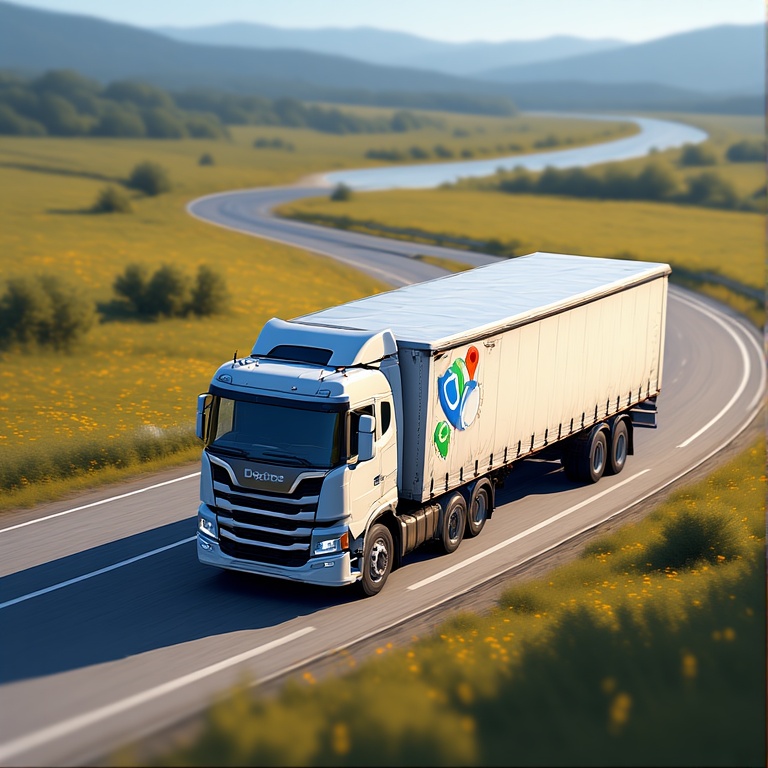
Truck drivers face a unique set of challenges on the road, from height restrictions and weight limits to narrow streets that regular navigation apps simply do not account for. Yet many drivers still rely on Google Maps because it is familiar, fast, and easy to use. The problem is that everyday navigation tools are not designed with commercial vehicle needs in mind.
When early-morning deadlines, strict regulations, and large vehicles come together, the right routing tool becomes critical. This is where understanding the strengths and weaknesses of Google Maps for trucks can help drivers choose smarter, safer, and more efficient alternatives.
Google Maps for Trucks: The Good
Even though it is not designed specifically for commercial vehicles, Google Maps for trucks still offers a few practical advantages. These strengths explain why many drivers use Google Maps for route planning.
- Easy and Familiar Interface
Most drivers already know how to use Google Maps, so there is no learning curve involved. Its layout is clear, straightforward, and easy to follow. This makes it a convenient option when you need quick navigation without setup. - Free and Widely Accessible
Google Maps for trucks is completely free, which is appealing for drivers who want a no-cost navigation option. It works on any smartphone, making it accessible on the go. This accessibility ensures you always have a backup when needed. - Accurate Maps and Address Search
Google’s map database is highly accurate, helping drivers locate customer addresses, buildings, and delivery points easily. The detailed search function makes it simple to find exact locations without manual checking. This reduces the chances of arriving at the wrong place. - Helpful Visual Tools Like Street View
Street View allows drivers to preview entrances, loading areas, and building layouts before arriving. This is especially useful in unfamiliar neighborhoods or complex properties. Knowing what to expect can make arrivals smoother and more confident. - Clear Voice Navigation
Turn-by-turn voice instructions help drivers stay focused without constantly looking at their phones. This makes navigation easier, especially on long routes. The clarity of the directions helps reduce confusion at intersections and turns.
Google Maps for Trucks: The Bad
While many drivers use Google Maps for convenience, it is not designed for commercial vehicle requirements. These gaps can create real challenges for anyone relying on it for daily trucking operations.
- No Truck-Specific Routing
Google Maps for trucks does not account for vehicle height, weight, or load restrictions. This means it may send drivers onto roads that are not suitable or legally accessible. Without truck-safe routing, every trip carries unnecessary uncertainty. - Risk of Low Bridges and Restricted Roads
Because the app does not identify low-clearance bridges, weight limits, or restricted zones, drivers may end up facing unsafe or illegal paths. These situations can lead to sudden rerouting or backtracking. Such risks are avoidable with tools built for trucking. - No Multi-Stop Optimization
Google Maps is built for simple point-to-point navigation, not complex delivery sequences. Drivers handling multiple stops must manually arrange their route, which is inefficient and time-consuming. A lack of automated optimization reduces productivity on every trip. - No Support for Commercial Driving Needs
Features that matter to truckers, such as route history, stop organization, or delivery verification, are missing. Drivers must rely on additional tools to track their workflow. This creates extra steps and complicates daily operations. - Can Lead to Increased Costs and Delays
Inefficient routing can cause longer drive times and unnecessary mileage. Over time, this results in higher fuel costs and slower deliveries. The limitations of Google Maps for trucks often translate into lost time and reduced efficiency.
Better Alternatives to Google Maps for Trucks
Since truck drivers need routing tools that account for vehicle size, restrictions, and multi-stop planning, dedicated trucking apps offer far better reliability. These alternatives are built specifically to keep commercial drivers compliant, efficient, and confident on every route.

increase fuel savings
Save 2 Hours on Deliveries, Everyday!
Optimize routes with our algorithm, reducing travel time and costs efficiently.
Get Started for Free
- Zeo Route Planner
Zeo Route Planner offers fast multi-stop optimization that helps truckers plan efficient routes in seconds. It allows bulk stop import, recurring route setup, and clean stop organization. These features make it ideal for drivers delivering to multiple locations each day.
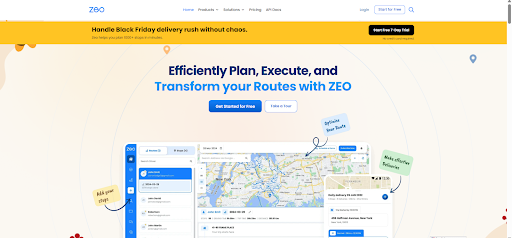
Zeo also provides route analytics, seamless navigation, and easy adjustment tools, helping truckers stay organized on busy days. It is built for drivers who want simplicity without sacrificing power. - Trucker Path
Trucker Path provides information on truck-friendly locations, including rest stops, fuel stations, and parking. Its routing system avoids low clearances and restricted roads. Drivers appreciate the added convenience of community-based updates.
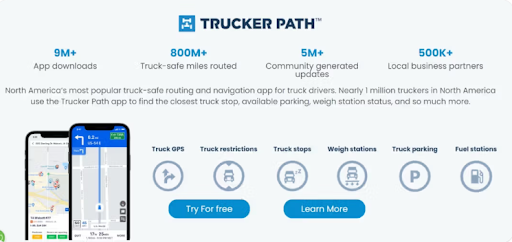
The app shows detailed facility reviews, available parking, and weigh station status. This makes it a helpful travel companion for long-distance truckers who need consistent and reliable information. - Sygic Truck GPS
Sygic is built specifically for commercial vehicles and considers height, weight, and bridge restrictions. It provides clear navigation and customizable truck profiles. This helps ensure drivers stay on approved, safe routes at all times.
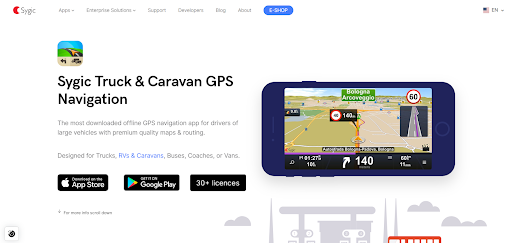
Its offline maps make it dependable in remote locations. Truckers also benefit from lane guidance and detailed road information tailored to large vehicles. - CoPilot Truck
CoPilot Truck offers detailed truck-specific maps that prevent routing through unsafe or restricted areas. It also supports multi-stop routing and offline navigation. Drivers often use it when traveling through places with limited connectivity.
The app allows drivers to customize routes based on vehicle size and load type. Its accuracy and reliability make it a trusted choice for fleet drivers and owner-operators alike. - SmartTruckRoute
SmartTruckRoute creates routes tailored to truck dimensions and load classifications. The app updates frequently to reflect restrictions and road changes. It is a practical choice for drivers who need straightforward, truck-safe directions.
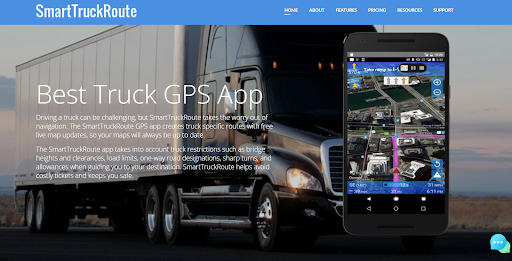
Its real-time editing and up-to-date map data help prevent surprises on unfamiliar roads. Drivers also appreciate how quickly it recalculates routes when conditions change.
Conclusion
Google Maps is a great everyday navigation tool, but it falls short when it comes to the needs of commercial drivers. Safe and efficient routing requires features built specifically for trucks, such as vehicle-based restrictions, multi-stop planning, and dependable compliance tools. That is why choosing better alternatives is essential for staying productive and avoiding costly mistakes, especially when navigating with Google Maps for trucks.
If you want a smarter, faster, and more reliable trucking solution, sign up for Zeo Route Planner today and upgrade the way you drive.

Are you a fleet owner?
Want to manage your drivers and deliveries easily?
Grow your business effortlessly with Zeo Routes Planner – optimize routes and manage multiple drivers with ease.
increase fuel savings
Hassle Free Deliveries & Pickups!
Optimize routes with our algorithm, reducing travel time and costs efficiently.
Get Started for Free










