Reading Time: 4 minutes
Fleet Platform
Mobile App

6 Ways to Add Stops
to Your Routes

Whether you’re importing hundreds of orders from a spreadsheet,
scanning a paper manifest, or adding a stop hands-free while driving —
Zeo makes it easy to build routes your way.
Route Creation Methods, Zeo Route Planner
  • 6

    Input methods to choose from 

  • 500+

    Stops imported in seconds

  • 90%

    Less time on data entry

Choose Your Input Method.

Every business works differently.

Zeo gives you flexibility to add stops the way that fits your workflow.

  • Frame 1707478314 9 1, Zeo Route Planner

    Spreadsheet Import

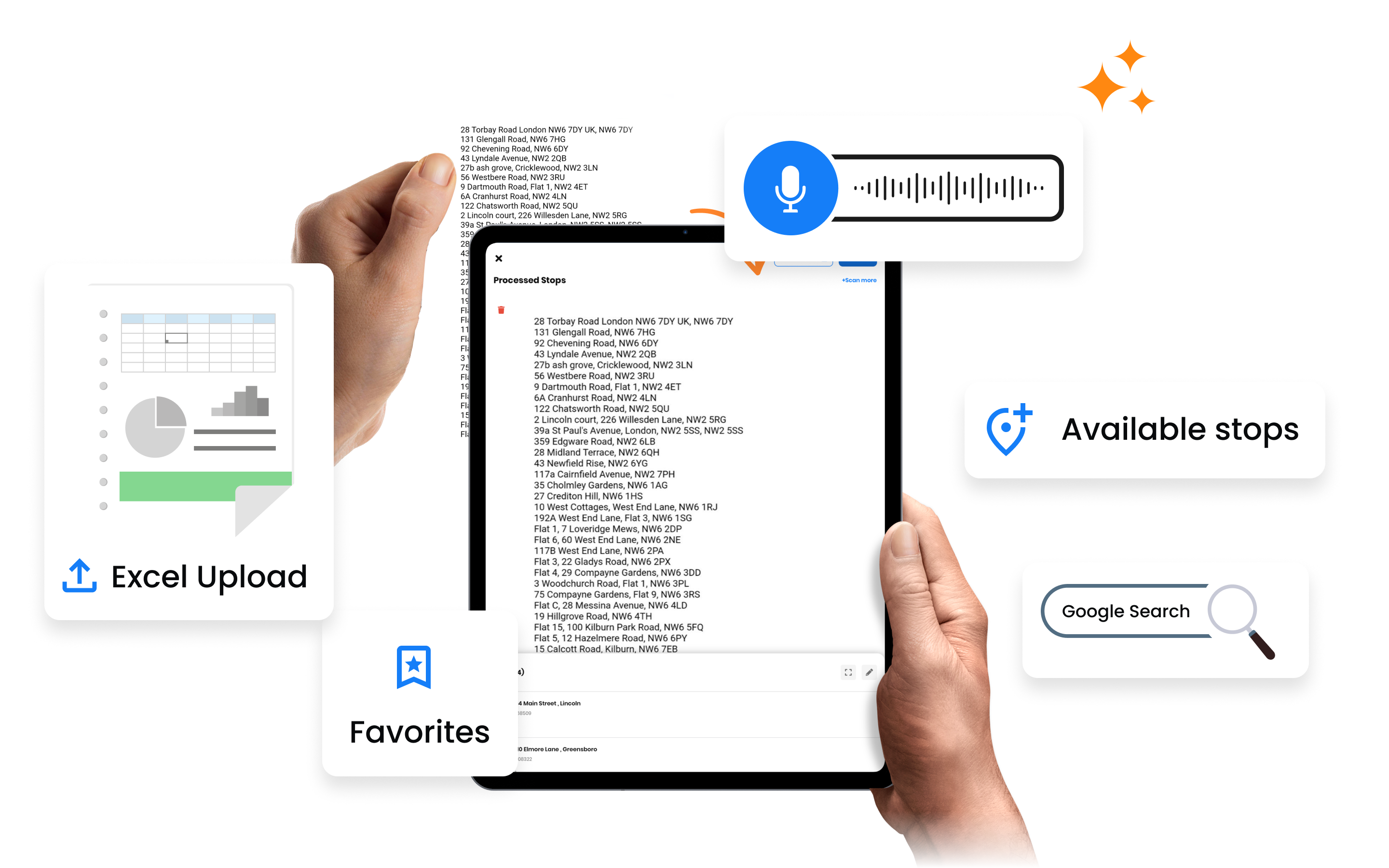
    Upload Excel or CSV files with addresses and customer details. Map columns to Zeo fields once, then import hundreds of stops with one click. Perfect for e-commerce orders, daily manifests, or scheduled appointments.

    “Import your daily orders from your order management system”

  • UNIQUE TO ZEO
    Frame 1707478314 7 1, Zeo Route Planner

    OCR Document Scanning

    Scan paper manifests, handwritten lists, or work orders using your phone’s camera. Zeo’s AI extracts addresses automatically — no manual typing required. Works with printed and handwritten text.

    “Photograph a work order to auto-extract customer addresses”

  • Frame 1707478314 10 1, Zeo Route Planner

    Google Search Address Entry

    Type partial addresses and let Google autocomplete do the work. Accurate geocoding ensures you get the right location every time. Add customer name, phone, and notes as you go.

    “Start typing ‘123 Main’ and select from autocomplete suggestions”

  • UNIQUE TO ZEO
    Frame 1707478314 8 1, Zeo Route Planner

    Voice Input

    Speak addresses hands-free while driving or working. Zeo converts speech to text and validates addresses in real-time. Perfect for adding urgent stops on the go without pulling over.

    “Add a pickup at 456 Oak Street — done, hands-free”

  • Frame 1707478314 11 1, Zeo Route Planner

    Favorites Quick-Add

    Save frequently-visited locations to your favorites. Add them to routes with one tap. Organize favorites by groups (Monday customers, VIP clients) for even faster route building.

    “Build your regular Tuesday route from saved favorites in 30 seconds”

  • Group 11880 13, Zeo Route Planner

    API & Integration Import

    Automatically sync stops from WooCommerce, Shopify, HubSpot, or any system via API. New orders flow directly into route planning — zero manual import needed.

    “E-commerce orders appear as stops automatically overnight”

How It Works

From input to optimized route in minutes.

1

Choose Method

Select the input method that fits your current need

2

Add Stops

Import, scan, speak, or search to add your stops

3

Review & Edit

Verify addresses, add details like time windows

4

Optimize

Let Zeo’s AI create the most efficient route

Manual Entry vs. Zeo Input Methods

See how much time you can save.

Route Creation Methods, Zeo Route Planner
Manual Data Entry
 

  • Typing each address one by one
  • Copy-pasting from emails and PDFs
  • Fixing typos and geocoding errors
  • Re-entering regular customer info
  • Pulling over to add urgent stops
  • 30+ minutes to build a 50-stop route

Route Creation Methods, Zeo Route Planner
Zeo Input Methods
 

  • Import 500 stops from spreadsheet in seconds
  • Scan paper documents with OCR
  • Google autocomplete prevents errors
  • One-tap add from favorites
  • Voice input while driving
  • 2-3 minutes to build a 50-stop route

How Businesses Use Route Creation

Different industries, different input methods.

DELIVERY

E-commerce Order Import

An online retailer exports orders from Shopify each morning. The CSV imports into Zeo in seconds, creating a ready-to-optimize route with customer names, addresses, and order notes already attached.

FIELD SERVICE

Work Order OCR Scanning

A plumbing company receives handwritten work orders. Technicians photograph the orders with Zeo’s OCR scanner, and addresses are automatically extracted. No more squinting at messy handwriting.

DELIVERY

Voice-Added Urgent Pickups

A courier driver gets a call about an urgent pickup while en route. Using voice input, they add the new stop without pulling over: “Add pickup at 789 Commerce Drive.” The route automatically re-optimizes.

FIELD SERVICE

Favorites for Regular Routes

A pool service company visits the same pools weekly. Using favorites grouped by day, the dispatcher builds Monday’s route in 30 seconds by selecting “Monday Pools” and tapping “Add All to Route.”

Group 1707478361, Zeo Route Planner

Start Building Routes Faster

Try all 6 input methods free for 7 days. No credit card required.

Group 1707478363, Zeo Route Planner

Zeo Questionnaire

Frequently
Asked
Questions

Know More

Route Creation Methods

What spreadsheet formats are supported?

Zeo supports Excel (.xlsx, .xls) and CSV files. You can map any column structure to Zeo fields — address, customer name, phone, time window, notes, etc. Save your column mapping for future imports.

How accurate is the OCR scanning?

Zeo uses advanced AI for OCR that handles both printed and handwritten text. Accuracy is typically 95%+ for printed text and 85%+ for readable handwriting. You can review and edit extracted addresses before adding to route.

Does voice input work while offline?

Voice input requires an internet connection for speech-to-text conversion. However, you can add stops using favorites or manual entry while offline, and they'll sync when connected.

Can I import from Google Sheets directly?

Yes, via Zapier integration or by exporting as CSV. With Zapier, you can set up automatic imports when new rows are added to your Google Sheet.

Is there a limit on how many stops I can import?

You can import up to 2000 stops per route via spreadsheet. For larger imports, simply split into multiple routes. There's no daily limit on total stops imported.

Zeo Blogs

Explore our blog for insightful articles, expert advice, and inspiring content that keeps you informed.

How to Become a DoorDash Driver?, Zeo Route Planner

How to Become a DoorDash Driver?

Reading Time: 4 minutesWhen it comes to work, we all expect flexibility and freedom. The exploding gig economy is a true testament to

2026 01 14 Home Inspection Scheduling Software Featured, Zeo Route Planner

Home Inspection Scheduling Software: Scale Your Business 2026

Reading Time: 5 minutesDiscover how home inspection scheduling software can increase daily capacity by 30% while reducing travel time and costs for multi-inspector teams.

2026 01 14 How To Reduce Auto Parts Delivery Time Featured, Zeo Route Planner

How to Reduce Auto Parts Delivery Time by 40% in 2026

Reading Time: 8 minutesDiscover how auto parts distributors are cutting delivery times by 40% while handling 2x more emergency orders. Proven strategies for faster deliveries.