



The true success of any business depends on customer satisfaction and process efficiency. For the delivery business, the link between efficiency and customer experience is the dispatch system software. Customers expect fast and reliable deliveries and dispatch system software helps you ensure that.
These software offer features that streamline the route planning and delivery process, and help you overcome challenges before they disrupt your operations. Companies that embrace this technology gain a real advantage as they streamline tasks, reduce stress, and deliver a more reliable experience from start to finish.
What is Dispatch System Software?
Dispatch system software is a digital tool that helps businesses plan, assign, and track jobs through a single platform. It combines scheduling, route planning, communication, and GPS tracking so teams can work with better clarity and fewer mistakes. By giving dispatchers and field workers real-time information, the software creates smoother workflows and keeps operations running efficiently from start to finish.
Features of Dispatch System Software
These features simplify planning, improve communication, and ensure every task moves smoothly from assignment to completion.
- Route Optimization
The software calculates the most optimized routes based on distance, number of stops, and delivery priorities. Drivers can complete more stops with less travel time, and dispatchers gain confidence that routes are planned in a practical way. This leads to faster operations and lower fuel costs. - Real-Time Tracking
Live route tracking allows dispatchers to monitor driver locations, job progress, and potential delays as they happen. This helps teams respond quickly when schedules change or new tasks appear. Customers also receive more accurate updates because the information reflects real conditions. - Automated Customer Updates
The system sends automatic notifications such as arrival alerts, status changes, or delivery confirmations. This reduces the load on dispatchers while keeping customers informed throughout the process. Clear communication builds trust and improves the overall experience. - Proof of Delivery
Drivers can capture proof of delivery in the form of signatures, photos, or notes directly within the software when a job is completed. This creates a reliable record that protects both the business and the customer. It also helps resolve disputes quickly by providing clear evidence of each job. - Route Analytics
Dispatch system software collects route analytics data on delivery performance, travel time, and route efficiency. Managers can review these insights to understand bottlenecks and measure productivity. Better data leads to smarter planning and long-term improvements in operations.
Benefits of Dispatch System Software
Dispatch system software brings noticeable improvements to daily operations by reducing manual work and increasing overall coordination.

increase fuel savings
Hassle Free Deliveries & Pickups!
Optimize routes with our algorithm, reducing travel time and costs efficiently.
Get Started for Free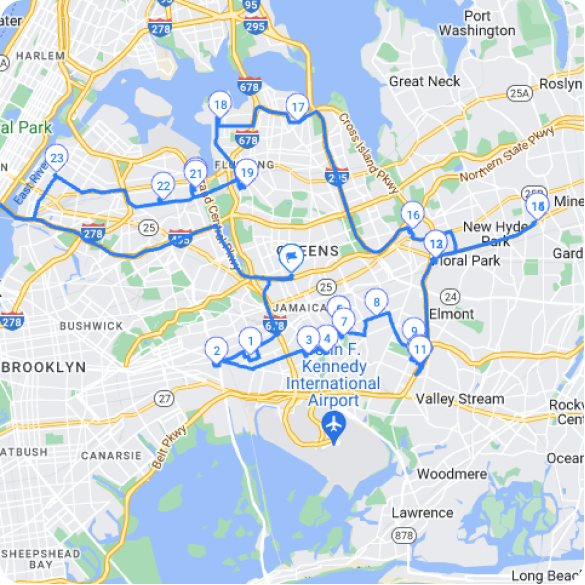
- Faster and More Accurate Scheduling
Automated scheduling reduces the chance of errors and removes the need for constant back-and-forth communication. Dispatchers can assign jobs quickly based on real-time availability and capacity. This keeps workloads balanced and improves overall efficiency. - Lower Operational Costs
Optimized routes and better planning help businesses cut fuel expenses, avoid unnecessary trips, and reduce overtime. The software also minimizes manual tasks that often lead to costly mistakes. Over time, these savings create a significant impact on profitability. - Improved Visibility Across Operations
Real-time tracking ensures managers always know where drivers are and how tasks are progressing. This clarity helps teams make faster decisions when unexpected situations arise. It also improves accountability because every activity is recorded within the system. - Better Customer Experience
With automated updates and accurate ETAs, customers feel more informed and confident throughout the service or delivery process. Transparent communication reduces support calls and boosts satisfaction. Consistent performance encourages repeat business and builds stronger relationships. - Higher Productivity for Drivers and Dispatchers
Drivers receive clear instructions and optimized routes that help them complete more tasks in less time. Dispatchers work more efficiently because they rely on a centralized system rather than multiple tools. This increases output without increasing workload.
Top 5 Dispatch System Software for 2026
Several platforms stand out in 2026 for their ability to simplify dispatching, strengthen communication, and improve route efficiency. Each solution brings its own strengths, making it easier for businesses to choose a system that matches their workflow.
- Zeo Route Planner
Zeo Route Planer offers a modern dispatching experience with powerful tools for route planning, real-time tracking, and automated workflows. Its interface is simple enough for new users while still supporting advanced needs like recurring routes and detailed analytics. The platform also enhances customer visibility with tracking links and accurate ETAs, which helps build trust and reduce support calls.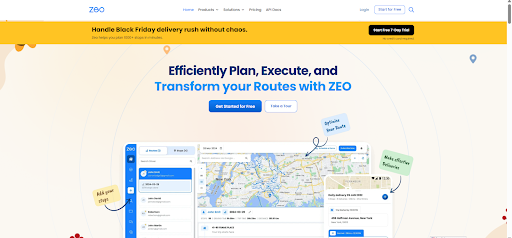
- Onfleet
Onfleet is known for its strong delivery management features and clean, intuitive design. It provides smart route optimization, in-app driver communication, and reliable proof of delivery tools. Businesses that handle high delivery volumes appreciate its automation capabilities and integration options, which help streamline operations from order creation to completion.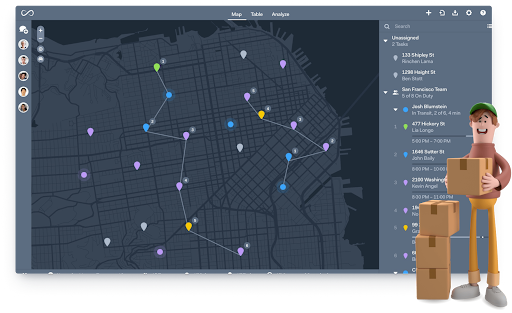
- Routific
Routific focuses heavily on efficient route optimization and cost reduction for delivery teams. It offers quick setup, easy route planning, and real-time driver tracking, making it suitable for small and mid-sized operations. Its strength lies in practical tools that help teams complete more stops with fewer resources while maintaining consistent performance.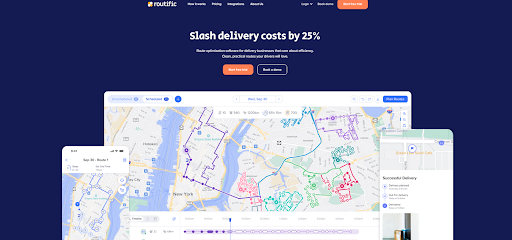
- WorkWave
WorkWave is designed for field service teams that need scheduling, dispatching, and customer management all in one place. It supports industries such as HVAC, electrical, and home maintenance with tools that improve technician productivity and communication. The mobile app keeps field workers updated in real time while managers track service progress and customer history with ease.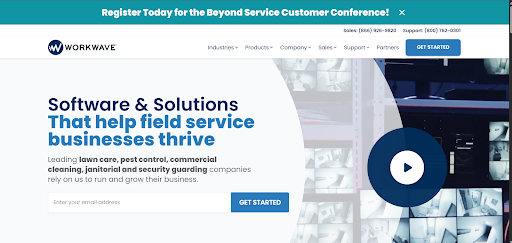
- TruckLogics
TruckLogics caters specifically to trucking companies and focuses on load management, compliance, and dispatching. It helps carriers assign loads, track drivers, manage expenses, and maintain essential documents in a single platform. The software simplifies complex trucking workflows and supports better planning for long-haul operations, making it a dependable choice for fleet-oriented businesses.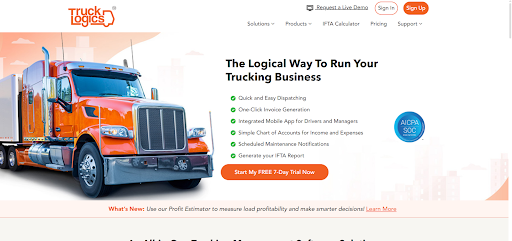
Conclusion
Dispatch system software gives businesses the clarity and control they need to run smoother, faster, and more predictable operations. Among all the options available, Zeo Route Planner stands out for its balance of powerful features, easy usability, and strong automation that helps teams deliver consistent results every day.
Dispatchers that choose Zeo gain a scalable system that improves routing, communication, and customer experience from the very first use. Start streamlining your dispatch and delivery operations. Sign up for Zeo today!

Are you a fleet owner?
Want to manage your drivers and deliveries easily?
Grow your business effortlessly with Zeo Routes Planner – optimize routes and manage multiple drivers with ease.
increase fuel savings
Save 2 Hours on Deliveries, Everyday!
Optimize routes with our algorithm, reducing travel time and costs efficiently.
Get Started for Free





















