



Updated on: January 5, 2026
Reading Time: 4 minutes
Planning a route is a useful thing for convenient and fast movement.
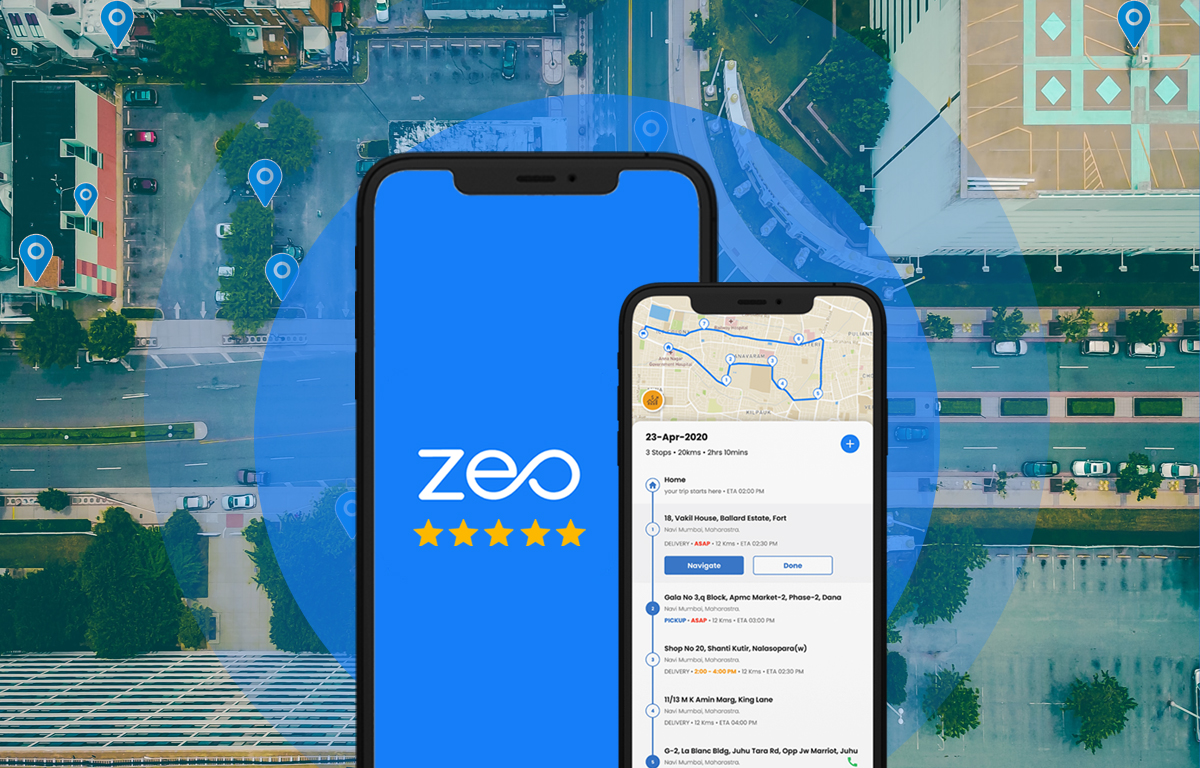
There are many applications available to help you plan your route. The best app is Zeo Route Planner. This is a simple and highly effective application that helps to build a high-quality route. Save your time and get to your destination in minutes. Do not forget to log in to save the received routes.
Zeo Route Planner has a user-friendly interface with nice navigation and maps. Moreover, when comparing Zeo Route Planner to Wikiloc, Zeo Route Planner is faster and more efficient in performance than Wikiloc.
Convenient navigation is the main advantage of Zeo Route Planner. In addition, drivers of renowned courier services use Zeo to optimize routes. Enter the required route using voice input.
Professional service businesses across various industries have discovered the power of efficient route planning. Whether you’re running an electrical service company looking to reduce travel time, managing HVAC technicians, or operating a delivery business, optimal routing can transform your operations.
On the bottom control panel, there are buttons “My routes”, “On ride”, “My profile”. Each of the sections contains the necessary information for the user. The “My routes” section stores all your previously planned routes, making it easy to revisit frequently used paths. The “On ride” feature provides real-time navigation and tracking, while “My profile” allows you to customize settings and preferences to match your specific routing needs.
Zeo Route Planner has a technical support system. Many users may have questions or problems. Compose your question and send it to the support specialists and they will definitely answer you. The support team is knowledgeable about various business applications, from delivery services to field technician scheduling, ensuring you get relevant assistance for your specific use case.
A user-friendly interface is another advantage of Zeo Route Planner over other applications. When you first start Zeo Route Planner you need to allow the application to consider your location by clicking on the “Allow” button.
After enabling geolocation, the user selects the required control language. Then set the required route. Each route determined by its arrival time. This is a handy feature for courier services and field service businesses that need to maintain strict schedules.
For businesses like HVAC companies, the arrival time feature is particularly valuable. HVAC services can significantly reduce fuel costs by planning efficient routes that account for appointment windows and technician availability. This level of precision helps maintain customer satisfaction while maximizing operational efficiency.
One argument in support of Zeo Route Planner is that the user can navigate using any available maps. The app’s flexibility in map integration makes it suitable for various professional applications, from pest control services to pool maintenance companies.
The app supports Google Maps, Apple Maps, Waze, Tom Tom Maps, Here we go Maps, and more. Finding the right route is not difficult. Easy optimization and economical travel. What’s more, add and remove stops throughout the entire route. This dynamic stop management is crucial for service businesses that may need to handle emergency calls or last-minute schedule changes.
Service professionals particularly benefit from this flexibility. For instance, pest control businesses can optimize their routes to accommodate both scheduled treatments and emergency callouts, ensuring maximum efficiency while maintaining service quality.

increase fuel savings
Save $200 on fuel, Monthly!
Optimize routes with our algorithm, reducing travel time and costs efficiently.
Get Started for Free
Zeo Route Planner is a convenient and professional route planner. The main advantages of the application are a convenient and fast interface, easy navigation, and high-quality and optimized route in which you can save time and money. The app’s advanced algorithms consider traffic patterns, road conditions, and delivery windows to create the most efficient possible routes.
The route optimization engine works particularly well for businesses with multiple daily stops. By analyzing factors like distance, traffic conditions, and time constraints, Zeo creates routes that minimize travel time and fuel consumption. This systematic approach to routing has helped countless businesses improve their bottom line while enhancing customer service.
More than tens of thousands of people use Zeo Route Planner every day as of 2026. This is proof that the Zeo Route Planner is the best in its genre. The growing user base includes individual drivers, small businesses, and large enterprises across various industries, all benefiting from the app’s powerful routing capabilities.
You can read the full review here –
https://androidappsforme.com/zeo-route-app-review/
Try it now
Our motive is to make life easier and comfortable for small and medium businesses. So now you are only one step away to import your excel and start away.
Frequently Asked Questions
Is Zeo Route Planner free to use?
Zeo Route Planner offers both free and premium versions. The free version includes basic route planning features, while premium plans provide advanced optimization tools, unlimited stops, and additional business features perfect for professional service companies.
Can I use Zeo Route Planner for multiple vehicles?
Yes, Zeo Route Planner supports multi-vehicle routing. This feature is particularly useful for businesses with multiple drivers or technicians, allowing you to optimize routes across your entire fleet simultaneously.
Does Zeo Route Planner work offline?
While Zeo Route Planner requires an internet connection for initial route planning and optimization, it can provide turn-by-turn navigation offline once routes are downloaded. This ensures you stay on track even in areas with poor cellular coverage.
How accurate are the estimated arrival times?
Zeo Route Planner uses real-time traffic data and historical patterns to provide highly accurate arrival time estimates. The app continuously updates these estimates based on current conditions, helping you maintain reliable schedules for customer appointments.
Can I import my existing customer addresses into Zeo Route Planner?
Yes, Zeo Route Planner supports importing addresses from Excel files and other common formats. This makes it easy to transfer your existing customer database and start optimizing routes immediately without manual data entry.

Are you a fleet owner?
Want to manage your drivers and deliveries easily?
Grow your business effortlessly with Zeo Routes Planner – optimize routes and manage multiple drivers with ease.

increase fuel savings
Hassle Free Deliveries & Pickups!
Optimize routes with our algorithm, reducing travel time and costs efficiently.
Get Started for Free





















