




The medical industry is the lifeline for us in the true sense. Healthcare professionals work tirelessly to ensure public well-being and safety. However, without the right devices, they might even feel handicapped at times.
For smooth healthcare operations, ensuring medical devices are available at the right time becomes paramount. Which, in turn, makes medical device sales a crucial cog in the wheel.
What is Medical Device Sales?
Medical device sales focuses on selling specialized products used by healthcare professionals in clinical settings. These products range from everyday disposable tools to complex diagnostic and surgical equipment.
Sales reps work closely with hospitals, clinics, and medical staff to ensure the right products are used correctly. Trust and reliability play a central role in medical device sales.
Requirements to Get Into Medical Device Sales
Breaking into medical device sales requires the right mix of education, background, skills, and tools. These requirements help prepare you for a fast-paced, field-based role with high expectations.
- Education
Many professionals enter medical device sales with a bachelor’s degree in business, life sciences, or a related field. Formal education helps build credibility when working with clinical teams. While advanced degrees are not always required, product training is continuous. Ongoing learning is a core part of medical device sales success. - Background
Previous experience in field sales, healthcare, or technical sales provides a strong advantage. Exposure to hospitals, clinics, or medical environments builds familiarity with clinical workflows. Transferable sales experience also plays a major role. Medical device sales values proven discipline and relationship-building ability. - Skills
Strong communication skills are essential for explaining complex products clearly. Reps must manage long-term relationships and navigate multi-stakeholder decision-making. Organization and time management support consistent performance across territories. - Tools
Field-based roles require medical courier apps and route planning tools that support daily planning and follow-ups. Managing multiple accounts across different locations demands structure and visibility. Route planning tools help reps stay fast and consistent. The right tools reduce manual effort and support long-term medical device sales growth.
The Step-by-Step Path to Start Your Medical Device Sales Business
Entering medical device sales works best when approached with a clear, step-by-step plan. Each stage builds the foundation needed to succeed in a competitive, field-based industry and win more medical courier contracts.

increase fuel savings
Hassle Free Deliveries & Pickups!
Optimize routes with our algorithm, reducing travel time and costs efficiently.
Get Started for Free
- Step 1: Research the Medical Device Market
Start by understanding the different categories within medical device sales. Learn about products used in hospitals, clinics, and specialty practices. Identify which segments match your interests and background. Focused research helps you target the right opportunities early. - Step 2: Build Relevant Sales or Healthcare Experience
Experience in field sales, healthcare services, or technical selling strengthens your profile. Exposure to clinical environments builds familiarity with decision-makers and workflows. Even entry-level roles provide valuable insight. Medical device sales rewards hands-on experience. - Step 3: Develop Strong Product and Industry Knowledge
Medical device sales requires confidence in explaining how products are used. Invest time in learning terminology, procedures, and compliance standards. Product knowledge builds trust with healthcare professionals. Continuous learning is essential in this field. - Step 4: Prepare for Field-Based Territory Management
Medical device sales involves covering multiple hospitals, clinics, and accounts. Managing visits across locations requires planning and structure. Many successful reps rely on route optimization tools to organize daily schedules efficiently. Early exposure to these tools builds strong habits. - Step 5: Network With Industry Professionals
Connections play a major role in entering medical device sales. Attend industry events, join professional groups, and connect with current reps. Informational conversations offer practical insight and guidance. Networking often creates opportunities before formal applications. - Step 6: Build Systems for Daily Field Execution
Consistent performance depends on how well daily visits and follow-ups are managed. Organizing routes, tracking visits, and reviewing schedules improves reliability. Route optimization tools help reduce planning effort as responsibilities grow. These systems support long-term success in medical device sales.
How Zeo Can Help Medical Sales Reps?
Medical device sales reps spend their days moving between hospitals, clinics, and physician offices. Zeo Route Planner helps them stay organized, focused, and in control of complex field schedules.
- Live Route Tracking
Live route tracking gives medical device sales reps clear visibility into their daily hospital and clinic visits. It helps them stay aligned with scheduled appointments and account commitments. Managers can track field activity without interrupting reps during procedures or meetings. This visibility supports accountability across medical sales territories.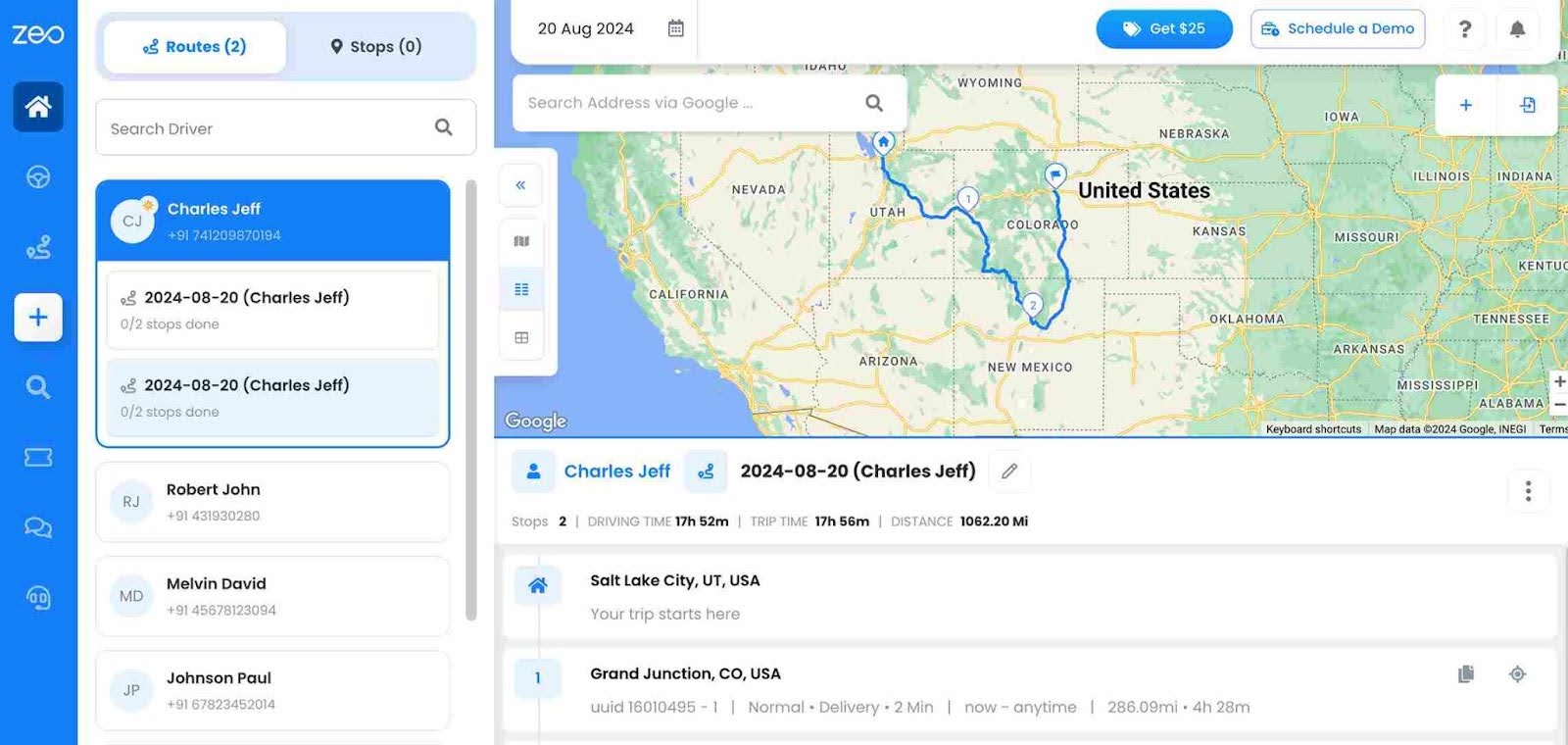
- Route Optimization
Zeo organizes multiple hospital and clinic visits into an efficient daily route. Reps reduce planning time and arrive better prepared for each meeting. This consistency matters when supporting product demonstrations or clinical discussions. Route optimization helps medical device sales reps manage dense schedules with confidence.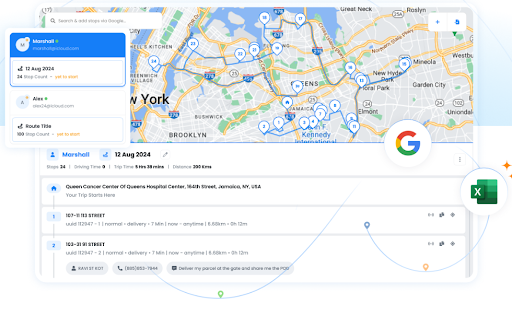
- Automated Customer Updates
Automated updates keep healthcare staff informed about visit timing and status. This is especially useful when coordinating with busy clinical teams. Fewer missed visits lead to stronger professional relationships. Clear communication supports smoother daily execution.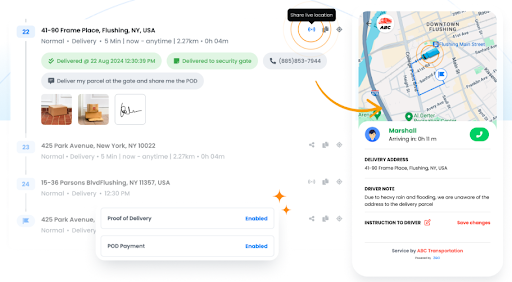
- Proof of Delivery
Proof of delivery documents completed visits, product drop-offs, or case support. It provides reliable records without manual paperwork. This helps reps stay compliant and organized. Accurate documentation is essential in medical device sales environments.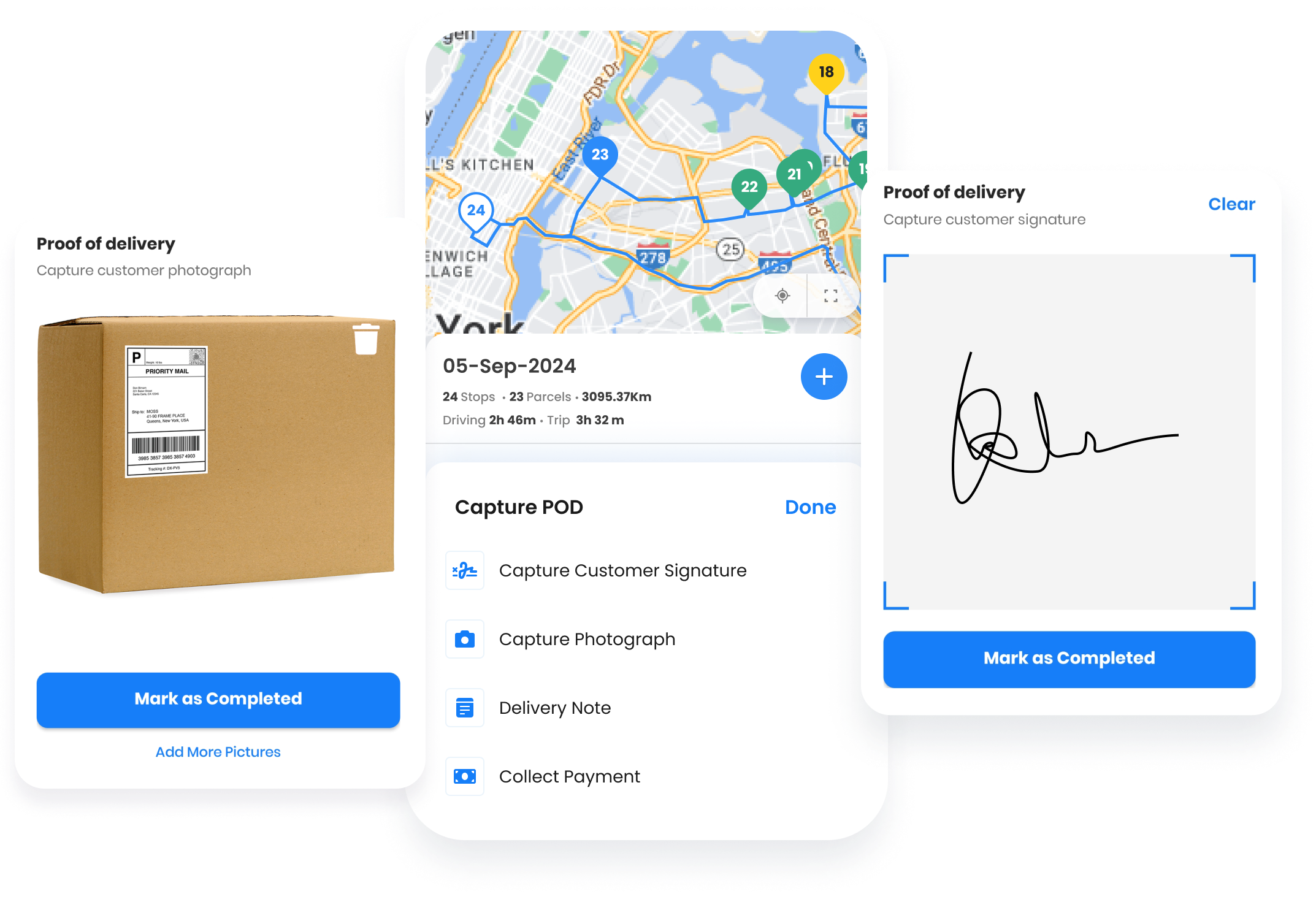
- Route Analytics
Route analytics show how time is spent across hospitals, clinics, and accounts. Reps can identify which locations require more frequent support. These insights improve territory planning and coverage. Analytics help medical sales teams refine long-term strategies.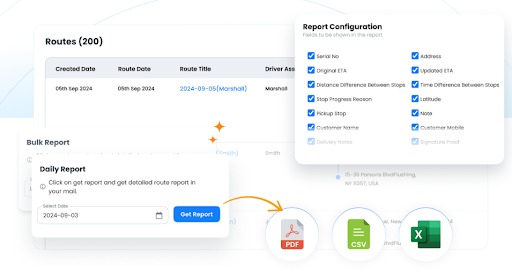
- Recurring Routes
Recurring routes allow reps to reuse schedules for regular hospital rounds or clinic visits. This reduces repetitive planning and improves consistency. Reps can focus more on preparation and follow-ups. Recurring routes support efficient medical device sales workflows.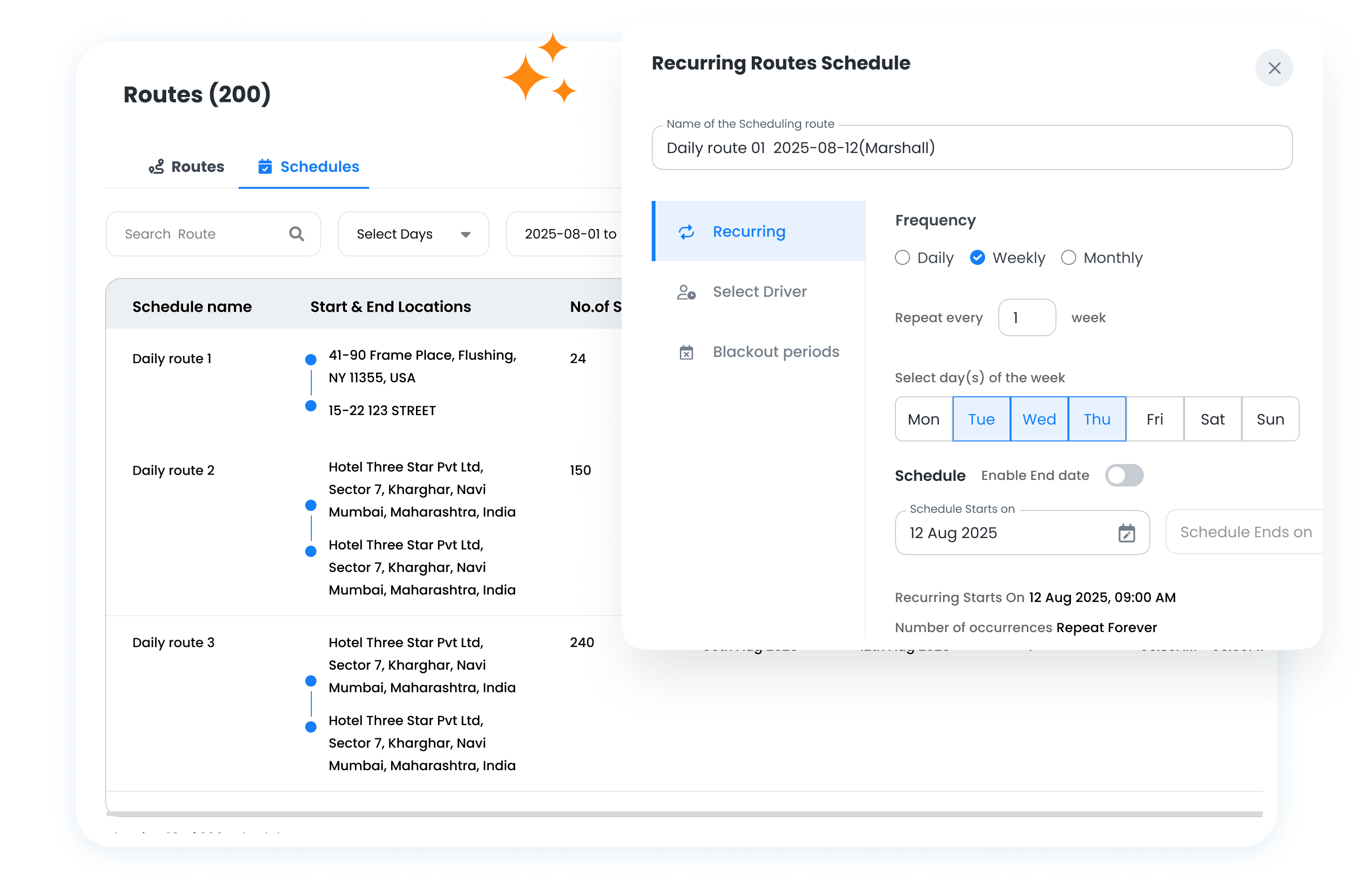
- Global Search
Global search helps reps quickly locate hospitals, physicians, or saved routes. It reduces the time spent searching between meetings. Faster access keeps field days organized and calm. This feature supports smooth transitions throughout the day.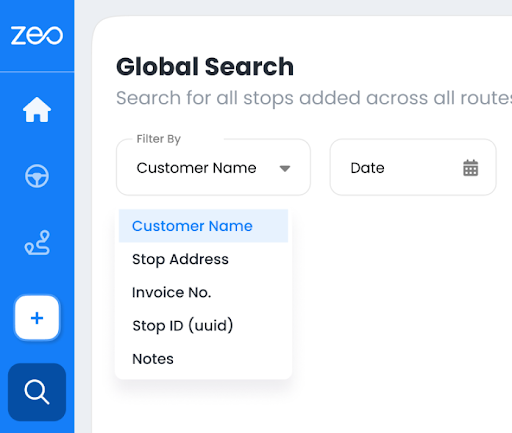
Conclusion
Medical device sales offers a rewarding career for professionals who value preparation, discipline, and long-term relationships. Success depends on more than product knowledge or selling ability alone. When reps optimize their schedules, they perform with confidence and credibility.
If you want to simplify daily field planning and stay organized across hospital visits, sign up for Zeo Route Planner and support your medical device sales work with smarter routes and better structure.

Are you a fleet owner?
Want to manage your drivers and deliveries easily?
Grow your business effortlessly with Zeo Routes Planner – optimize routes and manage multiple drivers with ease.
increase fuel savings
Hassle Free Deliveries & Pickups!
Optimize routes with our algorithm, reducing travel time and costs efficiently.
Get Started for Free 




















